Seleziona un'organizzazione
How to Get Detailed Error Message from HTTP Error Response
Data pubblicazione: Jul 28, 2025
Operazione
GOAL
When making an API call from MuleSoft using HTTP Connector, the API returns "400 Bad Request".The detailed error message can be seen in HTTP Wire logs:
org.mule.service.http.impl.service.HttpMessageLogger.http.requester.D365APIConnection: REQUESTER
HTTP/1.1 400 Bad Request
...
{
"error":{
"code":"","message":"An error has occurred.","innererror":{
"message":"Write failed for table row of type 'CustCustomerV3Entity'. Infolog: Info: Cannot create a record in Customers (CustTable). Customer account: ...
}
}
}
But the error message is not visible in the "Variables and watches" view of Mule Debugger:
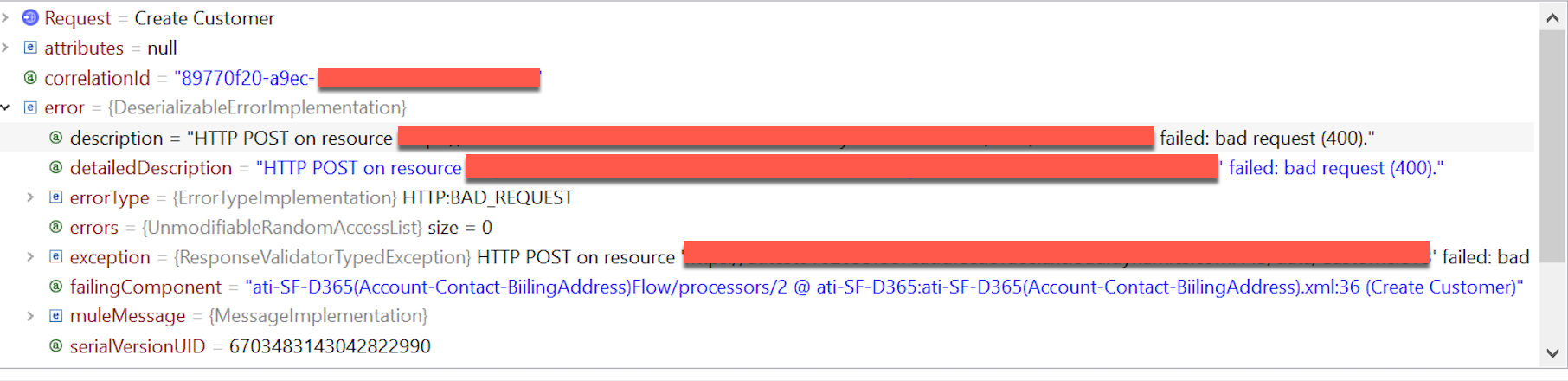
How can I retrieve the error message from the HTTP error response?
Fasi
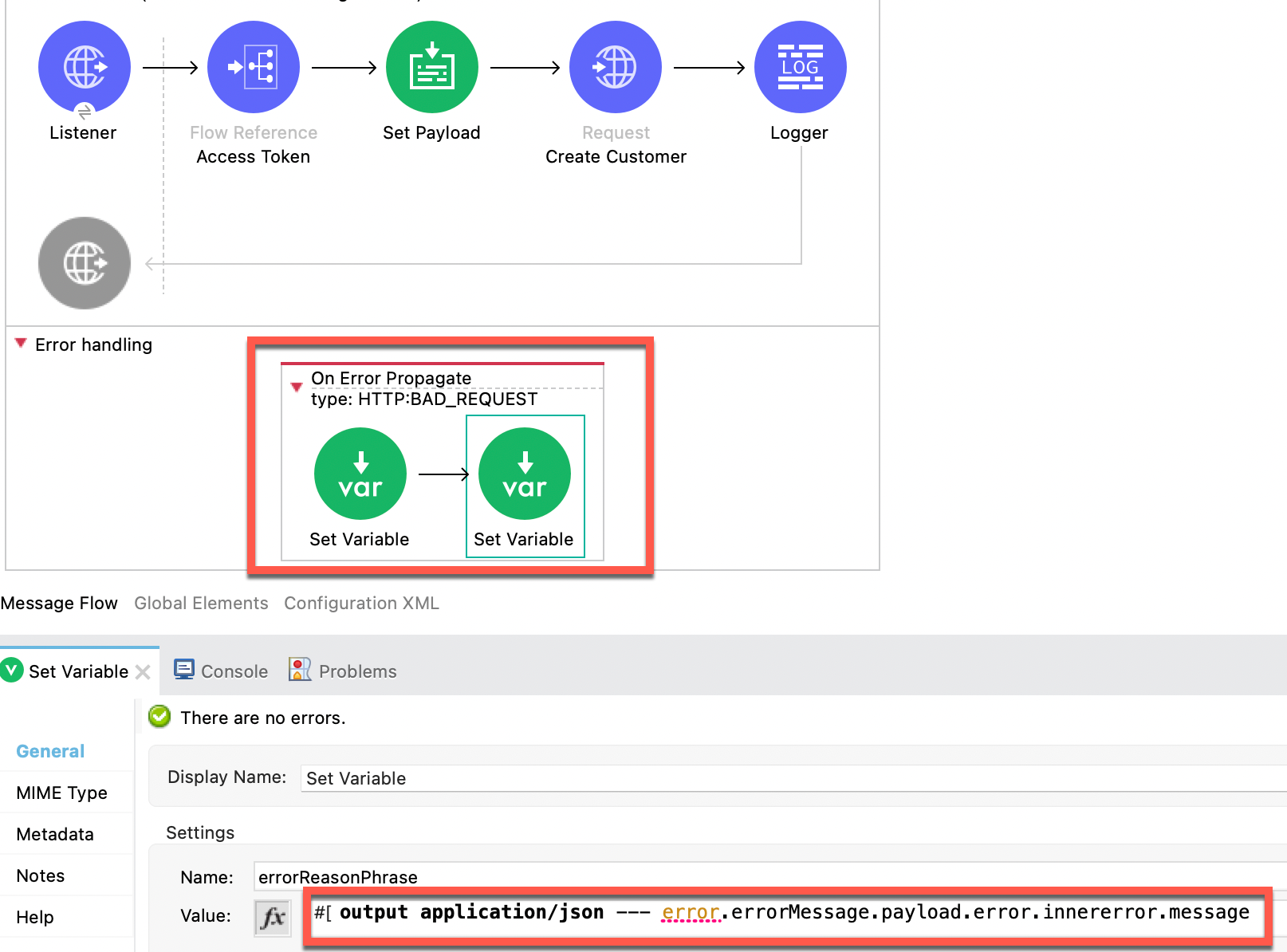
Here is an example for your reference:
<error-handler >
<on-error-propagate enableNotifications="true" logException="true" doc:name="On Error Propagate" doc:id="bee3ce24-ecf9-4613-8a36-4bf62c43995d" type="HTTP:BAD_REQUEST">
<set-variable value="400" doc:name="Set Variable" doc:id="14bba199-f69a-4ade-b84f-b32d570849eb" variableName="errorStatusCode"/>
<set-variable value="#[output application/json --- error.errorMessage.payload.error.innererror.message]" doc:name="Set Variable" doc:id="32a5826d-b5f8-4741-9732-a8d702ccb450" variableName="errorReasonPhrase"/>
</on-error-propagate>
</error-handler>
Numero articolo Knowledge
001115601
Questo articolo ha risolto il problema?
Facci sapere, così possiamo migliorare!
