Выбрать организацию
How to Get Detailed Error Message from HTTP Error Response
Дата публикации: Jul 28, 2025
Задача
GOAL
When making an API call from MuleSoft using HTTP Connector, the API returns "400 Bad Request".The detailed error message can be seen in HTTP Wire logs:
org.mule.service.http.impl.service.HttpMessageLogger.http.requester.D365APIConnection: REQUESTER
HTTP/1.1 400 Bad Request
...
{
"error":{
"code":"","message":"An error has occurred.","innererror":{
"message":"Write failed for table row of type 'CustCustomerV3Entity'. Infolog: Info: Cannot create a record in Customers (CustTable). Customer account: ...
}
}
}
But the error message is not visible in the "Variables and watches" view of Mule Debugger:
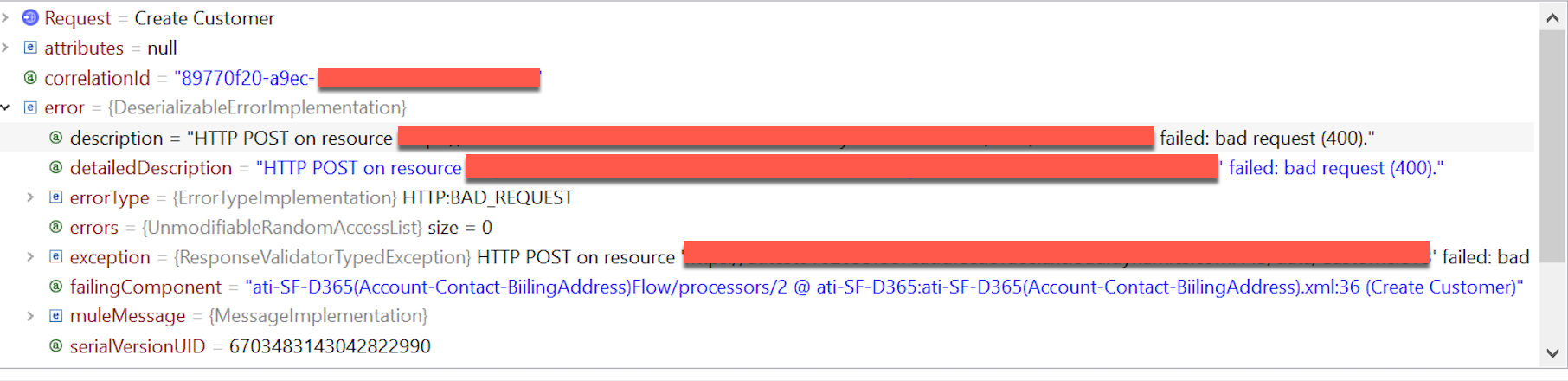
How can I retrieve the error message from the HTTP error response?
Действия
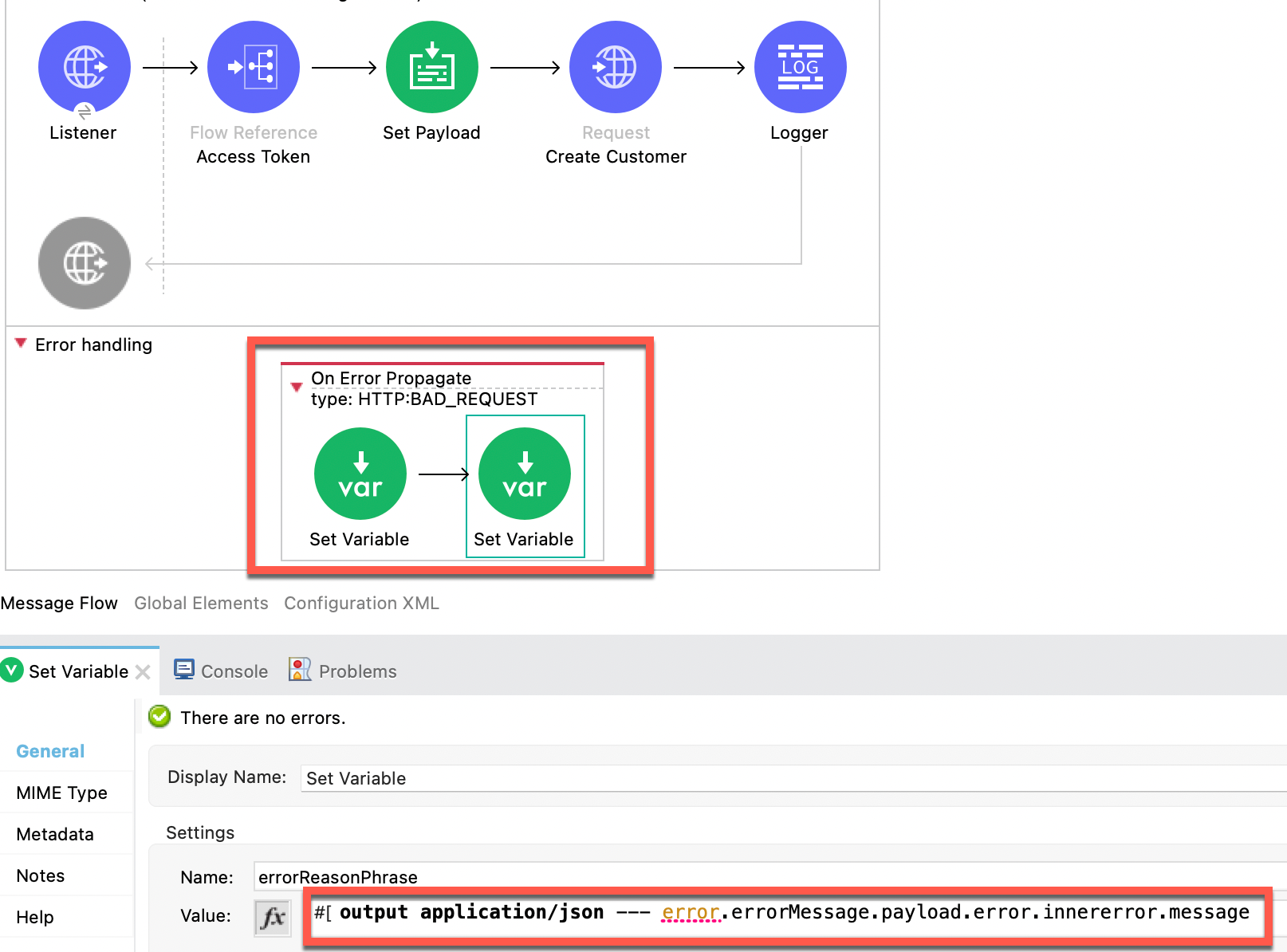
Here is an example for your reference:
<error-handler >
<on-error-propagate enableNotifications="true" logException="true" doc:name="On Error Propagate" doc:id="bee3ce24-ecf9-4613-8a36-4bf62c43995d" type="HTTP:BAD_REQUEST">
<set-variable value="400" doc:name="Set Variable" doc:id="14bba199-f69a-4ade-b84f-b32d570849eb" variableName="errorStatusCode"/>
<set-variable value="#[output application/json --- error.errorMessage.payload.error.innererror.message]" doc:name="Set Variable" doc:id="32a5826d-b5f8-4741-9732-a8d702ccb450" variableName="errorReasonPhrase"/>
</on-error-propagate>
</error-handler>
Номер статьи базы знаний
001115601
Эта статья решила вашу проблему?
Оставьте свой отзыв, чтобы мы могли стать лучше!
