Sélectionner une organisation
How to connect to Amazon DocumentDB using MuleSoft MongoDB Connector
Date de publication: Mar 2, 2024
Tâche
GOAL
Connect to Amazon DocumentDB using MuleSoft MongoDB ConnectorÉtapes
According to the following link:
https://docs.aws.amazon.com/documentdb/latest/developerguide/connect-from-outside-a-vpc.html
"Amazon DocumentDB (with MongoDB compatibility) clusters are deployed within an Amazon Virtual Private Cloud (Amazon VPC). They can be accessed directly by Amazon EC2 instances or other AWS services that are deployed in the same Amazon VPC. Additionally, Amazon DocumentDB can be accessed by EC2 instances or other AWS services in different VPCs in the same AWS Region or other Regions via VPC peering.
However, suppose that your use case requires that you (or your application) access your Amazon DocumentDB resources from outside the cluster's VPC. In that case, you can use SSH tunneling (also known as port forwarding) to access your Amazon DocumentDB resources."
So, to test connectivity to Amazon DocumentDB using Anypoint Studio, which runs outside the Amazon DocumentDB cluster's VPC, you can follow the procedure below:
1. Disable TLS for the Amazon DocumentDB cluster:
2. Refer to the following link to connect to the Amazon DocumentDB cluster using an SSH tunnel:
https://docs.aws.amazon.com/documentdb/latest/developerguide/connect-from-outside-a-vpc.html
3. In Anypoint Studio, go to MongoDB Config and set the MongoDB hostname in the connection string to “localhost”, then click “Test Connection”.
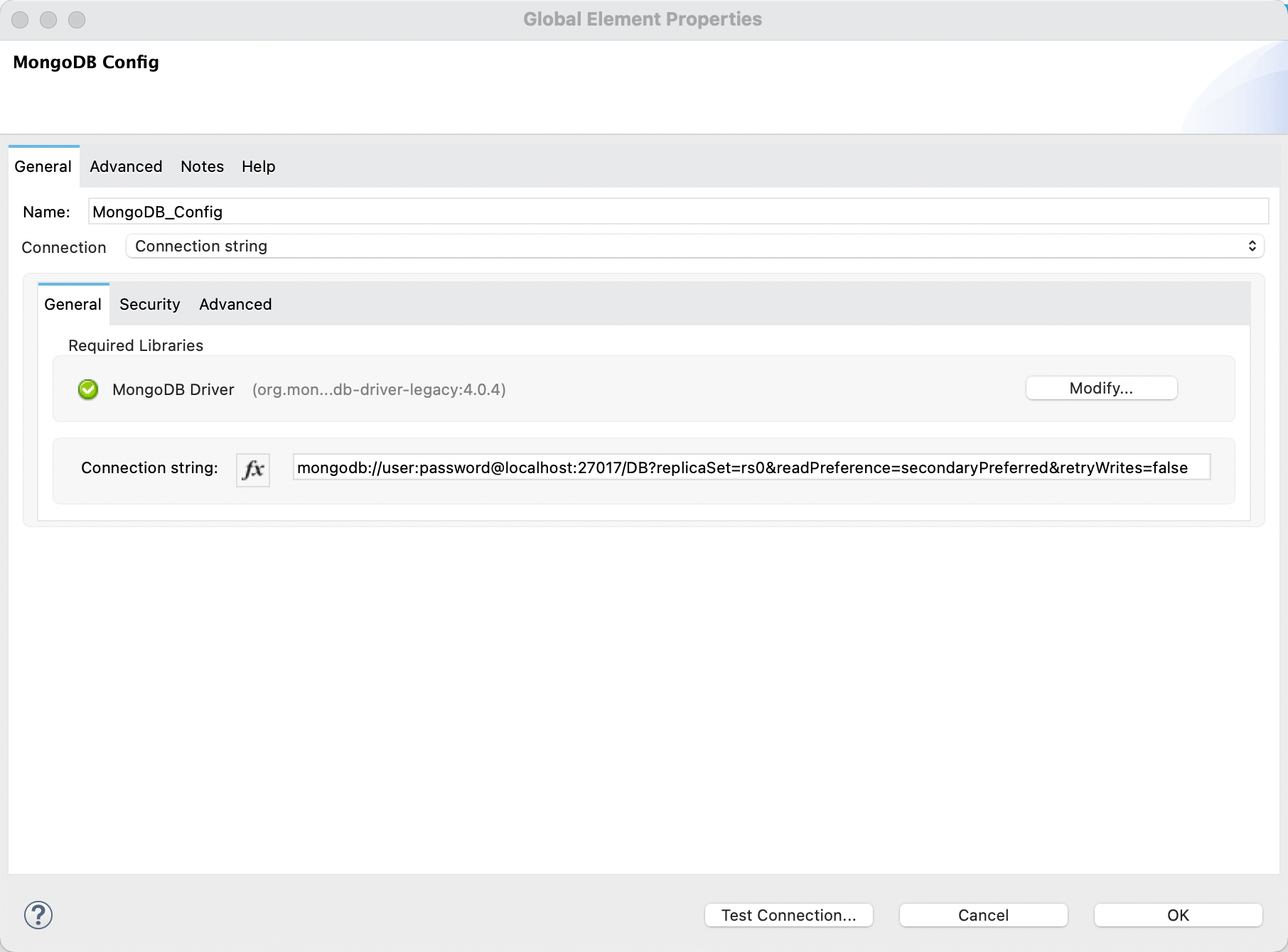
If you deploy the application to CloudHub, there are some VPC connectivity methods that could help achieve network connectivity to DocumentDB:
https://docs.mulesoft.com/runtime-manager/vpc-connectivity-methods-concept
Before deploying the application to CloudHub, you need to change “localhost” in the connection string to the actual hostname of the Amazon DocumentDB cluster.
Numéro d’article de la base de connaissances
001115606
Cet article a-t-il résolu votre problème ?
Dites-nous ce que nous pouvons améliorer !
