Select An Org
How to connect to Snowflake DB using Mule Database Connector
Publish Date: Mar 2, 2024
Task
GOAL
Configure the Database connector to connect with Snowflake DB.
Steps
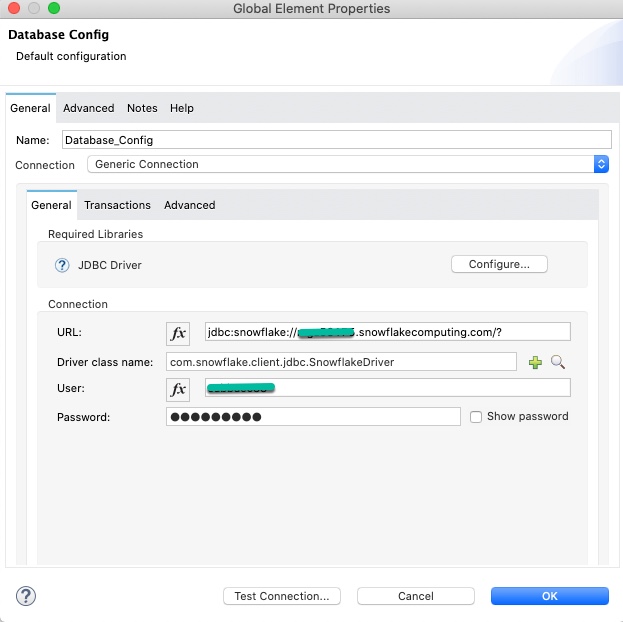
2. Configure the latest Snowflake JDBC driver (https://repo1.maven.org/maven2/net/snowflake/snowflake-jdbc/)
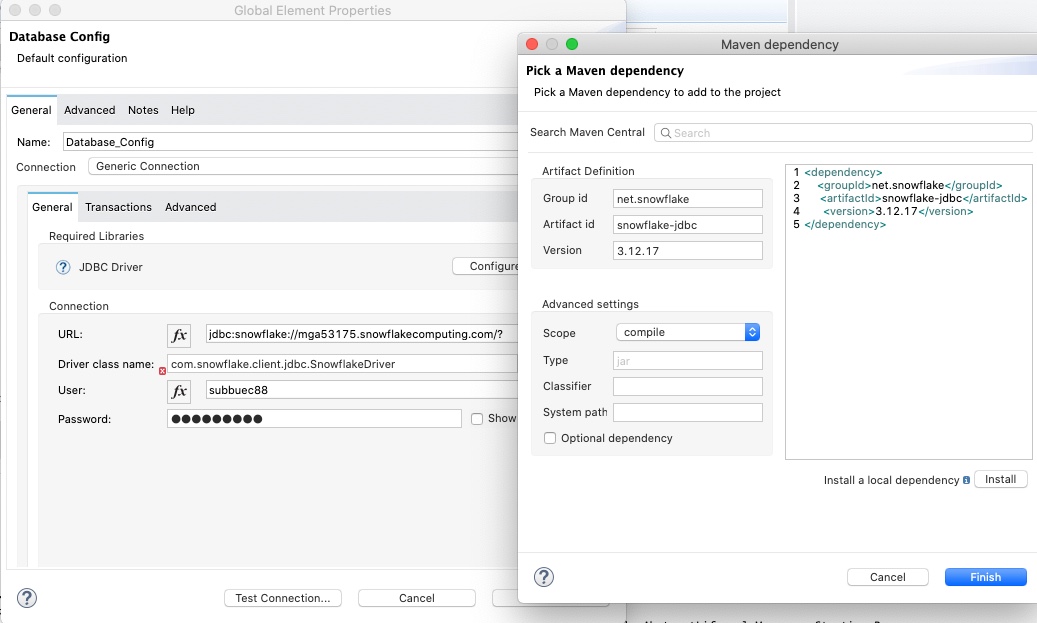
3. Make sure the pom.xml is updated with <sharedLibrary> and <dependency> tags as below
<sharedLibrary>
         <groupId>net.snowflake</groupId>
         <artifactId>snowflake-jdbc</artifactId>
 </sharedLibrary>
<dependency>
            <groupId>net.snowflake</groupId>
            <artifactId>snowflake-jdbc</artifactId>
            <version>3.12.17</version>
 </dependency>
4. Sample DB configuration for reference
<db:config name="Database_Config" doc:name="Database Config" doc:id="ac68faac-9a8a-42c4-9f86-88c144c8bb38" >
		<db:generic-connection url="jdbc:snowflake://xxxx.snowflakecomputing.com/?" driverClassName="com.snowflake.client.jdbc.SnowflakeDriver" user="xxxxxx" password="xxxxxx" >
			<reconnection >
				<reconnect frequency="3000" count="3" />
			</reconnection>
			<db:pooling-profile minPoolSize="1" maxWait="1000" maxIdleTime="5000" />
		</db:generic-connection>
	</db:config>
5. Select query operation for reference
<db:select doc:name="Select" doc:id="2e7c33a9-bcf0-46a0-b6e1-0dd00a76ee27" config-ref="Database_Config">
				<db:sql>select count(*) from "SNOWFLAKE_SAMPLE_DATA"."WEATHER"."DAILY_14_TOTAL";</db:sql>
</db:select>
Other references: Connection pooling for the Database Connector
Knowledge Article Number
001115766
Did this article solve your issue?
Let us know so we can improve!
