Seleccionar una organización
How to update client secret of Connected Apps using API?
Fecha de publicación: Mar 2, 2024
Tarea
GOAL
How to update the "client_secret" of a Connected App using API?Pasos
- Fetch the bearer token by following How to generate your Authorization Bearer token for Anypoint Platform
- Fetch the Connected App details, by running the cURL command like below and replacing the <TOKEN> with the value obtained in step 1:
curl 'https://anypoint.mulesoft.com/accounts/api/connectedApplications' \
  -X 'GET' \
  -H 'Authorization: Bearer <TOKEN>'
You will get a response something like the below:{ "client_id": "2878e002fd4b4f48b6af36f5301e936e", "owner_org_id": "cb71xyz9-a992-4e79-a29d-a9e9xyzde5e", "owner_user_id": "6f13c819-5348d-4edd-b770-b78fcc926bd0", "client_name": "Apiapp1", "client_secret": "86919d8A6D93486EA223779dD19b7363", "public_keys": [], "redirect_uris": [], "grant_types": [ "client_credentials" ], "scopes": [], "enabled": true, "audience": "internal", "client_uri": null, "policy_uri": null, "tos_uri": null }% - Now you can modify the client_secret parameter using the highlighted client_id from above. You will have to run the following cURL command replacing the <TOKEN> with value in step 1 (and the rest of the "data-binary" parameters respectively from the response you've got in step 2):
curl 'https://anypoint.mulesoft.com/accounts/api/connectedApplications/2878e002fd4b4f48b6af36f5301e936e' \
  -X 'PATCH' \
  -H 'Authorization: Bearer <TOKEN>' \
  -H 'Content-Type: application/json' \
  --data-binary '{
    "client_name": "Apiapp1",
    "client_secret": "11111111111111111111111111111111",
    "public_keys": [],
    "redirect_uris": [],
    "grant_types": [
      "client_credentials"
    ],
    "scopes": [],
    "enabled": true,
    "audience": "internal",
    "client_uri": null
  }'
- If you then go to the Connected Apps UI, and click on the "Show" toggle in the Client Secret field, you will see the updated value.
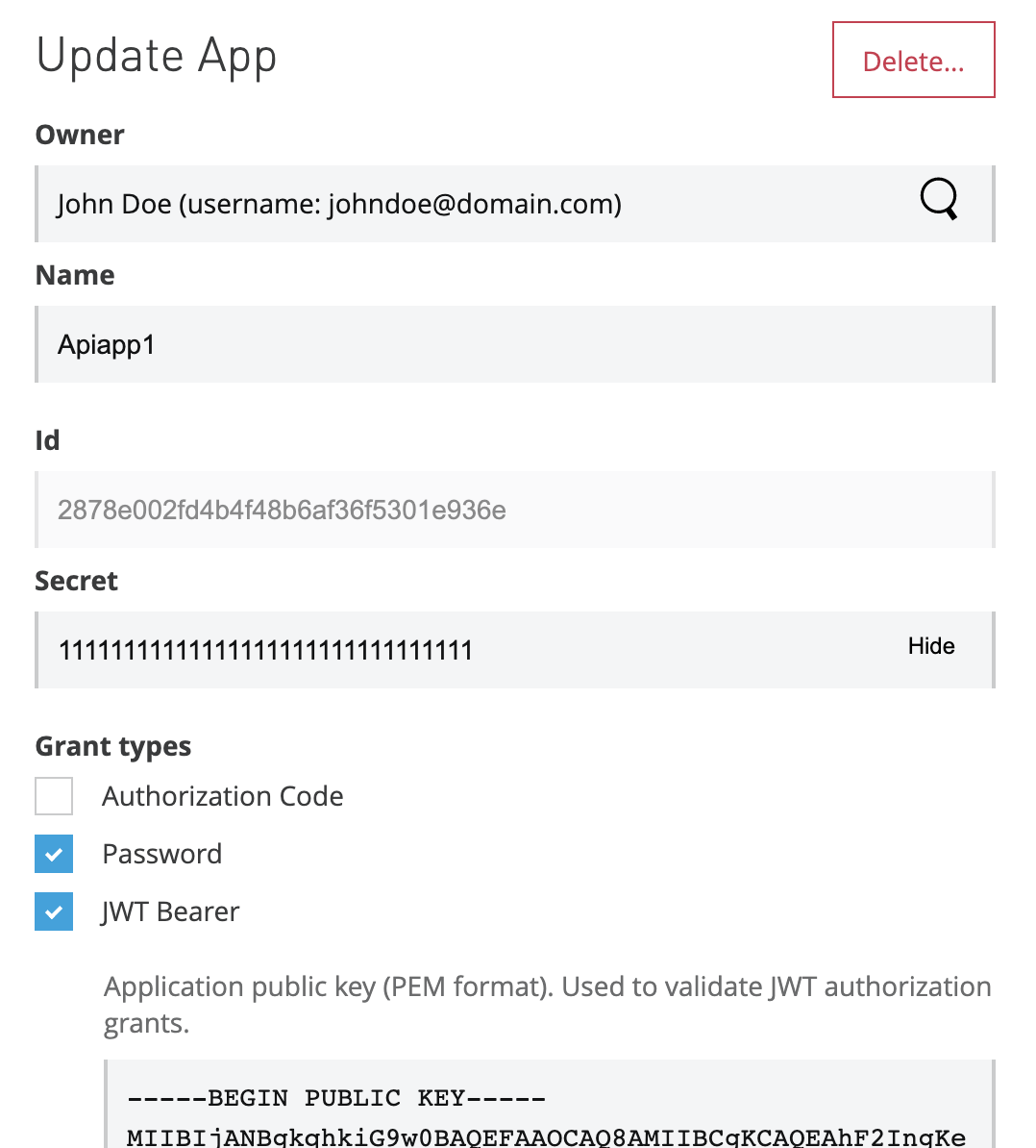
Please note that the scopes you have added to the 'connected app' are not a matter of this reset.
Disclaimer: This solution provides a suggestion that should be considered in conjunction with your specific use-case and requirements and does not represent a complete solution for all circumstances.
Número del artículo de conocimiento
001115827
¿Resolvió este artículo su problema?
¡Háganos saber cómo podemos mejorar!
