Organisation auswählen
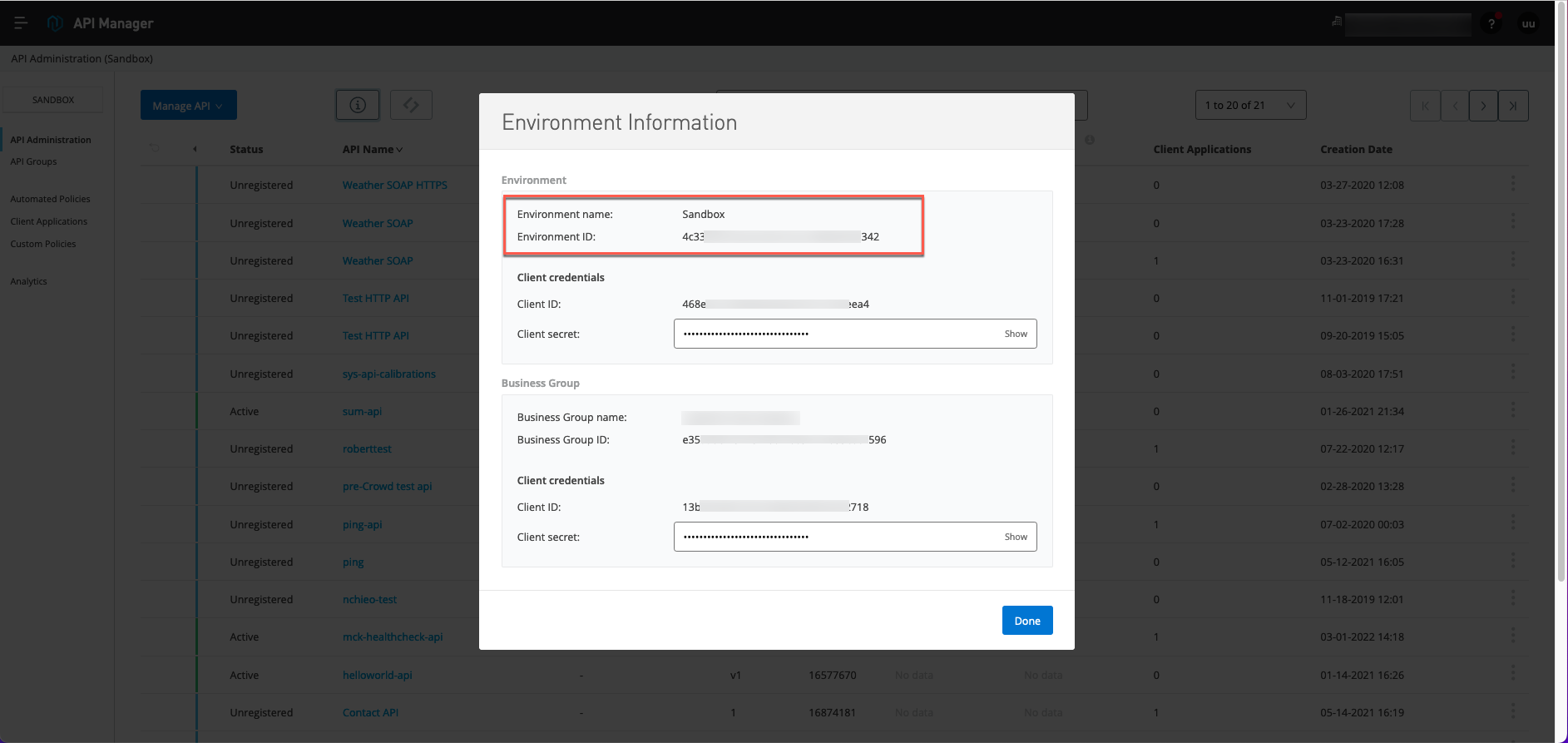
How to get the Environment ID?
Veröffentlichungsdatum: Aug 6, 2025
Aufgabe
GOAL
This article describes how to get the Environment ID of an Environment inside your Organization.Schritte
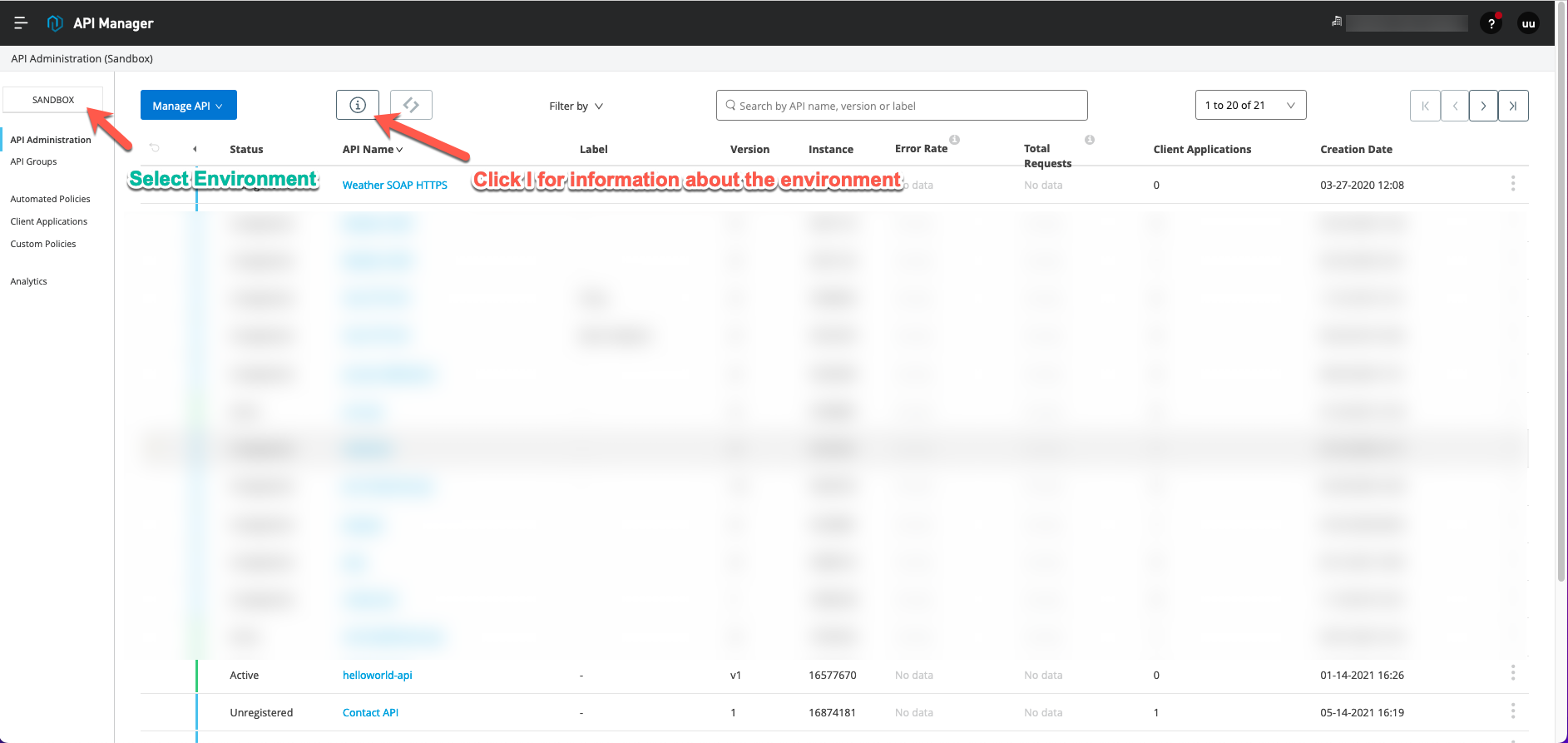
Through the UI
- Log into Anypoint Platform and go into API Manager.
- Ensure you are in the desired Environment, click on the i button.
Through API Call
- Get the Bearer Token for your Organization. Instructions: How to generate your Authorization Bearer token for Anypoint Platform.
- Get the Org Id. Instructions: How to know my Organization ID (Org ID) on the Anypoint Platform
- Call the following API endpoint.
curl 'https://anypoint.mulesoft.com/accounts/api/organizations/<ORG_ID>/environments' \
    -H 'Authorization: Bearer <BEARER_TOKEN>'
This will provide a list of all your environments with each respective id.
Nummer des Knowledge-Artikels
001115852
Konnten Sie Ihr Problem mithilfe dieses Artikels lösen?
Geben Sie uns Feedback, damit wir uns verbessern können.
