Sélectionner une organisation
How to configure Entry Time to Live when using Anypoint Object Store v2 (OSv2)
Date de publication: Mar 2, 2024
Tâche
GOAL
To configure a custom time to live period for keys stored in Object Store V2.Notes: This functionality is only supported when Mule 4 applications are deployed to CloudHub on a Mule Runtime version greater than 4.2.1 and using a CloudHub Runtime Release greater than August 2020. This is not supported for Mule 3 applications using Object Store v2.
Object Store V1 does not support custom time to live.
Étapes
OSv2 supports EntryTtl values from 1 - 2592000 seconds (30 days maximum). If the EntryTtl value is set to less than or equal to 0, the TTL being used is static 2592000 seconds (30 days).
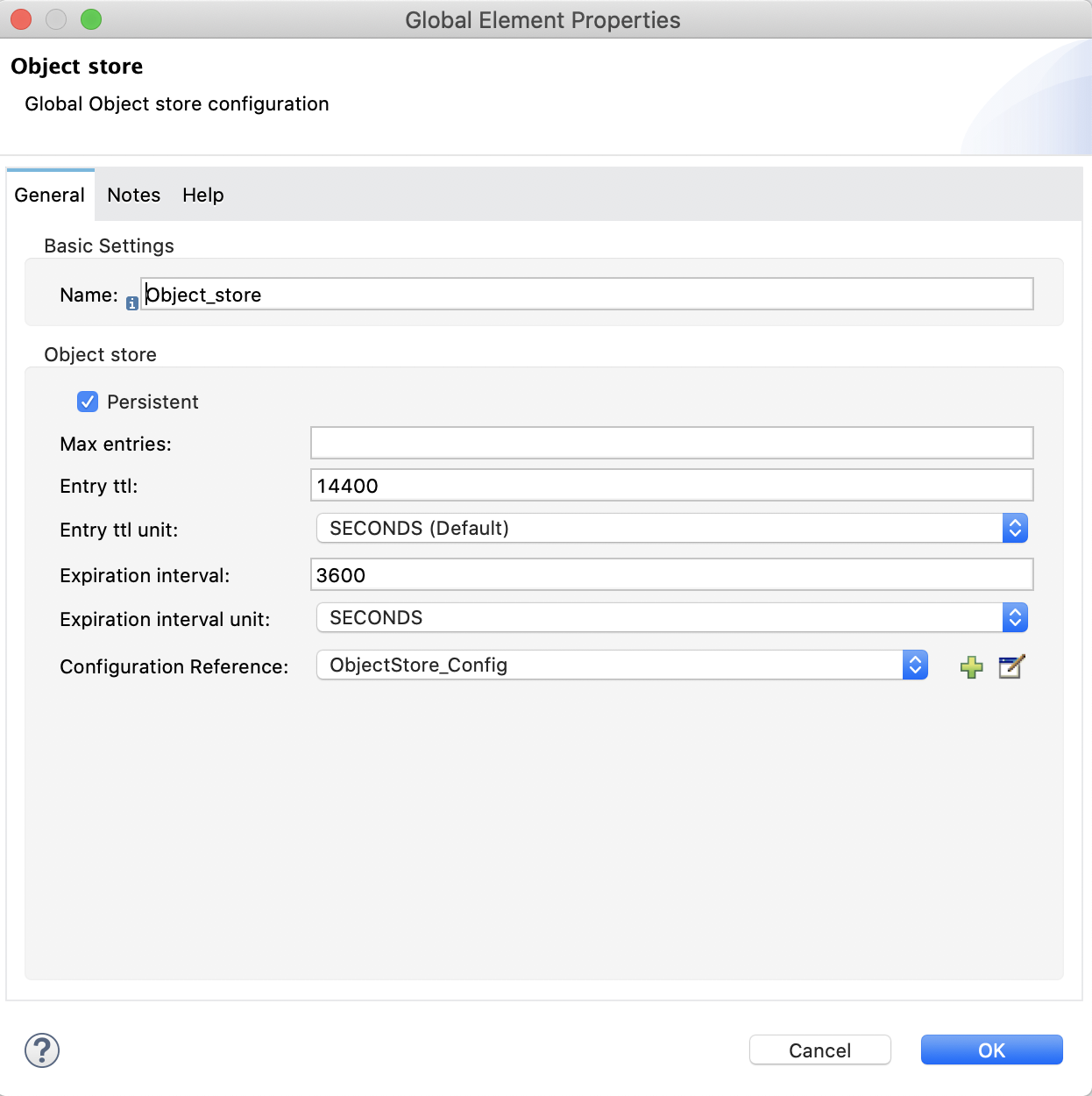
The following sample mule 4 configuration shows how to configure a key time to live of 4 hours.
<os:object-store name="Object_store" doc:name="Object store" doc:id="e0142117-fc19-4631-944d-6918c9cc17a8" config-ref="ObjectStore_Config"
expirationInterval="3600"
expirationIntervalUnit="SECONDS"
entryTtl="14400"/>
NOTES:
- Max Entries attribute is not supported (is ignored). Maximum number of entries in OSv2 is unlimited.
- Expiration Interval should always be 1 or larger (not 0 or -1), and it should not be greater than EntryTtl.
- If EntryTtl is not configured (omitted) from Object Store Connector configuration, the default is 30 days. For more detailed information, please refer to the document link.
Numéro d’article de la base de connaissances
001115983
Cet article a-t-il résolu votre problème ?
Dites-nous ce que nous pouvons améliorer !
