Välj en organisation
Redis Connector | How to connect to Amazon ElastiCache for Redis using TLS
Publiceringsdatum: Mar 2, 2024
Uppgift
GOAL
Connect to Amazon ElastiCache for Redis using TLS
Steg
In order to connect to Amazon ElastiCache for Redis using TLS, you need to obtain the certificates for ElastiCache for Redis and import them into a Java keystore following the steps below:
1. Retrieve the ElastiCache for Redis SSL/TLS certificate:
You can obtain the certificate by connecting to your ElastiCache Redis cluster using the `openssl` command-line tool. Run the following command, replacing `<cluster-endpoint>` with the endpoint of your Redis cluster:
openssl s_client -connect <cluster-endpoint>:6379 -showcerts
This command will output the SSL certificate information. Look for the `-----BEGIN CERTIFICATE-----` and `-----END CERTIFICATE-----` lines, and copy the certificate content between these lines.
2. Save the certificate to a file:
Create a new text file (e.g., `redis.crt`) and paste the certificate content you copied in the previous step into the file. Save it.
3. Import the certificate into a Java keystore:
Use the Java `keytool` command-line tool to import the certificate into a Java keystore file. Run the following command to import the certificate into a new keystore file (replace `<keystore-file>` with the desired name for your keystore file):
keytool -importcert -file redis.crt -alias redis -keystore <keystore-file>
You will be prompted to set a password for the keystore. Choose a secure password and confirm it.
4. Verify the certificate import:
You can verify that the certificate has been imported into the keystore by running the following command:
keytool -list -keystore <keystore-file>
Enter the keystore password when prompted, and it will display the certificate information if the import was successful.
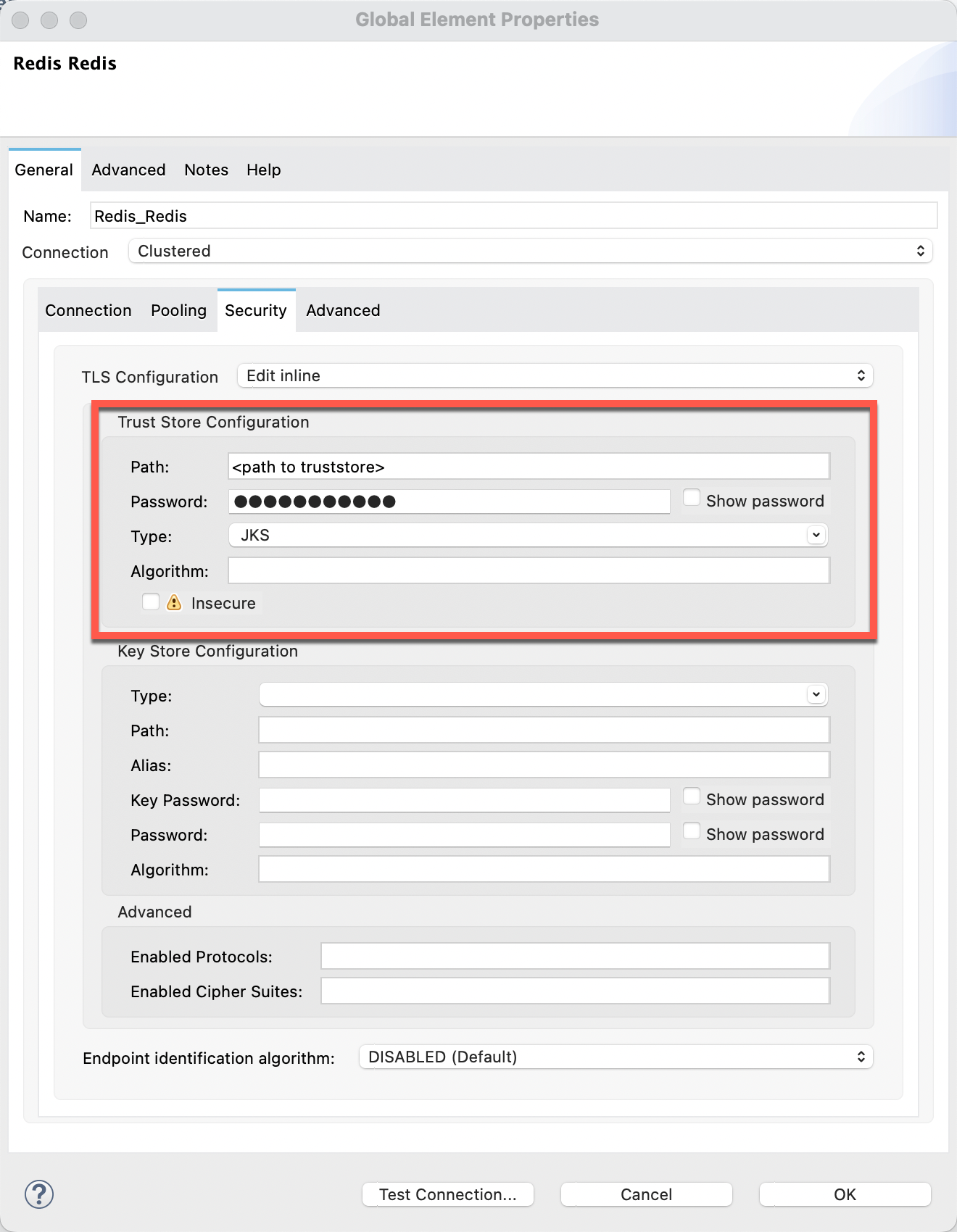
Once you have completed these steps, you will have the ElastiCache for Redis SSL/TLS certificate imported into a Java keystore file, which you can use as the truststore file in Redis Connector configuration to connect to your ElastiCache Redis cluster.
ADDITIONAL INFORMATION
ElastiCache for Redis runs in EC2 inside a VPC and it is not accessible from the internet. You need to have a transit gateway, a VPN Tunnel against said VPC or use Direct Connect.Once you have a connection against the VPC in which ElastiCache is running, you will be able to use the Redis Connector to reach your Redis Cluster.
For more information, refer to AWS documentation:
▸ FAQ: https://aws.amazon.com/elasticache/faqs/#Can_I_access_Amazon_ElastiCache_from_outside_AWS
Q: Can programs running on servers in my own data center access Amazon ElastiCache?
Yes. You can access an Amazon ElastiCache cluster from an application running in your data center providing there is connectivity between your VPC and the data center either through VPN or Direct Connect. The details are described here (https://docs.aws.amazon.com/AmazonElastiCache/latest/mem-ug/elasticache-vpc-accessing.html#elasticache-vpc-accessing-data-cente).
Disclaimer: This article involves products and technologies which do not form part of the MuleSoft product set. Technical assistance for such products is limited to this article.
Knowledge-artikelnummer
001116081
Löste denna artikel ditt problem?
Berätta för oss vad vi kan förbättra!
