Seleccionar una organización
How to exclude the files from the MUnit Test Coverage Report in Anypoint Studio
Fecha de publicación: Mar 2, 2024
Tarea
GOAL
Explanation of excluding the files from the MUnit Test Coverage Report in Anypoint Studio.
Pasos
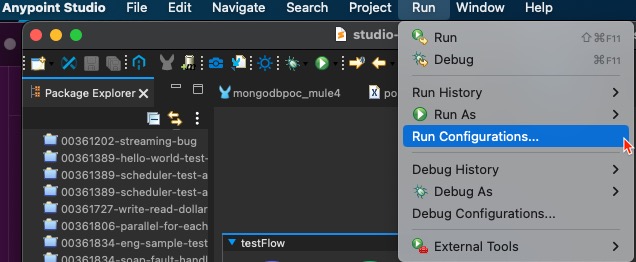
1. From Anypoint Studio top-level menu, select Run --> Run Configurations...
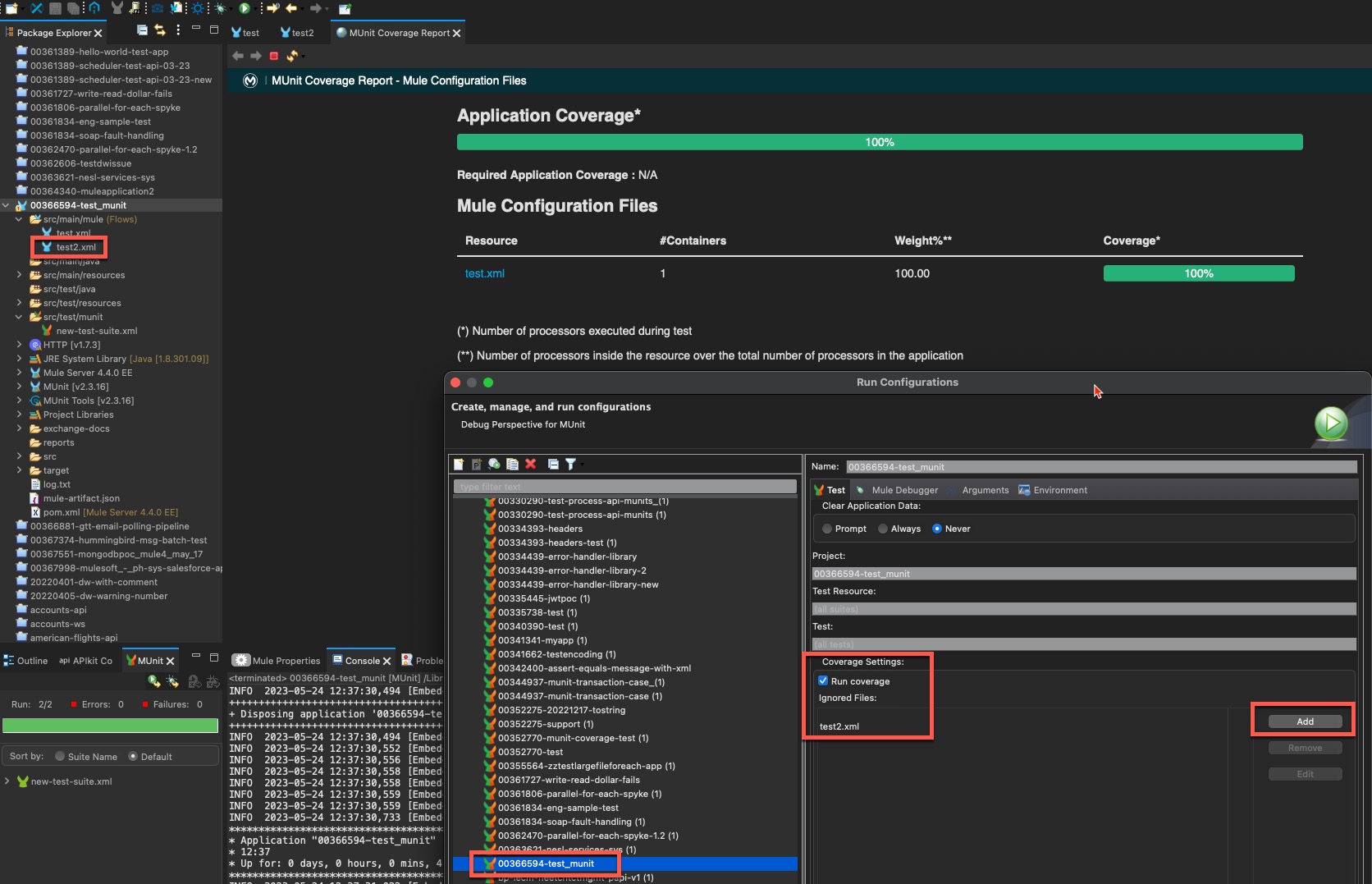
2. Ensure the correct MUnit test and the Run Coverage in the Coverage Settings are selected. Click the Add button to add the files to ignore.
ADDITIONAL INFORMATION
Refer to this KB article to exclude the files and flows from the MUnit Test Coverage when testing from the CI/CD pipeline or from the Maven command line.
Número del artículo de conocimiento
001116098
¿Resolvió este artículo su problema?
¡Háganos saber cómo podemos mejorar!
