組織を選択
How to exclude the files from the MUnit Test Coverage Report in Anypoint Studio
公開日: Mar 2, 2024
タスク
GOAL
Explanation of excluding the files from the MUnit Test Coverage Report in Anypoint Studio.
ステップ
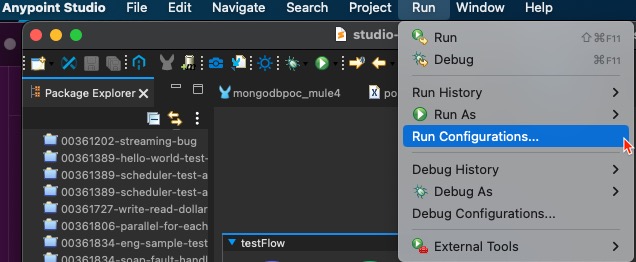
1. From Anypoint Studio top-level menu, select Run --> Run Configurations...
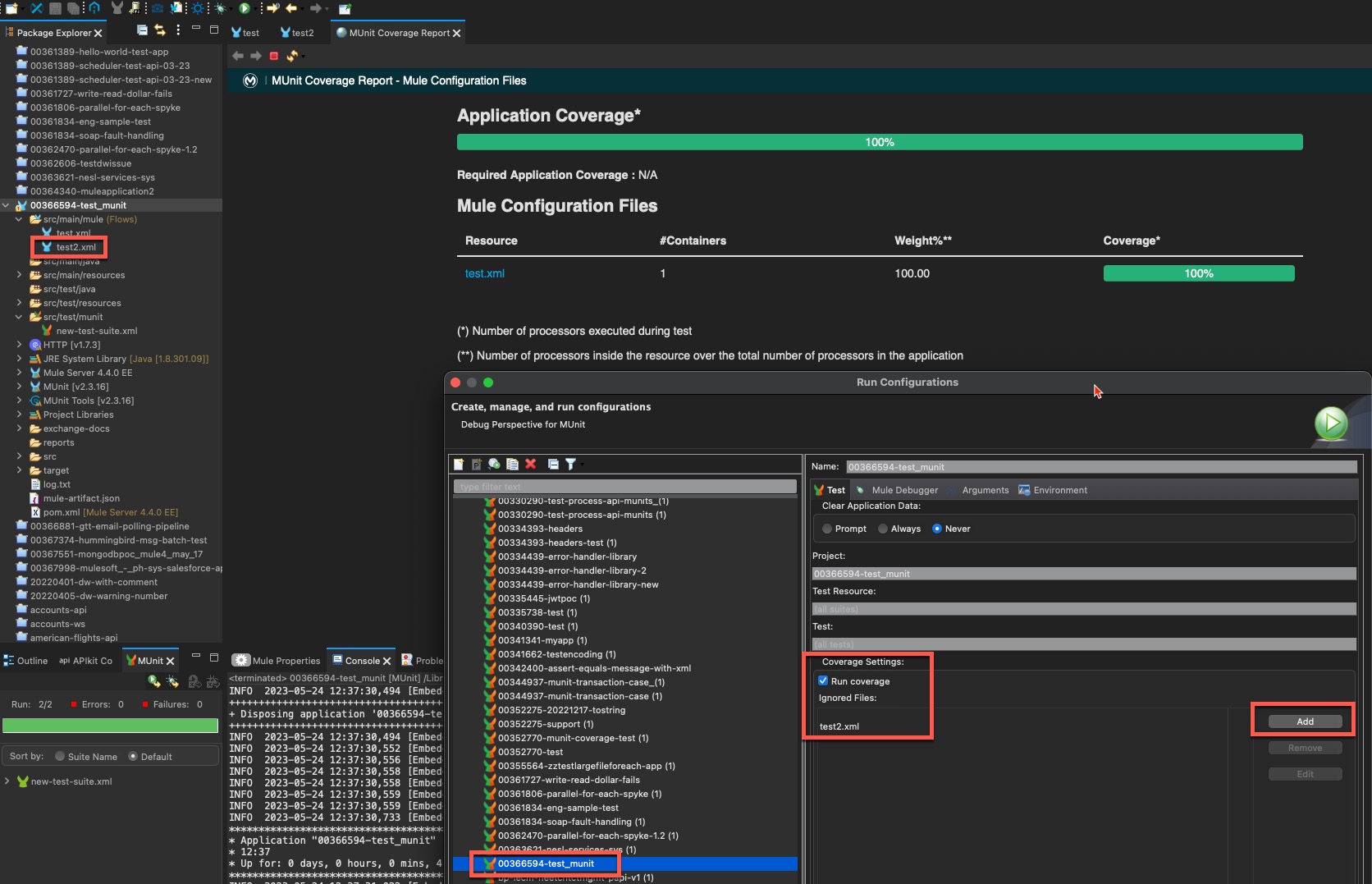
2. Ensure the correct MUnit test and the Run Coverage in the Coverage Settings are selected. Click the Add button to add the files to ignore.
ADDITIONAL INFORMATION
Refer to this KB article to exclude the files and flows from the MUnit Test Coverage when testing from the CI/CD pipeline or from the Maven command line.
ナレッジ記事番号
001116098
この記事で問題は解決されましたか?
ご意見をお待ちしております。
