Select An Org
How to Know the Threading Pool Size in Mule Runtime
Publish Date: Mar 2, 2024
Task
GOAL
We want to know how many threads are available in Mule runtime.Steps
**********************************************************************
* Started DefaultSchedulerService                                    *
*                                                                    *
* Resolved configuration values:                                     *
*                                                                    *
* Pooling strategy:       UBER                                       *
* gracefulShutdownTimeout:       15000 ms                            *
* uber.threadPool.maxSize:         45                                *
* uber.threadPool.threadKeepAlive: 30000 ms                          *
*                                                                    *
* These can be modified by editing 'conf/scheduler-pools.conf'       *
**********************************************************************
In this case, this is using UBER configuration and have 45 as max size for thread pool.
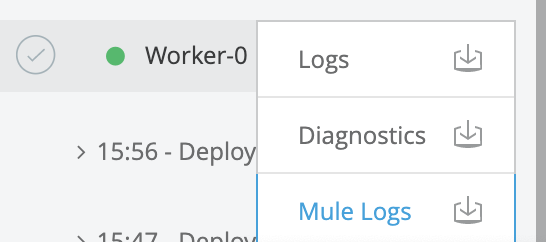
In CloudHub, once the application is deployed, we should download the mule logs. For this, we will need an application running:
Related articles
Introduction to Mule 4: Execution Engine Threads and Concurrency
Execution Engine - Mule 4.3
Knowledge Article Number
001116158
Did this article solve your issue?
Let us know so we can improve!
