Выбрать организацию
Error Insufficient Privileges when using Salesforce IdP SAML SSO With Anypoint Platform
Дата публикации: Aug 6, 2025
Действия
QUESTION
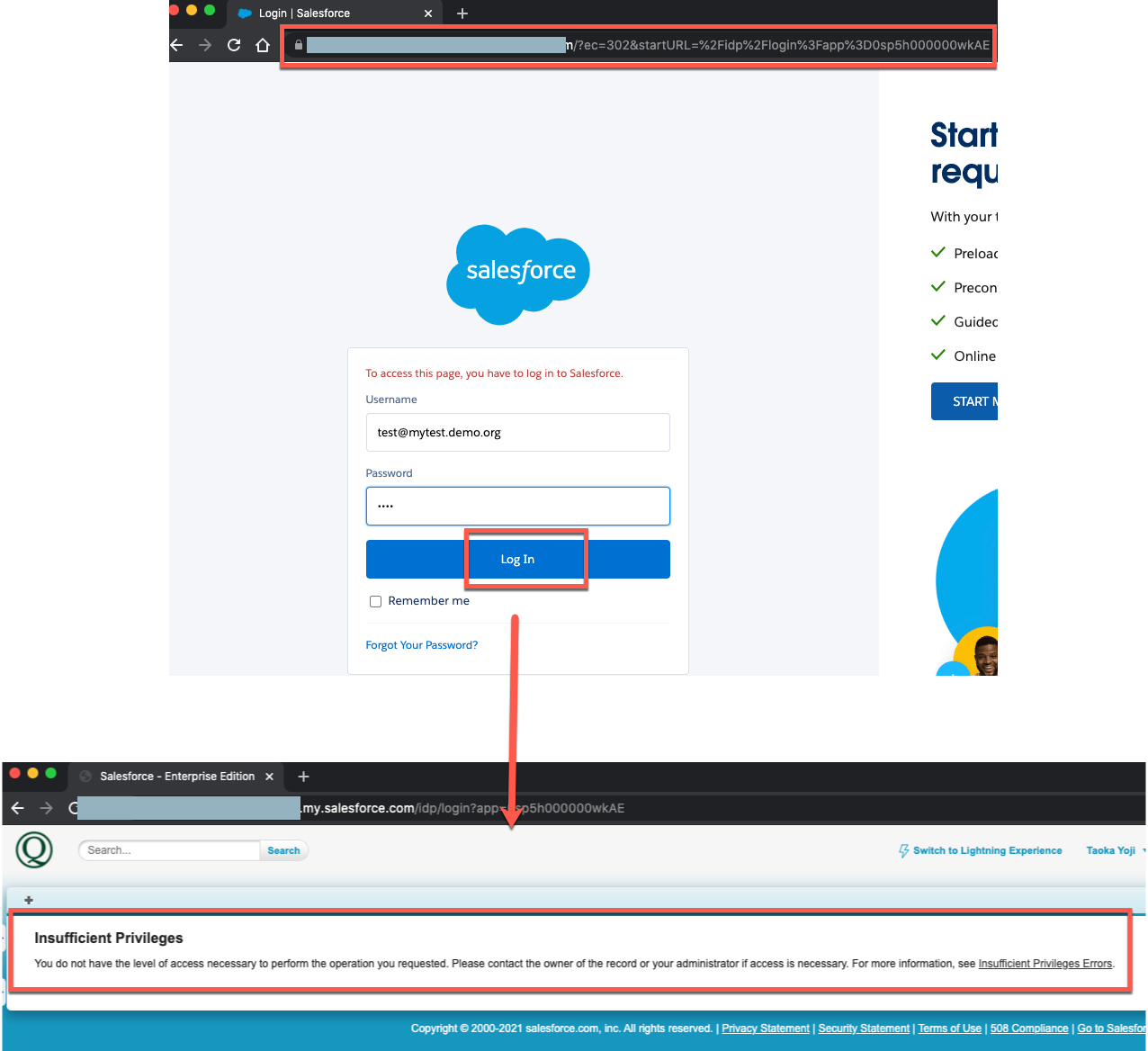
I have set up null SAML SSO to Anypoint with Salesforce as IdP.I have visited SSO login URL(in this example it is https://xxx.my.salesforce.com/idp/login?app=0sp5h000000wkAE) then entered the correct Salesforce username/password.
I expect it will be redirected to Anypoint Platform but it is failing with the following error.
Insufficient Privileges
You do not have the level of access necessary to perform the operation you requested. Please contact the owner of the record or your administrator if access is necessary. For more information, see Insufficient Privileges Errors.
ANSWER
1) Make sure you have followed the steps to set up the SSO1-1) Set up your Salesforce as a SAML IdP (Reference Salesforce document Salesforce as a SAML Identity Provider)
1-2) Set up Anypoint Platform to configure IdP (Reference MuleSoft Document Configure SAML for SSO)
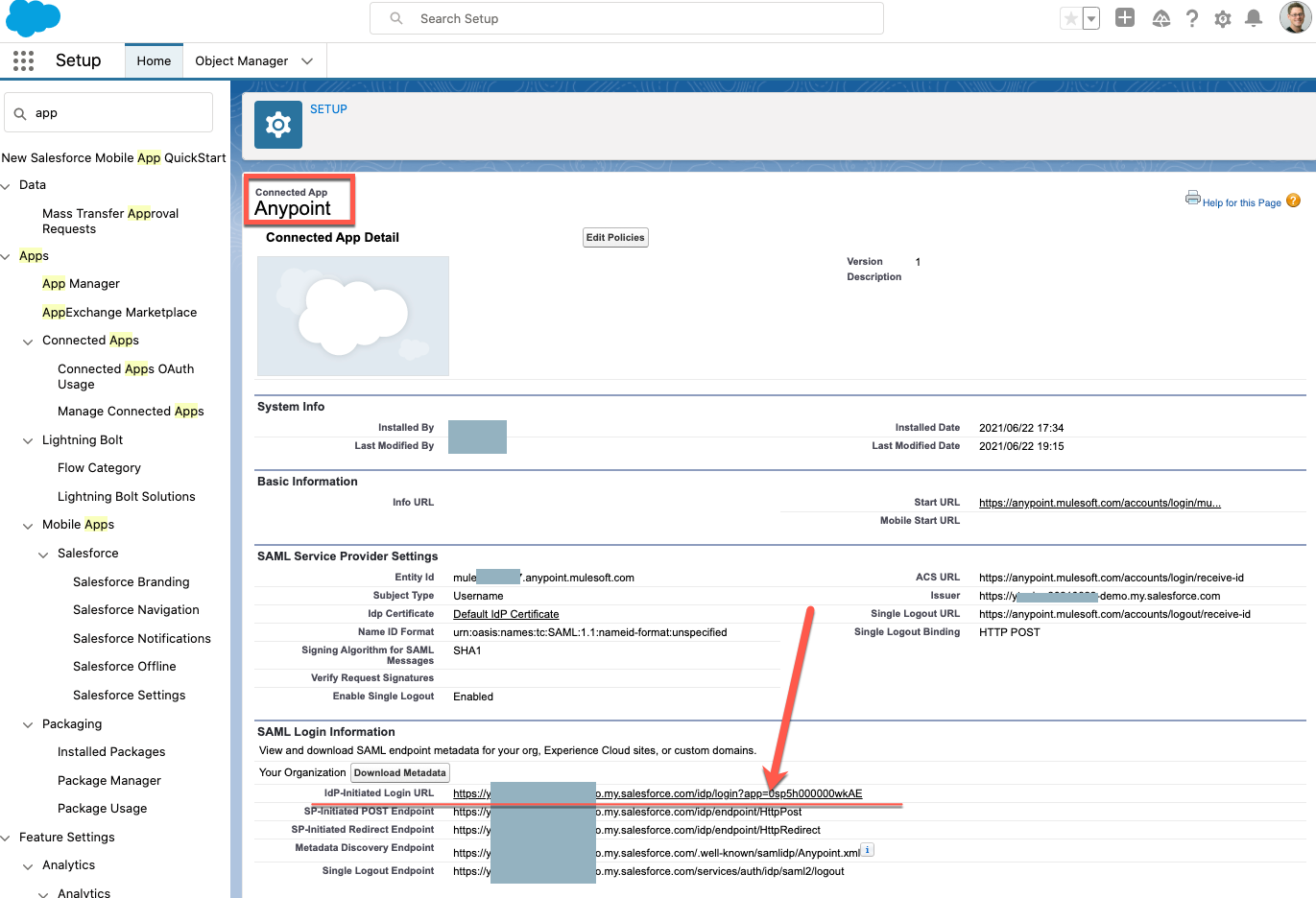
2) Check your Connected App on Salesforce
2-1) Check the Connected App Name. In this example, the Connected App name is "Anypoint"
2-2) Check the Connected App's "IdP-Initiated Login URL".
In this example, it's "IdP-Initiated Login URL" is https://xxx.my.salesforce.com/idp/login?app=0sp5h000000wkAE
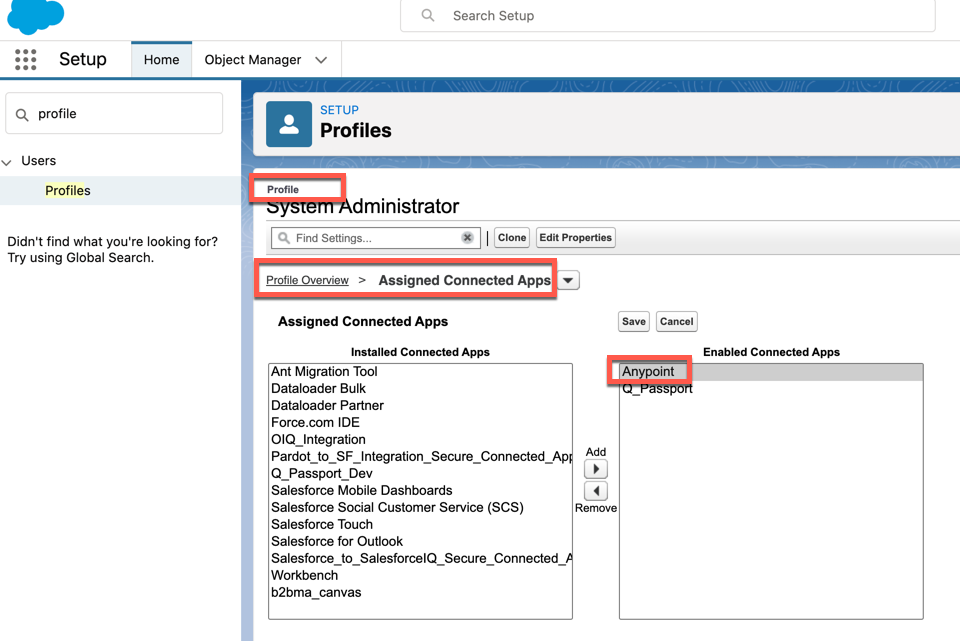
3) Make sure to assign the Connected App to the Salesforce user which is used for the SSO
In this example, the Salesforce user's profile is System Administrator. So, assign the Connected Apps to the profile, Save it.
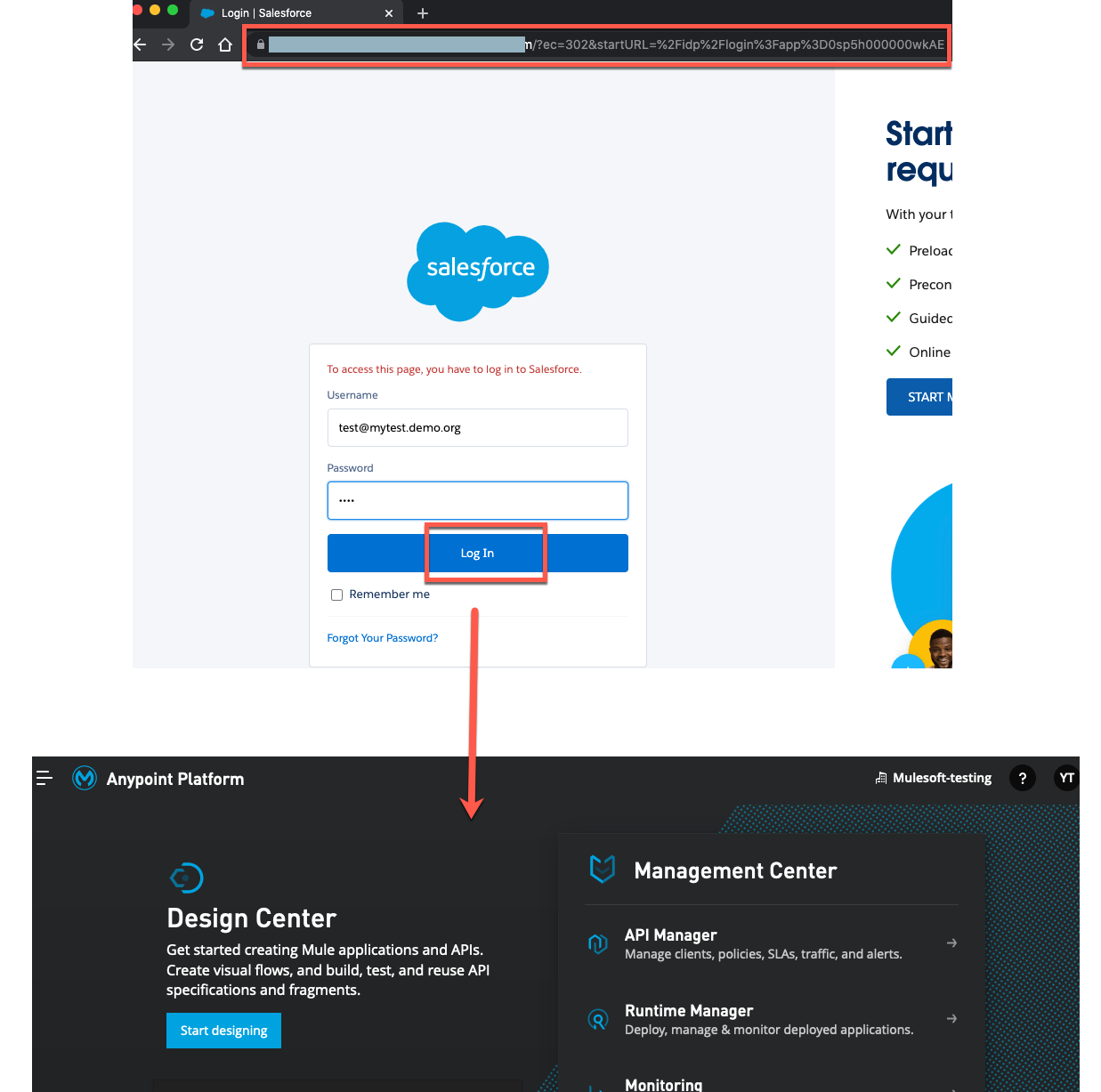
Now you can try again. Once the Connected App is assigned to the Salesforce user's profile, the SSO will be successful as below.
Номер статьи базы знаний
001116167
Эта статья решила вашу проблему?
Оставьте свой отзыв, чтобы мы могли стать лучше!
