Select An Org
How to obtain the Application ID in Runtime Manager
Publish Date: Aug 5, 2025
Task
GOAL
The Application ID is a unique number assigned by ARM to an application that has been deployed through Runtime Manager.
Steps
Through Runtime Manager
Once logged in into Anypoint Platform, go to the applications tab under Runtime Manager section.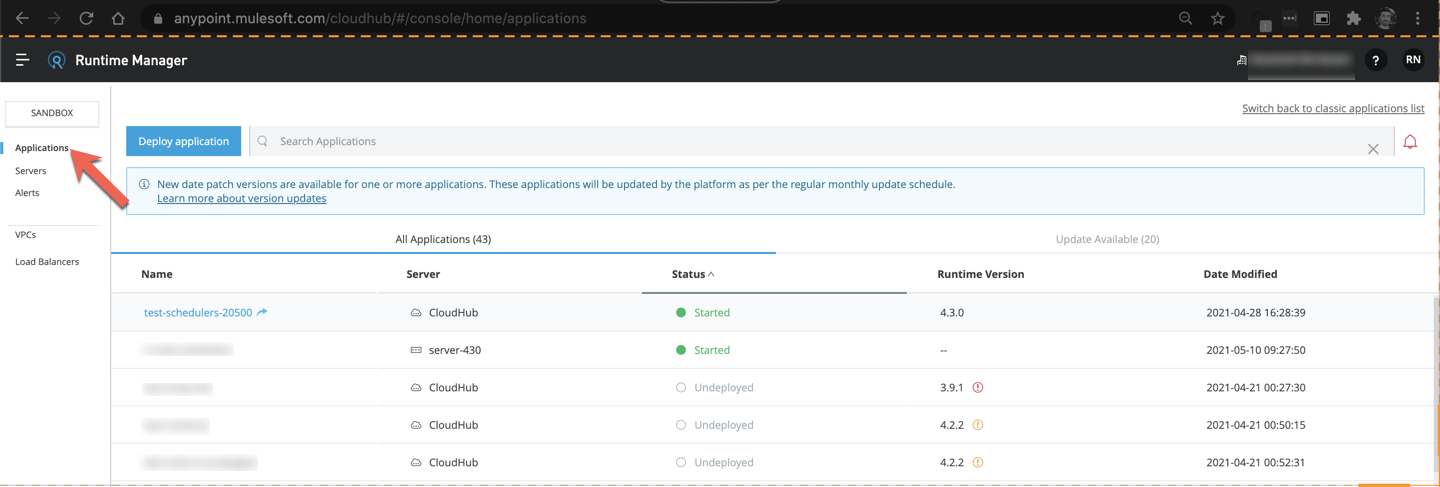
You will find listed all your applications.
When you click in any of them, you will be taken to the server's dashboard page.
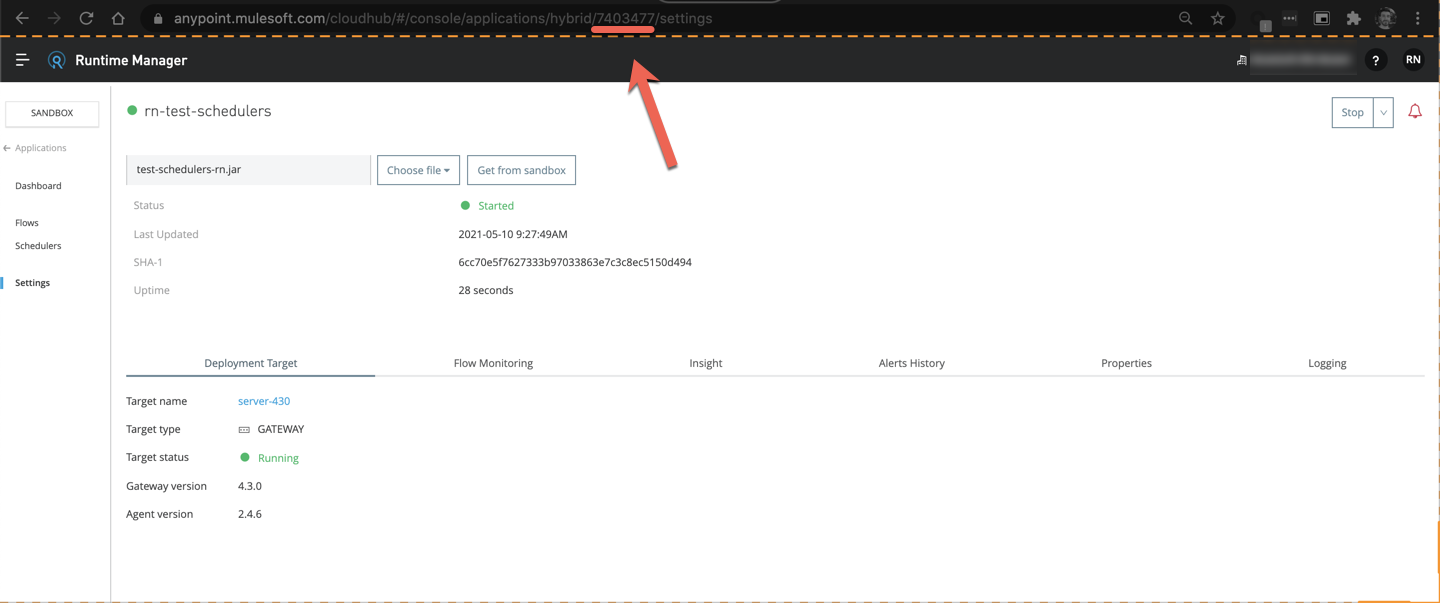
In the URL you will find the ID of the server. In this example:
https://anypoint.mulesoft.com/cloudhub/#/console/applications/hybrid/7403477/dashboard
https://anypoint.mulesoft.com/cloudhub/#/console/applications/hybrid/<APPLICATION_ID>/dashboard
Knowledge Article Number
001116240
Did this article solve your issue?
Let us know so we can improve!
