Seleccionar una organización
How to find the providerId for Assertion Consumer Service (ACS) URL in your IdP
Fecha de publicación: Mar 2, 2024
Pasos
QUESTION
Where can we find the "providerId" so that you can use it for any API call's that require providerId? For example, to get a bearer token using SAML assertion.ANSWER
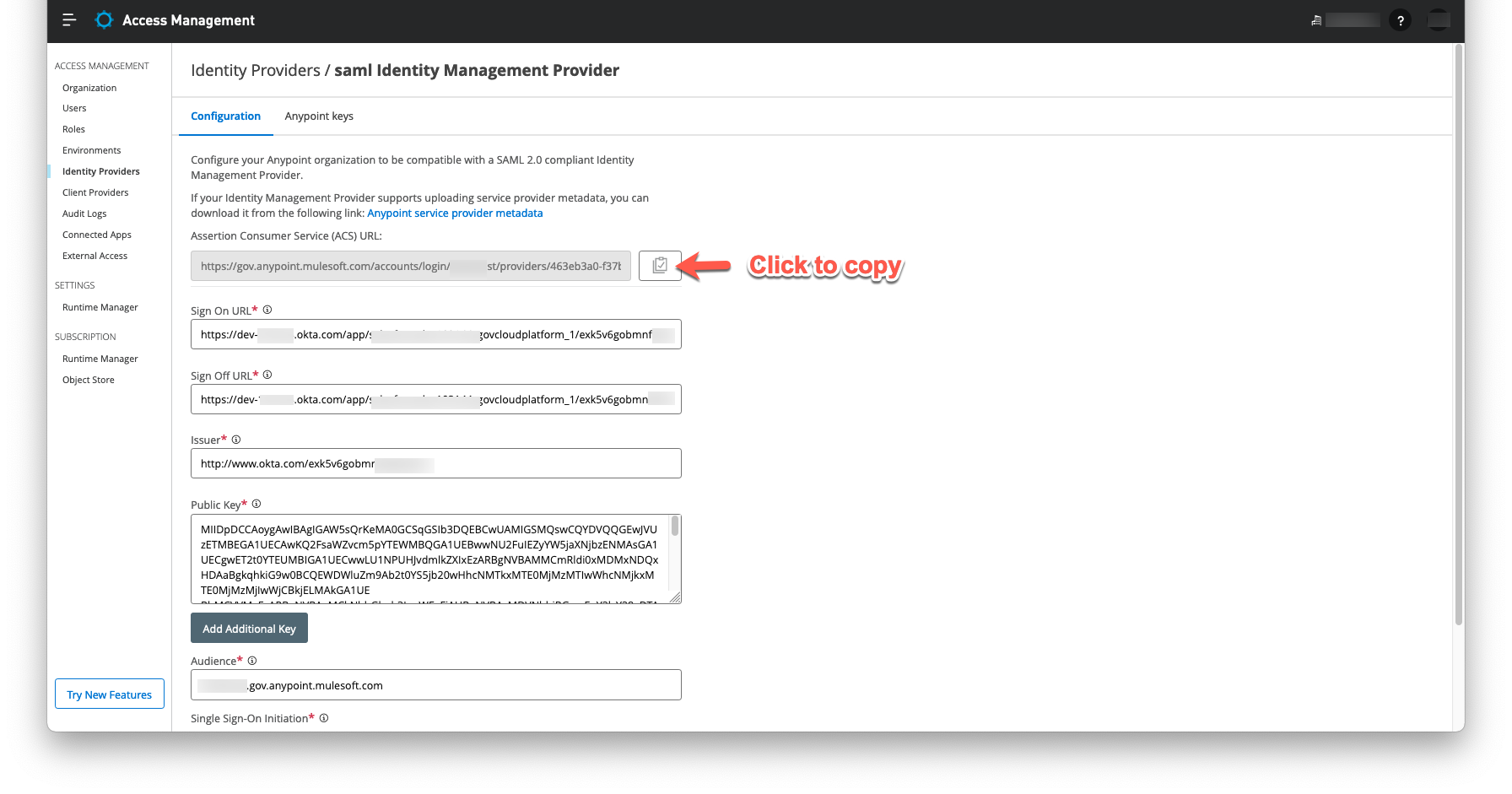
You can check the "providerId" by logging into the Anypoint platform and then go to Access management --> Identity Providers --> and then click the identity configuration to check for the Assertion Consumer Service (ACS) URL, it should be like below.https://anypoint.mulesoft.com/accounts/login/:org-domain/providers/:providerId/receive-id
Note that "providerId" is available only after you create the SSO provider configuration. Click the clipboard icon to copy the ACS URL and use it in your IdP configuration:
ADDITIONAL INFORMATION
Check https://docs.mulesoft.com/access-management/conf-saml-sso#prerequisites for further information.Número del artículo de conocimiento
001116270
¿Resolvió este artículo su problema?
¡Háganos saber cómo podemos mejorar!
