Vælg en organisation
How to retrieve application JAR file for an RTF or CloudHub 2.0 deployment
Udgivelsesdato: Jul 24, 2025
Opgave
GOAL
You want to retrieve the JAR file that's being used by your application that's running in RTF environment or CloudHub 2.0
Trin
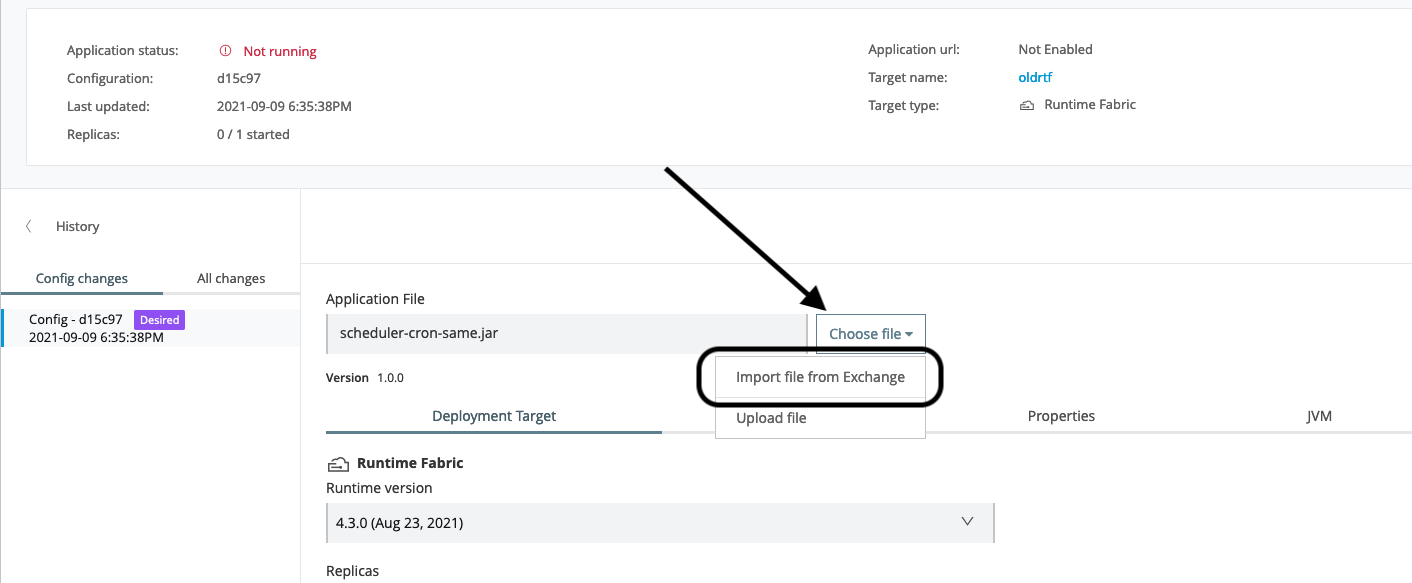
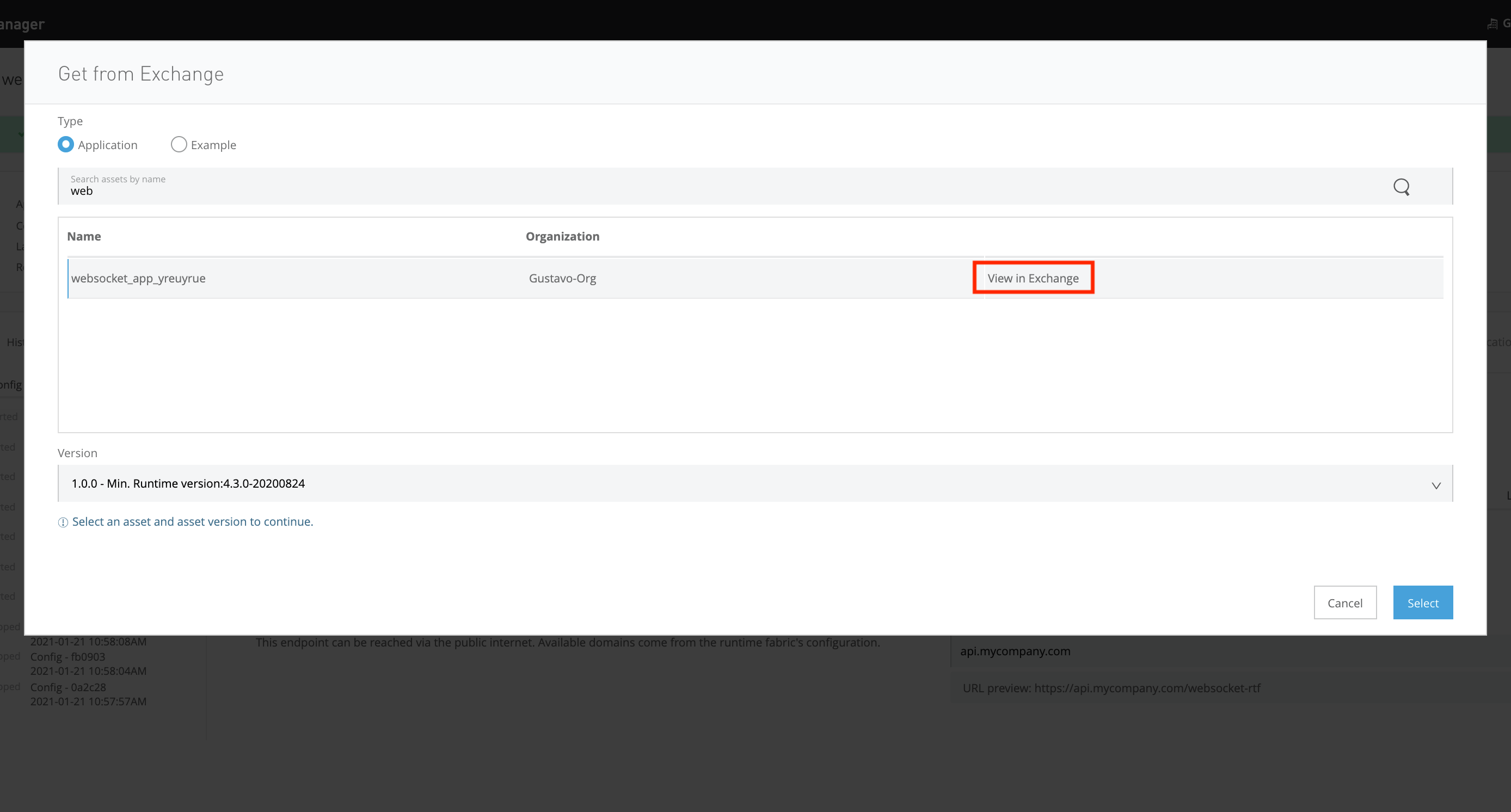
1) In Runtime Manager, attempt to deploy a new asset from Exchange, and browse the one that's being currently used. Once you find it, click on "View in Exchange" button:
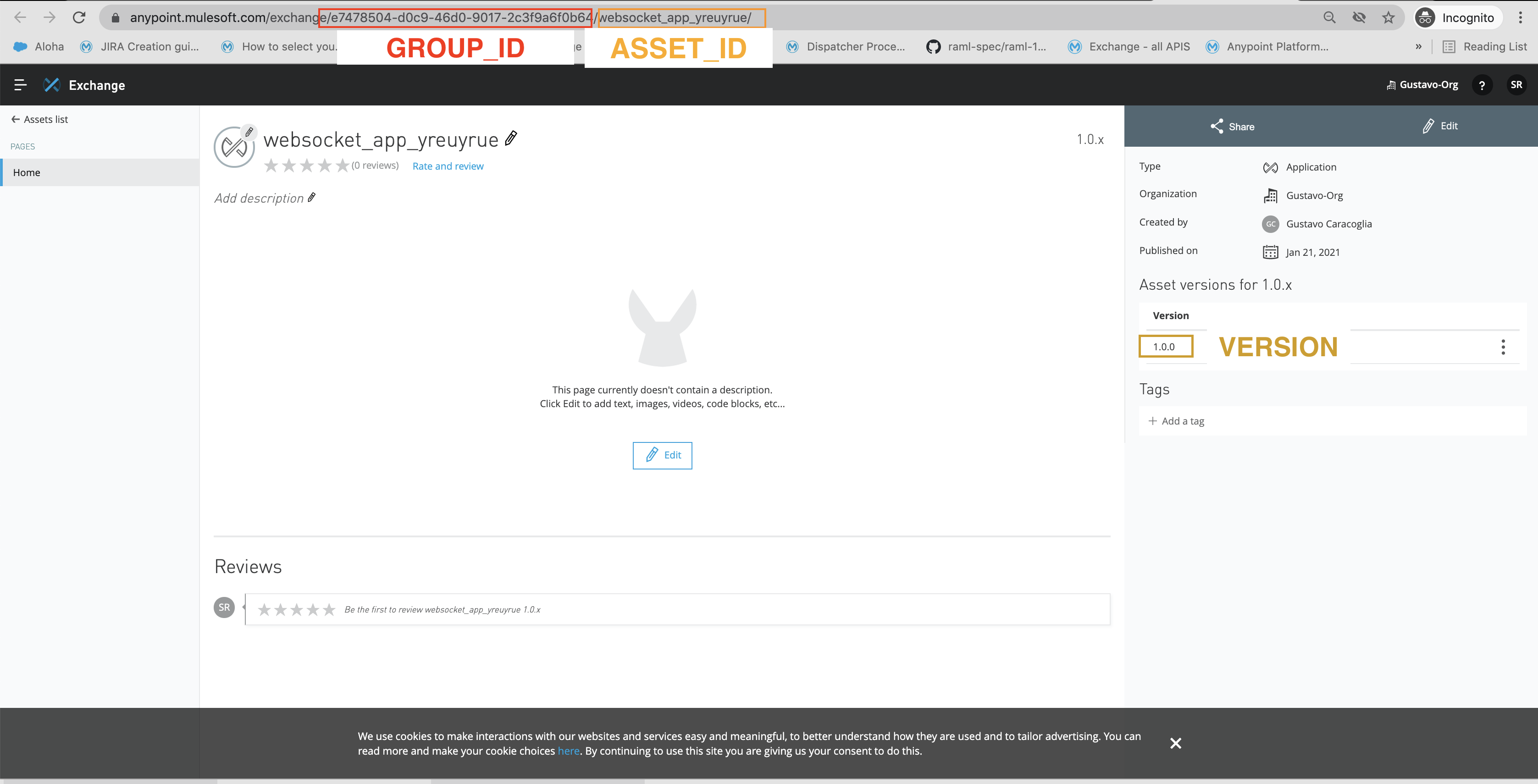
2) Get the GROUP_ID, ASSET_ID and VERSION that you need from the new tab:
3) Use Anypoint GraphQL to retrieve those assets:
Query should be
query asset {
  asset(groupId:"GROUP_ID", assetId:"ASSET_ID", version:"VERSION" ) {
    groupId
    assetId
    version
    name
    files {
      md5
      sha1
      classifier
      packaging
      size
      isGenerated
      mainFile
      externalLink
      createdDate
      updatedDate
      downloadURL
    }

  }
}
Ensure the query variables include your user's Bearer token (without the word Bearer). This token should be for a user that's able to see the asset in Exchange (step 2){
"accessToken": "TOKEN"
}
and hit the play button on the top left.
You should use the link provided under the object externalLink in the response, as shown in the image:
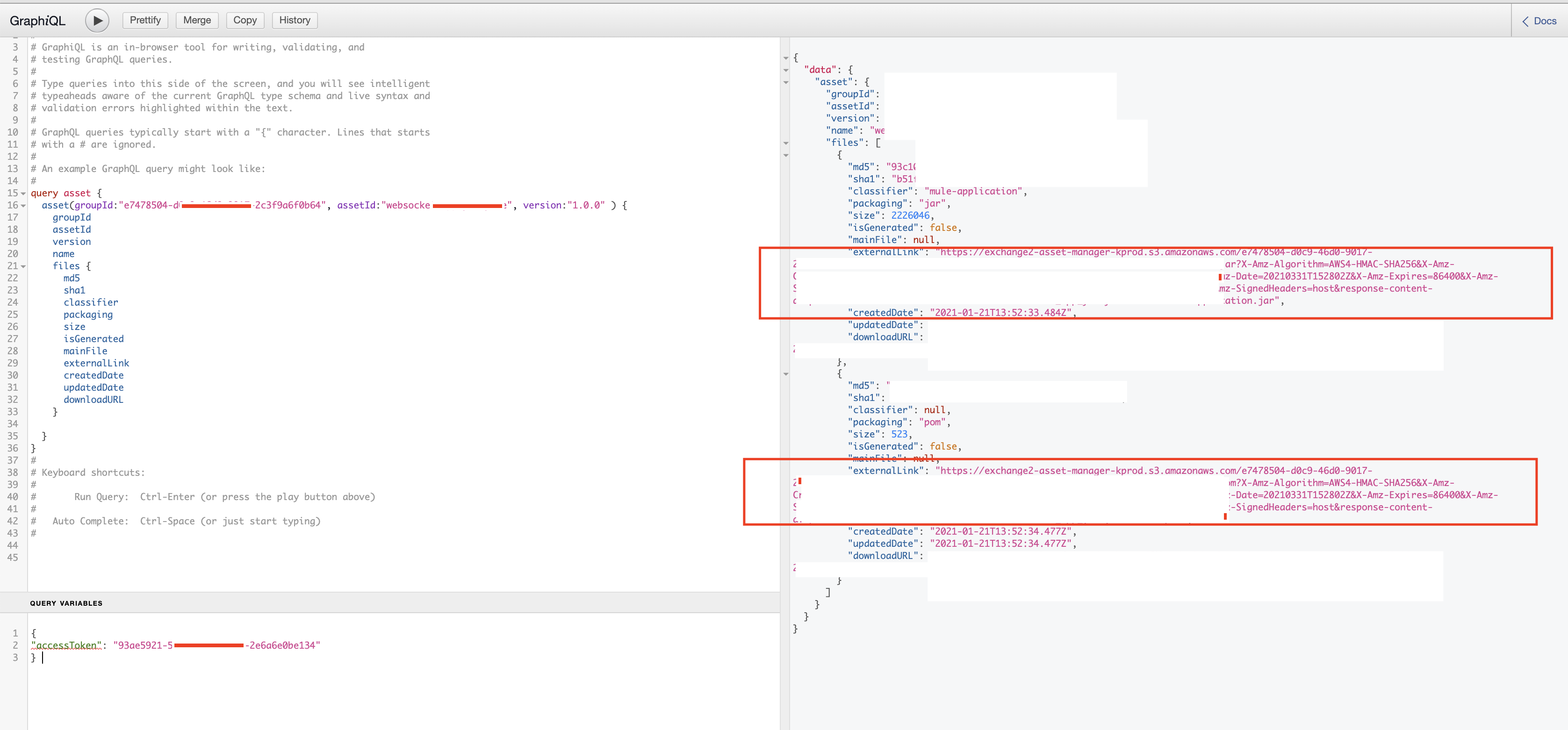
This link will automatically download the JAR file required.
Vidensartikelnummer
001116303
Løste denne artikel dit problem?
Giv os besked, så vi kan forbedre os!
