Выбрать организацию
How to set MuleSoft Custom Error Message and Status code for an HTTP Request(Mule-4)
Дата публикации: Jun 17, 2025
Задача
This article describes how to use DataWeave to set the error response message and error status code when using an HTTP request to hit your endpoint. Details are provided on how to handle the custom error using an HTTP Listener in the calling Flow.
Действия
STEPS TO FOLLOW
1.) Download the sample application found at the bottom of this article. We will use this throughout this walkthrough to understand the basic use case of this article.
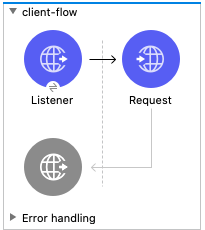
2.) You will notice there are 2 flows in this application.
2.) You will notice there are 2 flows in this application.
- The first is the 'client' containing an HTTP Listener & HTTP Request. This flow is what will trigger the request to our second HTTP service flow.
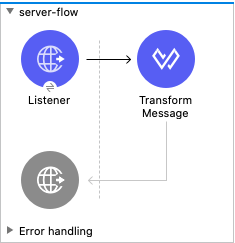
- The second flow is the mock 'server' flow which handles the incoming HTTP Request and returns a custom error message and status code.
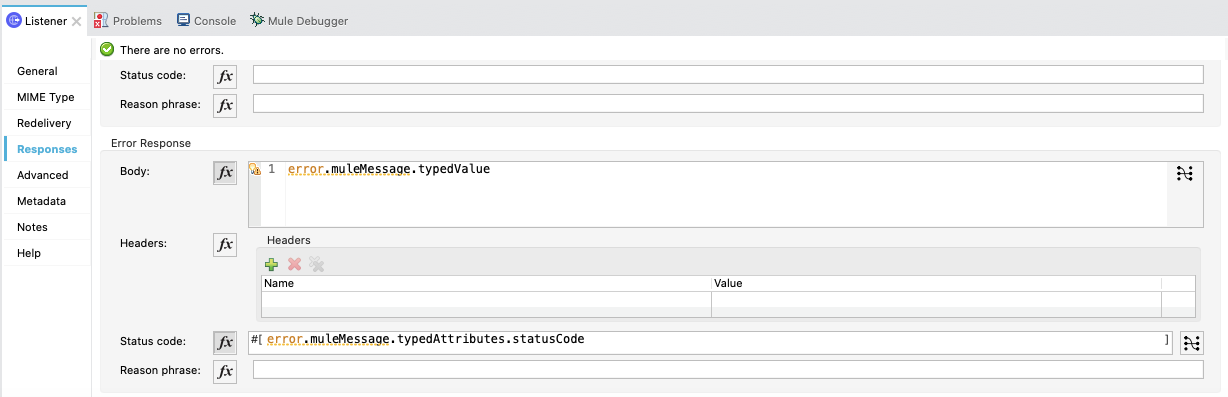
3.) The 'client' flow's HTTP Listener must be configured to handle the response error message and response error status code. Also, create a standard HTTP Listener configuration with a path set to /client (e.g. host should be localhost and port should be 8081). To configure the error response, click on the HTTP Listener and click the Responses tab. Scroll down to the Error Response section and configure it as seen below:
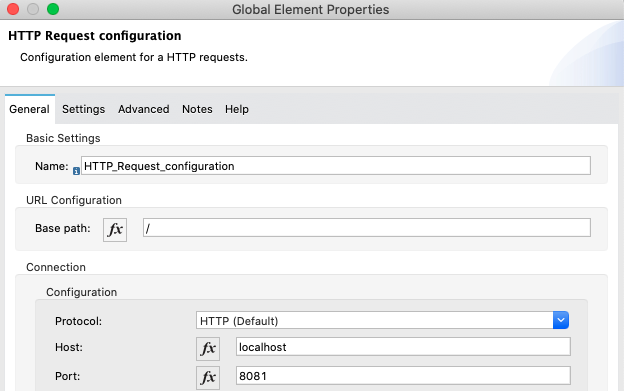
4.) In the 'client' flow's HTTP Request, configure it to call the 'server' flow by setting the HTTP Request configuration to be like below. Also, set the path for the request operation to be to /server:
- HTTP Request Configuration:
- HTTP Request operation configuration:
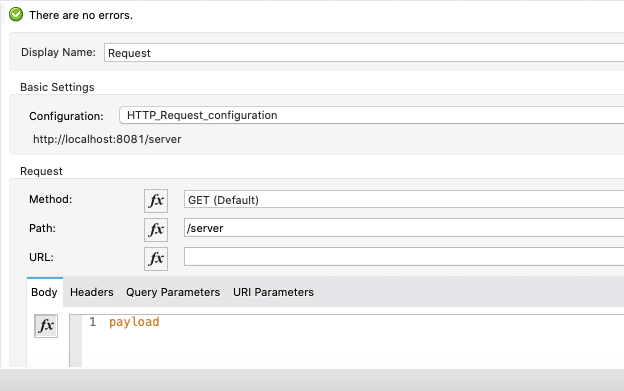
5.) Now we need to configure the 'server' flow configuration. The HTTP Listener in the 'server' flow must be configured to send back your custom error message and status code. Also, be sure to set the path on the HTTP Listener to /server and use the same connector configuration as the 'client' flow (e.g. localhost for host and 8081 for port).
6.) To configure your custom response and status code, set up the Responses tab in the HTTP Listener to be as such:
6.) To configure your custom response and status code, set up the Responses tab in the HTTP Listener to be as such:
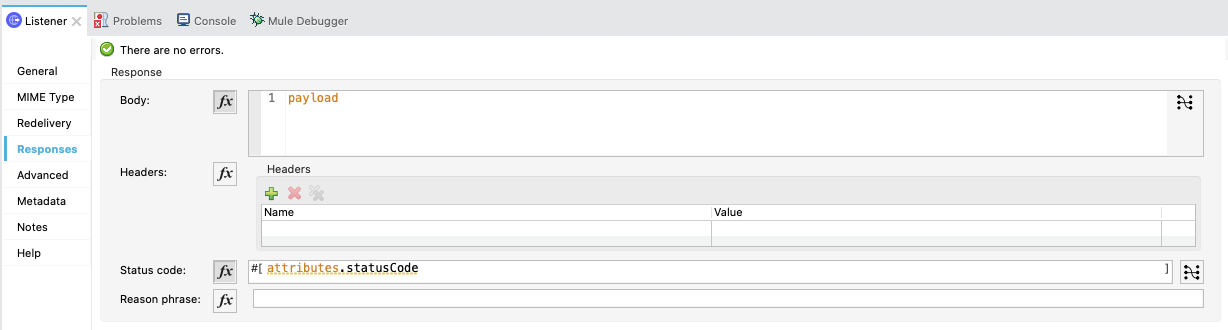
7.) Now we must use Dataweave to define the status code and the error message. Start by adding your custom error message, set to Payload as such:
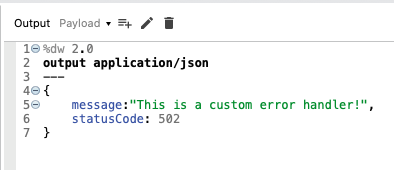
(Note: This can be any message you would like to return as your custom error message. )
8.) Finally, we must set the custom status code to be sent to the 'client' flow. This should be in the same Transform Message component as used in Step 6. Click the '+' symbol next to where it says 'Payload' and you should see this pop-up:
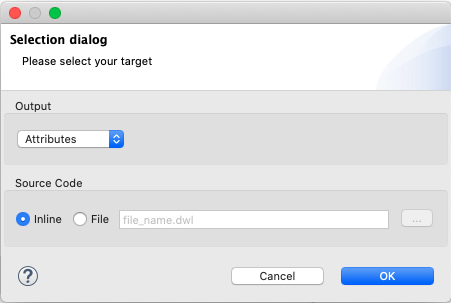
Ensure Output is Attributes and click OK. Now, add your custom statusCode value in the Dataweave script as such:
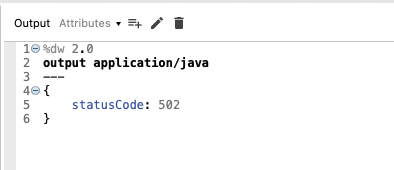
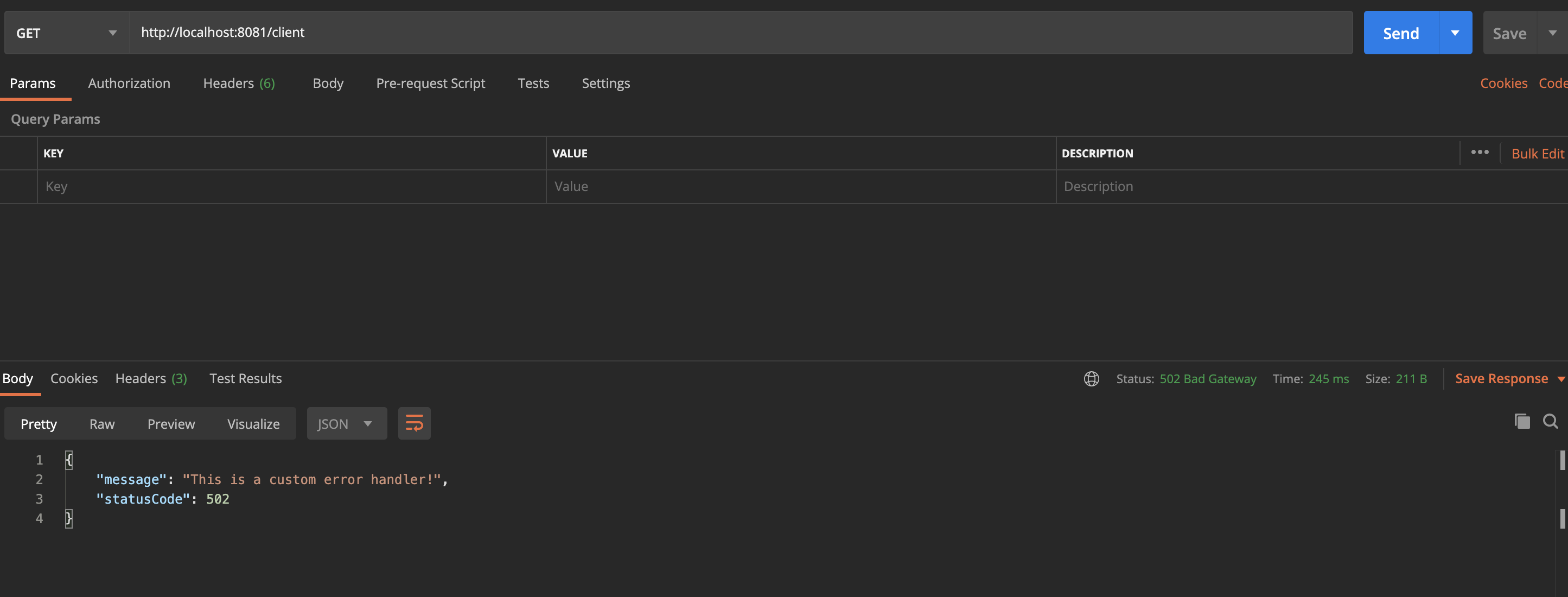
9.) Now you are ready to test out the application. Run the app in Anypoint Studio and send a GET request to http://localhost:8081/client from Postman or ARC or using cURL. You will receive a response with your custom statusCode and error message similar to below:
SUMMARY
Based on the steps mentioned, the status code, and the error message can be customized in the implementation. The summary of the implementation is as follows,
- Setting the HTTP Listener response in the "server" flow to return the payload as the Body and the "attributes.statusCode" as the status code will set these values to be returned to the "client" flow's HTTP Request.
- When the HTTP Request receives the response, it will parse the "statusCode" set in the "server" flow and would throw a Mule Error. This will propagate the error to the HTTP Listener in the "client" flow.
- Since we set the Error Response on the 'client' flow's HTTP Listener to have the body of error.muleMessage.typedValue and the Status code to be error.muleMessage.typedAttributes.statusCode, we are pulling the values set in the 'server' flow's HTTP Listener and setting them as the error response for the 'client' flow.
- Mule will parse the response and return your custom error message and set the status code to the one you set in the 'server' flow.
Номер статьи базы знаний
001116325
Эта статья решила вашу проблему?
Оставьте свой отзыв, чтобы мы могли стать лучше!
