Velg en organisasjon
How to validate Batch Jobs with MUnit - Mule 4
Publiseringsdato: Feb 12, 2025
Oppgave
GOAL
This article goes over the steps needed to create MUnit test suites in order to handle batch jobs. In Mule 4, batch job processing and results are contained within the batch job itself. It is not possible to validate batch successes or failures as you would with other components as batch results are not persisted outside of the batch job execution. This is the behavior of batch jobs in Mule 4 and some custom processing needs to be implemented to handle these scenarios.Trinn
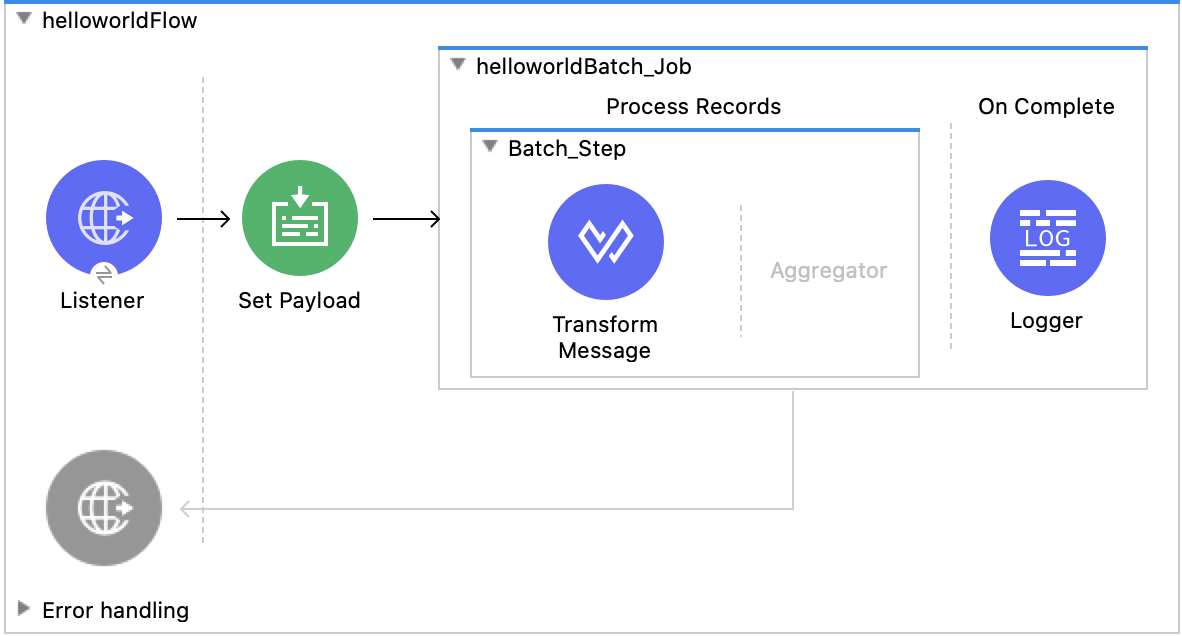
If you are working with a basic flow containing a Batch job (as seen below), the following steps will show how to validate the number of successfully processed records at both the Batch step and On Complete stages of the batch job.
1.) Create a new MUnit test suite and add a Test component from the MUnit module found in the Mule Palette.
2.) In your new Test, within the Execution section, add a Flow Reference component and point it to your Flow (in this example, the flow is helloworldFlow).
3.) Next, in order to validate the batch execution, add a Spy processor to the Behavior section of your test (located in the MUnit Tools module in the palette).
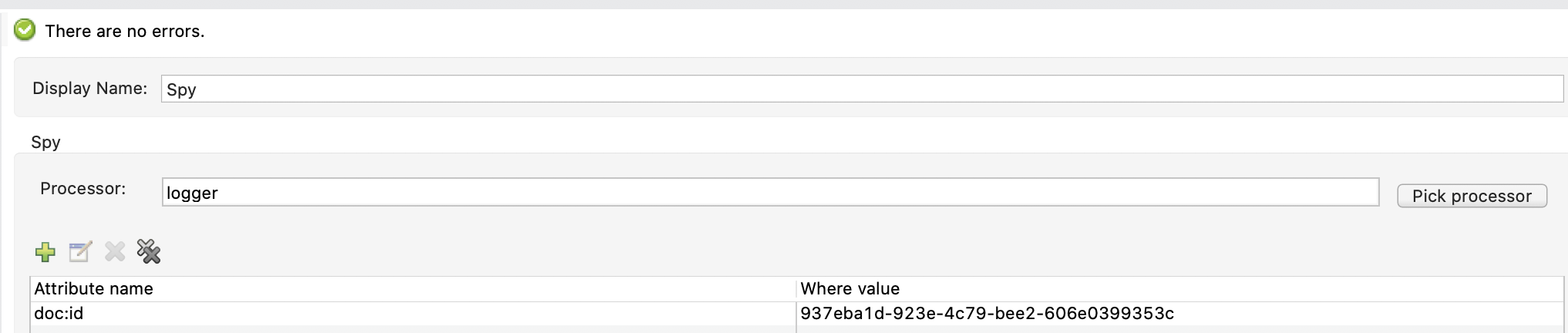
4.) In the Spy's configuration, point it to the operation defined in your Flow's On Complete step. In this example, it will be the Logger component.
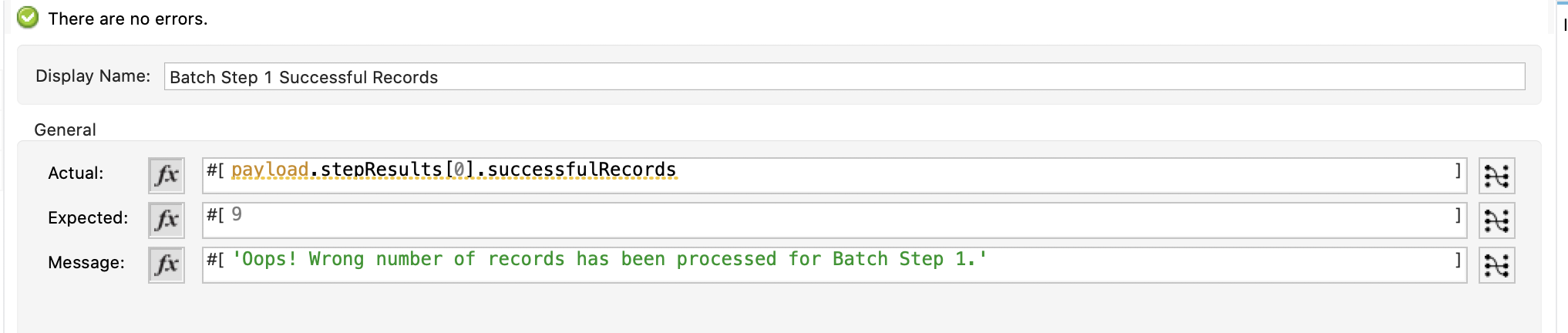
5.) In your Spy's Before Call section, you may add an Assert Equals operator. To configure this operation to Assert the number of successfully processed records in the Batch Step (called Batch_Step in this example), you should configure it as seen below:
Upto 4.5.x:
From 4.6.x: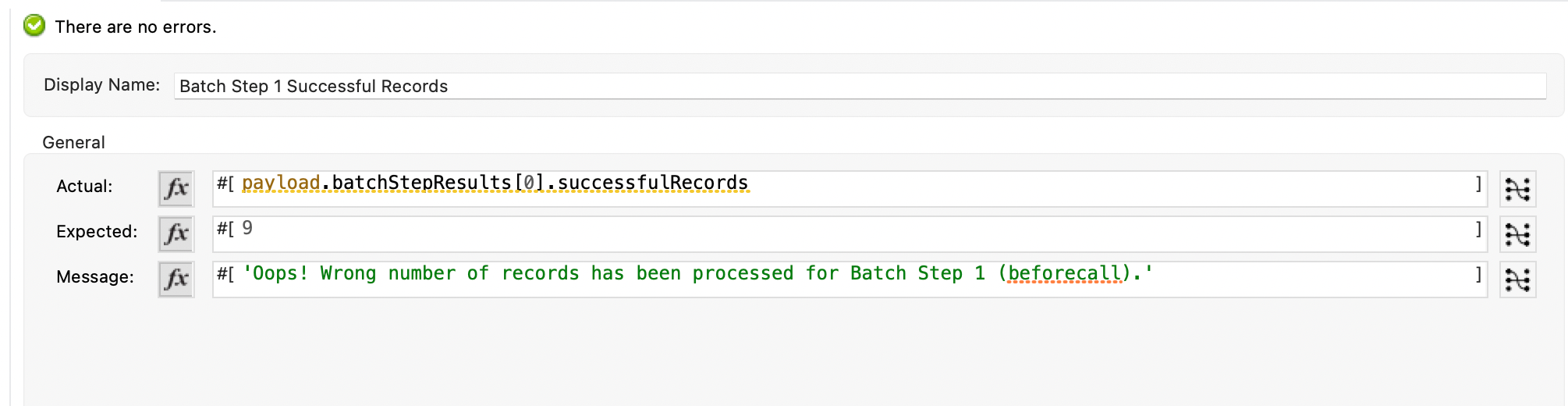
6.) Similarly, if you have any additional batch steps you would like to validate, you can do so by changing the Actual section to point to a different stepResults index. For example, you could change this to below to get the numeric value of records that are successfully processed by the second batch step.
Upto 4.5.x: payload.stepResults[1].successfulRecords
From 4.6.x: payload.batchStepResults[1].successfulRecords
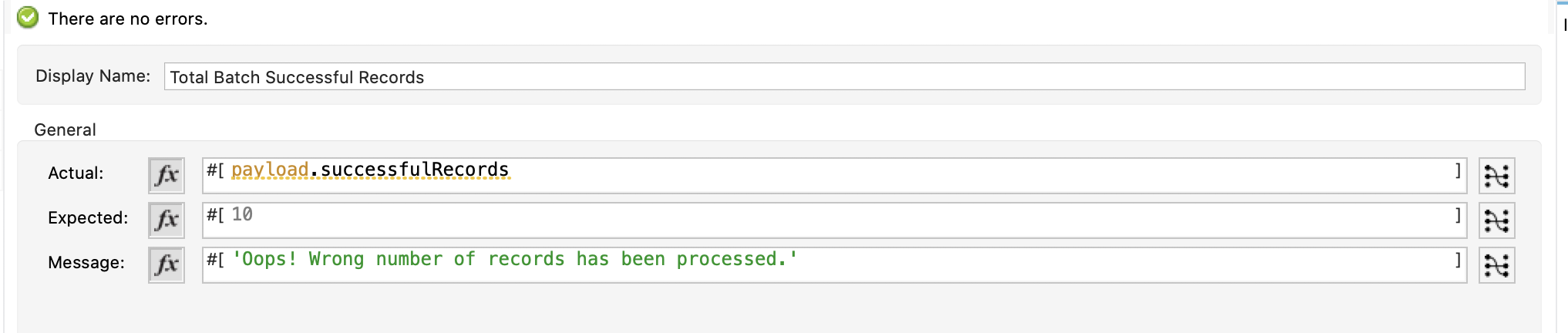
7.) In order to validate the number of successful records processed by the entire batch job after all steps are completed (e.g. in the On Complete stage), you can add another Assert Equals operator in the Before Call section of the Spy processor. In this, you can configure it as seen below to validate the number of successfully processed records by the entire batch job:
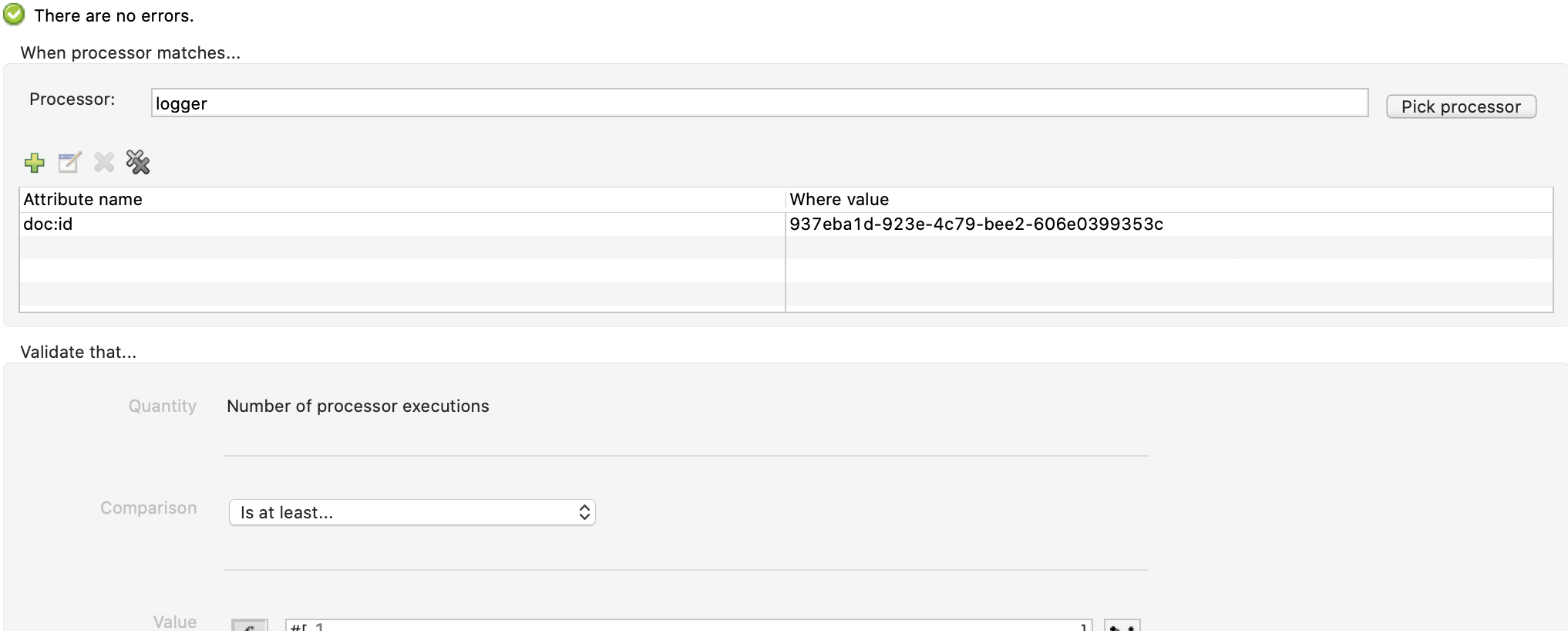
8.) Finally, in the Validation step of your MUnit test suite, you can add a Verify Call operation to verify the batch job has completed. To do this, you should pick the same processor selected in the Spy's configuration (e.g. the Logger from the On Complete stage of the Batch job). The configuration should look similar to this:
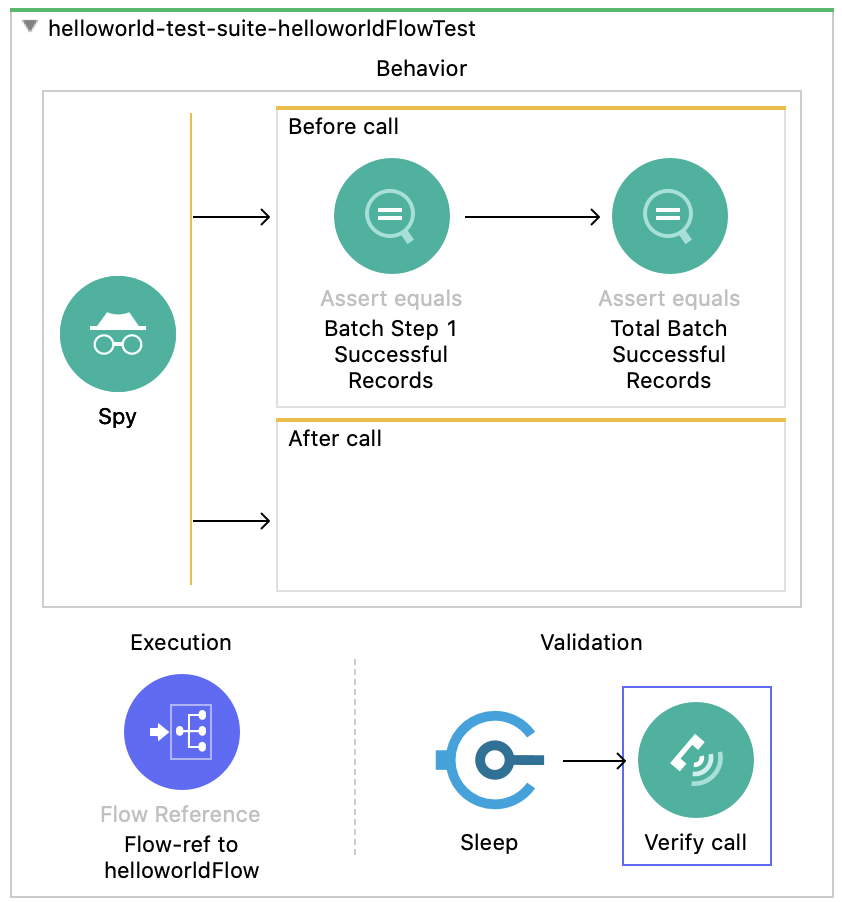
9.) The complete MUnit test suite will have a flow that looks similar to this:
There is a sample project attached to this article that you can use to see the above steps in action. Feel free to download this and run some tests, change some configurations, or anything you want to fuly grasp how to handle batch job validation using MUnit in Mule 4.
Download the Sample Application HERE
Knowledge-artikkelnummer
001116348
Hjalp denne artikkelen med å løse problemet ditt?
La oss få vite det slik at vi kan forbedre!
