Seleziona un'organizzazione
How to get a refresh token when using the connected app in Anypoint?
Data pubblicazione: Jul 3, 2024
Operazione
GOAL
This article explains how to get a refresh token when making an Authorization code call in Postman using the connected app.Fasi
For example, you want to make use of a refresh token to get the access token after the access token expires.
The following example shows the structure of a token request given a pre-existing refresh_token:
curl --location --request POST https://anypoint.mulesoft.com/accounts/api/v2/oauth2/token \
--header 'Content-Type: application/x-www-form-urlencoded' \
--data-urlencode 'client_id=<your_client_id>' \
--data-urlencode 'client_secret=<your_client_secret>' \
--data-urlencode 'grant_type=refresh_token' \
--data-urlencode 'refresh_token=<your_refresh_token>'
Steps to get the refresh token
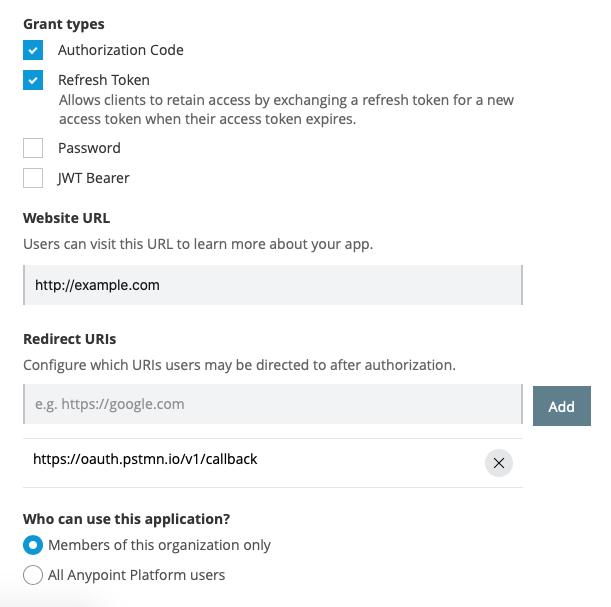
1. Create a connected app
- Anypoint user should be organization admin
- Type: "App acts on behalf of a user"
- Redirect URIs: https://oauth.pstmn.io/v1/callback
- Scope: Full Access, Backgroud Access
2. Generate access_token along with refresh token in Postman using steps below
- Useful document on using Postman authorization Oauth2 header type
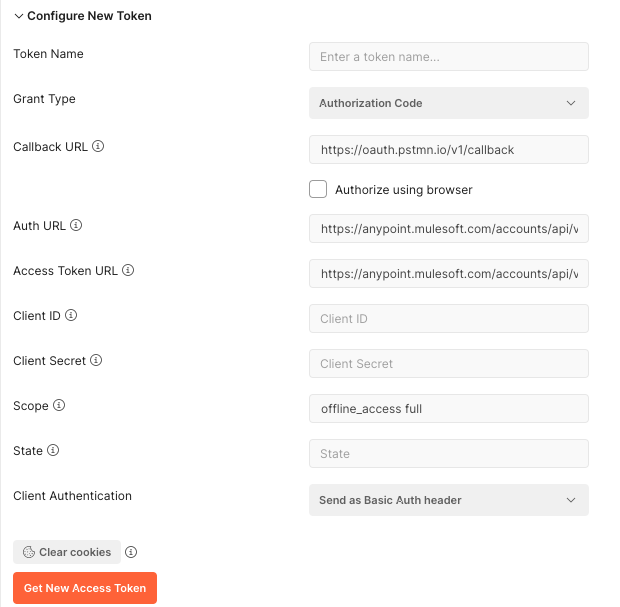
- In Postman, Go to the Authorization tab when making an API call, choose type OAuth 2.0 and click on Get New Access Token
- Enter the below values
Callback URL: https://oauth.pstmn.io/v1/callback
Auth URL: https://anypoint.mulesoft.com/accounts/api/v2/oauth2/authorize
Access Token: URL https://anypoint.mulesoft.com/accounts/api/v2/oauth2/token
Client ID: <from connected app created in Step 1>
Client Secret: <from connected app created in Step 1>
Scope: offline_access full
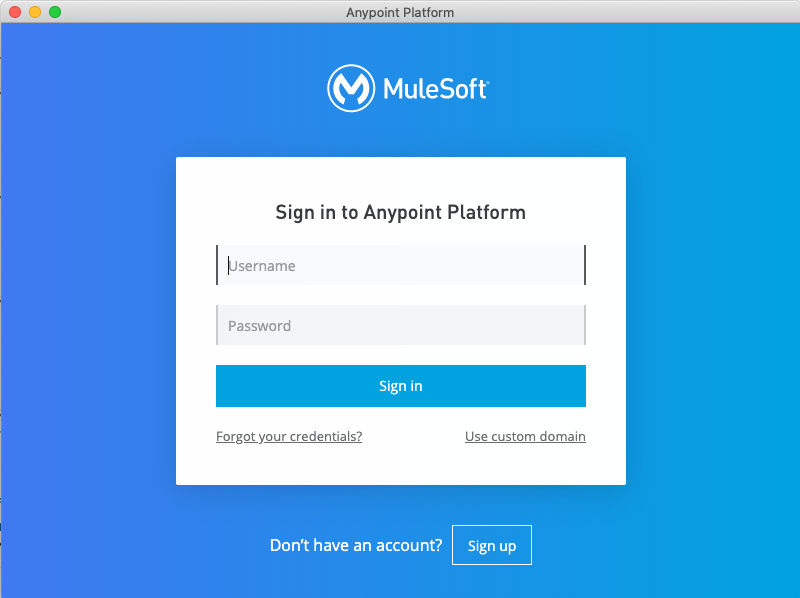
- When you click Get New Access Token, a pop-up will open for you to enter Anypoint credentials.
- After entering credentials, Click on the Grant access to button
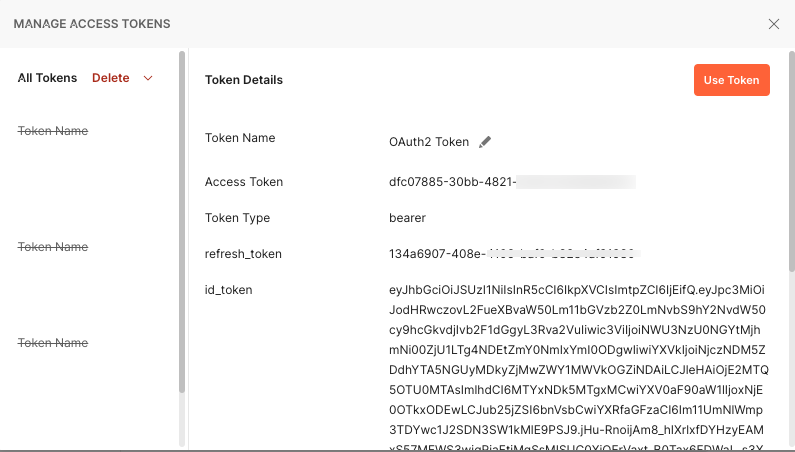
- After it redirects to the Postman, you can see now Access token, along with refresh_token
Refresh Token Expiry
From our Docs "Refresh tokens expire after 90 days. Access tokens expire after the user’s session expires."
Subsequent refresh tokens when generated will also have the same validity as above.
Numero articolo Knowledge
001116350
Questo articolo ha risolto il problema?
Facci sapere, così possiamo migliorare!
