Select An Org
How to configure Mule4 Email connector SMTP send to work with Gmail and Office 365 outlook ?
Publish Date: Jul 1, 2024
Task
Configure Mule4 Email connector SMTP send to work with Gmail and Office 365 outlook
Steps
QUESTION
How to configure Mule4 Email connector 1.3.0 SMTP send to work with Gmail and Office 365 outlook?ANSWER
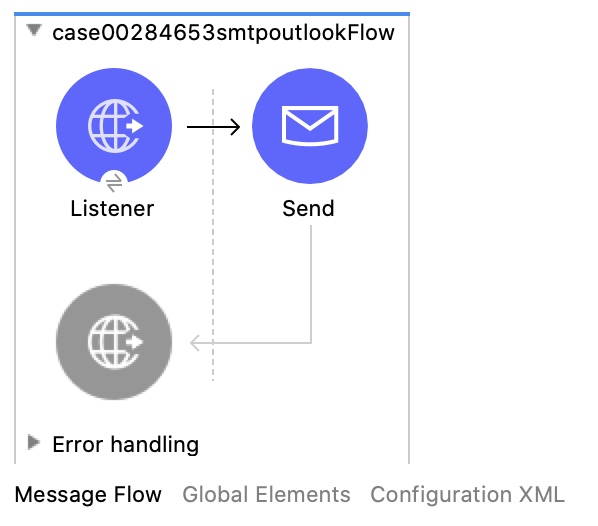
Run mule application in the studio with VM argument -M-Djavax.net.debug=all for debugging informationPlease post to http://localhost:8081/sendEmail with the sample application in debug mode for troubleshooting.
Configuration Details:
Server host settings:
Office365 outlook
Server name: smtp.office365.com
Port: 587
Encryption method: STARTTLS
Gmail:
Server name: smtp.gmail.com
Port: 587
Encryption method: STARTTLS
Mule4 Email connector 1.3.0 SMTP send
Outlook email:
<email:smtp-config name="Email_SMTP" doc:name="Email SMTP" doc:id="ca5d2ba7-d1fd-4974-a600-30ab35f90fb8" >
<email:smtp-connection host="smtp.office365.com" port="587" user="mulesoft3608@outlook.com" password="*******" timeoutUnit="MINUTES" connectionTimeout="2" readTimeout="2" writeTimeout="2">
<email:properties>
<email:property key="mail.smtp.starttls.enable" value="true" />
<email:property key="mail.debug" value="true" />
</email:properties>
</email:smtp-connection>
</email:smtp-config>
<email:send doc:name="Send" doc:id="9aaeabe0-5491-4d89-9174-bb261a4fa3f4" config-ref="Email_SMTP" fromAddress="mulesoft3608@outlook.com" subject="Test Email">
<email:to-addresses >
<email:to-address value="mulesoft3608@outlook.com" />
</email:to-addresses>
<email:body >
<email:content ><![CDATA[Test Email]]></email:content>
</email:body>
</email:send>
Gmail:
<email:smtp-config name="Email_SMTP" doc:name="Email SMTP" doc:id="3280d6fc-643c-451a-8896-4d8d3cc35405" >
<email:smtp-connection host="smtp.gmail.com" port="587" user="mulesoft3608@gmail.com" password="*******" timeoutUnit="MINUTES" connectionTimeout="2" readTimeout="2" writeTimeout="2">
<email:properties>
<email:property key="mail.smtp.starttls.enable" value="true" />
<email:property key="mail.debug" value="true" />
</email:properties>
</email:smtp-connection>
</email:smtp-config>
<email:send doc:name="Send" doc:id="00b7c063-7d2e-4852-b1be-e89927556795" config-ref="Email_SMTP">
<email:to-addresses >
<email:to-address value="mulesoft3608@gmail.com" />
</email:to-addresses>
<email:body >
<email:content ><![CDATA[Test Email]]></email:content>
</email:body>
</email:send>
ADDITIONAL INFORMATION
Please note that your email send fromAddress should be the same as the outlook user account for office 365 to work. Gmail does not have that restrictionAdditional Resources
Office365OutlookSuccessSmtpLog
Office365OutlookErrorSmtpLog
GmailSuccessSmtpLog
Knowledge Article Number
001116358
Did this article solve your issue?
Let us know so we can improve!
