Sélectionner une organisation
How to Set the Log Level for a Mule Application in Different Environments
Date de publication: Jan 8, 2026
Tâche
GOAL
Enable different levels of logging for packages in different MuleSoft deployment environments, i.e., Studio, CloudHub, RTF, and standalone Mule Runtime environments for Mule 4 applications.
Étapes
In this article, we shall enable DEBUG logging for HTTP Connector as an example in different environments. Please follow the same steps for enabling different log levels for other packages.
Anypoint Studio / PCE
Include configuration in the application log4j2.xml file. The file log4j2.xml would be present in the folder "src/main/resources" of the project by default. Check "Change the Log Level" for additional information
<Loggers>
    ...
    <AsyncLogger name="org.mule.service.http.impl.service.HttpMessageLogger" level="DEBUG" />
    ...
</Loggers>
Mule Runtime On-Premises / CloudHub 1.0 / CloudHub 2.0
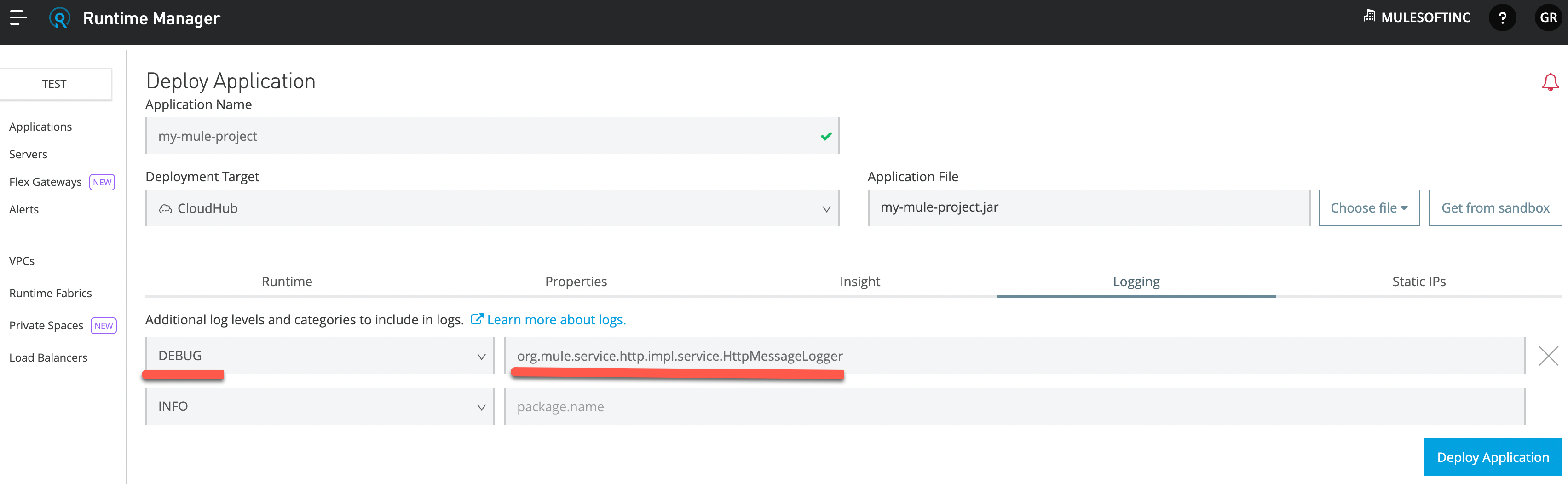
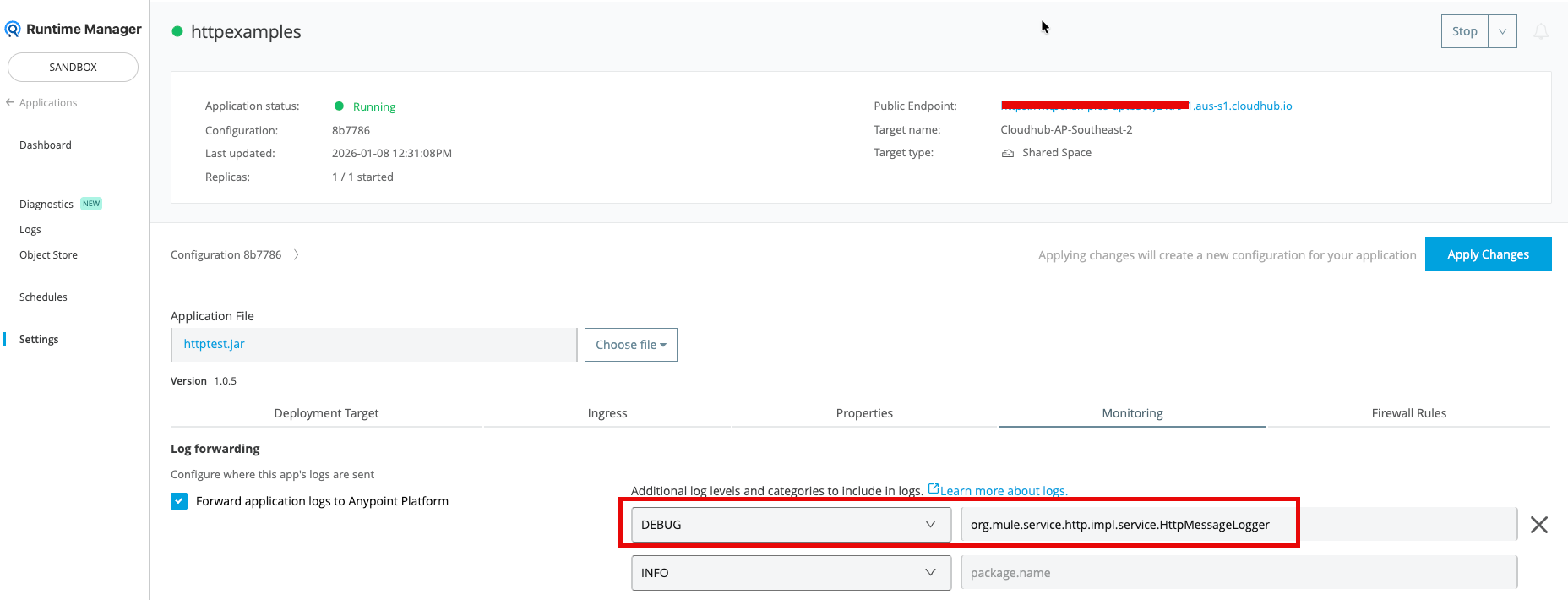
Add the following configuration to the Settings page of the application in the Logging tab (Runtime Manager UI), i.e., Anypoint Platform. --> Runtime Manager --> {Application Name} --> Settings --> Logging Tab (Monitoring tab for CloudHub 2.0). Check "Logging Tab Settings" for additional information
DEBUG org.mule.service.http.impl.service.HttpMessageLogger
CloudHub 1.0:
CloudHub 2.0:
Runtime Fabric
Use the Anypoint Runtime Manager to change the application log level by configuring the following property. Check "Change the Application Log Level" documentation for Runtime Fabric for further information.
logging.level.org.mule.service.http.impl.service.HttpMessageLogger=DEBUG
Note: The property name should contain the package name prefixed with the string “logging.level.”. A property to set DEBUG level into "org.mule.connectors" package will look like below
logging.level.org.mule.connectors=DEBUG
Numéro d’article de la base de connaissances
001116402
Cet article a-t-il résolu votre problème ?
Dites-nous ce que nous pouvons améliorer !
