組織を選択
AS2 Connector | How to configure AS2 listener with partners as expression type
公開日: Mar 2, 2024
ステップ
DESCRIPTION
This article provides an example of How to configure partners in expressions when using the Shared Listener mode in the AS2 Listener configurationSTEPS TO FOLLOW
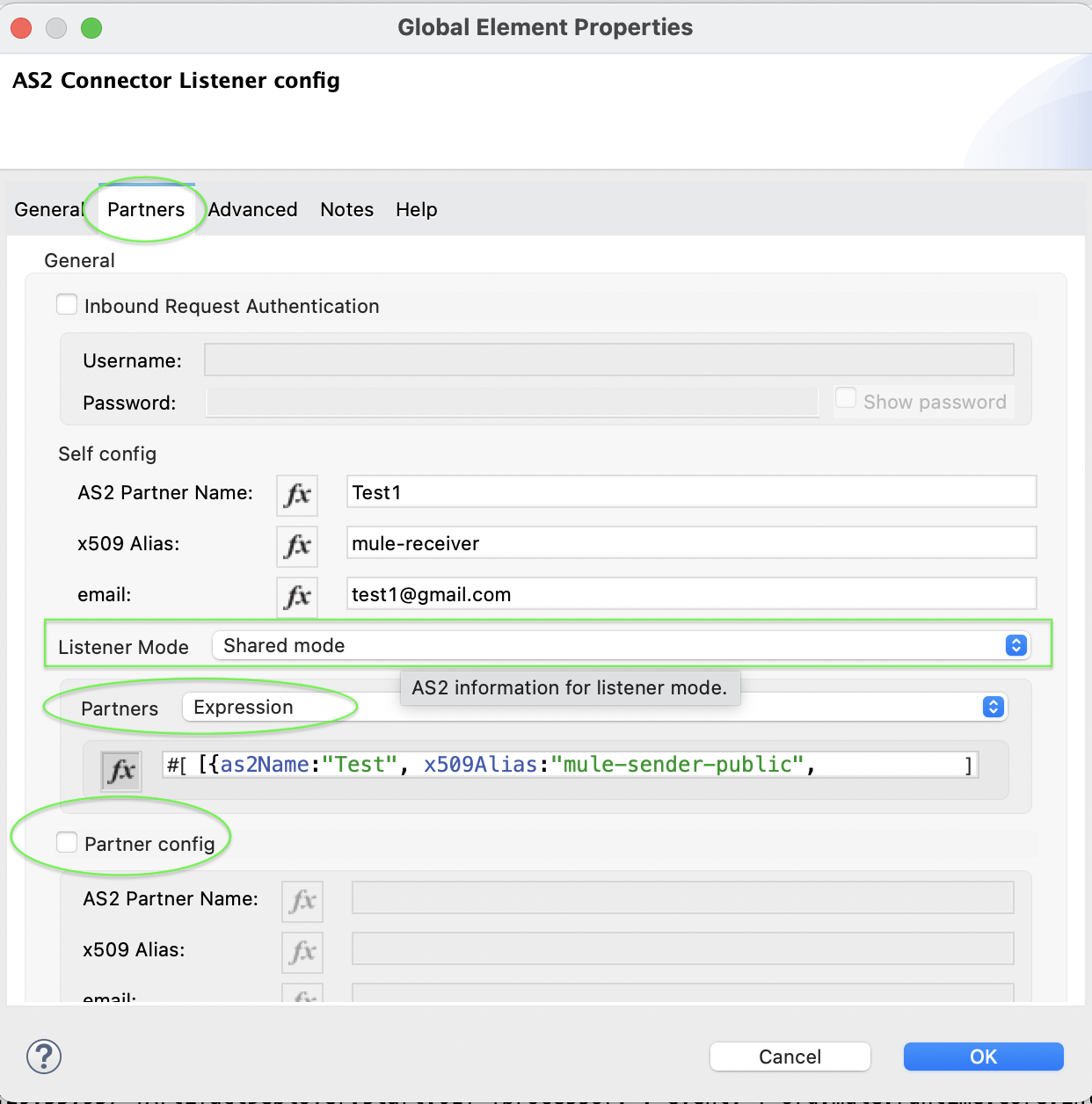
- In the AS2 Listener configuration, click on the Partners tab
- Select Shared mode in the Listener Mode field
- Select Expression in the Partners
- Click on fx for expression mode on and then provide the value For example: [{as2Name:"Test", x509Alias:"mule-sender-public", email:"test@gmail.com"},{as2Name:"Test1", x509Alias:"mule-sender-public1", email:"test1@gmail.com"}]
- Here is the example configuration.
<as2-mule4:listener-mode >
      <as2-mule4:shared-mode partnerConfigs='#[[{as2Name:"Test", x509Alias:"mule-sender-public", email:"test@gmail.com"},{as2Name:"Test1", x509Alias:"mule-sender-public1", email:"test1@gmail.com"}]]' />
</as2-mule4:listener-mode>
- Please don’t forget to uncheck the Partner config option when you select Shared mode. Below is the screenshot showing all the above steps.
ナレッジ記事番号
001116427
この記事で問題は解決されましたか?
ご意見をお待ちしております。
