Выбрать организацию
AS2 Connector | How to configure AS2 listener with partners as expression type
Дата публикации: Mar 2, 2024
Действия
DESCRIPTION
This article provides an example of How to configure partners in expressions when using the Shared Listener mode in the AS2 Listener configurationSTEPS TO FOLLOW
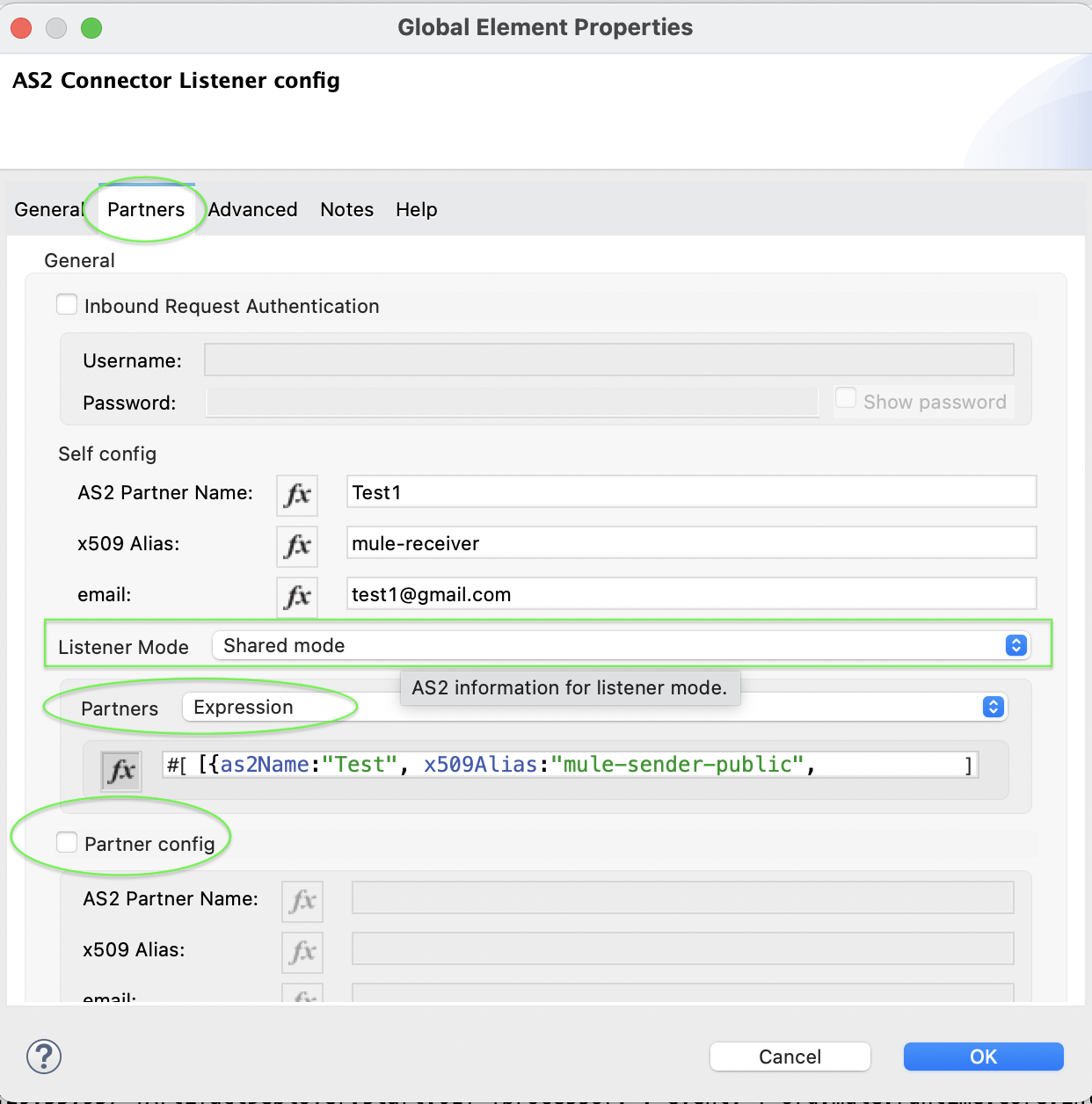
- In the AS2 Listener configuration, click on the Partners tab
- Select Shared mode in the Listener Mode field
- Select Expression in the Partners
- Click on fx for expression mode on and then provide the value For example: [{as2Name:"Test", x509Alias:"mule-sender-public", email:"test@gmail.com"},{as2Name:"Test1", x509Alias:"mule-sender-public1", email:"test1@gmail.com"}]
- Here is the example configuration.
<as2-mule4:listener-mode >
      <as2-mule4:shared-mode partnerConfigs='#[[{as2Name:"Test", x509Alias:"mule-sender-public", email:"test@gmail.com"},{as2Name:"Test1", x509Alias:"mule-sender-public1", email:"test1@gmail.com"}]]' />
</as2-mule4:listener-mode>
- Please don’t forget to uncheck the Partner config option when you select Shared mode. Below is the screenshot showing all the above steps.
Номер статьи базы знаний
001116427
Эта статья решила вашу проблему?
Оставьте свой отзыв, чтобы мы могли стать лучше!
