조직 선택
How to Create and Generate Access Token for Connected Apps - JWT Bearer Grant Type
게시 일자: Aug 5, 2025
과업
GOAL
- To create Connected Apps (on behalf of the user) with JWT Bearer grant Type
- Passing the JWT token created for the connected app client_id to the Anypoint Platform Authentication endpoint to retrieve the Auth token
단계
1) Create PEM Public Key certificate
To create connected apps on-behalf of users with JWT Bearer as Grant Type, Public Key certificate (PEM) needs to be generated based on the JWK key.
Mostly this information will be provided or received from the External JWT token provider team (like Okta etc..)
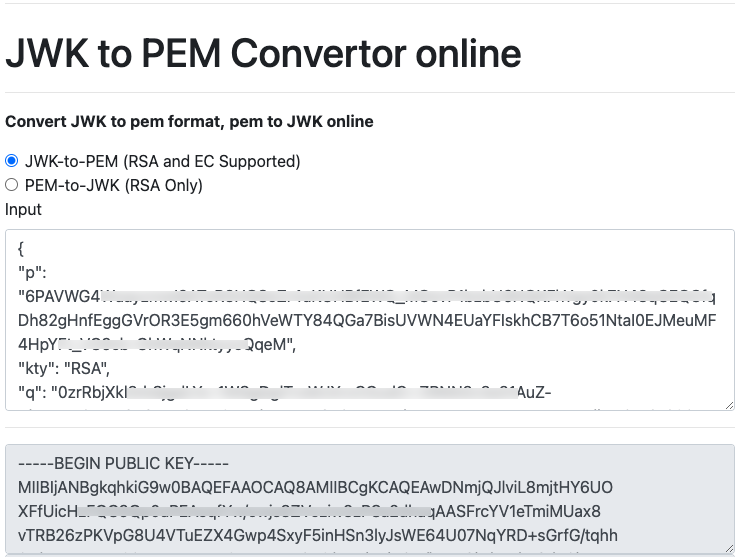
For this article, we can use the online tool "https://8gwifi.org/jwkconvertfunctions.jsp" to generate the PEM certificate as per the screenshot below for learning/testing purposes.
Sample JWK key was used as a reference to generate the Public Key.
The above image shows the generated Public Key (PEM Format).
2) Create a Connected App with JWT Bearer Grant Type
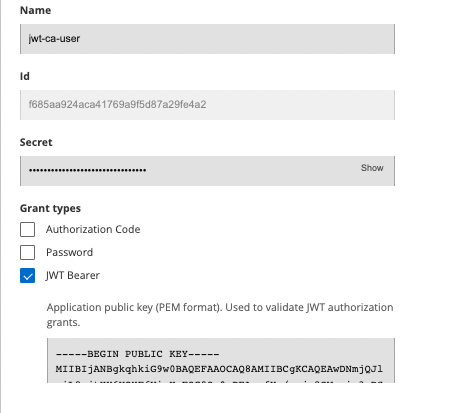
Now let's create a Connected App using the Public Key PEM file generated in the above step.
Below is the screenshot of connected apps with the JWT bearer Grant Type selected
Note: non-federated user is not supported currently to create connected apps with on-behalf of the user.
3) Generate the JWT Token
Note: Generation of JWT token is outside of MuleSoft Scope. It is up to the customer to generate the JWT token.
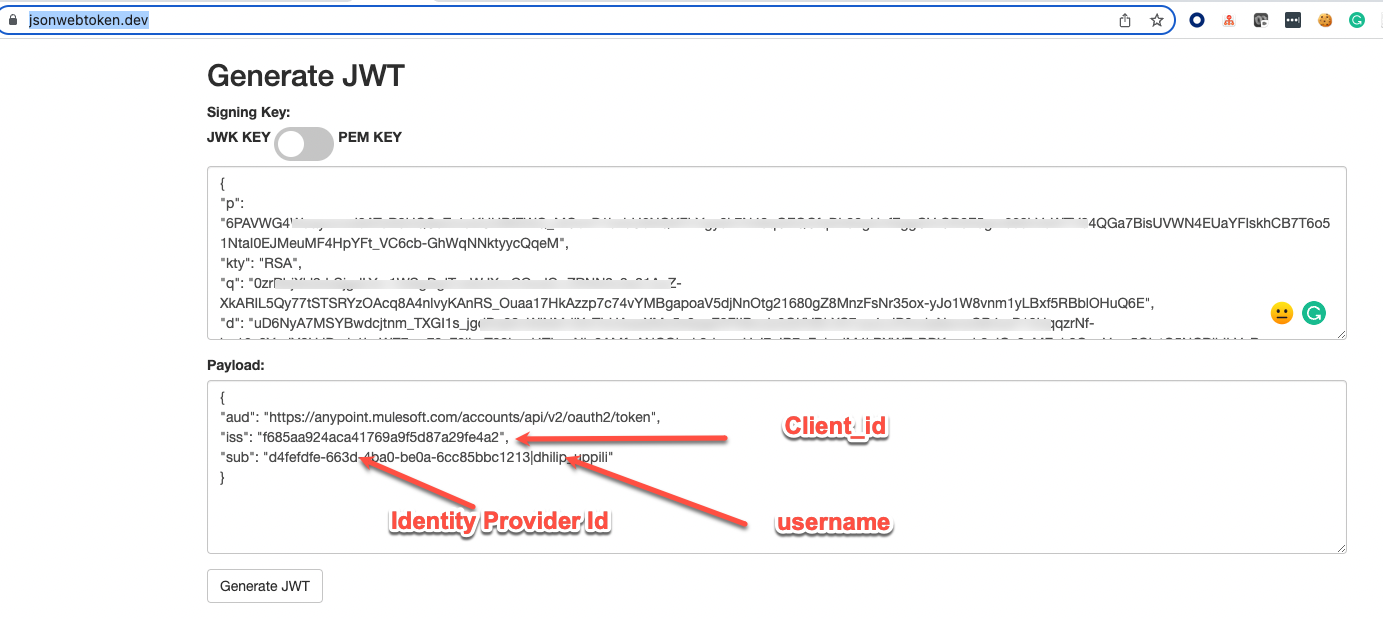
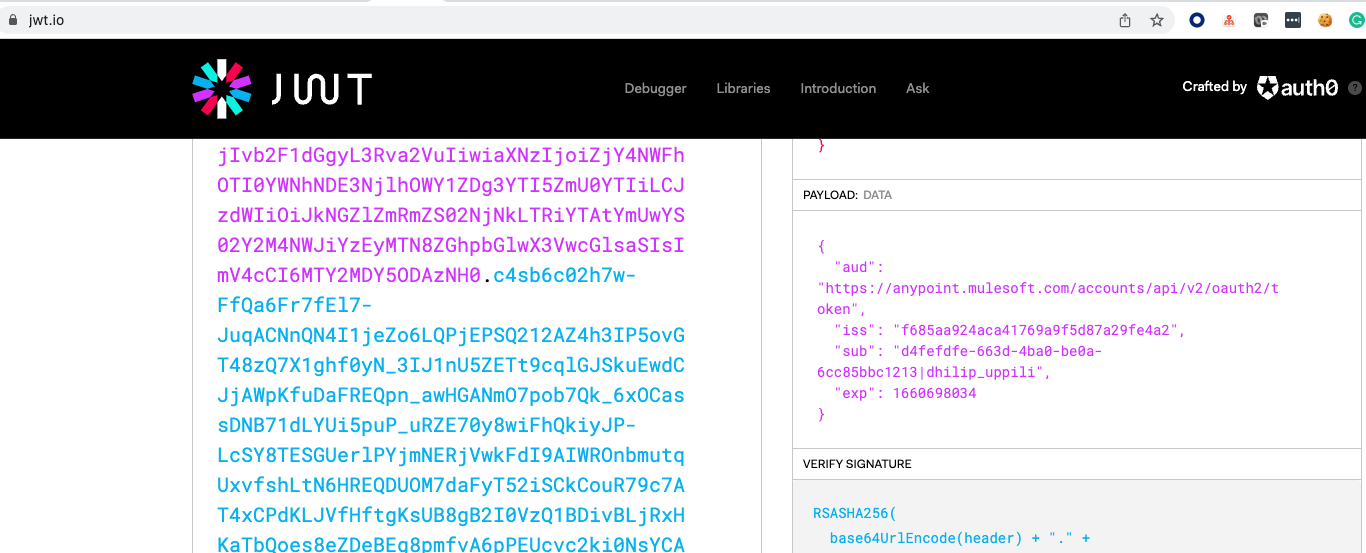
One main thing to be aware of is the below JWT claims details that are required as part of the JWT Token generation.
Mulesoft expects the below JWT claims in the request for a scoped access token
- iss: The issuer of the token. This value must be the same as the
client_id - sub: version|idp_id|user_name|firstname|lastname|email|externalgroups
- aud: "https://anypoint.mulesoft.com/accounts/api/v2/oauth2/token"
Note: for "sub" a minimum of Idp_id [Identity Provided ID] and user_name [username used when creating the connected apps] needs to be provided.
(idp_id, user_name) pair marks the uniqueness of the user in the system. Hence Idp_Id is required to differentiate which Identity provider the user belongs to.
For learning/testing purposes, We can use online tool "https://www.jsonwebtoken.dev/" to generate JWT token based on the. JWK key and payload.
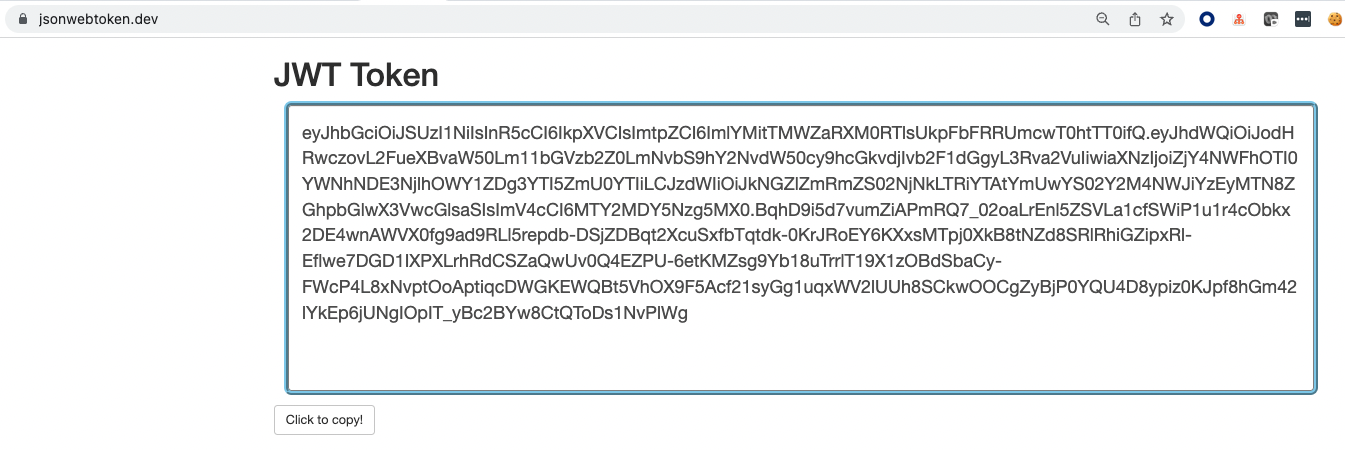
Above produces the below JWT token
Using the jwt.io website, we can verify if the above JWT claims are available as part of the JWT token, like below.
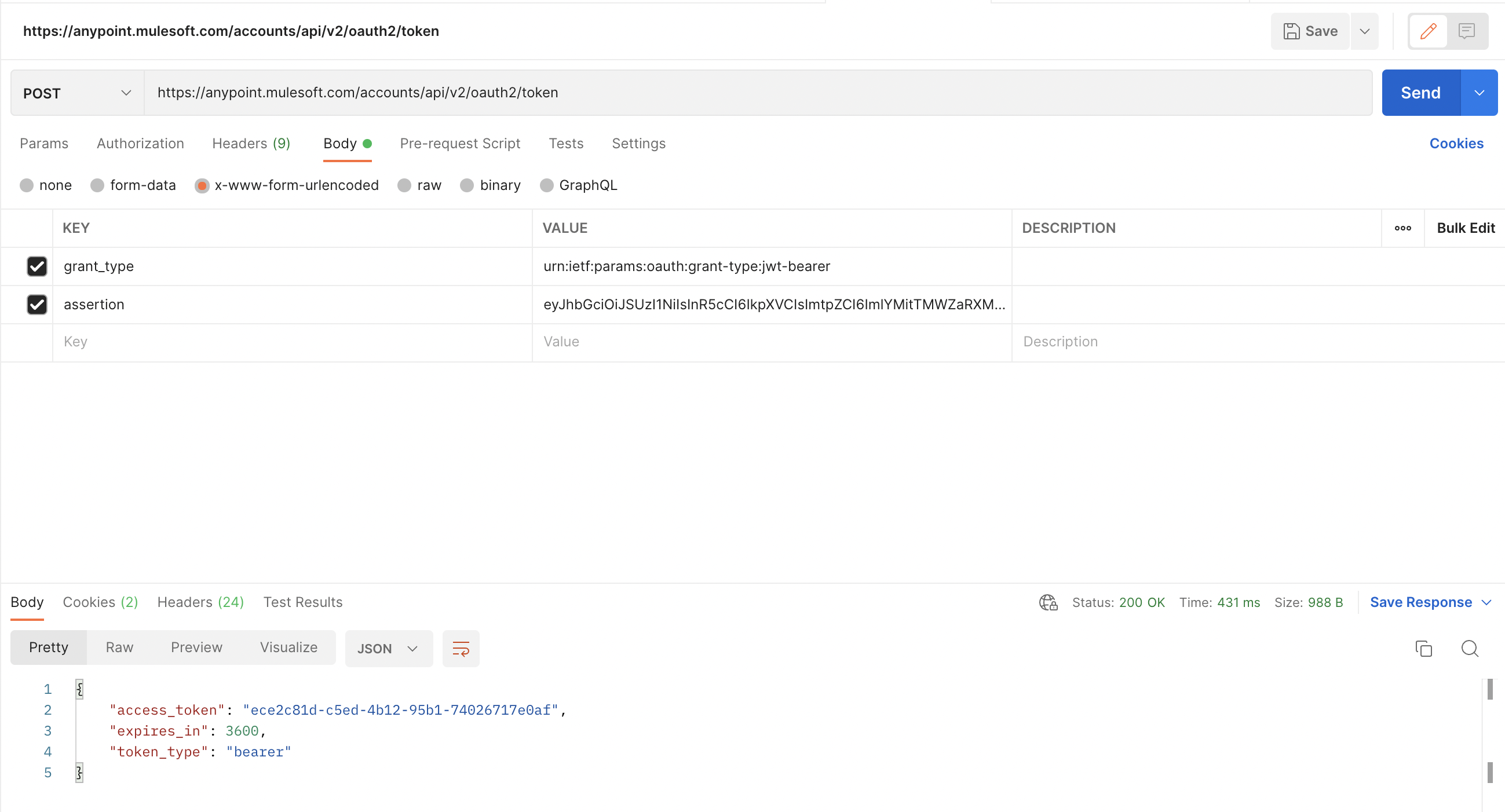
4) Call the Authentication endpoint
To generate the authentication bearer token using the JWT token above, execute the below curl command
curl -X POST "https://anypoint.mulesoft.com/accounts/api/v2/oauth2/token" \
-H "Content-Type: application/x-www-form-urlencoded" \
-d "grant_type=urn:ietf:params:oauth:grant-type:jwt-bearer" \
-d "assertion=<jwt-token>"
Sample response
Knowledge 기사 번호
001116436
이 기사를 통해 문제를 해결했습니까?
개선을 위한 의견을 보내주세요.
