Select An Org
How to Access ACM Using SSO Without Creating Users in SF
Publish Date: Jul 25, 2025
Task
GOAL
You wish to access ACM using SSO without the need of creating the users in SF. So basically for those users, who already have an Anypoint Platform account, you would like them to be able to sign into ACM without first creating an account for them in Salesforce.
Steps
However, that requires IDP to use support JIT and SAML assertion.
In other words, use Just-in-Time (JIT) provisioning to automatically create a user account in your Salesforce org the first time a user logs in with single sign-on (SSO). JIT provisioning can reduce your workload and save time. JIT provisioning also automatically applies password policies for your corporate network to your org, potentially increasing security (Just-in-Time Provisioning for SAML)
Kindly refer to the following documentation for details: Just-in-Time Provisioning for Experience Cloud
Please find below the steps that need to be followed for configuring Developer Portal SSO:
Prerequisites
The user has to be correctly configured in SecureAuth.
The assertion must contain at least the following attributes:
- User personal information as:
- firstname
- lastname
- username
- federationId (as #p)
- groups
Example of a SAML assertion attributes:
<saml:AttributeStatement>
<saml:Attribute Name="firstname" NameFormat="urn:oasis:names:tc:SAML:2.0:attrname-format:basic">
  <saml:AttributeValue>Robin</saml:AttributeValue>
</saml:Attribute>
<saml:Attribute Name="lastname" NameFormat="urn:oasis:names:tc:SAML:2.0:attrname-format:basic">
  <saml:AttributeValue>Walsh</saml:AttributeValue>
</saml:Attribute>
<saml:Attribute Name="email"NameFormat="urn:oasis:names:tc:SAML:2.0:attrname-format:basic">
  <saml:AttributeValue>robin.walsh@edwardjones.com</saml:AttributeValue>
</saml:Attribute>
<saml:Attribute Name="groups" NameFormat="GroupList">
  <saml:AttributeValue>AMP_API_Architect</saml:AttributeValue>
  <saml:AttributeValue>apimpgrp</saml:AttributeValue>
  …
</saml:Attribute>
<saml:Attribute Name="UserID" NameFormat="urn:oasis:names:tc:SAML:2.0:attrname-format:basic">
  <saml:AttributeValue>p#</saml:AttributeValue>
</saml:Attribute>
</saml:AttributeStatement>
- The subject has to contain the p# as follows:
<saml:Subject>
<saml:NameID Format="urn:oasis:names:tc:SAML:1.1:nameid-format:unspecified">p#</saml:NameID>
…
</saml:Subject>
Salesforce Configuration
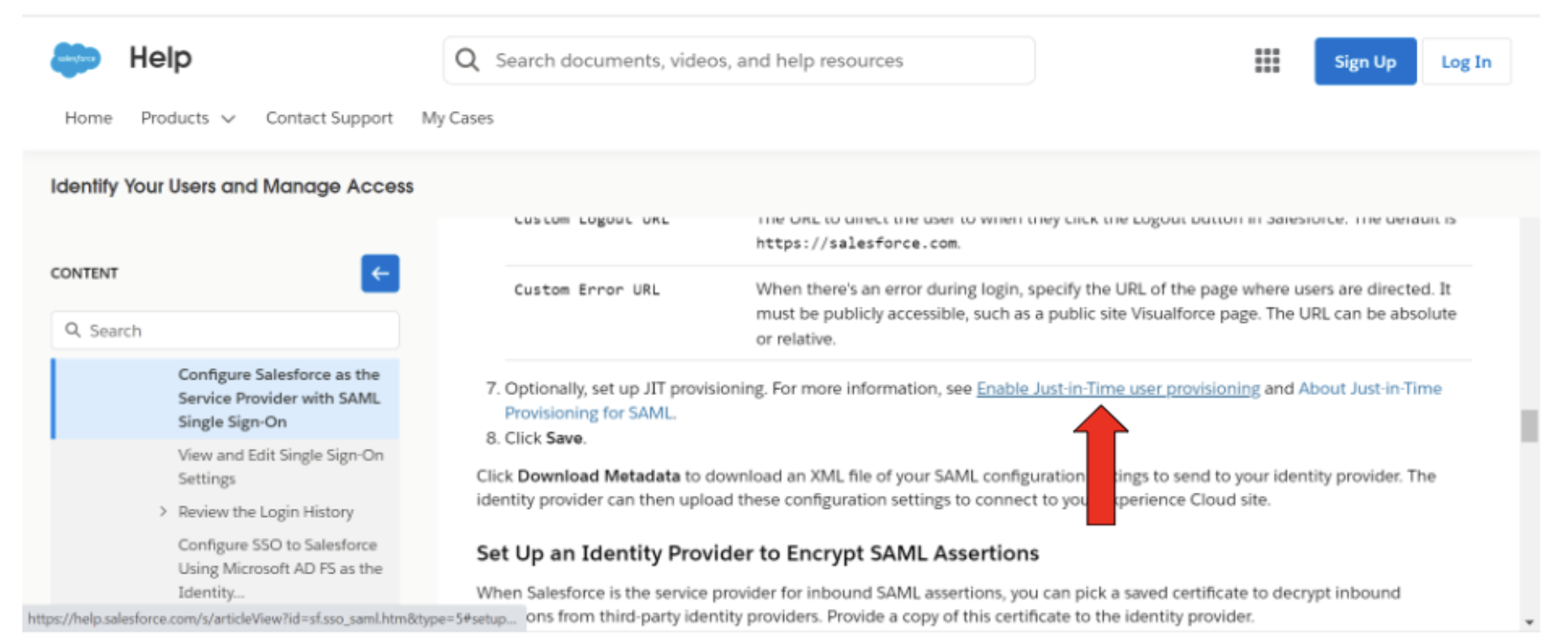
Configure a Single Sign-on in the Salesforce side following the instructions at: https://help.salesforce.com/s/articleView?id=sf.sso_saml.htm&type=5 and in particular Enable the JIT provisioning as described in the online documentation:
The final configuration should be similar to the following:
Where SAML Identity Type uses:
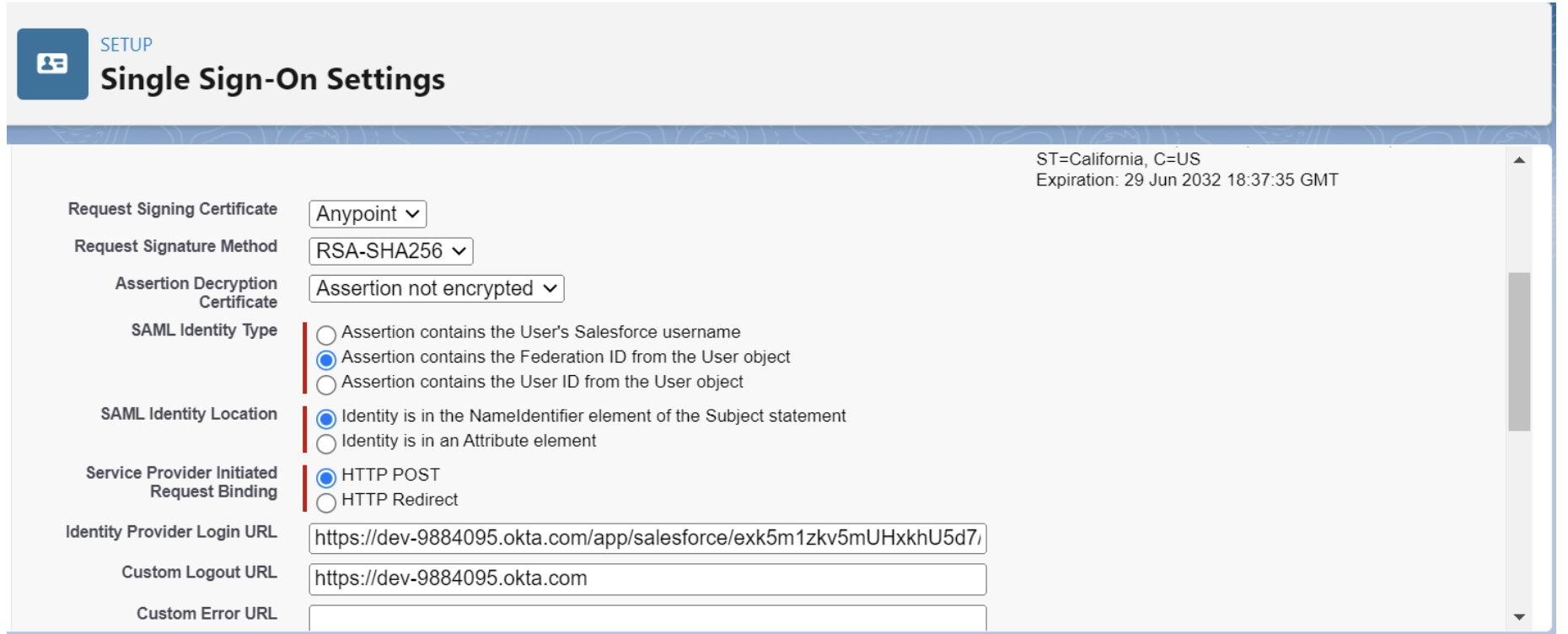
- Assertion contains the Federation ID from the User Object
And SAML Identity Location uses:
- Assertion is in the NameIdentifier element of the Subject Statement
When JIT Provisioning is enabled choose the following configuration:
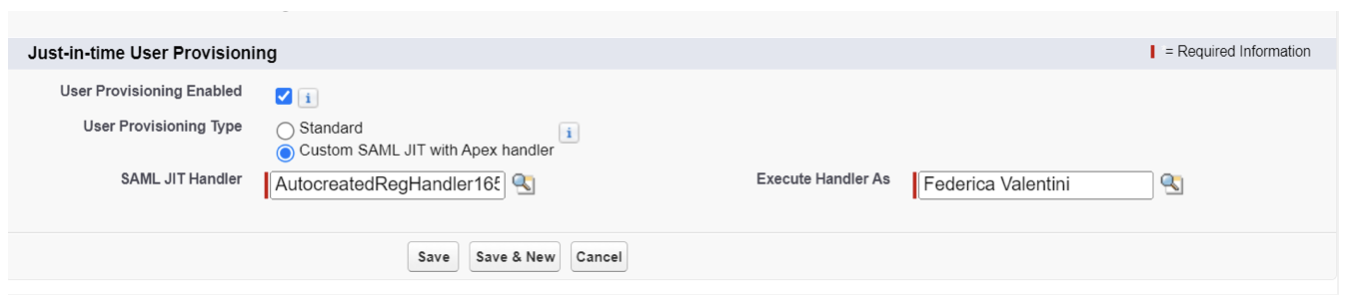
Where SAML Jit Handler is created from the template and Execute Handler is one of the System Administrator users.
Now we are going to customize the Handler APEX class as described in the next section.
JIT Handler Provisioning
Before working on the Apex class, retrieve the Account ID and the Profile ID that is going to be used during the login process to the developer portal as follows.
To get the Account ID:
- In the Applications Search Bar look for “Accounts”,
- Click on the Account used for the ACM Login from the Accounts list. Example: “My Community Account”:

- From the URL get the Account ID. This number will be used to create the user under the same account for ACM Portal.
To get the Profile ID:
- From the Search toolbar in Setup look for Profiles
- Click on the Profile used for the ACM Login from the Profiles list. Example: MyCommunity Member User
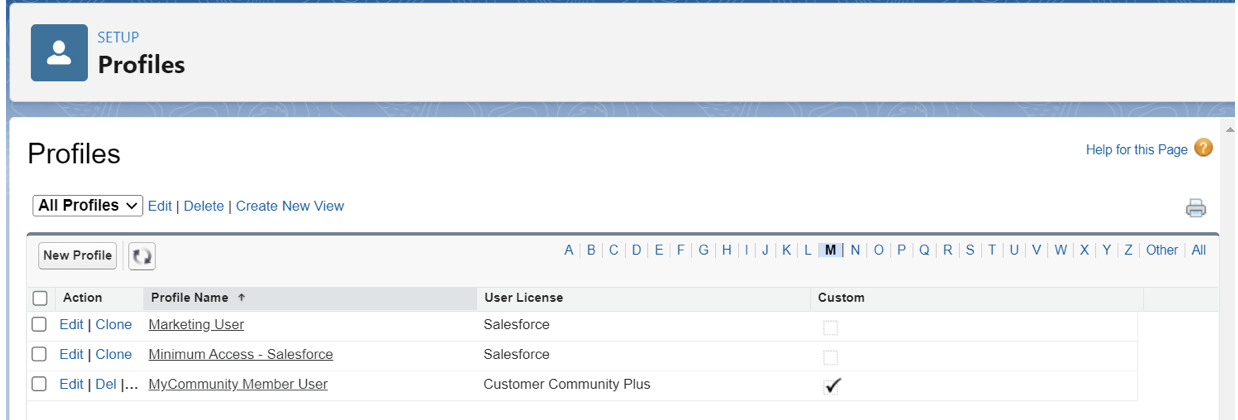
- From the URL get the Profile ID.
Once we have the Account ID and Profile ID we can replace it in the JITProvisioningHandler Apex class. The apex class code is provided as an attachment to this document.
Example:
- In the handleAccount private method replace: <<yourAccountID>> with the account ID retrieved from the URL.
…
 else {
       String account = '0018Z00002aVdLNQA0';
       a = [SELECT Id FROM Account WHERE Id=:account];
…
- In the handleUser method replace: <<yourProfileID>> with the profile ID retrieved from the URL
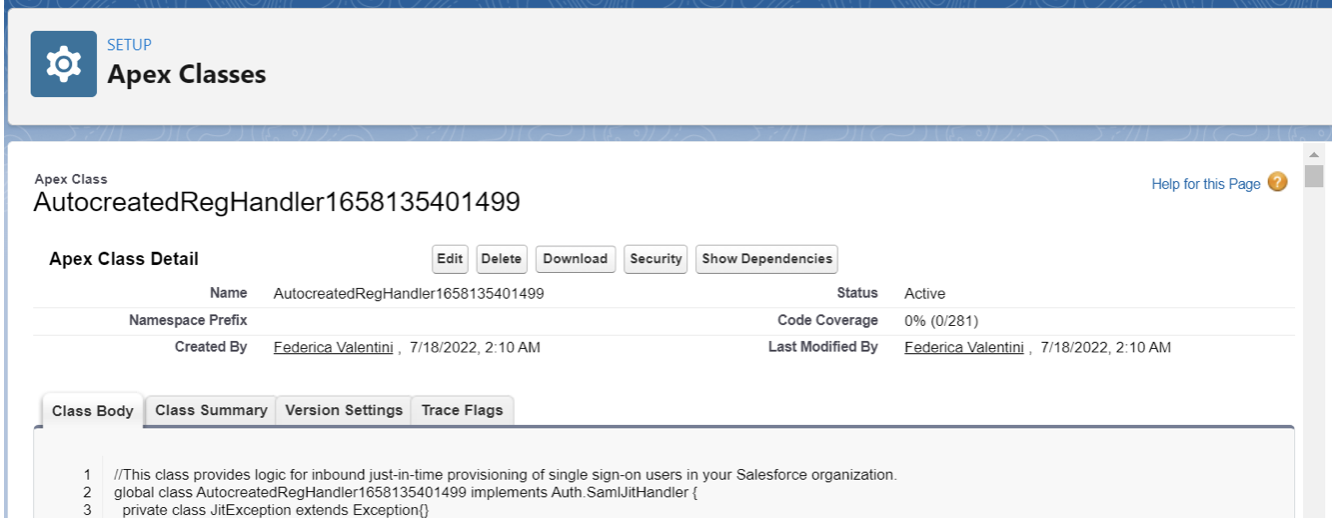
Once both values have been replaced replace the JITProvisioning Template code with the one provided using the Edit feature. Example:
Save the update with the Save button.
Testing
From the developer portal choose the SingleSignOn option and use the SSO Username and Password.
The developer portal should be successfully logged in and from the APIs, the tab will be possible to see the list of the API assets published in Exchange.
Troubleshooting
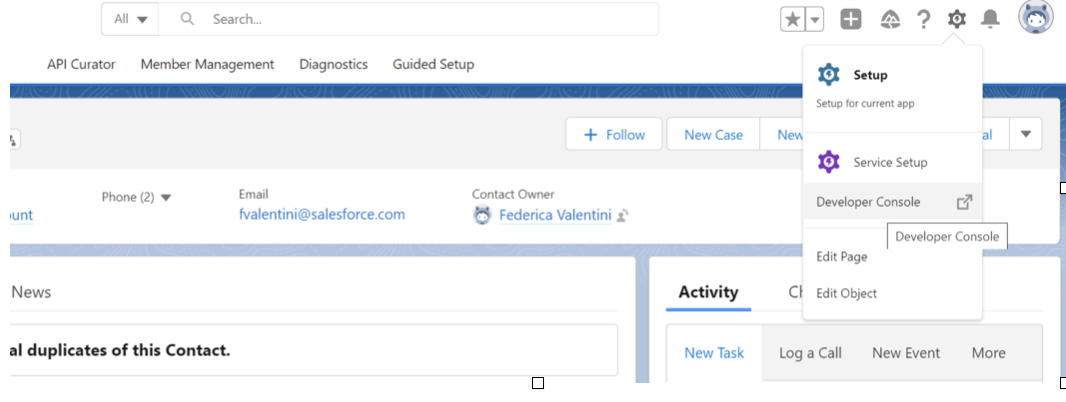
The developer console is very useful for troubleshooting JIT Provisioning errors detected during the execution of the JITHandler apex class.
To access the developer console, right-click on the Setup gear in the salesforce platform.
References
Just-in-Time Provisioning for SAML
Knowledge Article Number
001116498
Did this article solve your issue?
Let us know so we can improve!
