Valitse organisaatio
How to renew the Anypoint self-signed certificate in API Community Manager (ACM)
Julkaisupäivä: Mar 2, 2024
Tehtävä
GOAL
To renew the certificate that secures the connection between ACM and the Anypoint Platform organization, called "Anypoint."Please note you should have one 'Anypoint' certificate per ACM environment (e.g., Sandbox, Production).
Vaiheet
The steps needed to accomplish the renewal are the same for creating the certificate as stated in the below links from the ACM documentation, and in the same order:
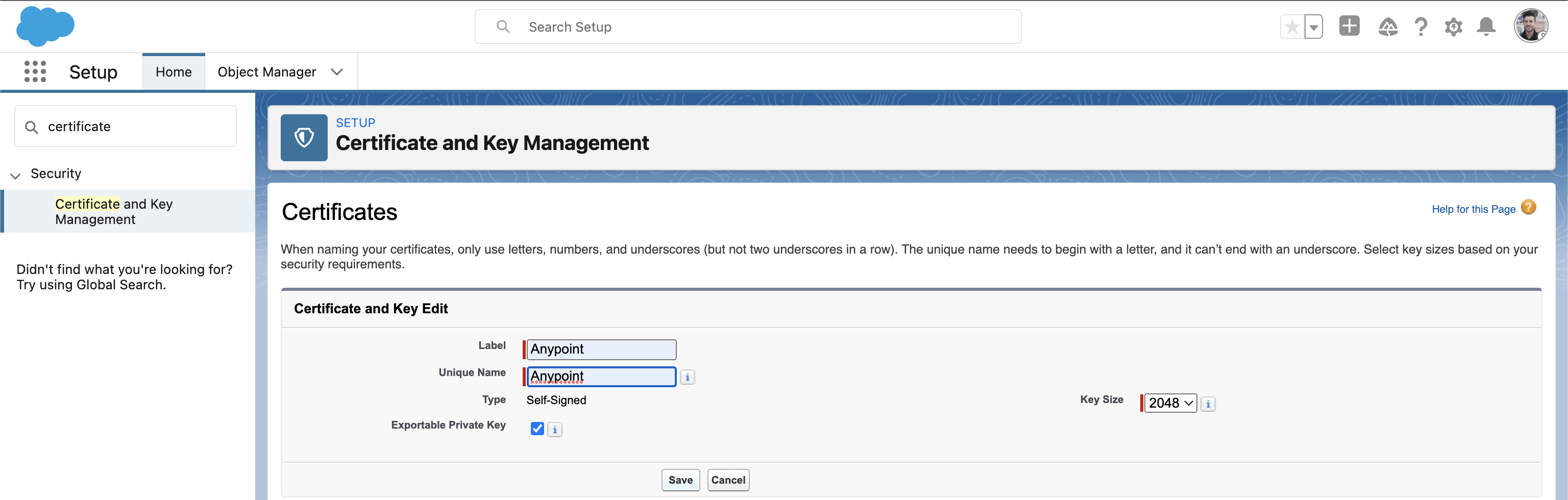
1) In Salesforce, click Setup > Security > Certificate and Key Management
1.1) Rename the existing certificate called Anypoint to AnypointBackup or just delete it. You won't use it anymore after the new certificate is created.
1.2) Click on the Create Self-Signed Certificate button, and create a new Anypoint certificate by following the steps from Create a Key Pair documentation.
1.3) The previous step ends with a public key. Open that key using a text editor, such as Notepad++ or Visual Studio Code. Then, copy the entire content of the file.
2) At this step, you need to create a new Connect App in Anypoint Platform following this link: Create Connected App in Anypoint. Alternatively, we are going to re-use the existing one.
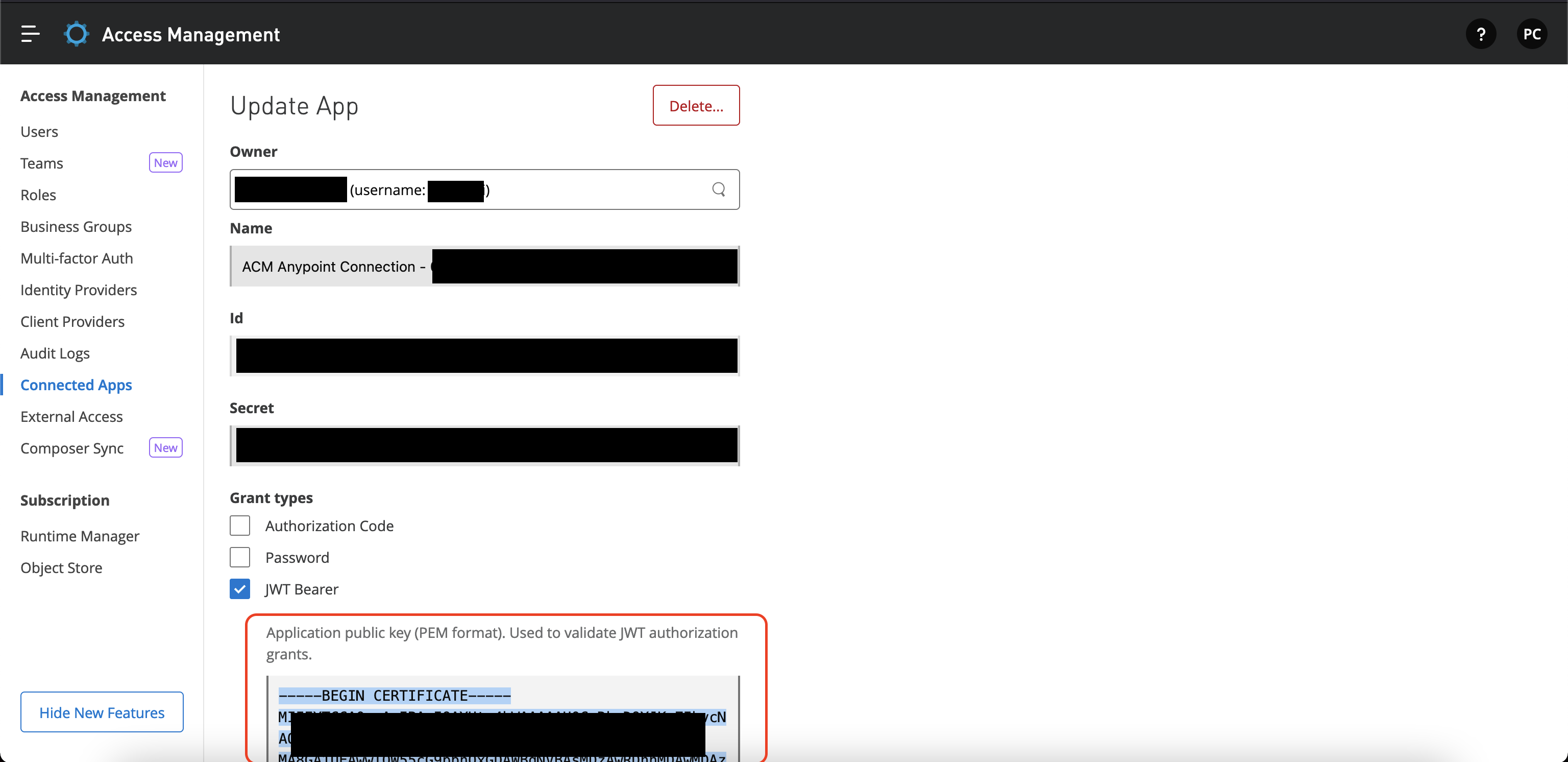
2.1) In Anypoint Platform, Click on your current Connected App in Access Management > Connected Apps.
2.2) Erase the current public key in the text area field and paste the public key copied in (1.3).
2.3) Click the Save changes button.
3) Go back to Salesforce and click on the Edit link next to the Anypoint named credential in Setup > Security > Named Credentials. This Named Credential was manually created when configuring ACM for the first time following the Create Named Credential documentation.
3.1) Check if the JWT Signing Certificate is set to Anypoint certificate (the one you created on step 1). If it is not, set it and click on the Save button.
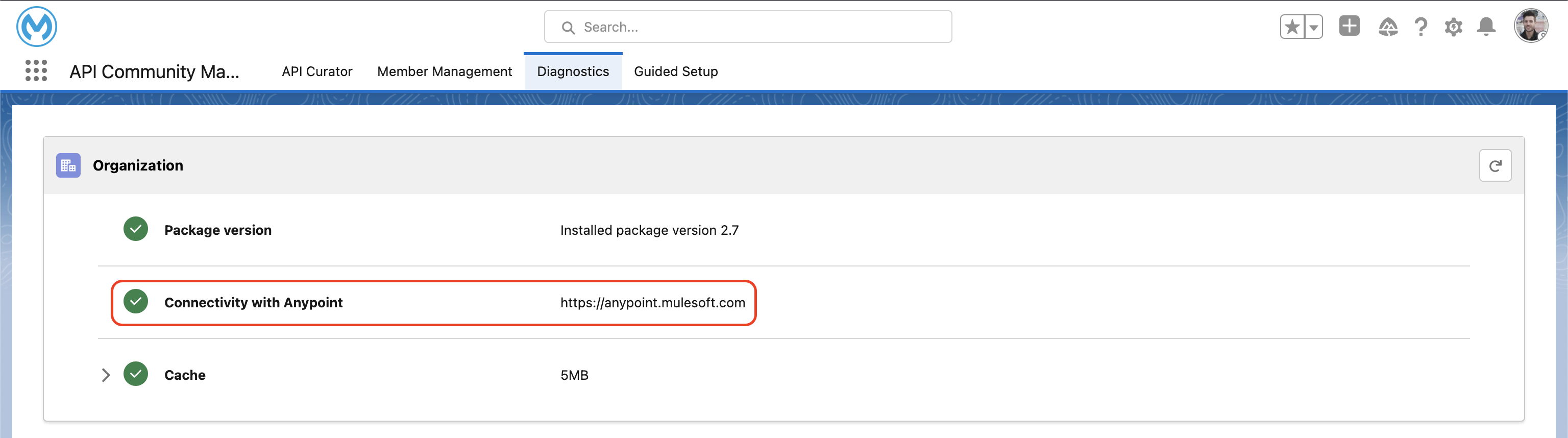
4) Click on API Community Manager Diagnotics tab in Salesforce's App launcher.
4.1) Make sure that the connectivity has a green check mark icon. This means the certificate was successfully renewed and the data bridge is working.
Knowledge-artikkelin numero
001116516
Ratkaisiko tämä artikkeli ongelmasi?
Anna palautetta, jotta voimme kehittyä!
