Velg en organisasjon
How to Get the Anypoint Authorization Access or Bearer Token from Chrome Browser Session
Publiseringsdato: Aug 6, 2025
Oppgave
GOAL
How to generate your Authorization Bearer token for Anypoint Platform explains how to get the access token by calling the Access Management API.Access tokens are also used when browsing the Anypoint Platform website. This article explains how to extract the access token by utilizing Chrome's Developer Tools.
This approach can help to get an access token when using API is not straightforward, for example, for SSO users. This approach is not designed for CICD or automation purposes.
Trinn
Login to the Anypoint Platform website
https://anypoint.mulesoft.com/login/Enable Chrome Developer Tools
for more, please see https://developer.chrome.com/docs/devtools/open/
After the Developer Tools is open, please
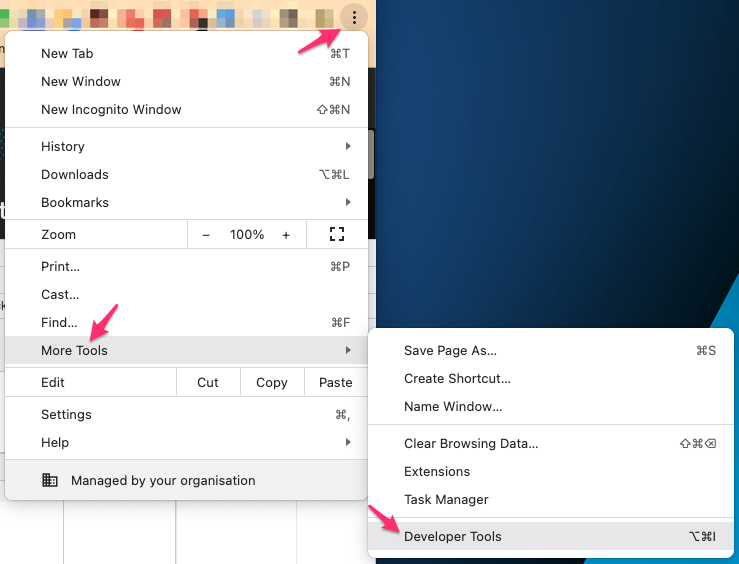
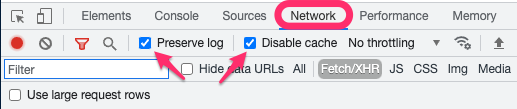
- choose the "Network" tab
- tick "Preserve log" and "Disable cache"
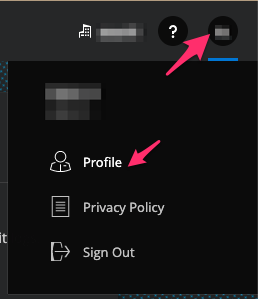
Click on the user icon on the top right corner then Profile
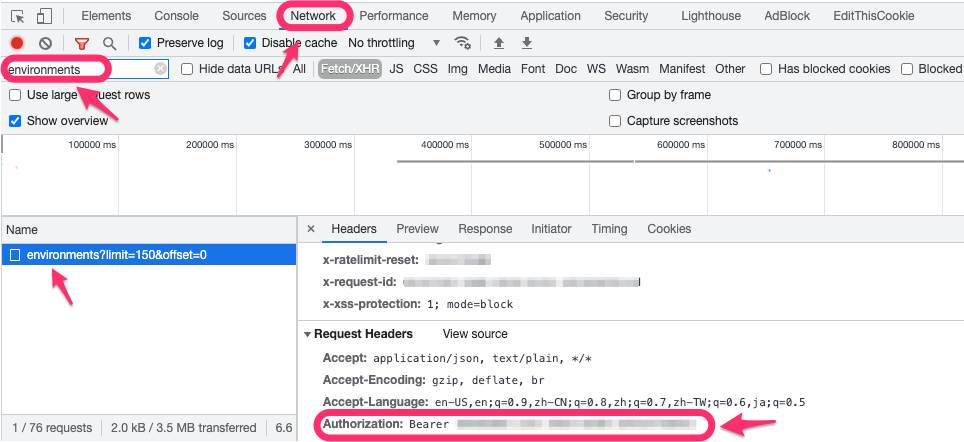
Filter to get the Access Token
- in the filter box, enter "environments"
- click on the call to "environments?limit=xxx"
- on the right-hand side, the "Headers" tab, "Request Headers" section, find the "Authorization" header, the string after "Bearer" is the access token
Knowledge-artikkelnummer
001116775
Hjalp denne artikkelen med å løse problemet ditt?
La oss få vite det slik at vi kan forbedre!
