조직 선택
What Information to Collect for API Alert Email Delivery Issue
게시 일자: Aug 1, 2025
과업
GOAL
I have added API Alerts as per the document Add API Alerts but sometimes I did not receive alert emails.For example, I have added an alert for HTTP Response Code 400.
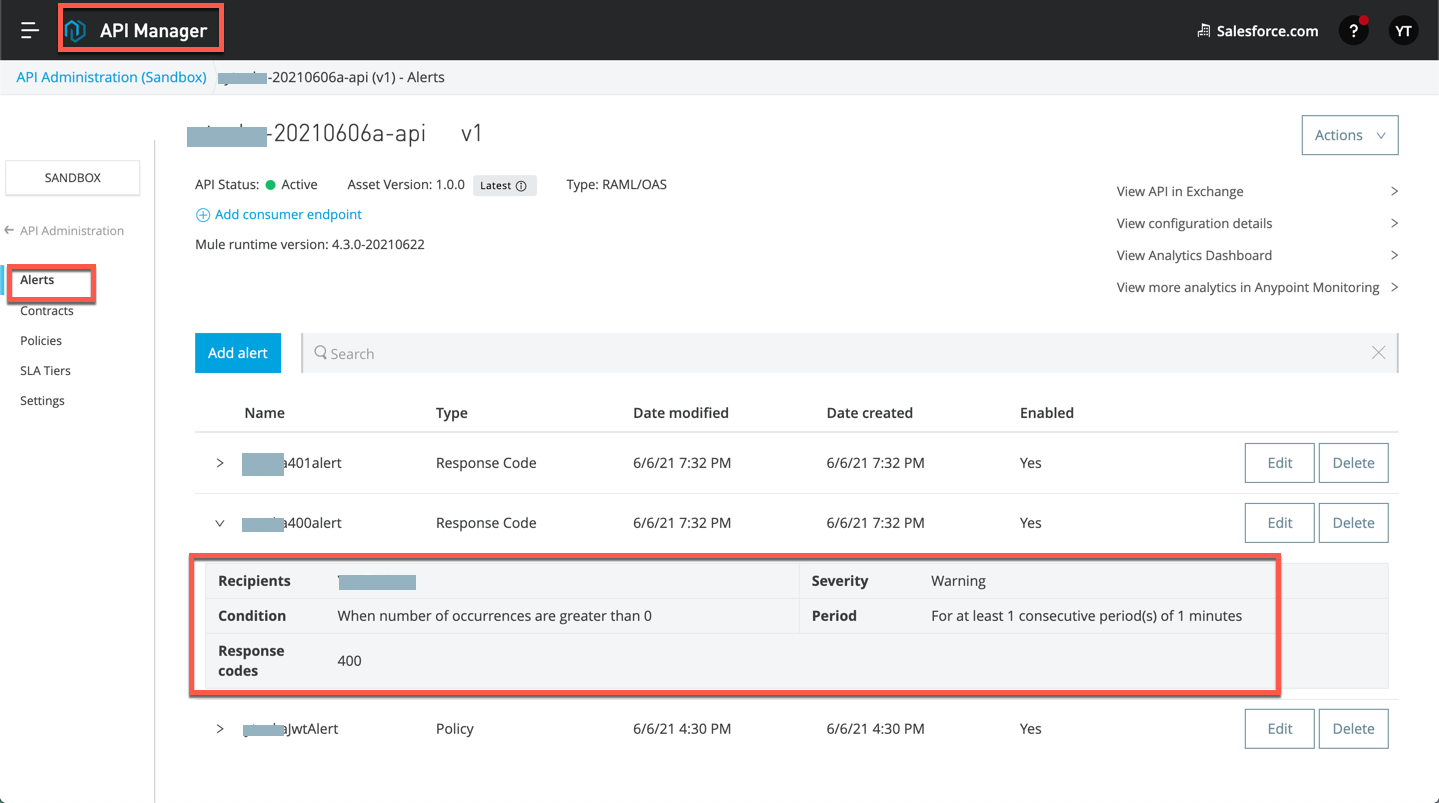
As below, a request to the API received HTTP 400 but sometimes I did not receive Alert emails. What information should be collected for investigation?
$ curl -v http://mytest.us-e2.cloudhub.io/api/endpoint1
...
< HTTP/1.1 400 Bad Request
...
단계
Please collect and check the following information.
1) Date, timestamp with timezone when a client received the error
2) The endpoint URI which received the error
Example for the 1. 2.)
On GMT 16 Aug 2021 22:20:57, request URI "http://mytest.us-e2.cloudhub.io/api/endpoint1" received 400 (bud it did not receive Alert email)
$ curl -v http://mytest.us-e2.cloudhub.io/api/endpoint1 <=== URI
...
< HTTP/1.1 400 Bad Request
< Content-Type: application/json; charset=UTF-8
< Date: Mon, 16 Aug 2021 22:20:57 GMT <=== Date time, timezone
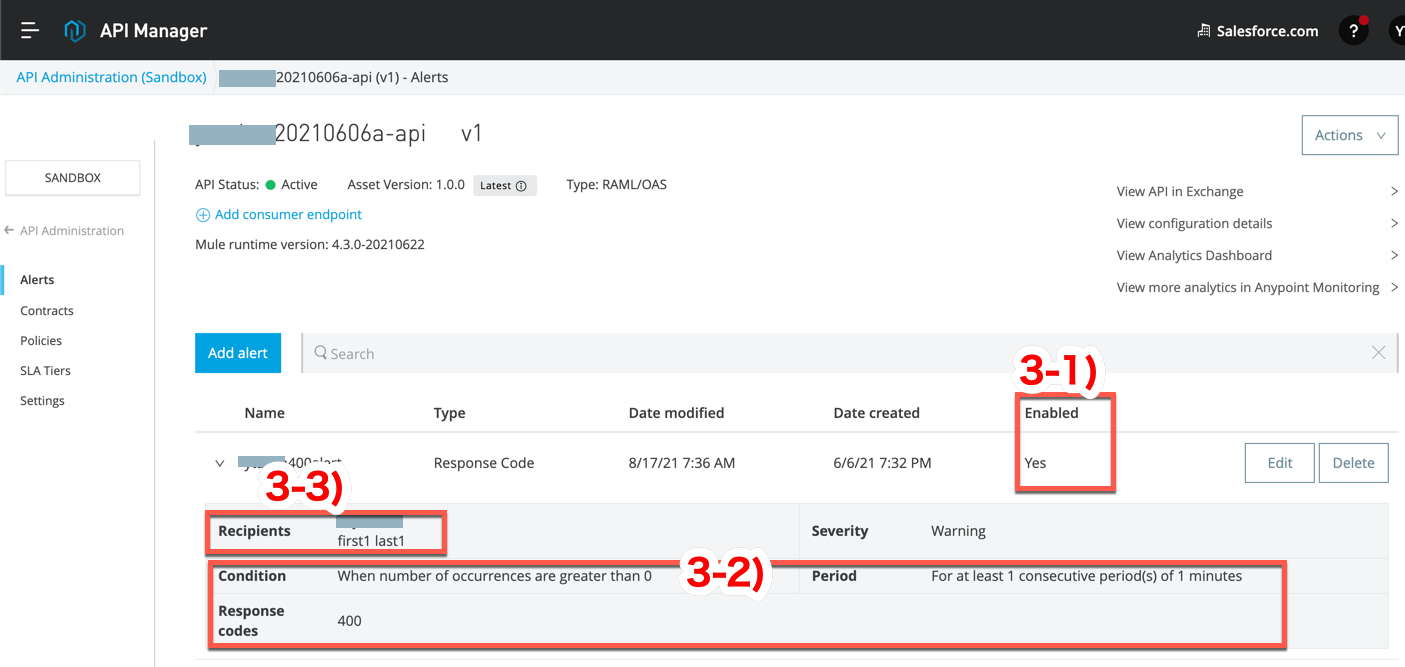
3) API Alert configuration
Go to API Manager ==> Your API, click "Alerts" then check if the condition is defined as expected
Example)
3-1) Check if "Enabled" is Yes
3-2) Check the "Condition", "Period", "Response codes". This is Alert for HTTP Response 400, number of occurrences are greater than 0 in 1 minutes.
3-3) Check the "Recipients". This recipient is "first1 last1"
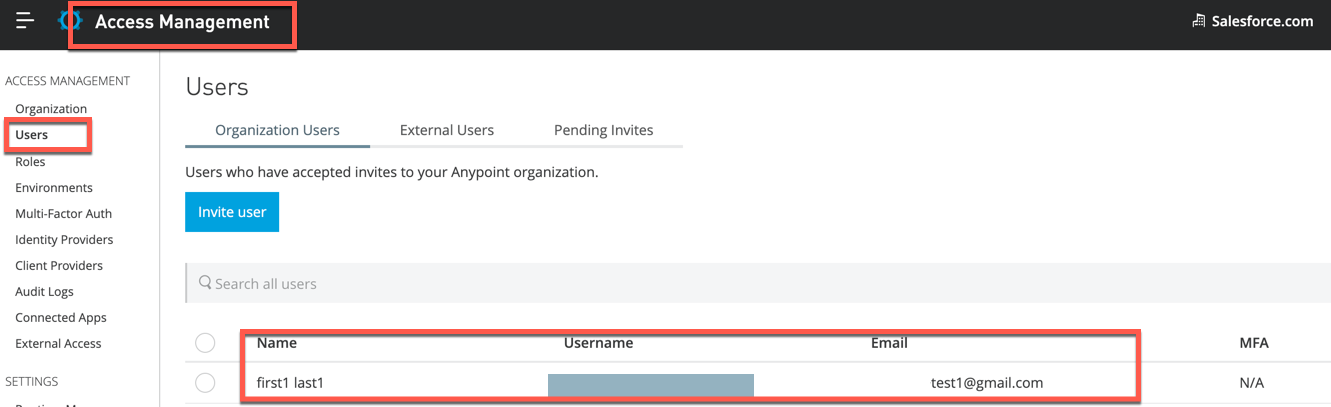
4) The recipient username and email address
Go to Access Management ==> Users, check the email address.
Example)
The recipient "first1 last1" email address is test1@gmail.com
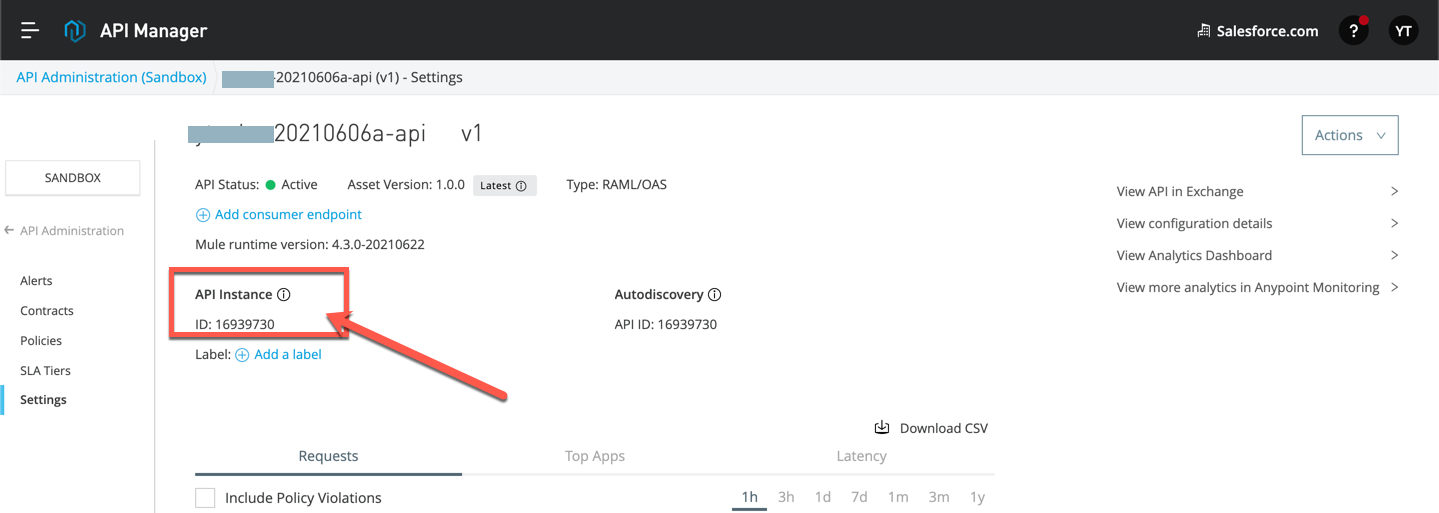
5) API ID for the target API
Go to API Manager ==> Your API, click "Settings" then check its API ID. Support can use this ID to search some logs.
Example) API ID: 16939730
6) Anypoint Monitoring that shows the error
Go to API Manager ==> Your API, click link "View more analytics in Anypoint Monitoring"
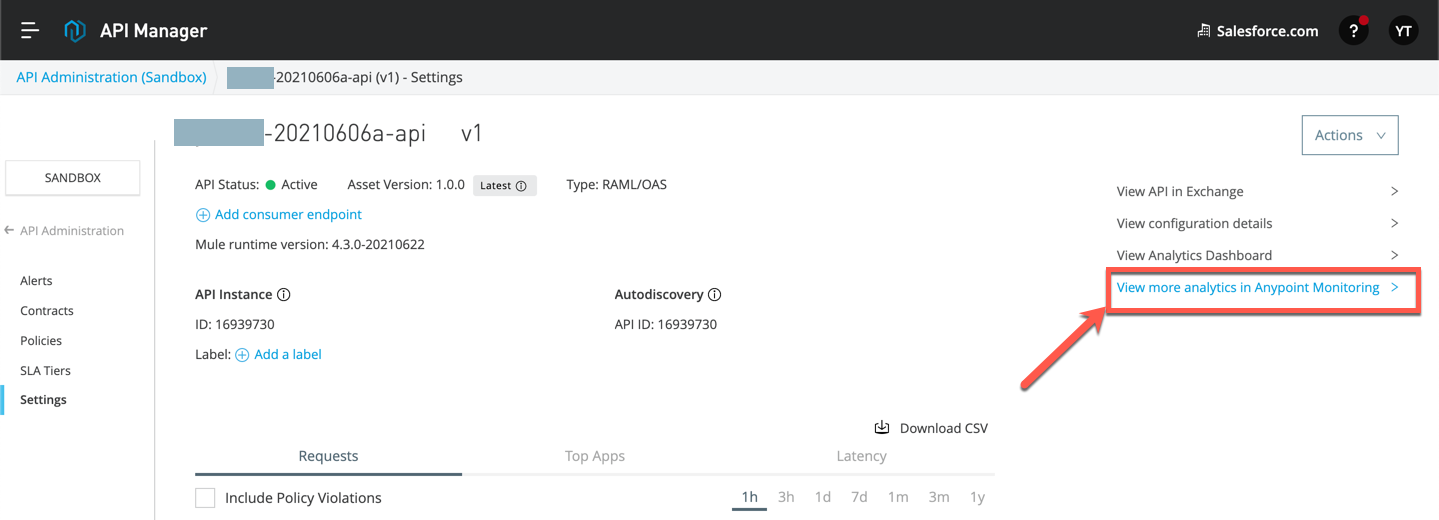
Example)
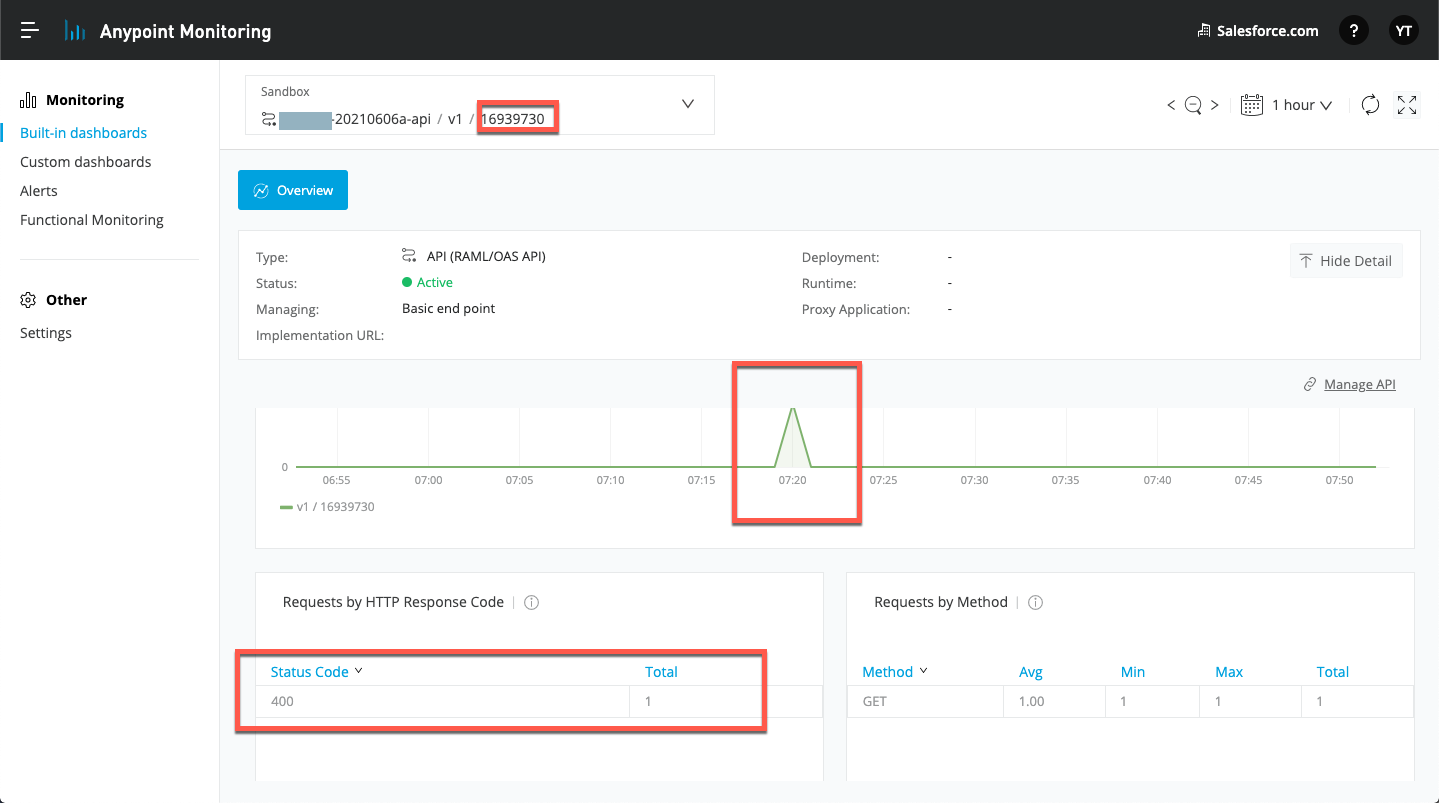
Then it will show the 400 at Local Time 7:20(= GMT 16 Aug 2021 22:20 as the above example), for API ID 16939730
Note: The timestamp on Anypoint Monitoring shows your Local Timezone(not UTC).
7) Have you ever received alert emails? Or you have never received the alerts
If you have never received alert emails, it is likely the configuration is not correct. For example, a wrong configuration or a wrong recipient. So please review the above information and fix then test again.
8) For further assistance, file a Support ticket with the above information
If you need further assistance, please file a support ticket with all of the above information. So that support engineers can start an investigation with accurate information.
For example, everything looks correct but you have never received alert emails, or normally receive alert email but occasionally it was not delivered.
Knowledge 기사 번호
001116831
이 기사를 통해 문제를 해결했습니까?
개선을 위한 의견을 보내주세요.
