Organisation auswählen
How to Enable CMS for Your User Profile and Make CMS Tabs Visible
Veröffentlichungsdatum: Aug 5, 2025
Aufgabe
GOAL
This article will help in making the CMS tabs visible for your user profile.Schritte
- Go to Setup
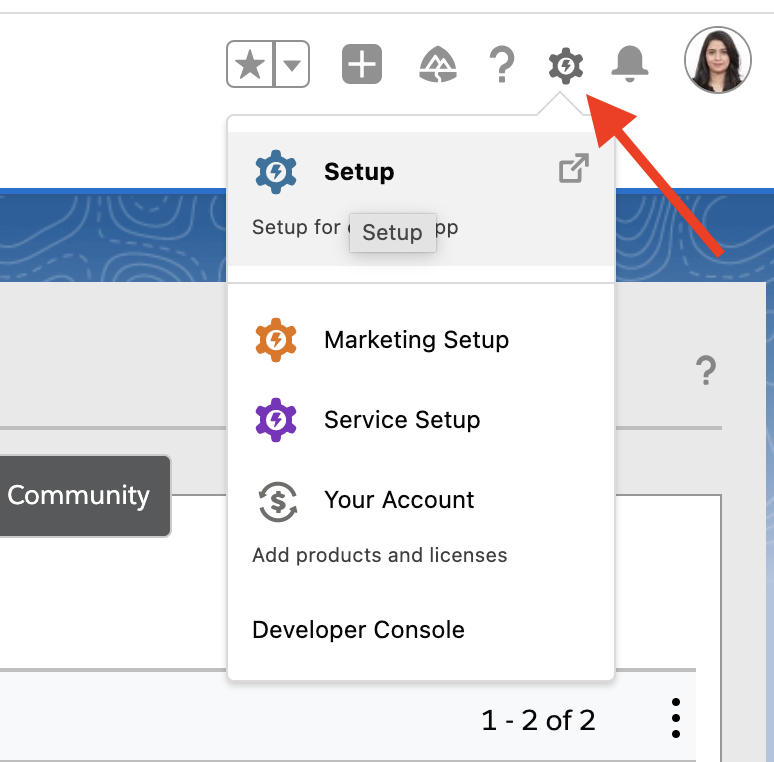
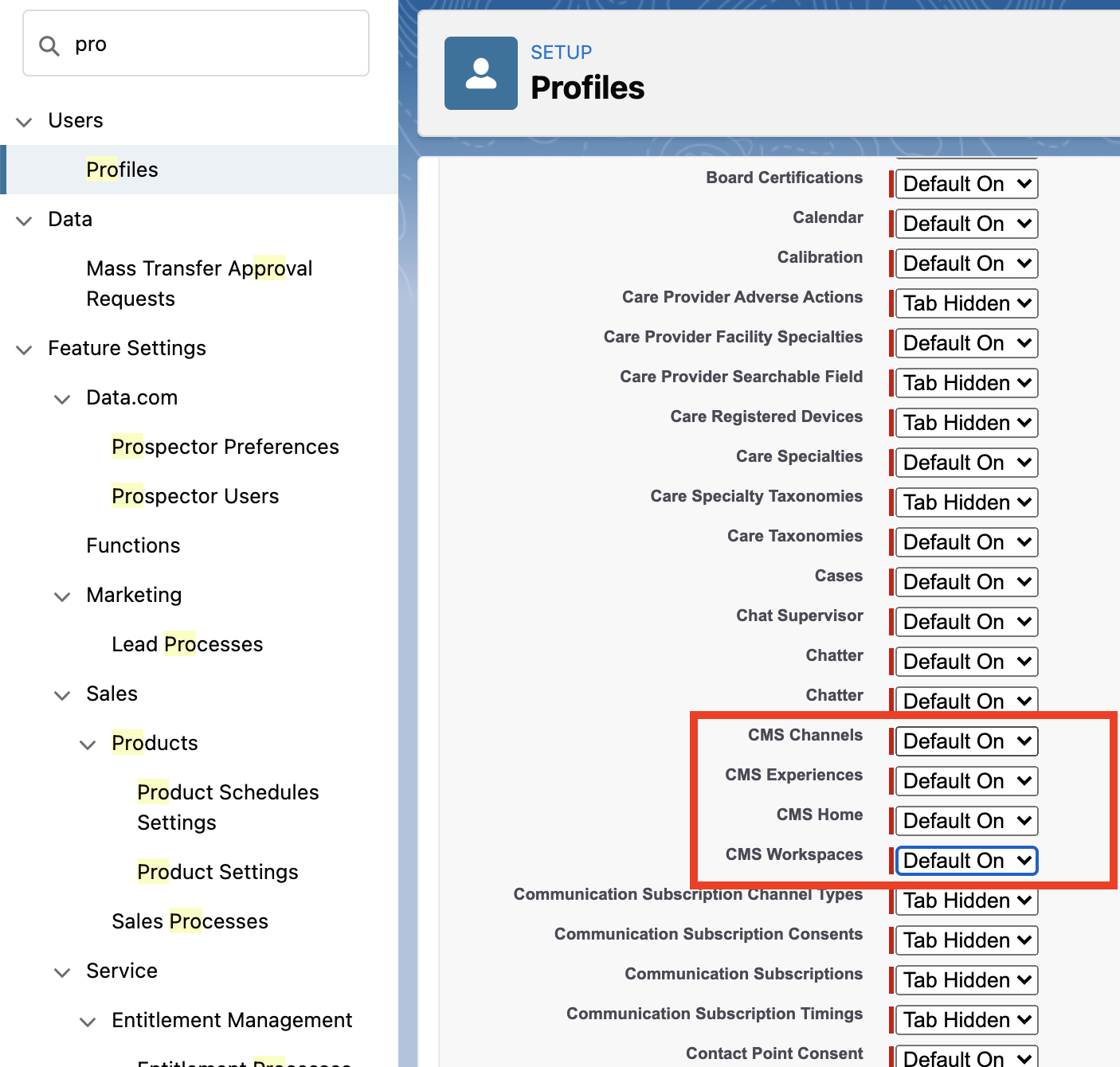
- Enter Profiles in the Quick Find box, and click. Then click on the edit button next to the required profile.

- Under Tab Settings, set CMS Home, CMS Channels, CMS Experiences, and CMS Workspaces to Default On.
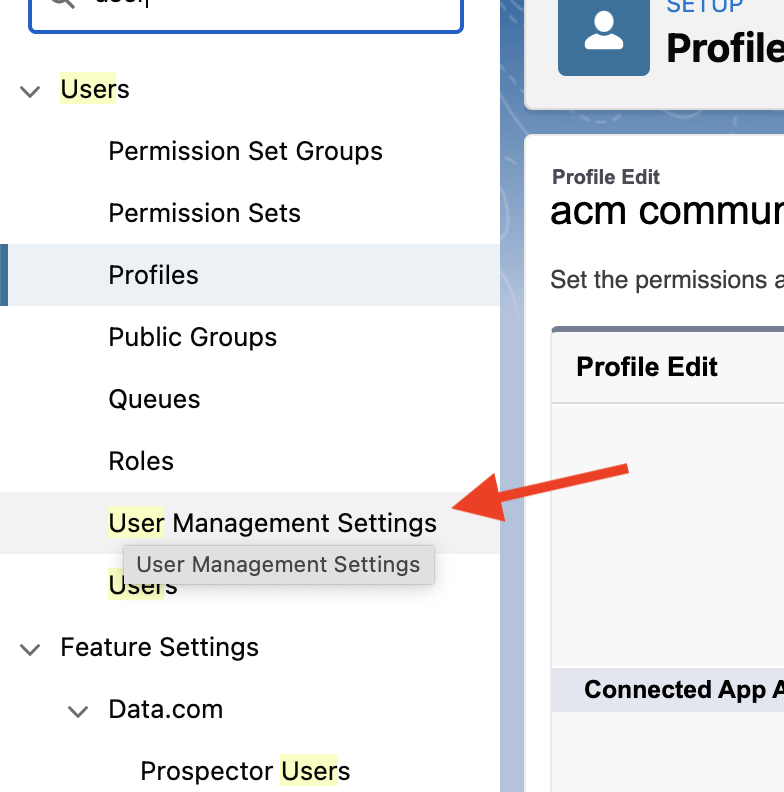
- In case you do not see the edit button in Profile, then enter the User Management Settings in the Quick Find box and click on that.
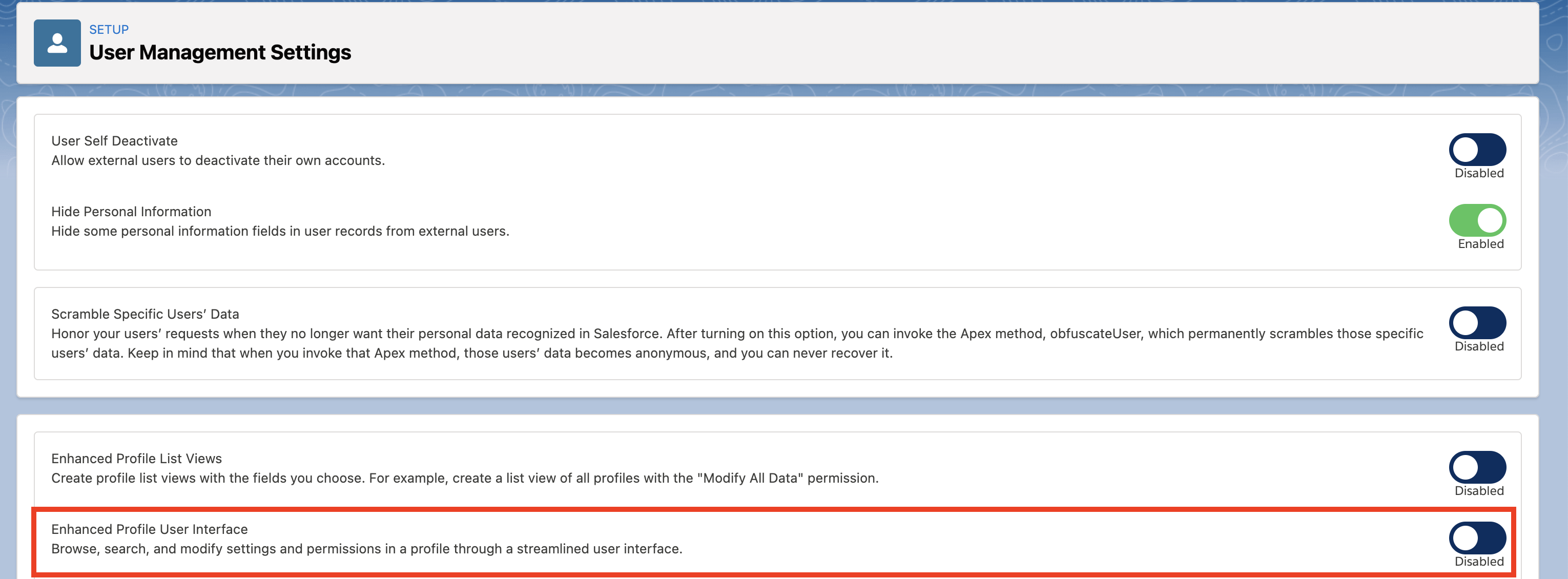
- Disable "Enhanced Profile User Interface" (the 2nd option in the lower box on the screen).
Nummer des Knowledge-Artikels
001116832
Konnten Sie Ihr Problem mithilfe dieses Artikels lösen?
Geben Sie uns Feedback, damit wir uns verbessern können.
