Выбрать организацию
How to Enable CMS for Your User Profile and Make CMS Tabs Visible
Дата публикации: Aug 5, 2025
Задача
GOAL
This article will help in making the CMS tabs visible for your user profile.Действия
- Go to Setup
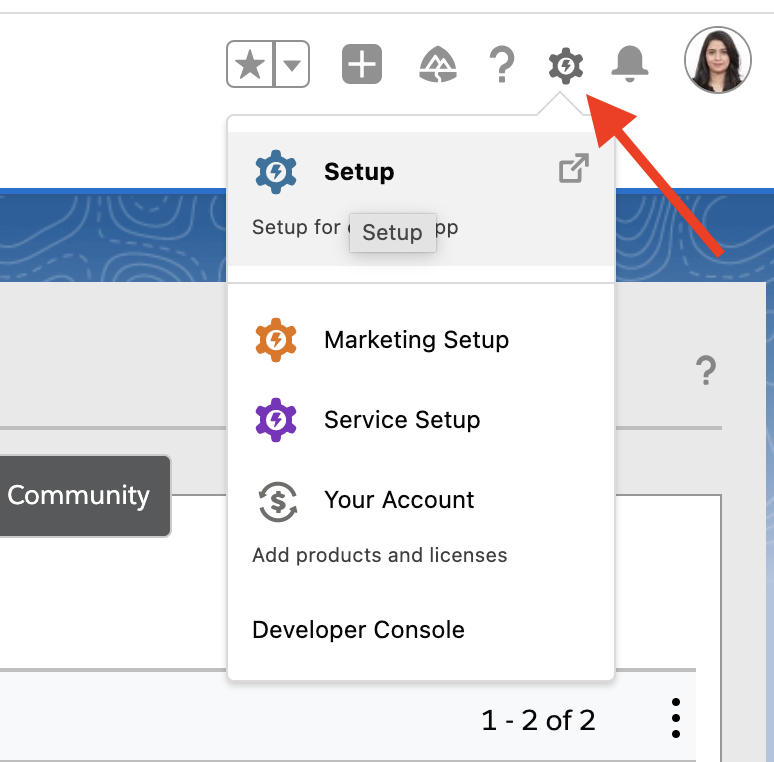
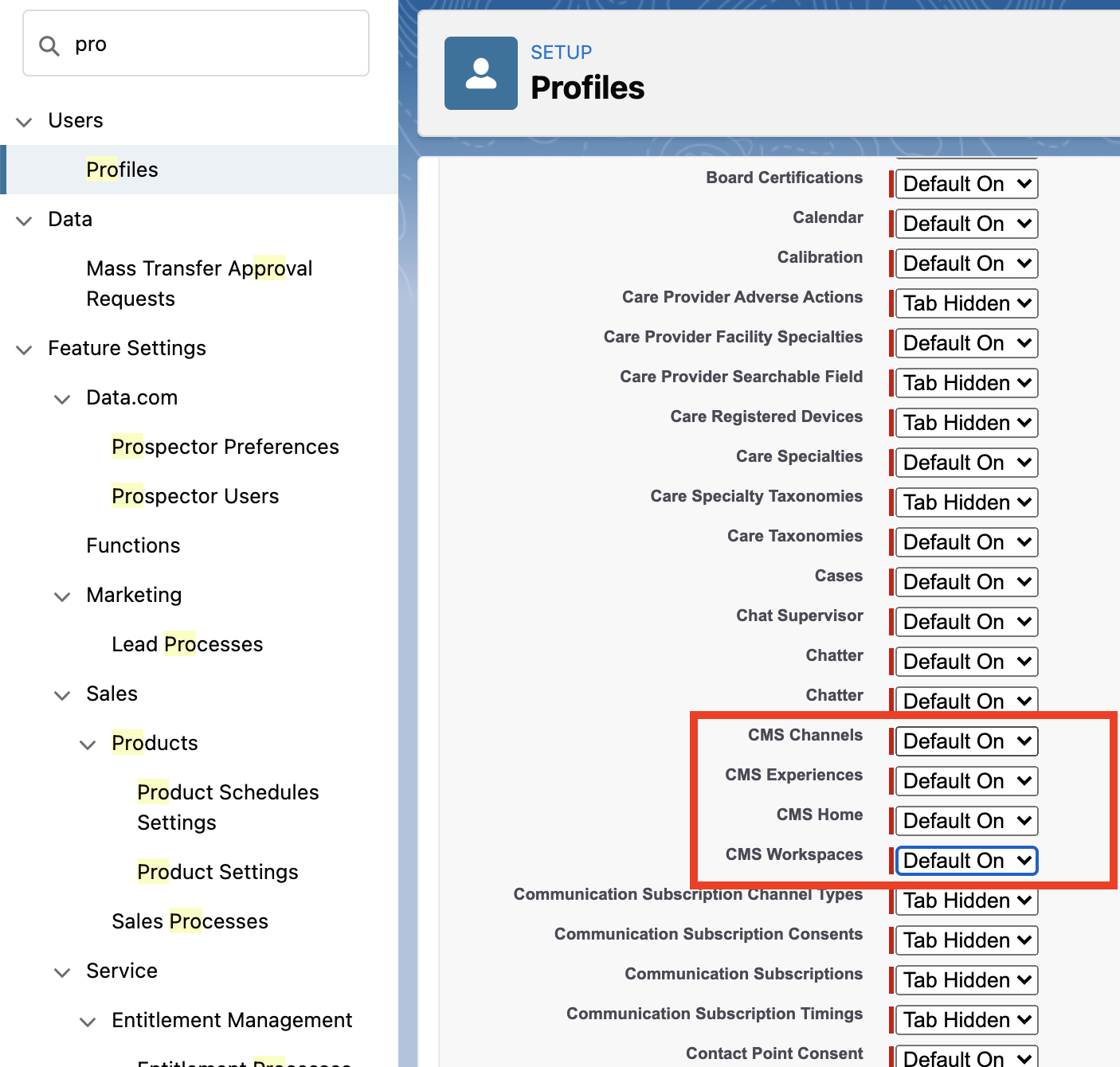
- Enter Profiles in the Quick Find box, and click. Then click on the edit button next to the required profile.

- Under Tab Settings, set CMS Home, CMS Channels, CMS Experiences, and CMS Workspaces to Default On.
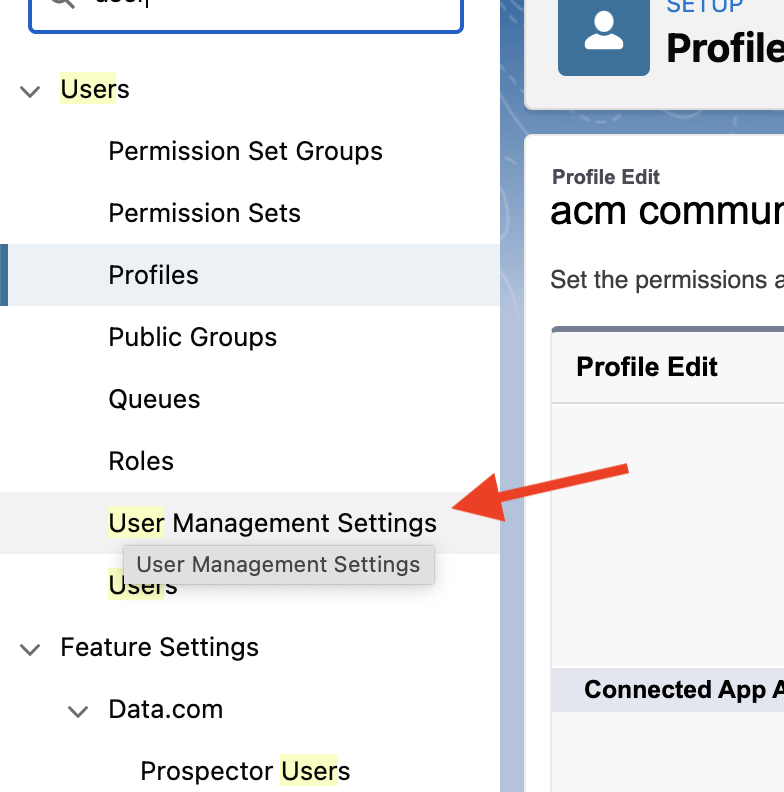
- In case you do not see the edit button in Profile, then enter the User Management Settings in the Quick Find box and click on that.
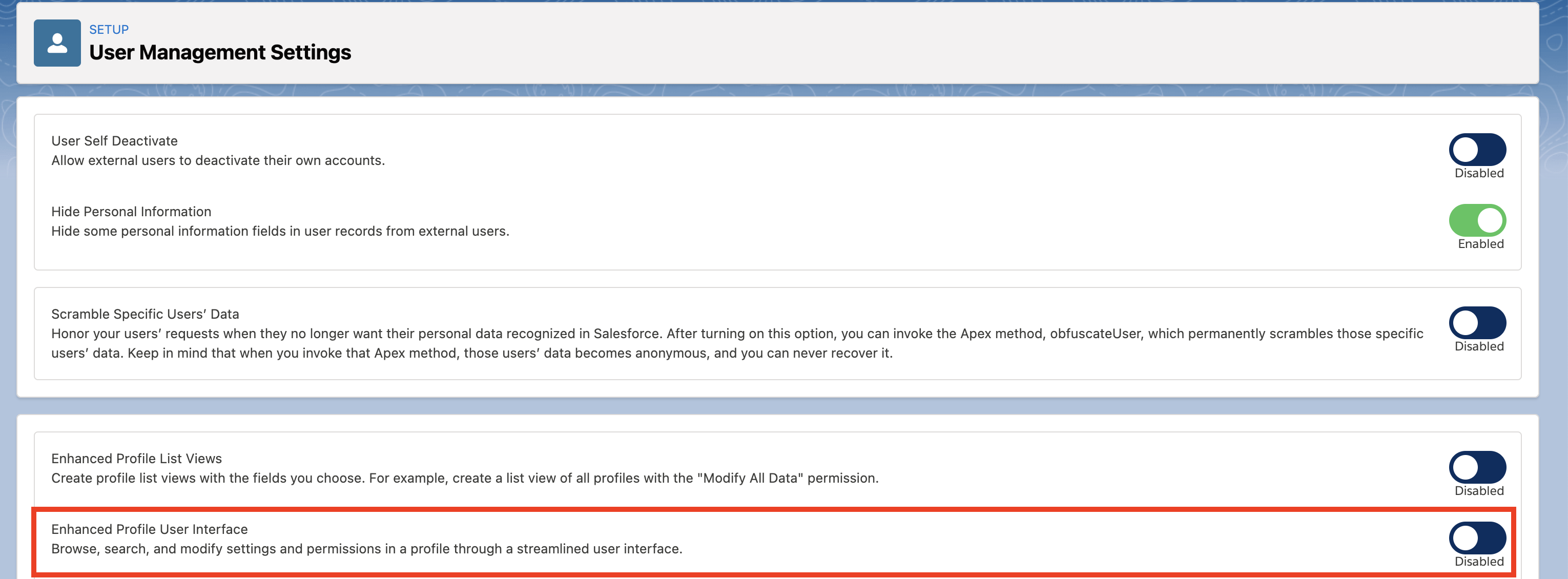
- Disable "Enhanced Profile User Interface" (the 2nd option in the lower box on the screen).
Номер статьи базы знаний
001116832
Эта статья решила вашу проблему?
Оставьте свой отзыв, чтобы мы могли стать лучше!
