Velg en organisasjon
How to Apply API Rate Limit Policy with Multiple Replicas in RTF or CloudHub 2.0
Publiseringsdato: Nov 10, 2025
Oppgave
GOAL
API Rate Limit Policy is always accurate with a single replica, but it becomes difficult with multiple replicas. The rate quota will be shared across many replicas in the same cluster. However, it's not easy to guarantee the requests are distributed evenly to each replica; sometimes, the allocation of requests is highly imbalanced among replicas.
API policy allocates requests to replica based on batches by default. For instance, allocate 20% of overall quota at receiving the first request, then 20% of the remaining quota when the replica uses half of the allocated quota. A replica may run into a situation that it received more requests than the quota allocated to it, but the overall request count is not beyond the overall quota. In this case, the replica returns HTTP error 429 (Too Many Requests) to the client, but from the client perspective, the request is not over the quota.
This knowledge explains how to configure the rate limit policy with multiple replicas in RTF or CloudHub 2.0.
Trinn
- Ensure to use the latest Rate Limit policy (Ex: 1.3.3+) or SLA Rate Limit policy (Ex: 1.2.4+). In lower versions, some properties are not configurable.
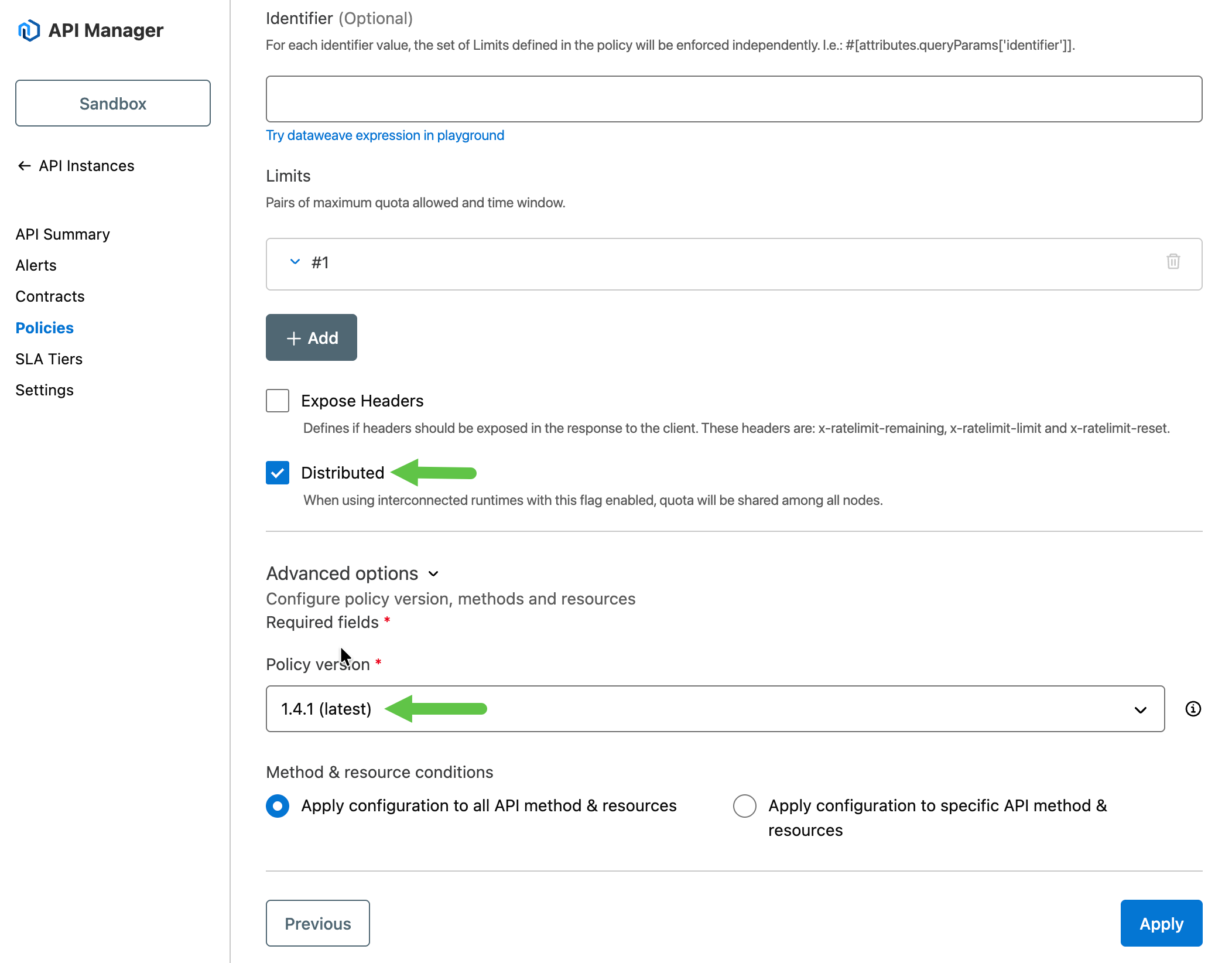
- Enable "Distributed" in the rate limit policy
- Enable "Distributed" means to share the quota in the cluster. This option has to incorporated with "Cluster Mode" in RTF.
- Disable "Distributed" means each replica has the same number of request quota.
- Deploy applications in "Cluster Mode" in RTF or CloudHub 2.0.
- Set the property throttling.persistence_enabled=false in your application. The throttling.persistence_enabled is designed to keep the quota status locally. Since the application in RTF or CloudHub 2.0 always has a new replica in a restart, this option is not useful.
- Set the property throttling.distribution_percentage=(replicas/quota). For example, if quota=1000 and replicas=2, then it's 0.002. We set it in a way that each time it allocates only one quota to a replica.
The configuration above can guarantee the quota is accurate for the whole cluster. Please note, this impacts performance, and the TPS may drop.
Screenshot to enable "Distributed"
FAQs
Which values to use when having multiple rate-limit policies with multiple quotas applied to the same app
Set throttling.distribution_percentage=(replicas/biggest_quota)
For example, if you have a quota of 13 req/min and a quota of 35 req/min, then set throttling.distribution_percentage=(replicas/35)
Knowledge-artikkelnummer
001116910
Hjalp denne artikkelen med å løse problemet ditt?
La oss få vite det slik at vi kan forbedre!
