Seleccionar una organización
How to call Stored procedure - Mule 4 Sybase example
Fecha de publicación: Mar 2, 2024
Tarea
GOAL
Call a Sybase Stored Procedure from a Mule 4 application.Pasos
CREATE TABLE MULE_NAMES (ID INT,COUNTRY CHAR(20), NAME CHAR(20),LASTNAME CHAR(20),PRIMARY KEY(ID) )
Then, we will create an example Stored procedure that will insert a record in our dummy table (MULE_NAMES) with a random ID:
CREATE OR REPLACE PROCEDURE db_dbq2c_co_get_pubintdata @i_spreturn integer OUTPUT,
@i_spmessage char(250) OUTPUT
AS

DECLARE
@i_returncode integer,
@i_error integer

BEGIN TRANSACTION
INSERT INTO MULE_NAMES VALUES(rand() * 1000, 'USA', 'John', 'Denver')
COMMIT TRANSACTION
select @i_spreturn = cast(rand() * 10000 as NUMERIC(6,0))
select @i_spmessage = cast(rand() as varchar)
return @i_spreturn
For our Mule application, we will create an array with 3 elements, and use a For each, so the SP is called 3 times:
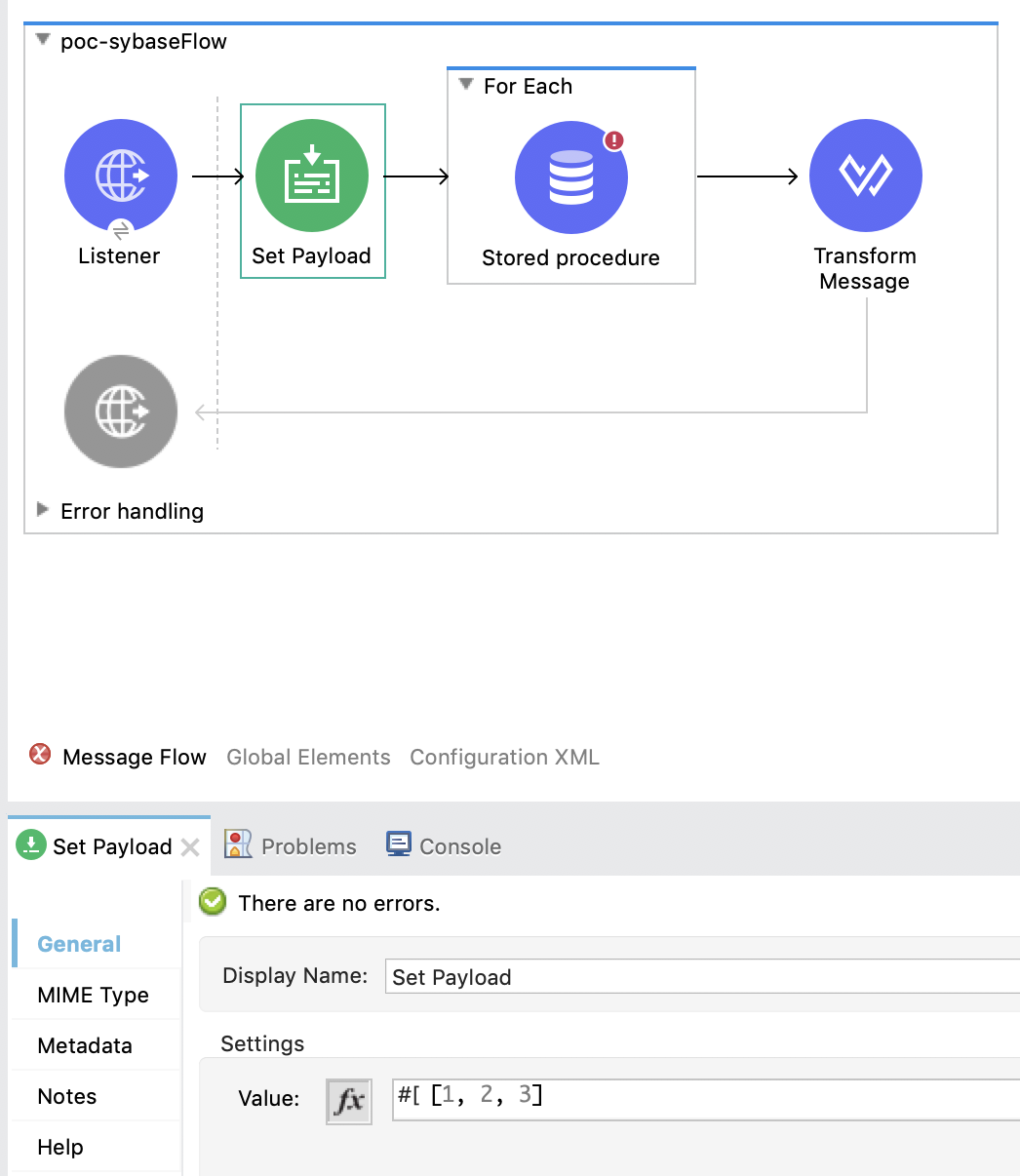
Then, use the Database connector with a Stored procedure operation. The SP should be called like this:
<db:stored-procedure doc:name="Stored procedure" doc:id="be5bc194-1024-4cb6-ad76-62d50c7659ba" config-ref="Database_ConfigBean" fetchSize="0">
			<db:sql>{ call db_dbq2c_co_get_pubintdata(:i_spreturn, :i_spmessage)}</db:sql>
			<db:output-parameters>
				<db:output-parameter key="i_spreturn" type="INTEGER" />
				<db:output-parameter key="i_spmessage" type="CHAR" />
			</db:output-parameters>
		</db:stored-procedure>
Attached you will find the example application.
To test it:
1. Import application in Studio
2. Run application
3. Use the following curl command to trigger the flow:
curl 127.0.0.1:8081/poc
4. Then, running the following Select in Sybase should return 3 records with random ID:
select * from MULE_NAMES
Recursos adicionales
Número del artículo de conocimiento
001116927
¿Resolvió este artículo su problema?
¡Háganos saber cómo podemos mejorar!
