Vælg en organisation
How to configure Box connector using Oauth 2.0
Udgivelsesdato: Mar 2, 2024
Opgave
GOAL
This article explains how to configure Mule Box Connector using OAuth 2.0Trin
Before configuring Box Connector you need to create and configure a Box application:
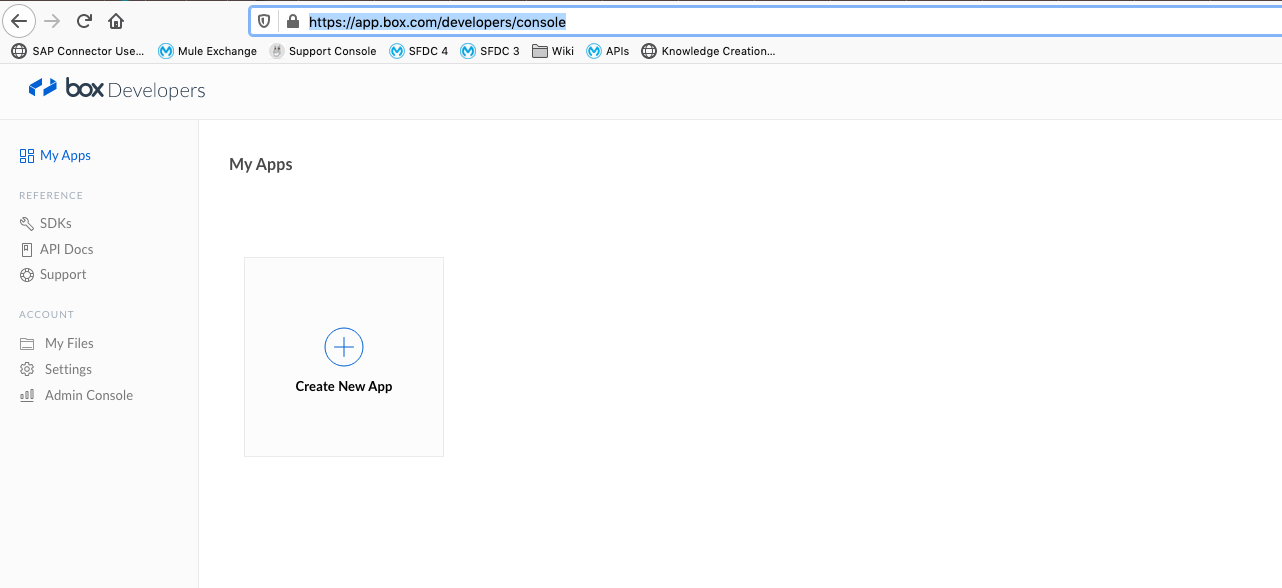
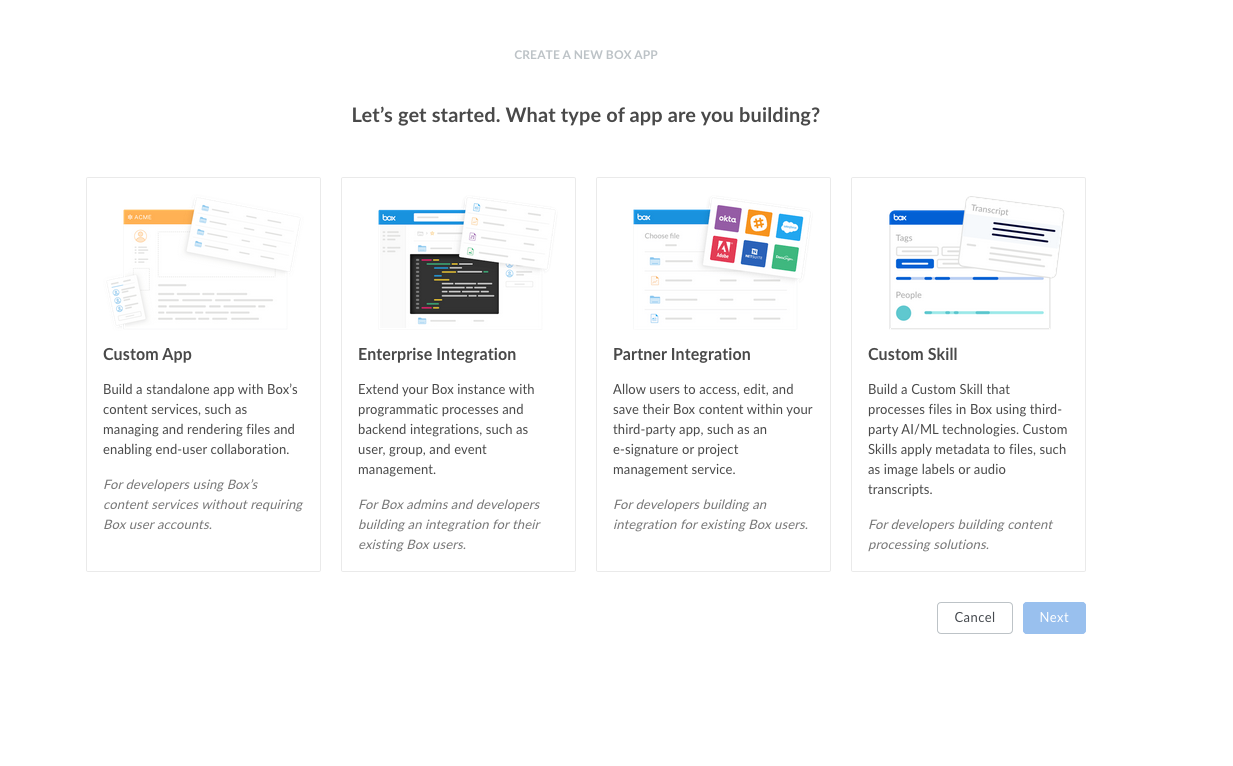
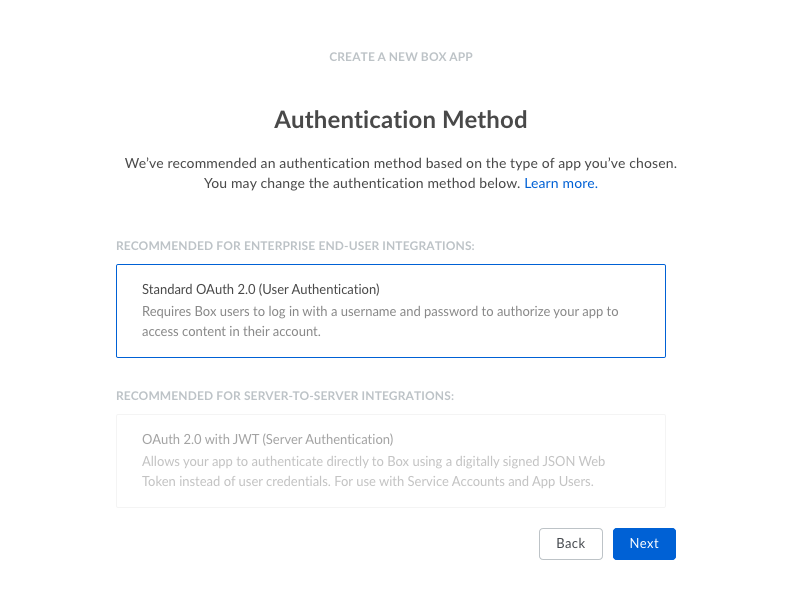
Choose "Standard Oauth 2.0 (User Authentication)
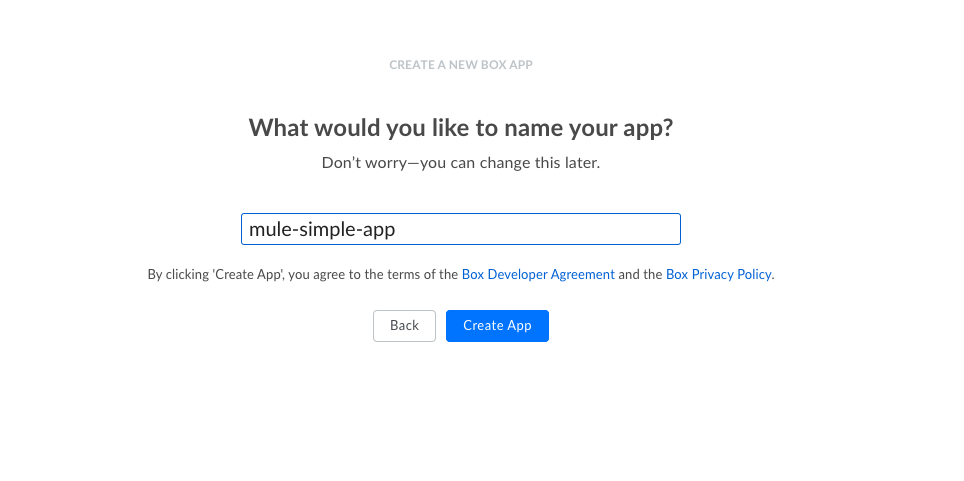
Enter Box application name
From Configuration menu:
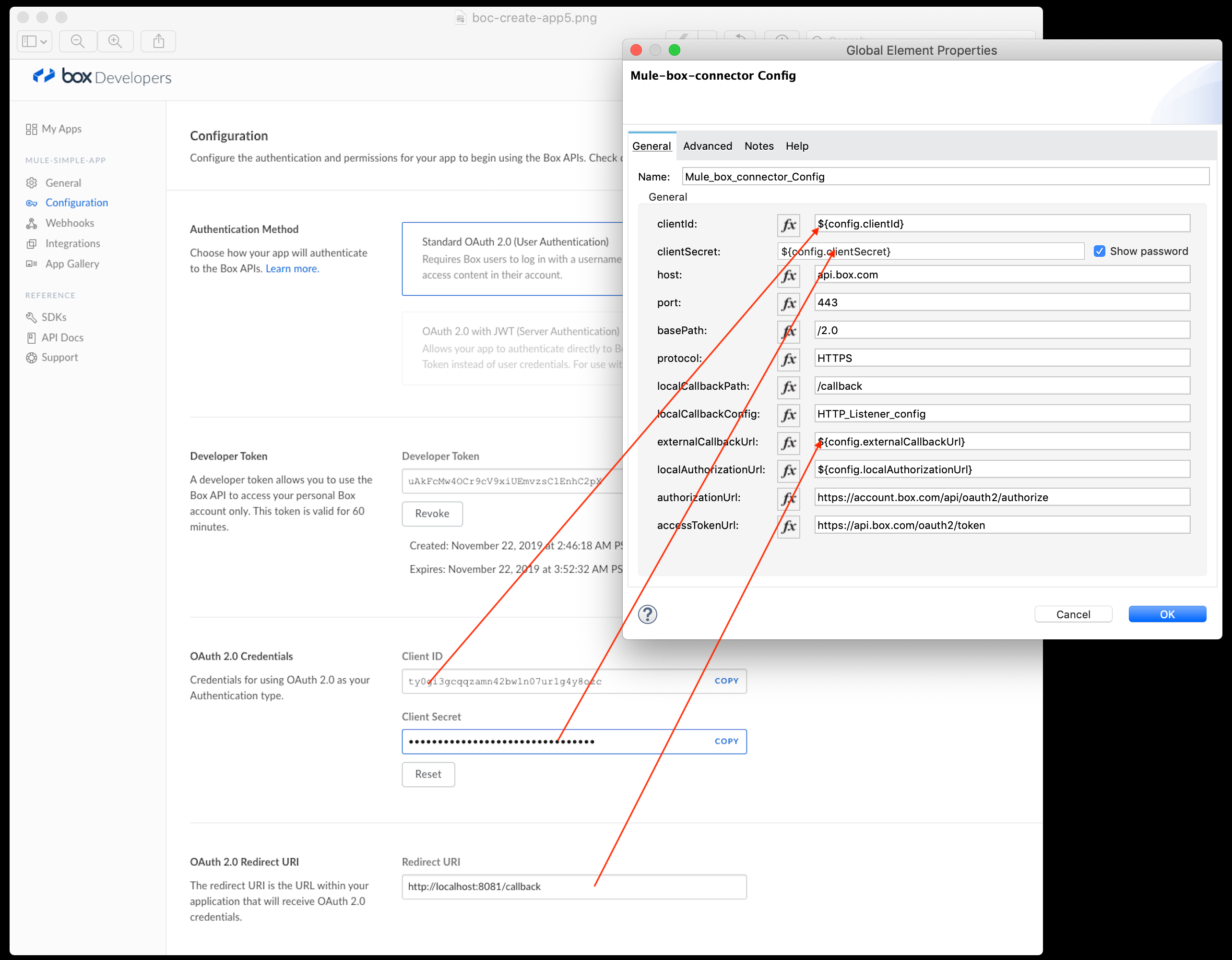
- Take note of note of "Oauth 2.0 Credentials" values
- Update "Oauth 2.0 Redirect URI". This URI must match value of "externalCallbackUrl" (property_externalCallbackUrl) in connector configuration, see below
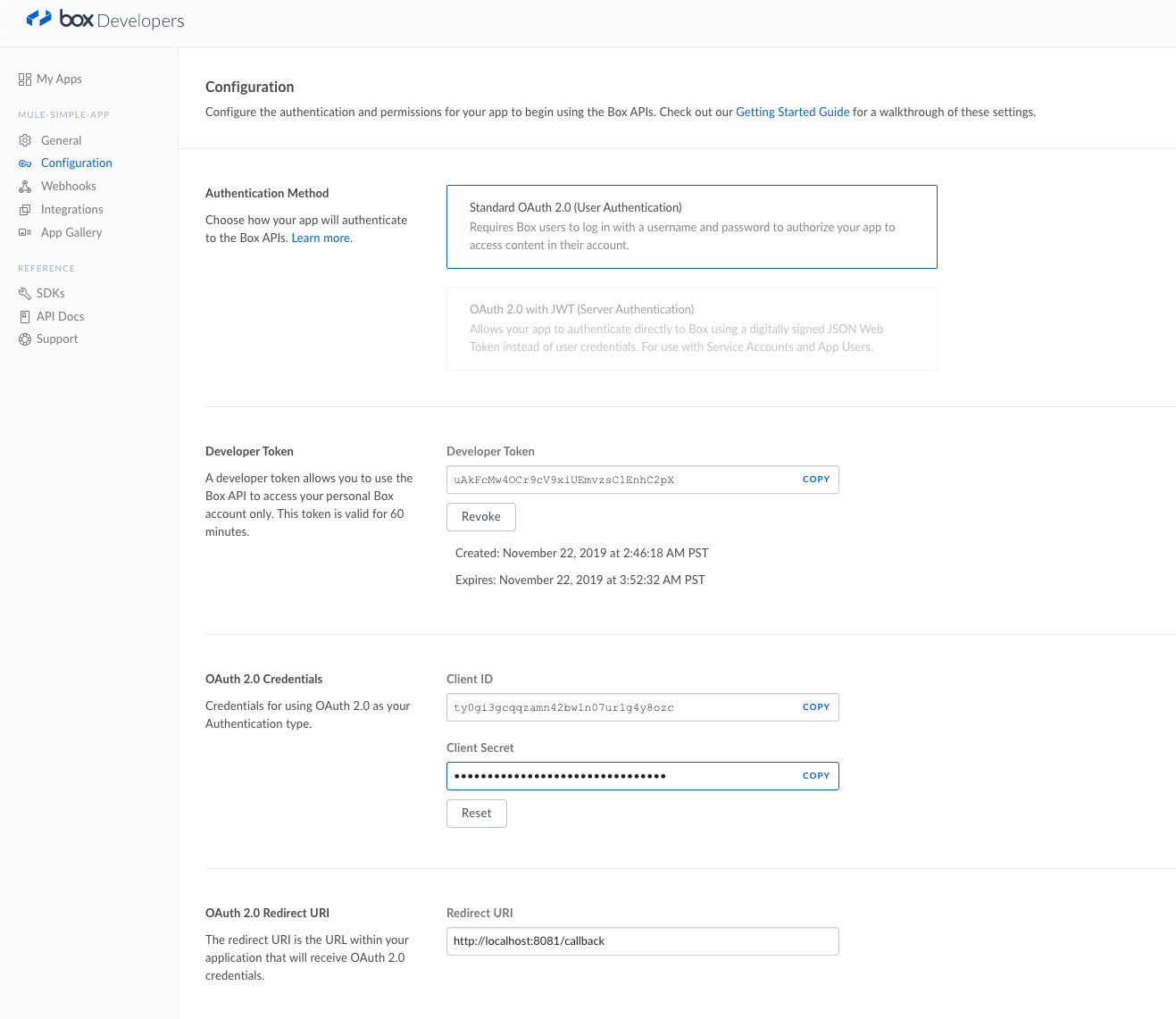
For further information about Box applications refer to https://developer.box.com/en/guides/applications/
Update your mule application with the OAuth credentials:
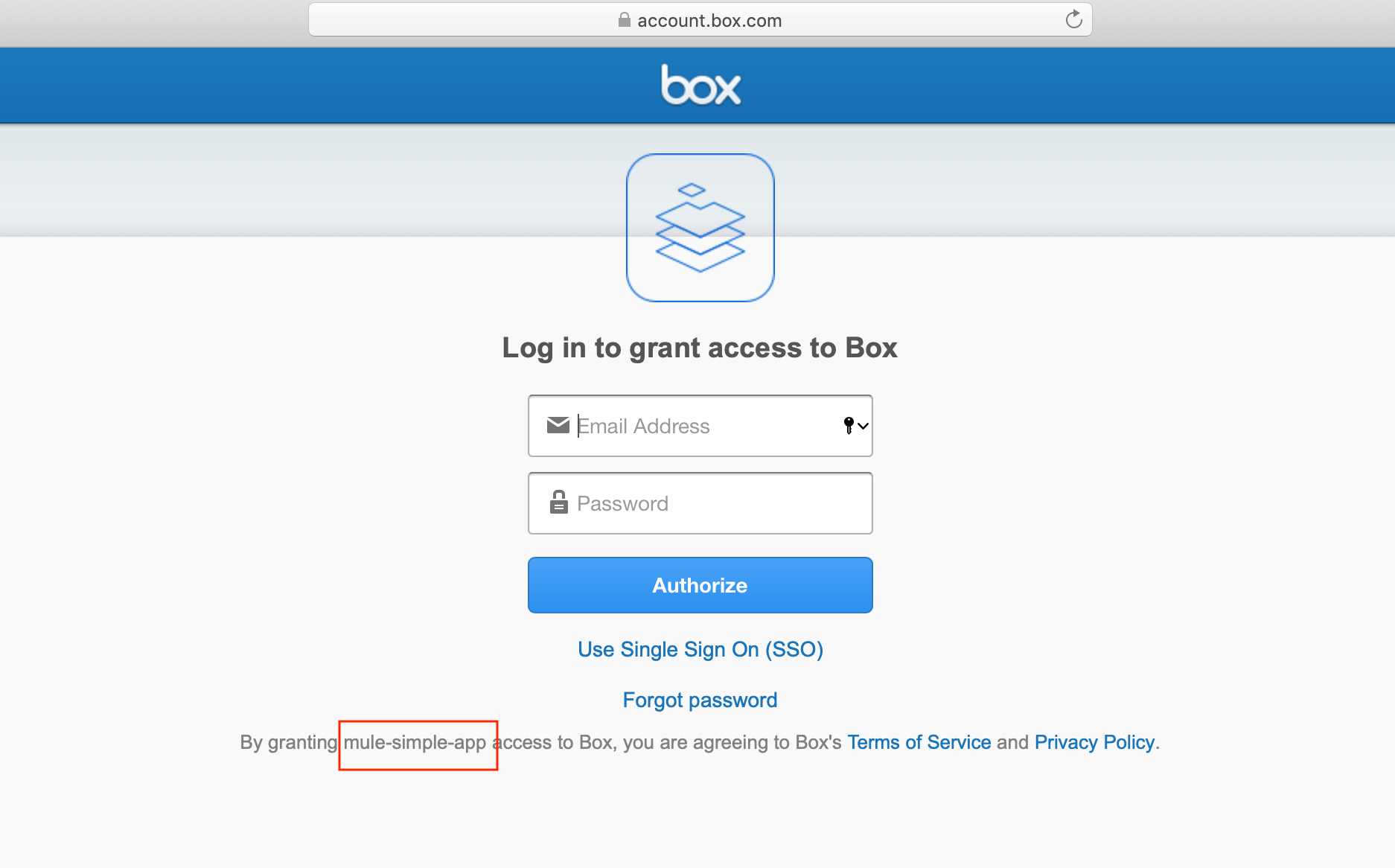
Start application, hit authorize URL "Local Authorization URL" (localAuthorizationUrl) to authorize application with your Box credentials: http://localhost:8081/authorize
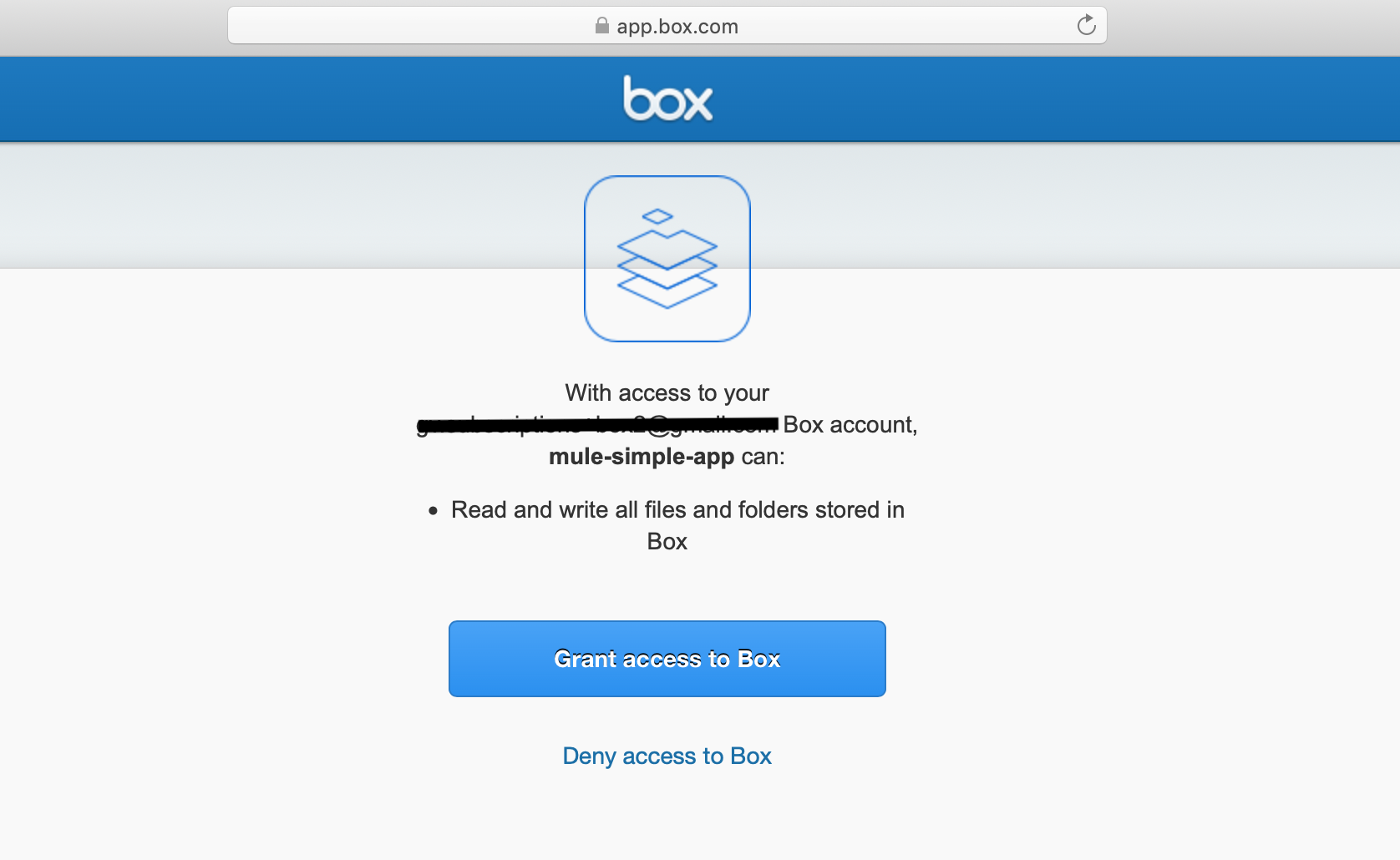
After authorize application you can run Mule Box application: http://localhost:8081/boxdemo, log file will shows:
*******************************************************************************************************
*            - - + APPLICATION + - -            *       - - + DOMAIN + - -       * - - + STATUS + - - *
*******************************************************************************************************
* training-box                                  * default                        * DEPLOYED           *
*******************************************************************************************************

INFO  2019-11-22 08:42:48,546 [http.listener.03 SelectorRunner] org.mule.service.http.impl.service.util.DefaultRequestMatcherRegistry: No listener found for request: (GET)/favicon.ico
INFO  2019-11-22 08:42:48,556 [http.listener.03 SelectorRunner] org.mule.service.http.impl.service.util.DefaultRequestMatcherRegistry: Available listeners are: [([GET])/authorize/, ([*])/boxdemo/, ([GET])/callback/]
INFO  2019-11-22 08:43:09,381 [[MuleRuntime].cpuLight.04: [training-box].Create-Get-Delete-Folder-Flow.CPU_LITE @1a185b01] [event: 3f6de200-0d1d-11ea-a8f1-4a65eec13964] org.mule.runtime.core.internal.processor.LoggerMessageProcessor: Folder created with ID : "94297267643"
INFO  2019-11-22 08:43:09,827 [[MuleRuntime].cpuLight.04: [training-box].Create-Get-Delete-Folder-Flow.CPU_LITE @1a185b01] [event: 3f6de200-0d1d-11ea-a8f1-4a65eec13964] org.mule.runtime.core.internal.processor.LoggerMessageProcessor: {"type":"folder","id":"94297267643","sequence_id":"0","etag":"0","name":"SampleFolder","created_at":"2019-11-22T03:43:11-08:00","modified_at":"2019-11-22T03:43:11-08:00","description":"","size":0,"path_collection":{"total_count":1,"entries":[{"type":"folder","id":"0","sequence_id":null,"etag":null,"name":"All Files"}]},"created_by":{"type":"user","id":"10671469995","name":"G","login":"gv.subscriptions+box2@gmail.com"},"modified_by":{"type":"user","id":"10671469995","name":"G","login":"gv.subscriptions+box2@gmail.com"},"trashed_at":null,"purged_at":null,"content_created_at":"2019-11-22T03:43:11-08:00","content_modified_at":"2019-11-22T03:43:11-08:00","owned_by":{"type":"user","id":"10671469995","name":"G","login":"gv.subscriptions+box2@gmail.com"},"shared_link":null,"folder_upload_email":null,"parent":{"type":"folder","id":"0","sequence_id":null,"etag":null,"name":"All Files"},"item_status":"active","item_collection":{"total_count":0,"entries":[],"offset":0,"limit":100,"order":[{"by":"type","direction":"ASC"},{"by":"name","direction":"ASC"}]}}
REFERENCES
- Box Connector - Mule 4 documentation
| Disclaimer: this is provided as a reference for your own usage and it's not part of the official Mule product so its use will be considered as a custom implementation made by the customer. |
Vidensartikelnummer
001116933
Løste denne artikel dit problem?
Giv os besked, så vi kan forbedre os!
