Sélectionner une organisation
How to View the VPC Route Table via the UI
Date de publication: Aug 4, 2025
Tâche
GOAL
View a Virtual Private Cloud (VPC) Route Table via the CloudHub User Interface (UI).
Étapes
This information may also be retrieved using the API, see: How to View the VPC Route Table using the API
In Runtime Manager, navigate to VPCs, and click on the VPC in question to open the right-hand pane.
In the right-hand pane is a section called VPC Routes. This lists all the entries currently in the VPC Route Table.
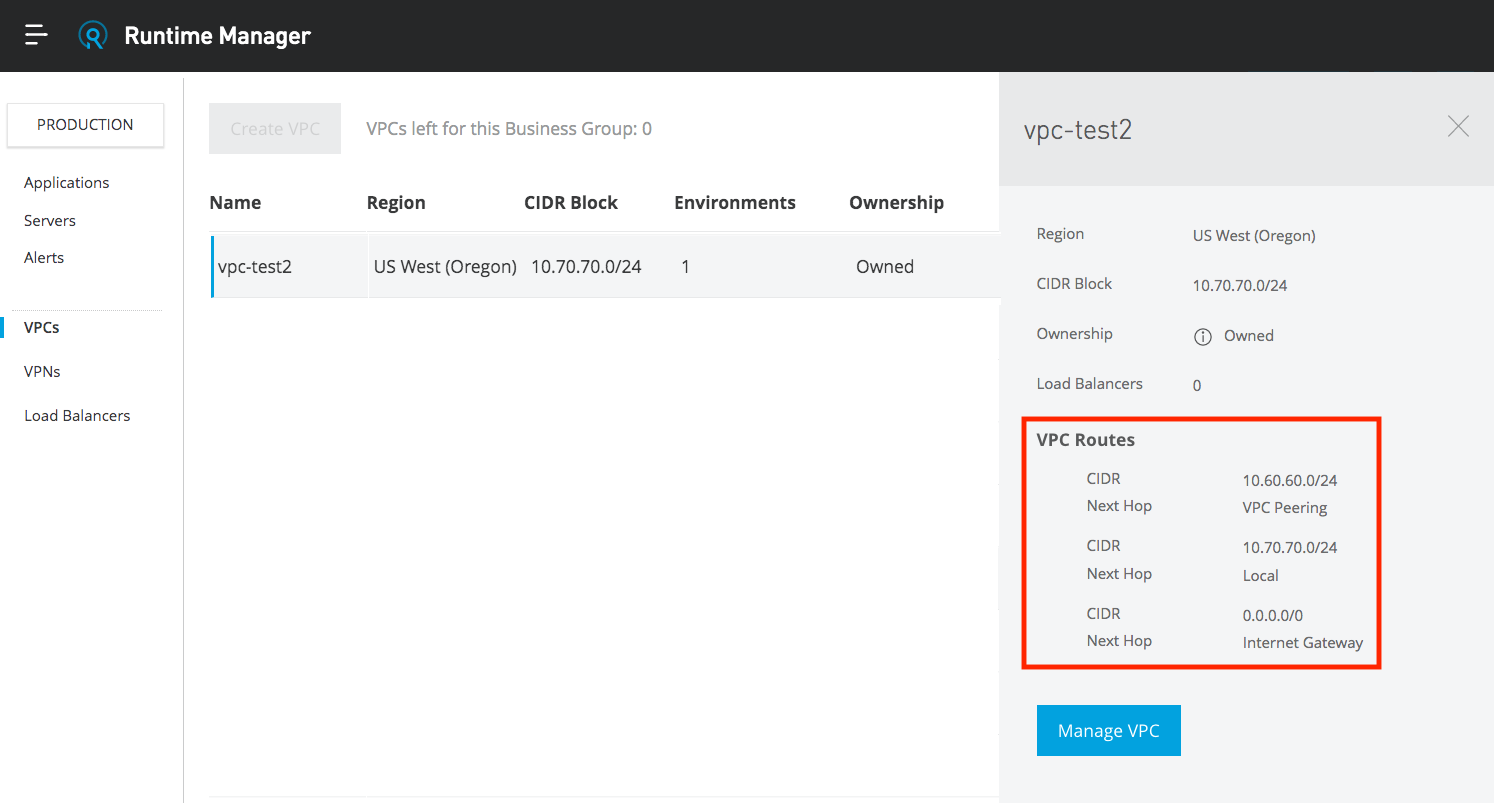
The Next Hop type depends on the connectivity method.
- Local refers to the CIDR block assigned to the VPC
- VPC Peering is the static route added for a peering link (the CIDR block assigned to the remote VPC).
- Routes may also be propagated from the Virtual Gateway to the Route Table. This applies to routes for Anypoint VPN, or Direct Connect.
- Network Interface entries are for static routes, pointing to a single node IPsec VPN.
- All Cloudhub VPCs have a default route (0.0.0.0/0) pointing to the AWS Internet Gateway (IGW). Due to the underlying Cloudhub architecture, the IGW is required to operate and manage the environment as part of our service offering.
Numéro d’article de la base de connaissances
001116954
Cet article a-t-il résolu votre problème ?
Dites-nous ce que nous pouvons améliorer !
