Sélectionner une organisation
The request works fine in Postman, cURL, or SoapUI but not in Mule
Date de publication: Jul 15, 2025
Tâche
GOAL
Validate if the request from Mule is the same that the request of external software (SoapUI, Postman or cURL) are equals.Étapes
If you are using Postman, at first you must export as cURL: How to export Postman request as a cURL command to help MuleSoft Support
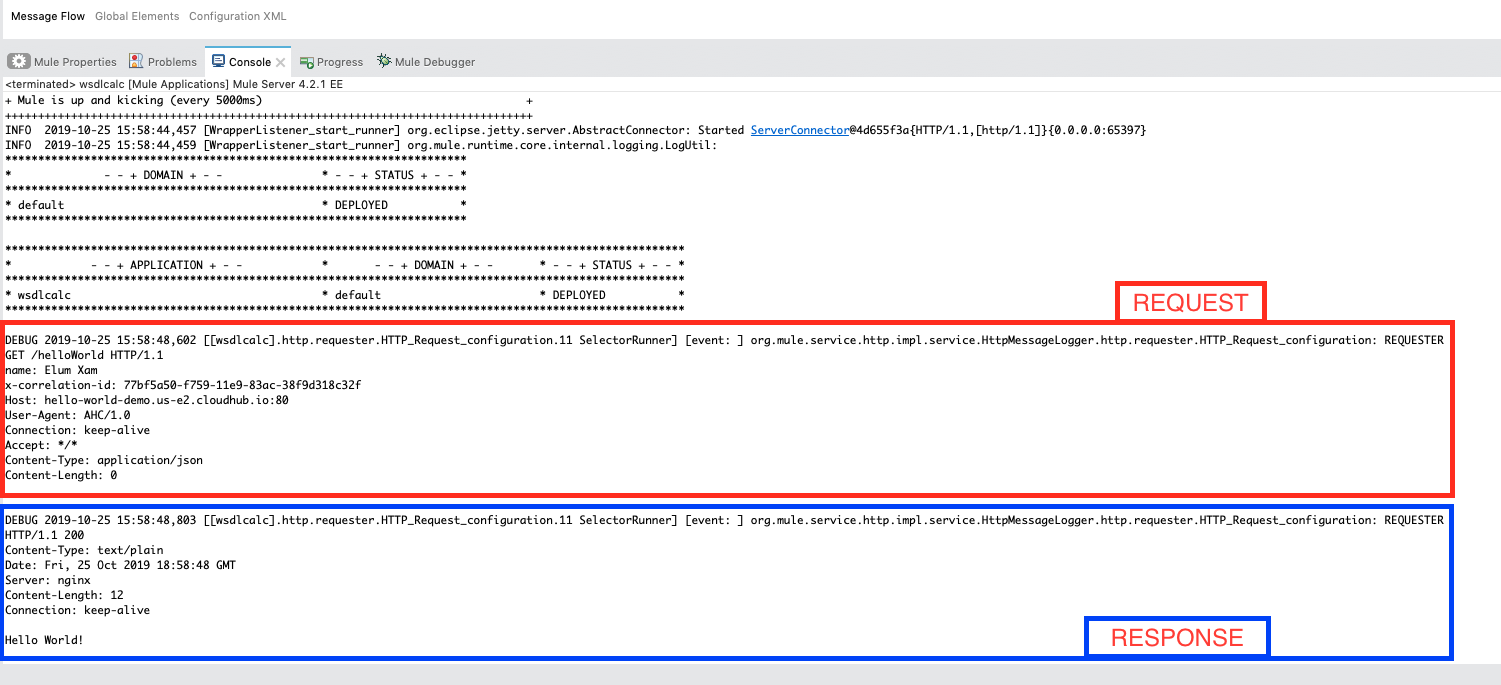
In Mule, we need to enable the HTTP wire logging to see the request and response: How to Enable HTTP Wire Logging for the HTTP Connector
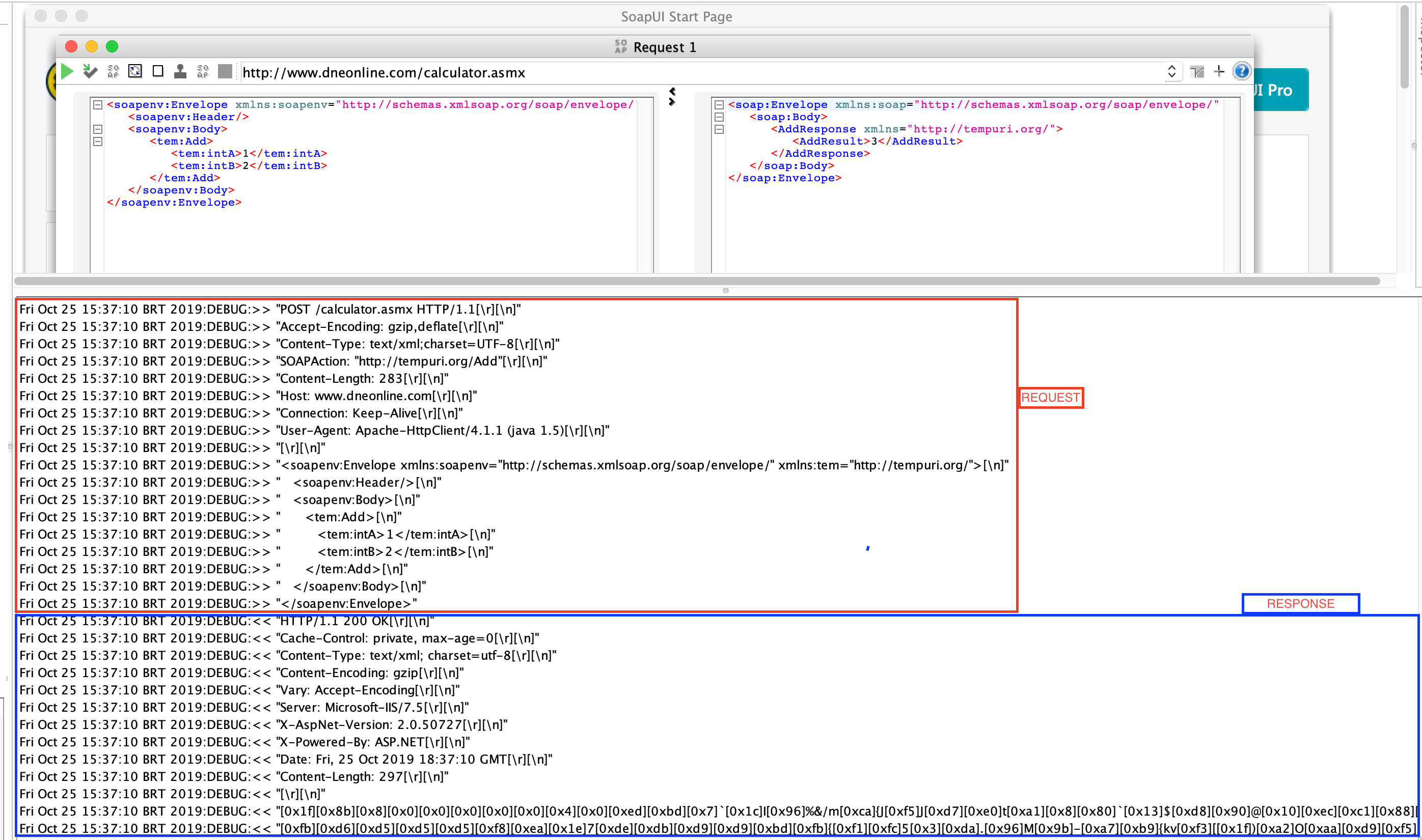
Request structure
On the first line of the log, we can see:
-Method
-Endpoint
-HTTP protocol
In the following lines the headers with the values.
After headers, the body.
The same structure applies for the response.
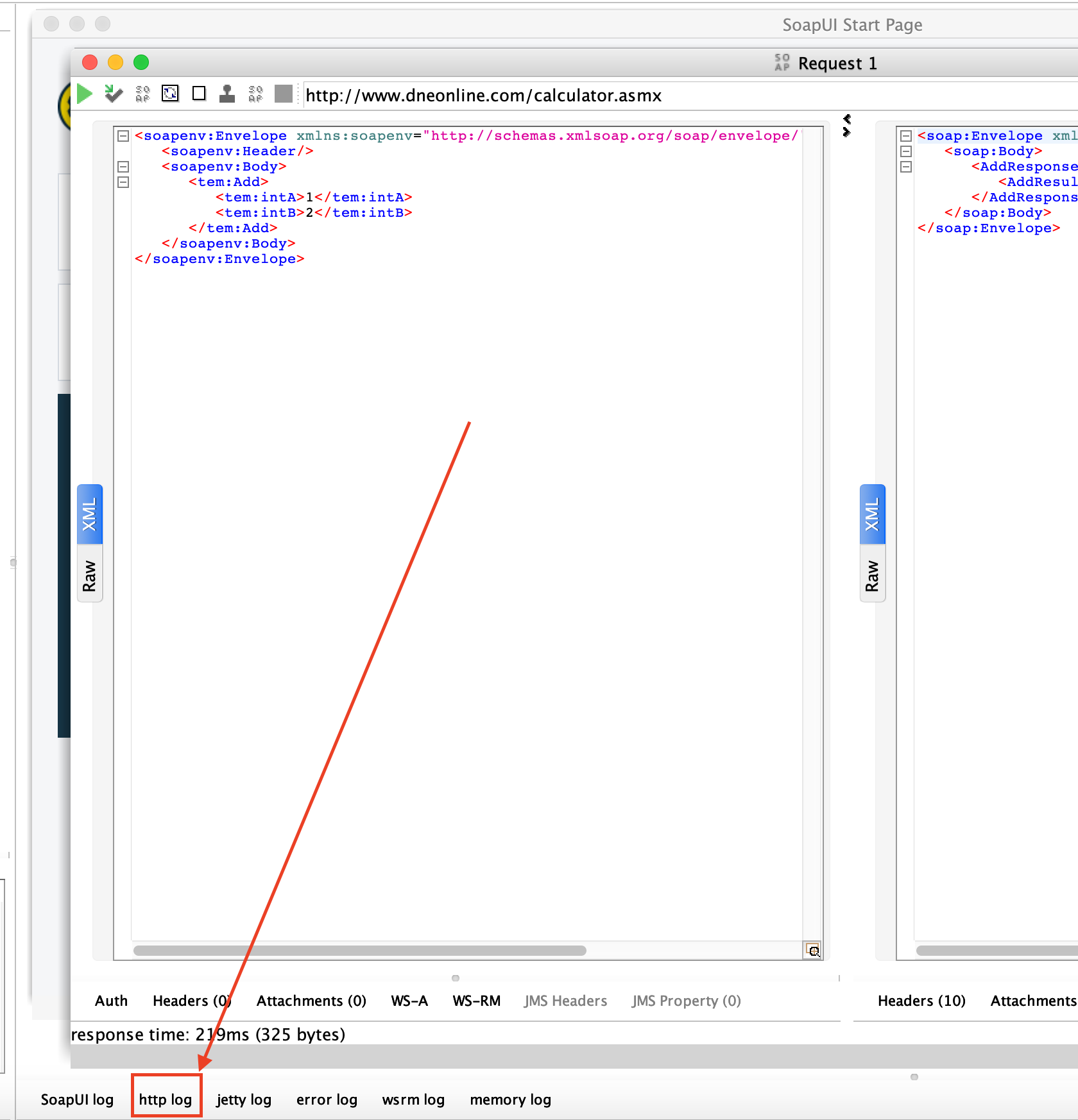
If you are using SoapUI:
You can check the log of the request:
You will see something like this:
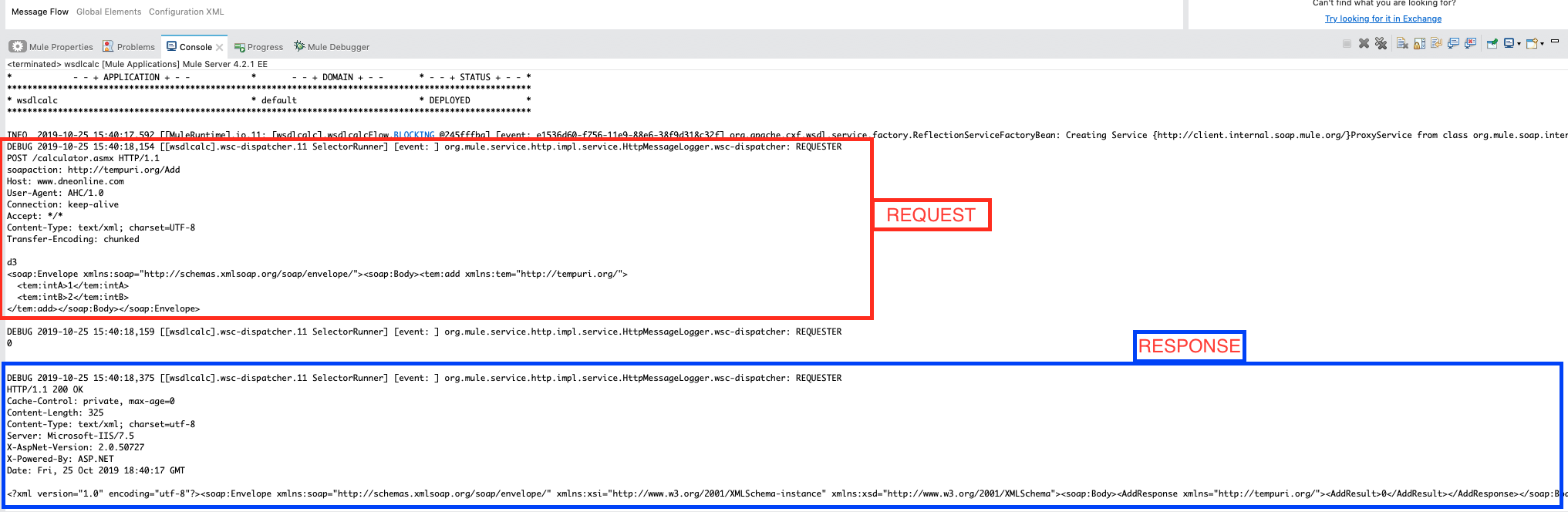
In Mule, you can see the same in the logs.
We are now able to check if the requests are equals by comparing the requests.
If you are sing cURL (or Postman)
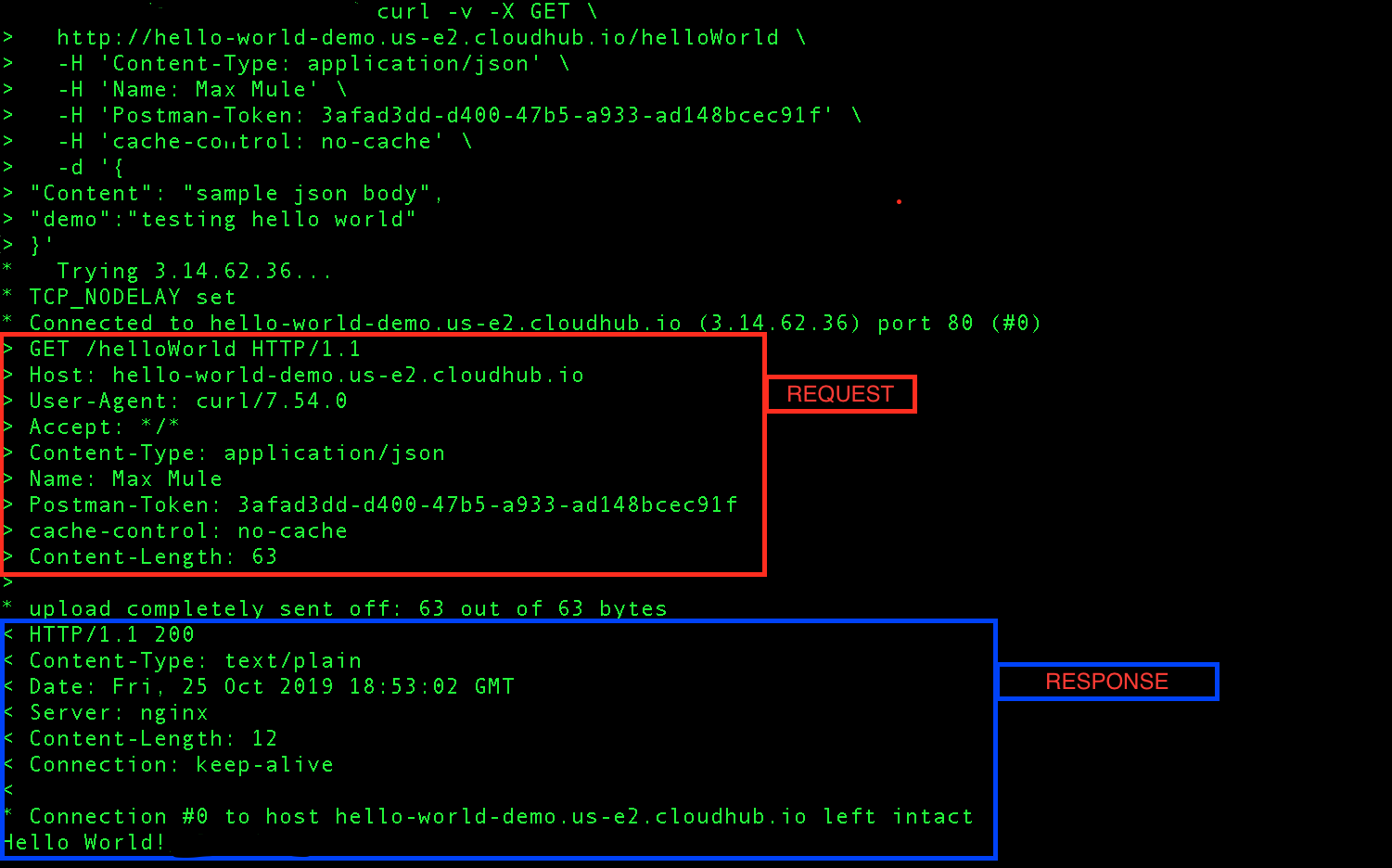
Using -v parameter in the cURL command, we enable verbose mode
Using Mule:
Find the HTTP Wire Logging at the mule EE log, the API log or the Studio console
In this case, the header "Postman-Token" was generated on Postman and it is not needed and the header "Name" is different between requests. (The response is good on both cases because is a dummy API REST)
Numéro d’article de la base de connaissances
001116956
Cet article a-t-il résolu votre problème ?
Dites-nous ce que nous pouvons améliorer !
