Seleziona un'organizzazione
How to get Salesforce Organization and User ID
Data pubblicazione: Mar 2, 2024
Operazione
GOAL
This article explain how to access Org and User ID in your Salesforce organizationFasi
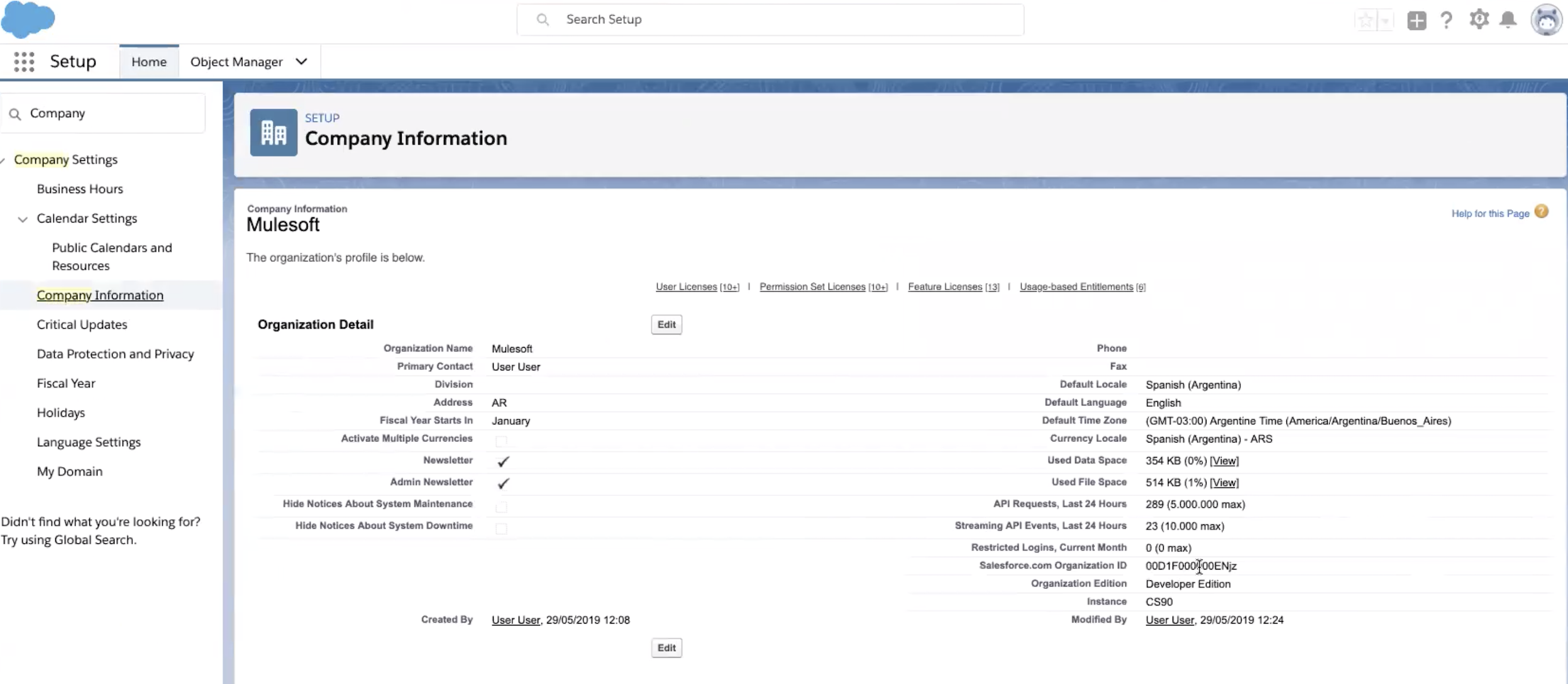
User needs to access their Salesforce org, then go to Setup and look for Company Information. Refer to Salesforce.com Organization ID field
How to get User ID?
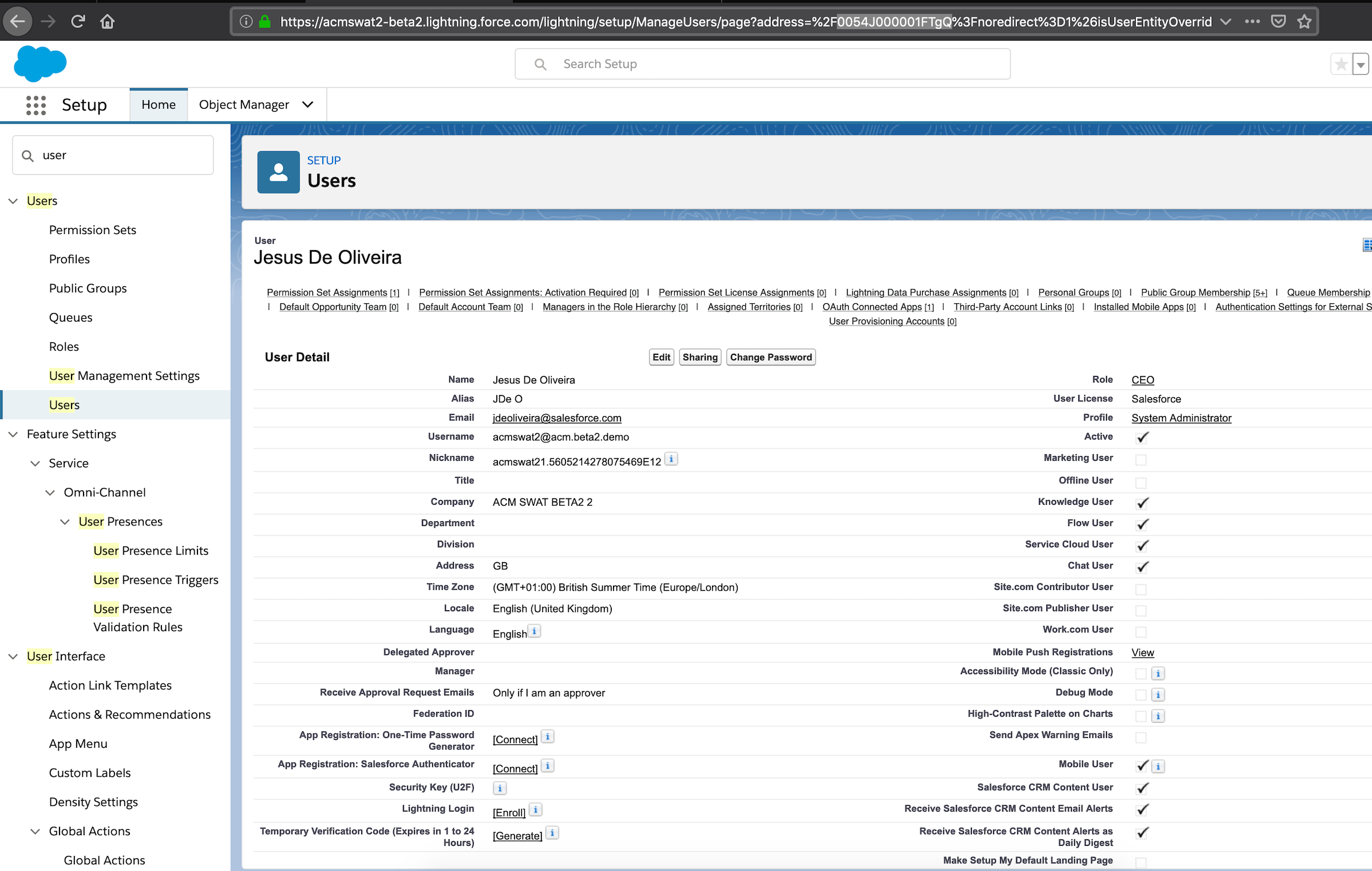
Go to Setup looks for Users, then under the list of users locate the logged user and select it. It will display details about this user. Refer to the url in the browser and look for the param address=%2F0054J000001FTgQ%. The user id is 0054J000001FTgQ
Numero articolo Knowledge
001117043
Questo articolo ha risolto il problema?
Facci sapere, così possiamo migliorare!
