조직 선택
Cache Scope with Object Store v2 for multi-worker Cloudhub on Mule 4
게시 일자: Mar 2, 2024
과업
GOAL
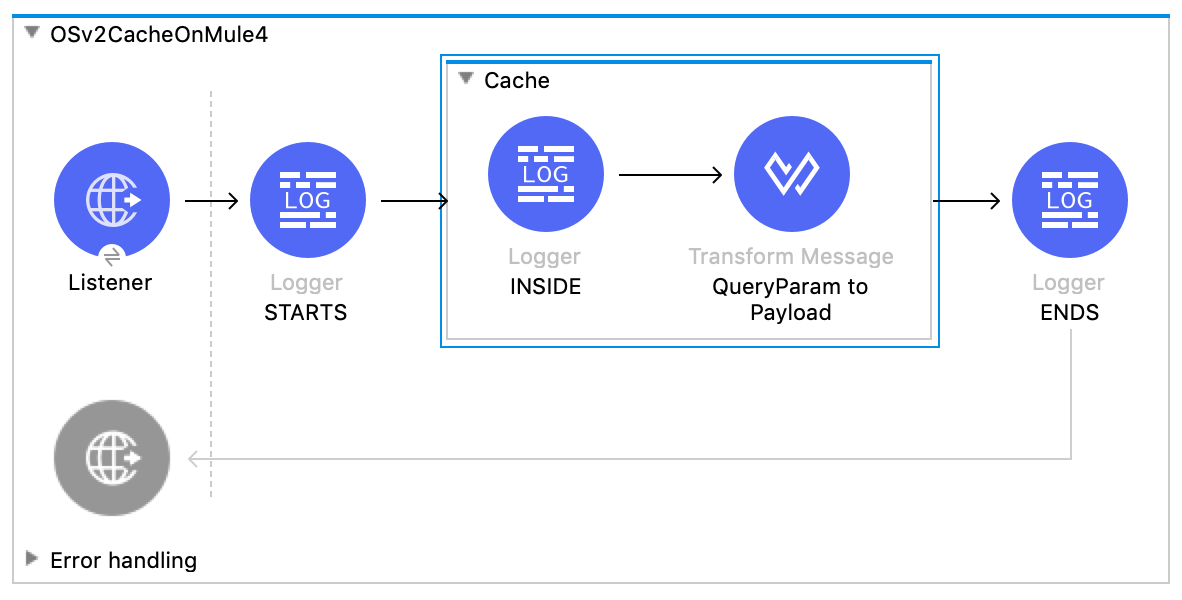
The objective of this article is to provide you with an example on how to use Cache Scope in a multi worker Cloudhub implementation.
If you run the Cache Scope out of the box, each worker will have a in-memory cache, but if you want to share the cache between workers, we need to use Object Store v2 Cloudhub implementation, and this is how...
단계
1) Import the Mule 4 project attached to this case
Example API: Mule4Project.jar
2) You may deploy this in Cloudhub with Object Store v2 but you may also run it on Studio to understand what it does
3) In the case of Studio, please run the following cURL command to execute the flow
curl http://localhost:8081\?number\=1
4) You will see that the first time, it will store data using the "number" queryParam and you will see in the logs that the flow went inside the cache scope
5) Execute same cURL command and you will see that the API will use the cached information, and you won't read the log inside the cache scope anymore
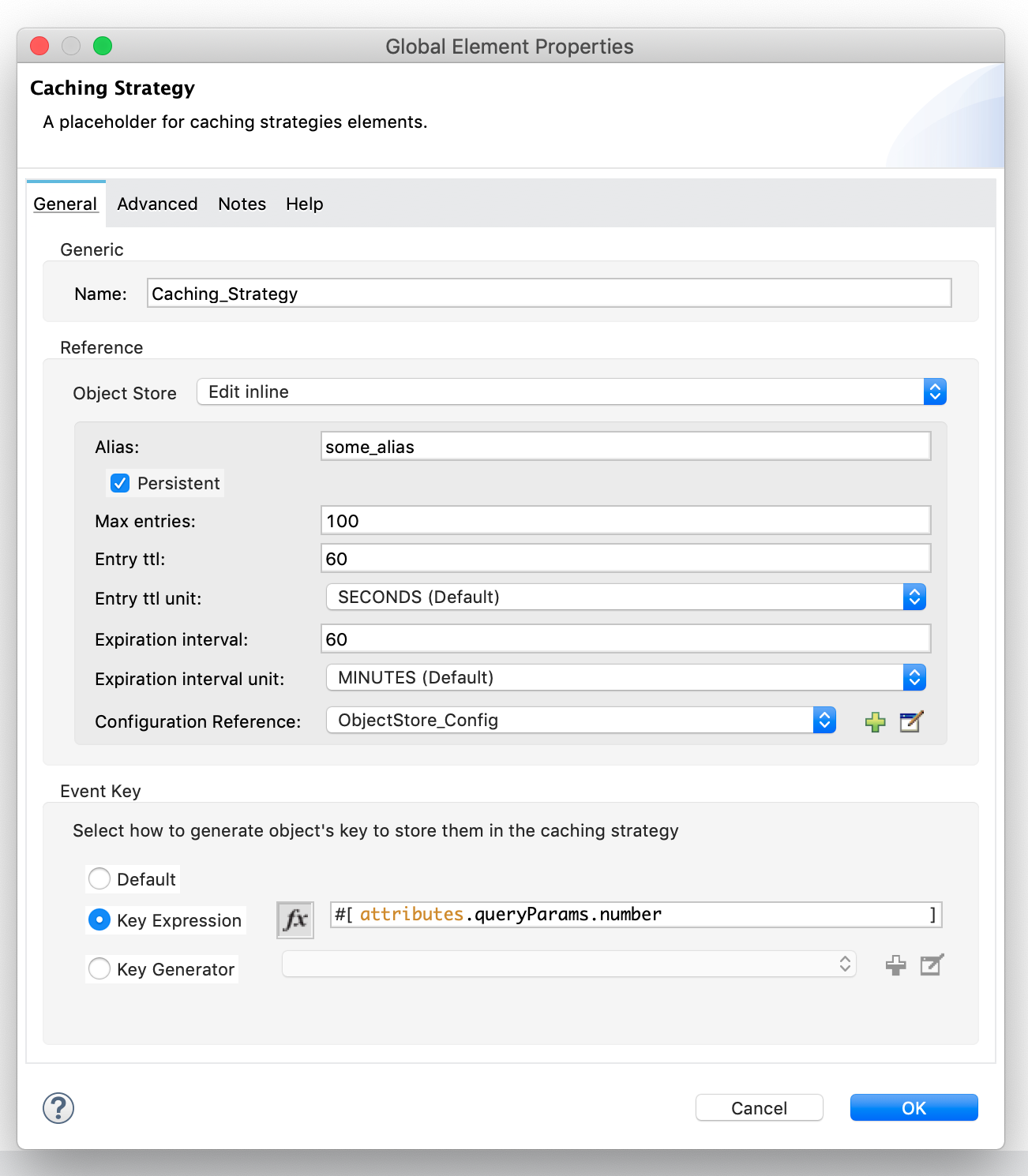
Note: In this case, we used the "number" queryParam as the object store key to store the value, please make sure to understand what the key is, since that configuration might affect how the cache scope works and you may end with a cache scope never being used as cache.
Disclaimer 1: This example is provided as a reference for your own usage and is not to be considered a MuleSoft product. This example should be considered as a custom solution. The custom solution is not a Supported MuleSoft product.
Disclaimer 2: This solution provides a suggestion that should be considered in conjunction with your specific use-case and requirements and does not represent a complete solution for all circumstances.
Knowledge 기사 번호
001117143
이 기사를 통해 문제를 해결했습니까?
개선을 위한 의견을 보내주세요.
