Valitse organisaatio
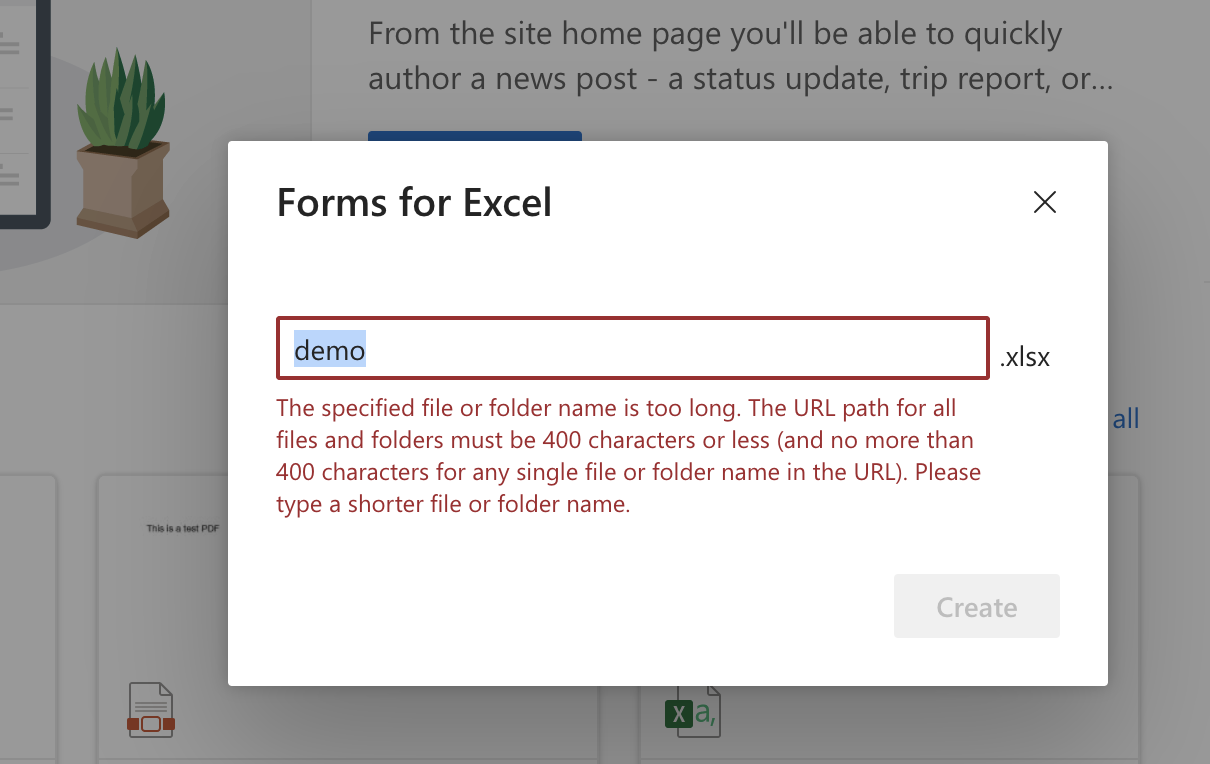
Sharepoint Connector| File GetContent - The length of the URL for this request exceeds the configured maxUrlLength value
Julkaisupäivä: Jul 18, 2024
Kuvaus
When a file server URL length is longer than the Sharepoint maxUrlLength property (in the web.config file), the requests will fail with the error: "The length of the URL for this request exceeds the configured maxUrlLength value".
Example:
http://example.com/sites/Test_AAAAAAAAAAAAAAAAAAAAAAAAAAAAAAAAAAAAAAAAAAAAAAAAAAAAAAAAAAAAAAAAAAAAAAAAAAAAAAAAAAAAAAAAAAAAAAAAAAAAAAAAAAAAAAAAAAAAAAAAAAAAAAAAAAAAAAAAAAAAAAAAAAAAAAAAAAAAAAAAAAAAAAAAAAAAAAAAAAAAAAAAAAAAAAAAAAAAAAAAAAAAAAAAAAAAAAAAAAAAAAAAAAAAAAAAAAAAAAAAAAAAAAAAAAAAAAAAAAAAAAAAAAAAAAAAAAAAAAAAAAAAAAAAAAAAAAAAAAAAAAAAAAAAAAAAAAAAAAAAAAAAAAAAAAAAAAAAAAAAAAA/sfdfdfadf_azsdfasda/fdfgfgdfdgdf sample work file.docx
Every character after http://example.com/ will be counted. If the number of characters is superior to 400 (the default value for maxUrlLength), this request will fail on the Sharepoint side.
Ratkaisu
CAUSE
Sharepoint has character limitations on URL length.
The specified file or folder name is too long. The URL path for all files and folders must be 400 characters or less (and no more than 255 characters for any single file or folder name in the URL).
This is explained in the Sharepoint article about File name and path lengths.
SOLUTION
To resolve the issue:
1) Either trim the folder relative URL path,
2) Or, the SharePoint team can change the web.config file by increasing the parameter "maxUrlLength".
Knowledge-artikkelin numero
001117353
Ratkaisiko tämä artikkeli ongelmasi?
Anna palautetta, jotta voimme kehittyä!
