選擇組織
Continue with AEH Users" SSO option showing in Anypoint Platform login pages
發佈日期: Jul 18, 2025
解決方案
SYMPTOM
After setting up API Experience Hub, and Identity Provider is created in Anypoint Platform -> Access Management -> Identity Provider for the creation of AEH users.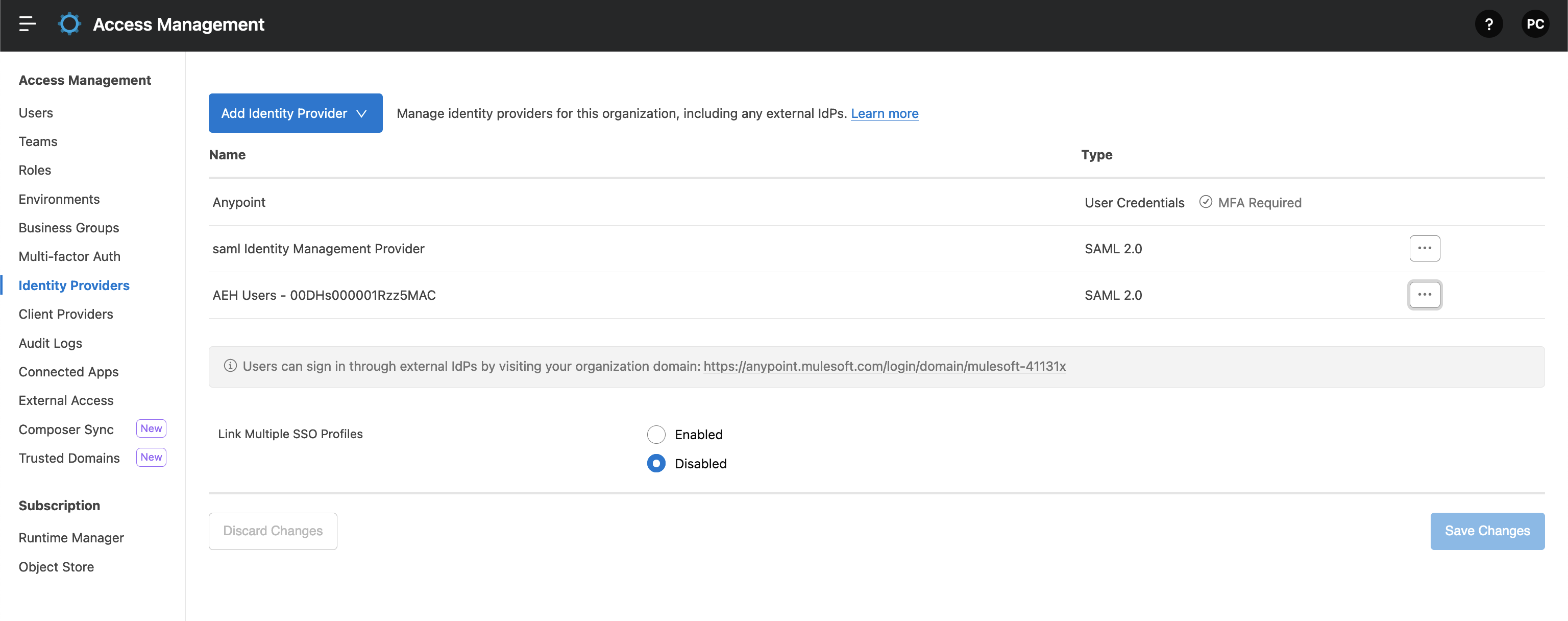
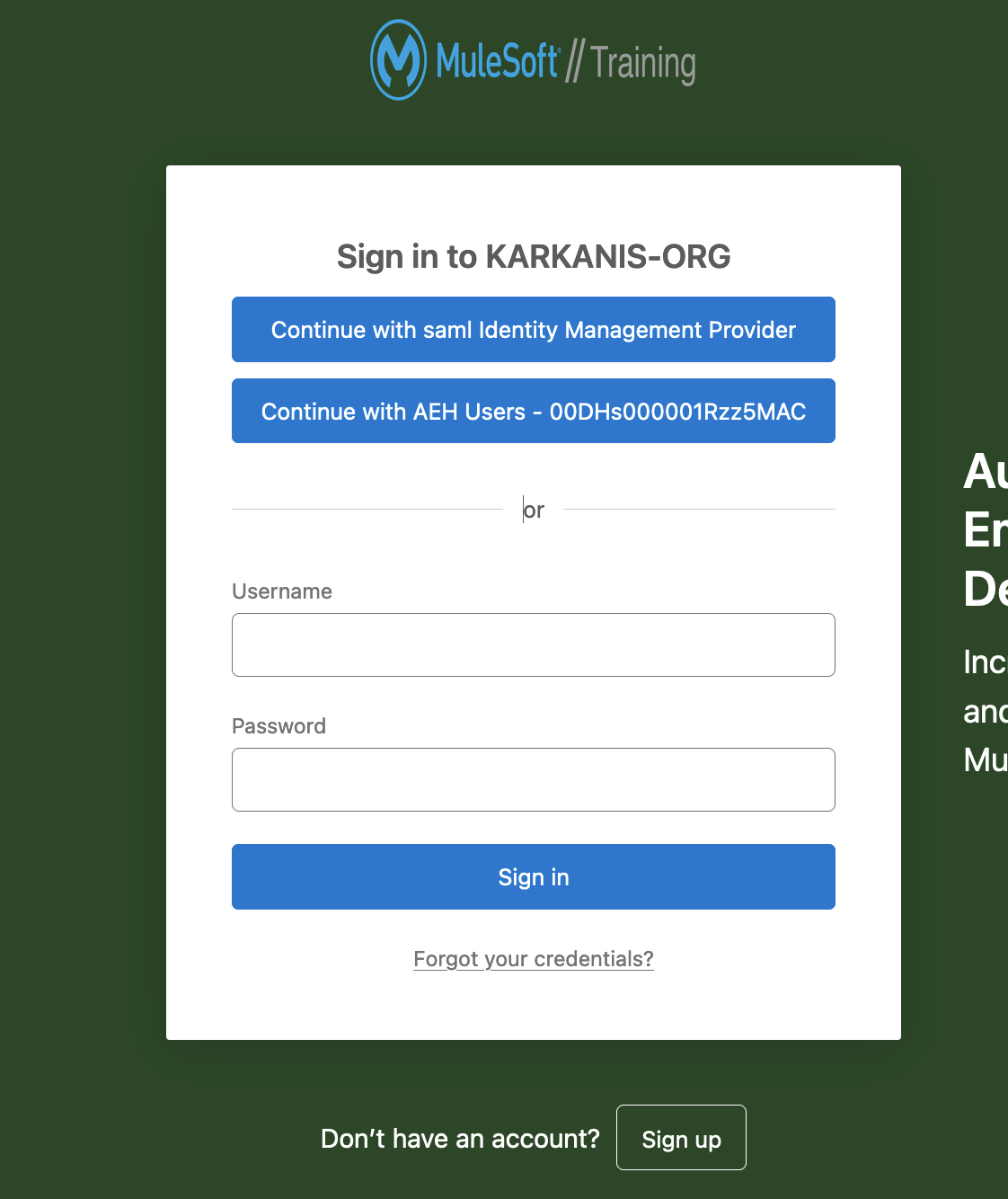
Moreover, the Continue with AEH Users - <ORG ID> option is visible for internal users but also external clients who use the external developer portal currently to login and request access to APIs under management, so you want to disable it, as it is not possible to login into Anypoint, Exchange or AEH using that option.
CAUSE
By design, Anypoint Platform shows all set up Identity Providers as an SSO log in option in three sites:
- Anypoint Platform login
- Exchange Public portal login
- AEH login
SOLUTION
This is currently a bug, since Anypoint does not allow to hide the option from any domain login. The fix will hide this option.
WORKAROUND
As a workaround, instead of sharing your domain link to external users, you can use the URL of the IdP you are using. For this, go to Anypoint Platform -> Access Management -> Identity Provider, click on the three dots button next to your current SSO and then click on "Copy Direct Link".知識文章編號
001117622
此文章是否解決您的問題?
請讓我們知道,以便我們改進!
