組織を選択
Amazon S3 Connector | On New Object fails with software.amazon.awssdk.services.sqs.model.SqsException: Can only include alphanumeric characters, hyphens, or underscores
公開日: Mar 2, 2024
解決策
SYMPTOM
While reading new objects from nested folders of S3 buckets, the app is failing to create event notifications SQS Queue and it is throwing 400 bad request error.Example:
Bucket Name - staging
Folder- test/employee
ERROR:
Message : software.amazon.awssdk.services.sqs.model.SqsException: Can only include alphanumeric characters, hyphens,
 or underscores. 1 to 80 in length (Service: Sqs, Status Code: 400, Request ID: d5510223-ab1f-5562-bd0c-5f6ce7789c16)
CAUSE
This is because the S3 Connector is trying to create a new SQS notification queue to retrieve the object description (For more information, refer to S3 Connector - 'On New Object' Source behaviour and why it needs SQS).As per the below AWS link, the following limits apply to the queue name:
-
-
A queue name can have up to 80 characters.
-
Valid values: alphanumeric characters, hyphens (
-), and underscores (_). -
A FIFO queue name must end with the
.fifosuffix.
Queue URLs and names are case-sensitive.
-
In this case, the "/" in the folder structure "test/employee" is not allowed when it is used by default as part of the queue name by the S3 Connector.
SOLUTION
There are two solutions here:Solution 1:
Create an SQS queue in AWS and configure the queue name in S3 ConnectorSteps:
1. Create a new SQS Queue in AWS
2. Specify the queue name in the Advanced tab of the On New Object configuration
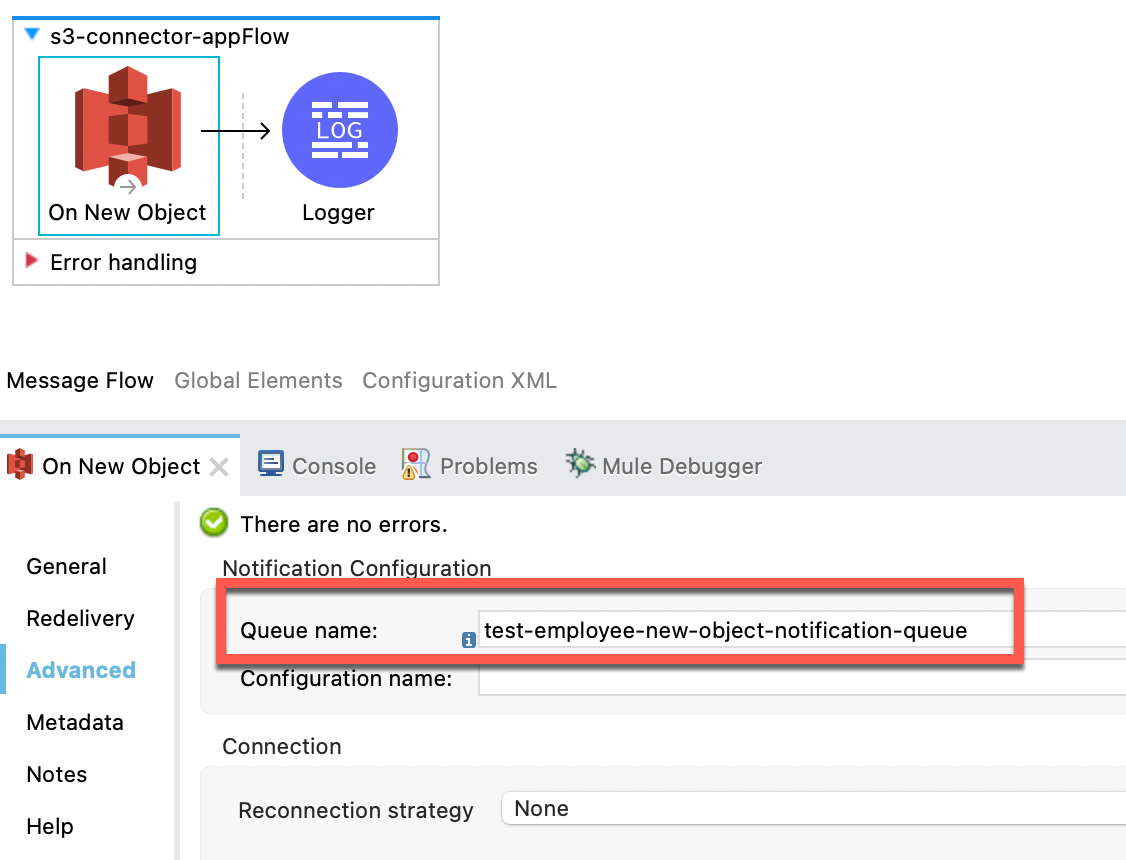
The S3 Connector will create an event notification in the S3 bucket based on the specified folder and queue name.
Solution 2:
Create an SQS queue and event notification in AWS, and configure the event notification configuration name in S3 Connector
Steps:
1. Create a new SQS Queue in AWS
2. Create an event notification in the S3 bucket
For more details, refer to https://docs.aws.amazon.com/AmazonS3/latest/userguide/enable-event-notifications.html
3. Specify the event notification configuration name in the Advanced tab of the On New Object configuration
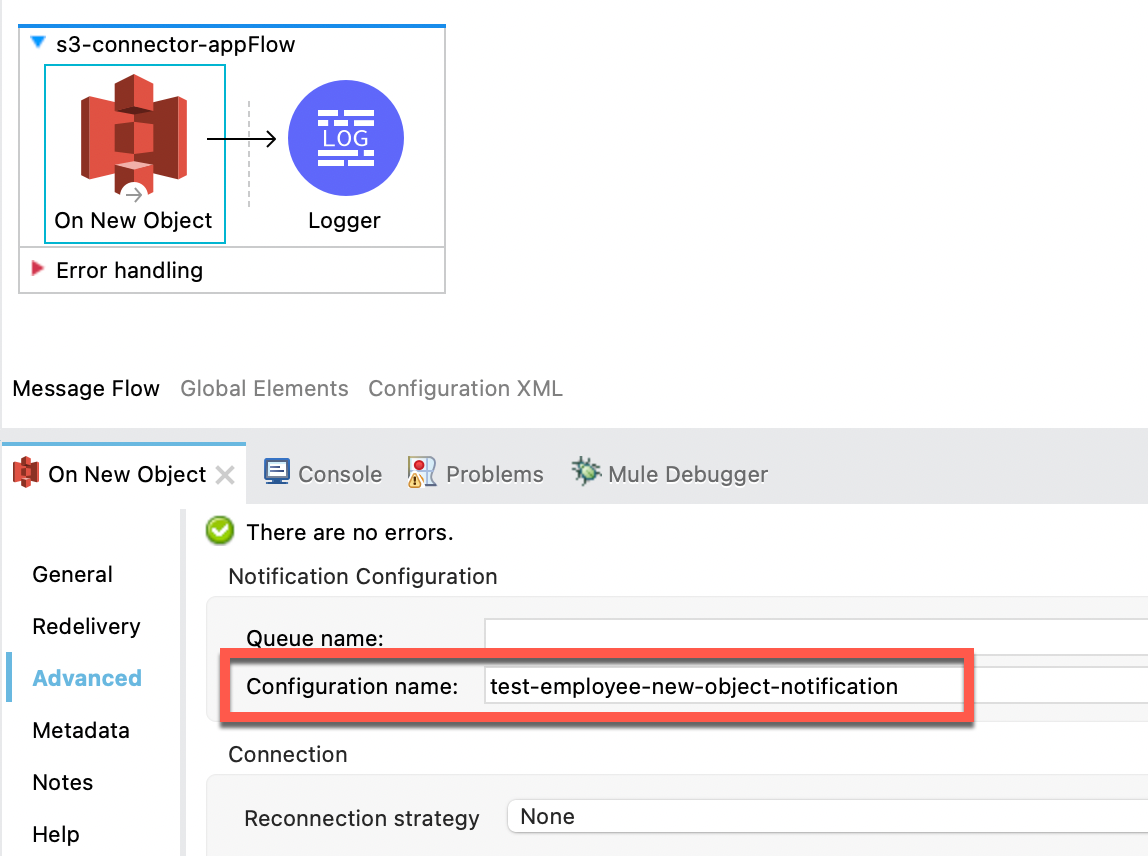
ナレッジ記事番号
001117634
この記事で問題は解決されましたか?
ご意見をお待ちしております。
