Velg en organisasjon
Unable to validate SAML assertion Error on Launching MuleSoft Composer after SSO Setup
Publiseringsdato: Jul 29, 2025
Løsning
SYMPTOM
You are enabling SSO for accessing MuleSoft Composer from your IDP Dashboard. On launching the tile below error is faced.
Unauthorized: SAML assertion should be encrypted
OR
Unauthorized: SAML assertion should be encrypted
Error in Logs:
"message":"Unauthorized: Unable to validate SAML assertion","name":"AuthenticationError","stack":"AuthenticationError: Unable to validate SAML assertion\n at
/usr/src/app/api/xxxxx-saml/strategy.js:433:60","status":401,"transaction_result":"FAILURE","type":"AuthenticationError"},"
Some Example of IDP's are : Okta, JumpCloud, Azure etc.
CAUSE
The setup/configurations are not done completely at the IDP side.SOLUTION
Follow the below Steps: (Example is taken for Okta)
[2] Upload the SAML key (generated by Composer) to Okta for Signature Certificate - This key is being used for encrypting/decrypting the SAML payload (Refer doc here)
- Navigate to Settings - Multiple Idp - Select the Idp created
- Keys tab - click 3 dots - Download
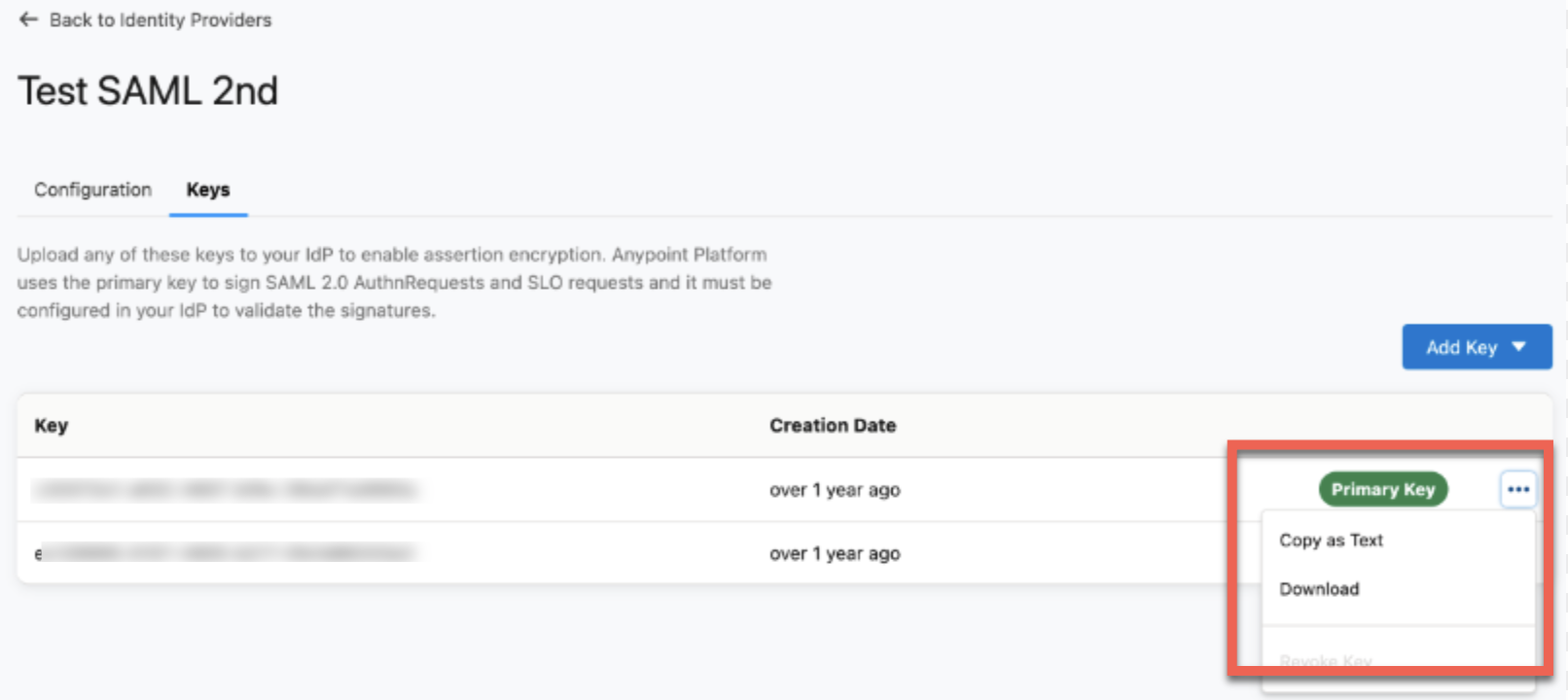
- Navigate to Settings - Multiple Idp - Select the Idp created
- Configuration - Advanced Settings
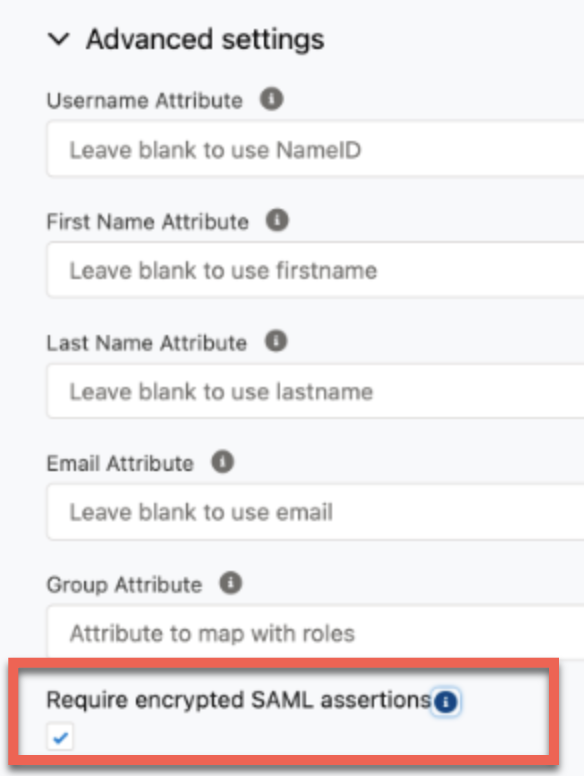
[4] At IDP side (Okta), Navigate to General Setting - SAML Setting - Edit - Advanced Setting
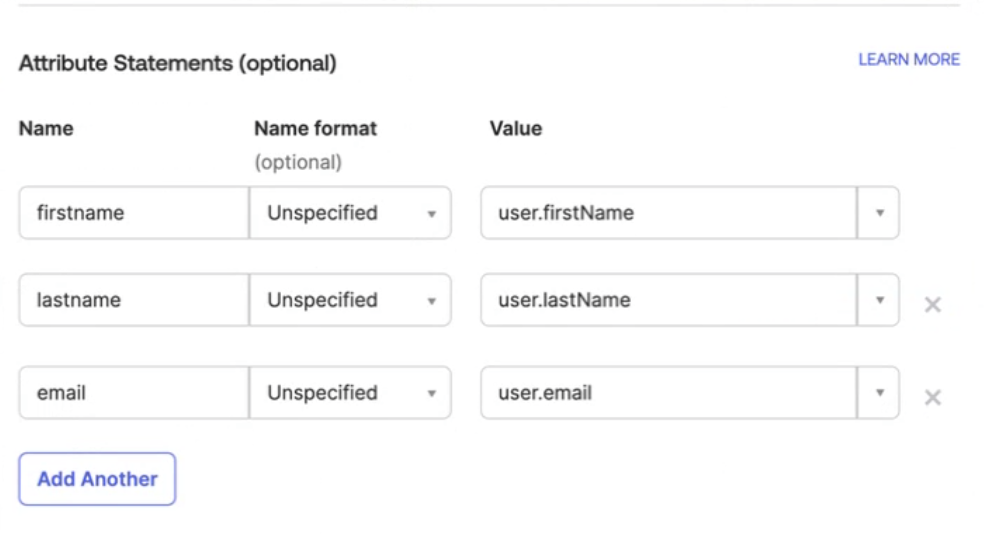
Under Attribute Statements maintain the below:
- firstname -> user.firstName
- lastname -> user.lastName
- email -> user.email
Knowledge-artikkelnummer
001117718
Hjalp denne artikkelen med å løse problemet ditt?
La oss få vite det slik at vi kan forbedre!
