Valitse organisaatio
Chrome Autofill affecting Logging Properties and Secure Runtime Properties
Julkaisupäivä: Mar 2, 2024
Ratkaisu
SYMPTOM:
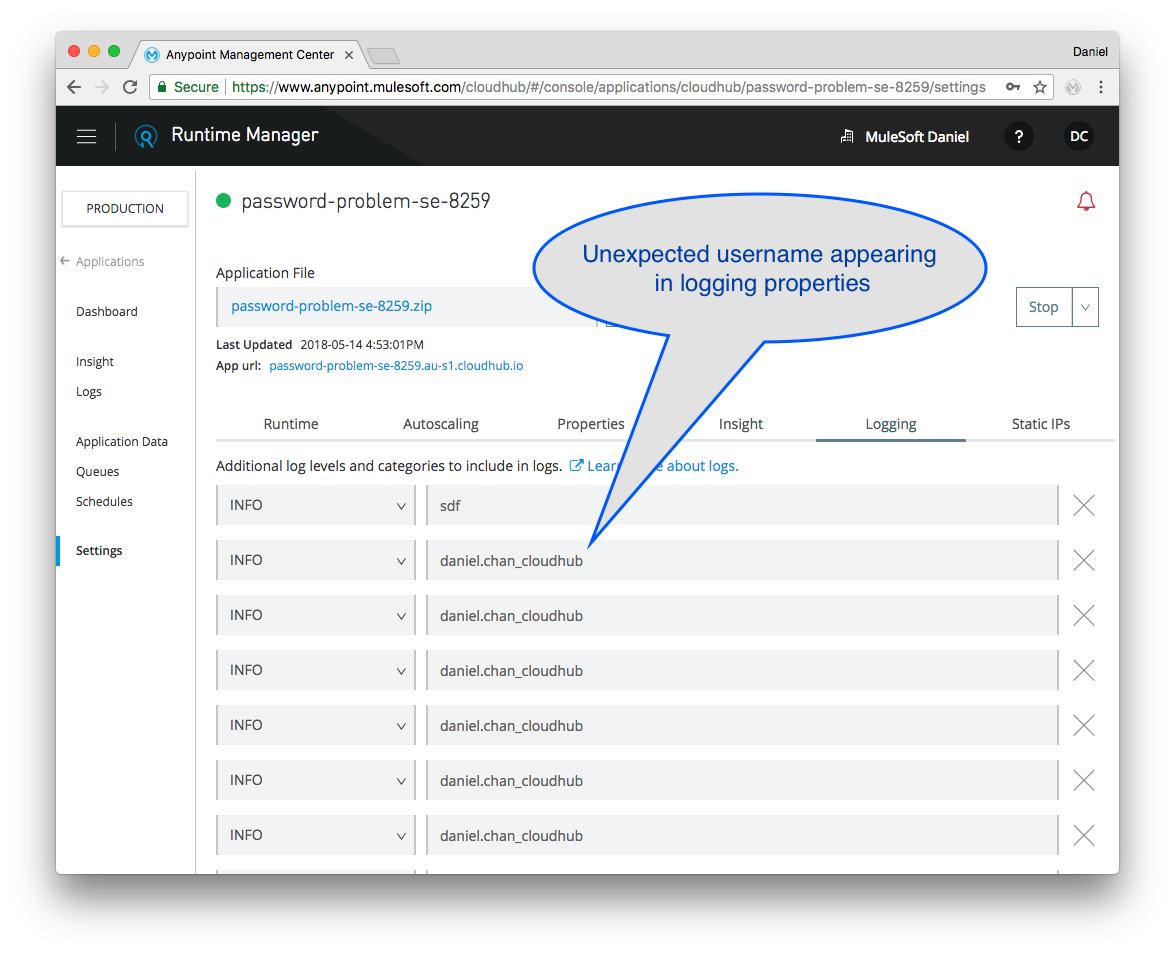
- Logging Properties being populated with username of the user logged into Anypoint Platform
- This has no adverse effects, except cosmetic issue of filling the logging properties with incorrect packages.
- This has no adverse effects, except cosmetic issue of filling the logging properties with incorrect packages.
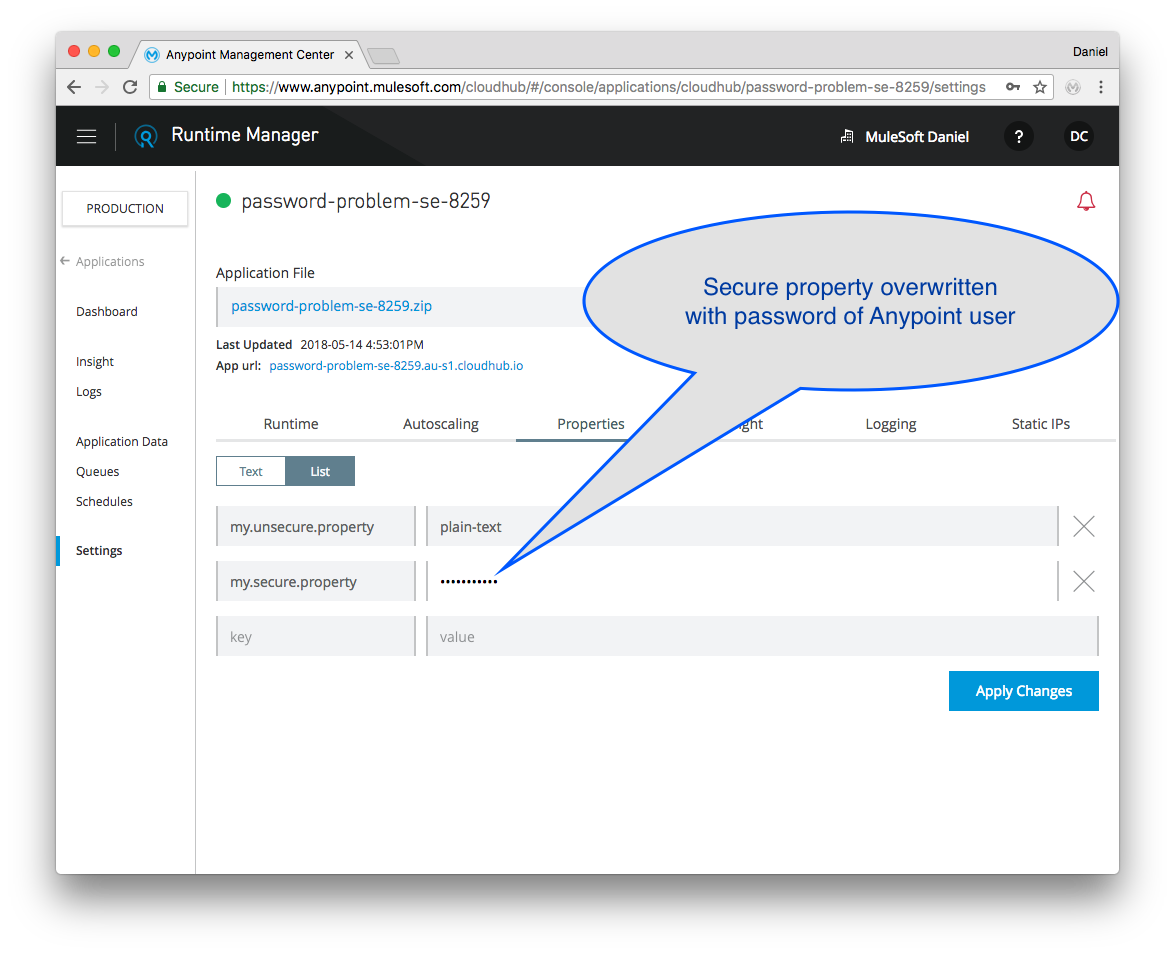
- Secure properties being overwritten with the password of the user (instead of the resource users password)
- This can trigger an unexpected application restart
- May cause application deployment failure.
CAUSE:
- A change in the way newer release versions of Google Chrome browser deals with autofill for user / password fields.
- Is known to affect Google Chrome version 66.0.3359.181, but may be present in other versions.
SOLUTION:
- Mulesoft Engineering is developing a code change for Runtime Manager which will address the different behavior of Chrome.
- Fix deployment date: ETA 16th June 2018.
WORKAROUNDS:
- Use a different browser
- Disable Autofill function in Chrome Browser.
- Use Incognito Browser Window in Chrome.
NOTES:
If this issue is observed after the maintenance release scheduled for 16th June 2018, please do raise a new support ticket via the Customer Support Center Case system.Knowledge-artikkelin numero
001118339
Ratkaisiko tämä artikkeli ongelmasi?
Anna palautetta, jotta voimme kehittyä!
