조직 선택
Error Unable to process a synchronous or non-blocking event asynchronously
게시 일자: Jul 22, 2025
솔루션
SYMPTOM
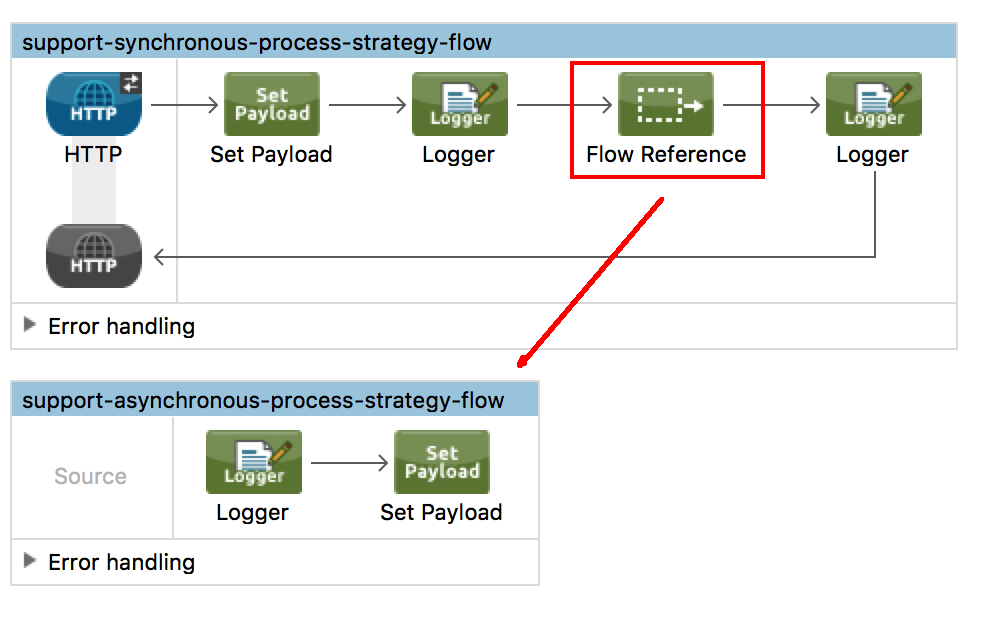
When using a flow-ref to call a flow that has it's processing strategy to be explicitly asynchronous from a synchronous flow will result in error:
org.mule.api.MessagingException: Unable to process a synchronous or non-blocking event asynchronously.
CAUSE
Calling an explicitly or default asynchronous flow from a synchronous flow will result in error as one cannot tell if the processing should be decoupled from the synchronous process or not. Therefore the actual design on Mule throws an error.
SOLUTION
If you need the process result of the secondary flow then you must call another synchronous flow or sub-flow (which is processed synchronously using same thread from main flow).
Now, if you just want to send the copy of your payload to another flow without the need to get its processing result, you can then achieve it against an asynchronous flow if you use one of the following strategies:
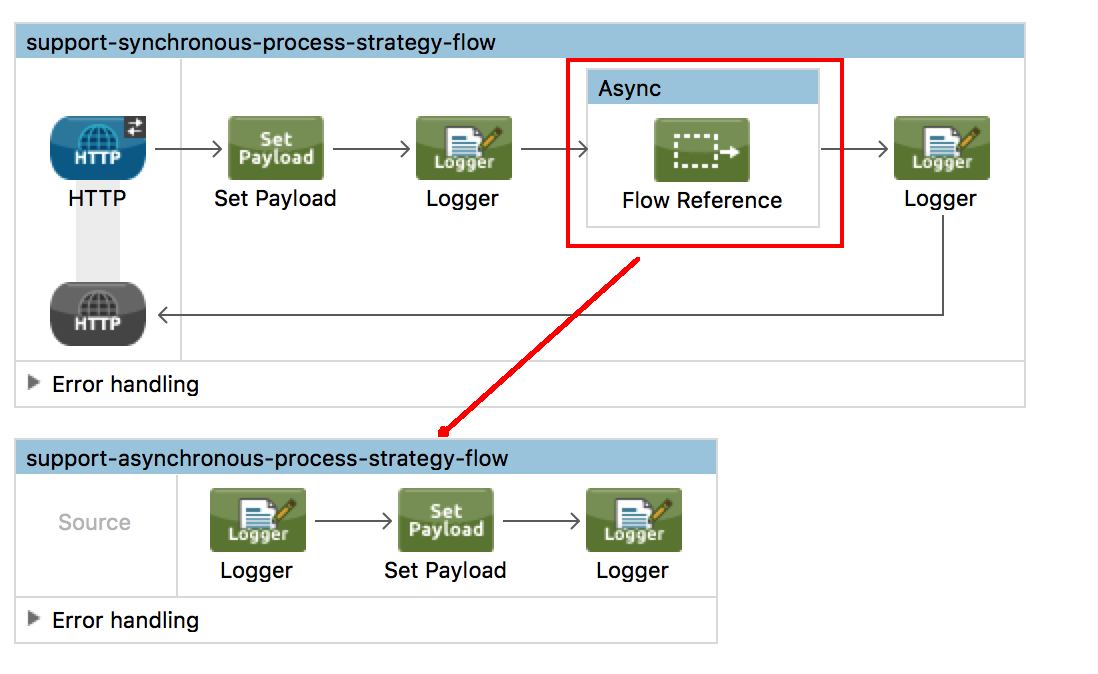
- Use an Async component (<async>).
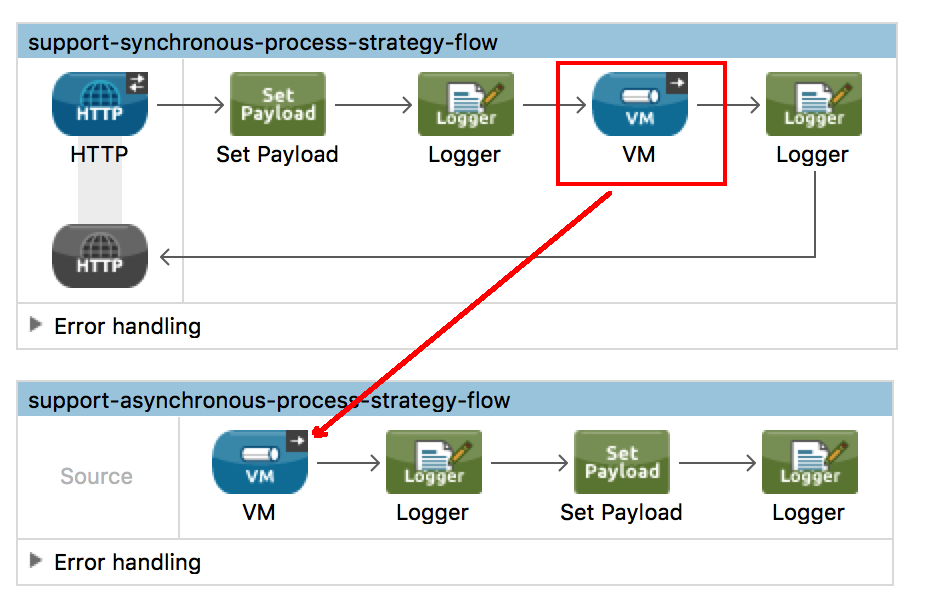
- Use vm transport endpoint with one-way exchange pattern.
NOTES
Important to highlight here that for the case of using async component or vm transport, the result of the process of the secondary flow will not be used by the main one "support-synchronous-process-strategy-flow" as the async component will trigger in a separate thread while the main thread of the flow will proceed. Below the logging result and the request result of the test related to the images above for reference:
➜  test-maven-app curl http://0.0.0.0:8081
PAYLOAD1%

INFO  2018-04-27 17:54:56,541 [[support-sync-async].HTTP_Listener_Configuration.worker.01] org.mule.api.processor.LoggerMessageProcessor: BEFORE ASYNC
INFO  2018-04-27 17:54:56,541 [[support-sync-async].HTTP_Listener_Configuration.worker.01] org.mule.api.processor.LoggerMessageProcessor: AFTER ASYNC
INFO  2018-04-27 17:54:56,544 [[support-sync-async].support-asynchronous-process-strategy-flow.stage1.01] org.mule.api.processor.LoggerMessageProcessor: TEST2
INFO  2018-04-27 17:54:56,556 [[support-sync-async].support-asynchronous-process-strategy-flow.stage1.01] org.mule.api.processor.LoggerMessageProcessor: PAYLOAD2
Knowledge 기사 번호
001118386
이 기사를 통해 문제를 해결했습니까?
개선을 위한 의견을 보내주세요.
