조직 선택
Configure Connection String Type Connection for MuleSoft MongoDB Connector
게시 일자: Jan 26, 2026
솔루션
GOAL
You are interested in using the Connection String as the connection type for the MuleSoft MongoDB connector.
PROCEDURE
1. Download the MongoDB connector into Anypoint Studio.
-In the Mule Palette view, click (X) Search in Exchange.
-In the Add Dependencies to Project window, type MongoDB connector in the search field.
-Click MongoDB Connector - Mule 4 in Available modules.
-Click Add.
-Click Finish.
2. Drag the MongoDB connector operation you intend to use to your project's canvas.
3. In the connector's configuration section, create a new configuration.
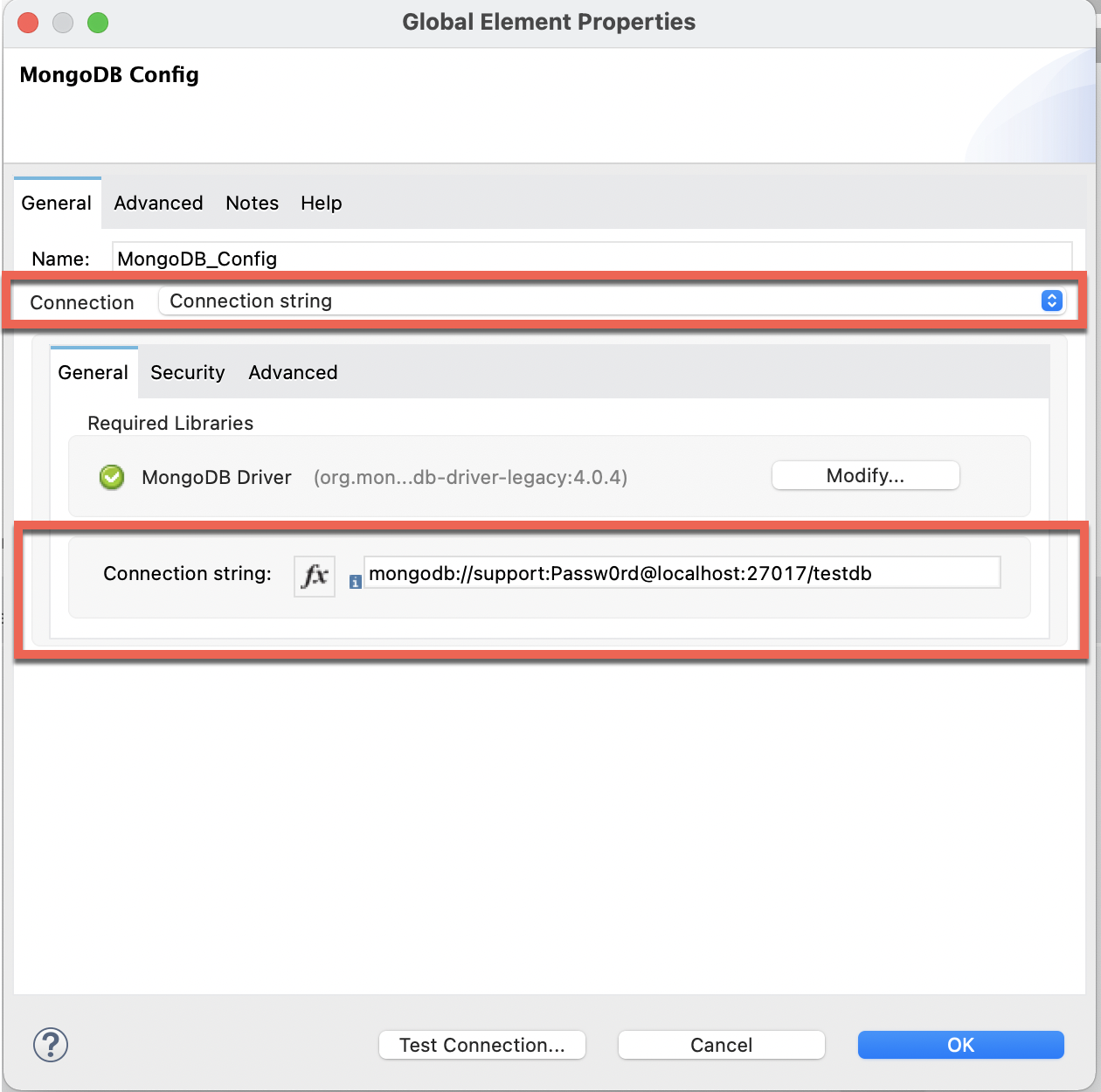
4. Below General section > change the Connection type to "Connection String".
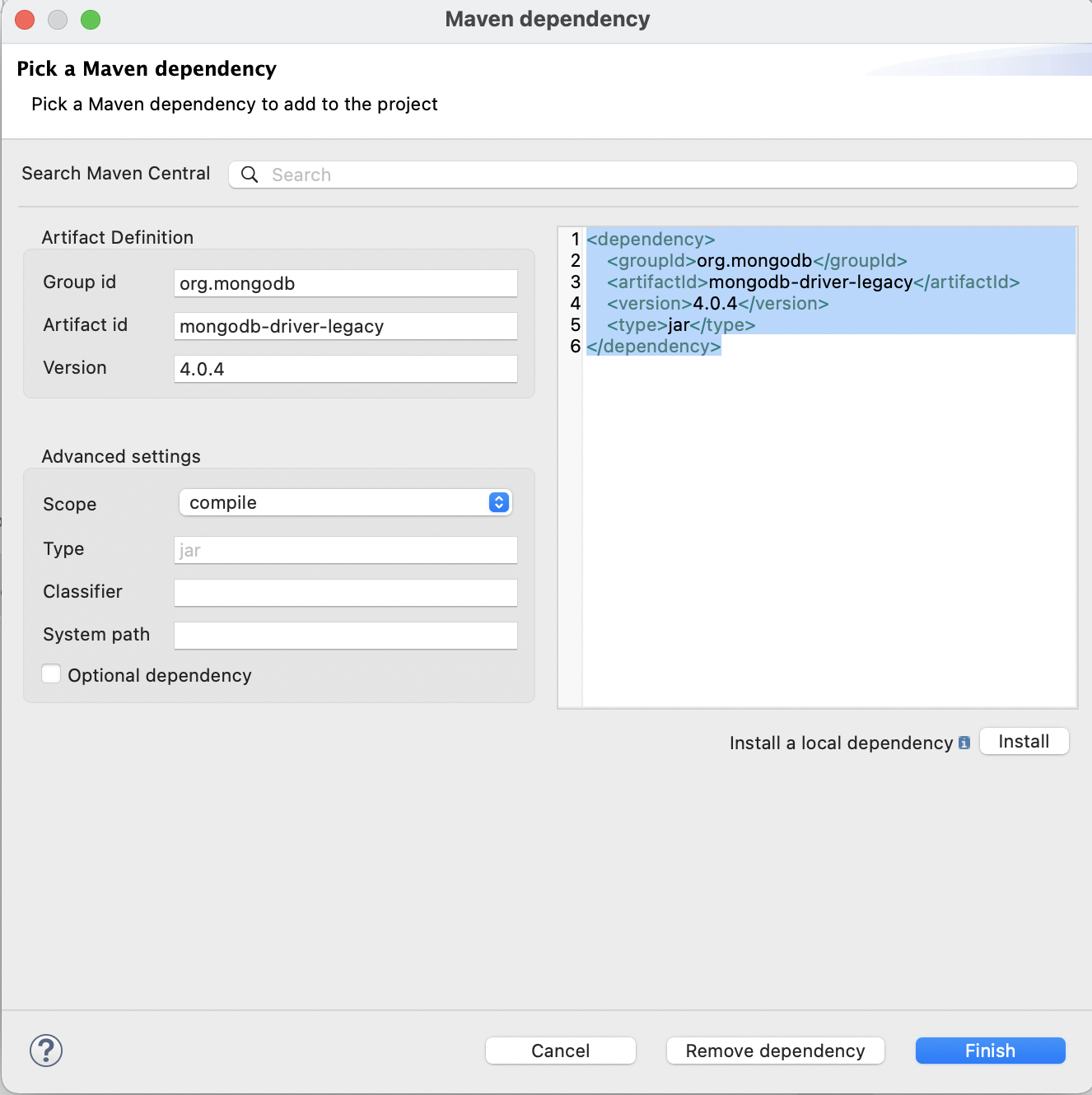
5. Configure the MongoDB Driver by adding the Maven dependency. For example:
6. For the Connection String field, as mentioned in the MongoDB documentation for Connection String URI Format. The standard URI connection scheme has the below format:
mongodb://[username:password@]host1[:port1][,...hostN[:portN]][/[defaultauthdb][?options]]
7. For instance, let's say if the MongoDB parameters have the following values:
-username= support
-password= Passw0rd
-database host= localhost
-port number= 27017
-defaultauthdb= testdb
The connection string URL will be as below:
mongodb://support:Passw0rd@localhost:27017/testdb
8. Add the string ( created in step 7 above ) to the Connection String field and tap on the Test Connection button to validate the connection.
Disclaimer: This article involves products and technologies which do not form part of the MuleSoft product set. Technical assistance for such products is limited to this article.
Attachments
Knowledge 기사 번호
001119060
이 기사를 통해 문제를 해결했습니까?
개선을 위한 의견을 보내주세요.
