Velg en organisasjon
How to configure schedule scope time zones in CloudHub 2.0 applications
Publiseringsdato: Mar 2, 2024
Løsning
GOAL
To deploy an application in CloudHub 2.0 with schedules configured to start based on local / regional time zones.PROCEDURE
CloudHub 2.0 applications will support configuring the TimeZone attribute of schedule scope triggered flows.Following is an example of setting an application to trigger a schedule at 11am daily for the Sydney Australia time zone.
<scheduler doc:name="Scheduler" doc:id="9fb910f7-973f-4362-aa3a-d2f36edda961" >
		<scheduling-strategy >
			<cron expression="0 0 11 1/1 * ? *" timeZone="Australia/Sydney" />
		</scheduling-strategy>
</scheduler>
When this flow is deployed, Mule Runtime will trigger the flow event at 11am Sydney time each day.
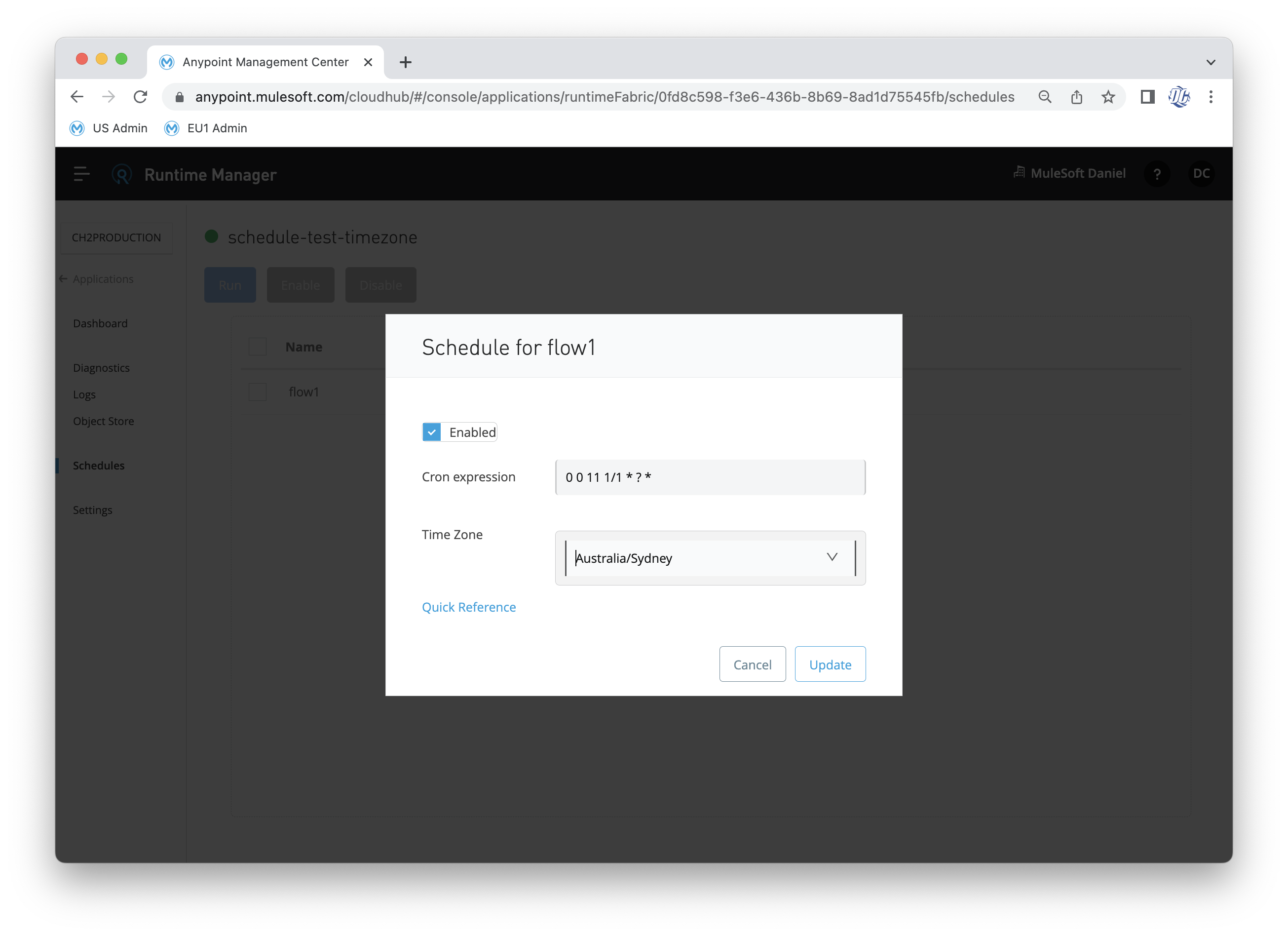
Once the application is deployed and running in CloudHub 2.0, you may reconfigure the cron and timezone via the Runtime Manager UI for the Schedules, as per the below screenshot.
Knowledge-artikkelnummer
001119676
Hjalp denne artikkelen med å løse problemet ditt?
La oss få vite det slik at vi kan forbedre!
