Select An Org
Partner Manager| How to customize Repetition Separator (ISA11) character in X12 Interchange Control Header
Publish Date: Mar 5, 2025
Resolution
DESCRIPTION
This article describes how to customize the Repetition Separator (ISA11) character in X12 Interchange Control Header while using PartnerManger flowsSTEPS TO FOLLOW
1) While configuring the Message flow --> Under the X12 Settings --> Edit the Custom X12 settings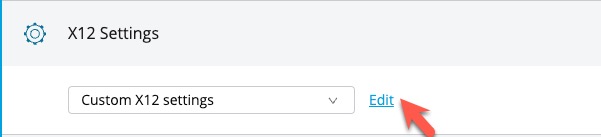
2) In the General tab for custom settings, set the Use Custom value for ISA12.
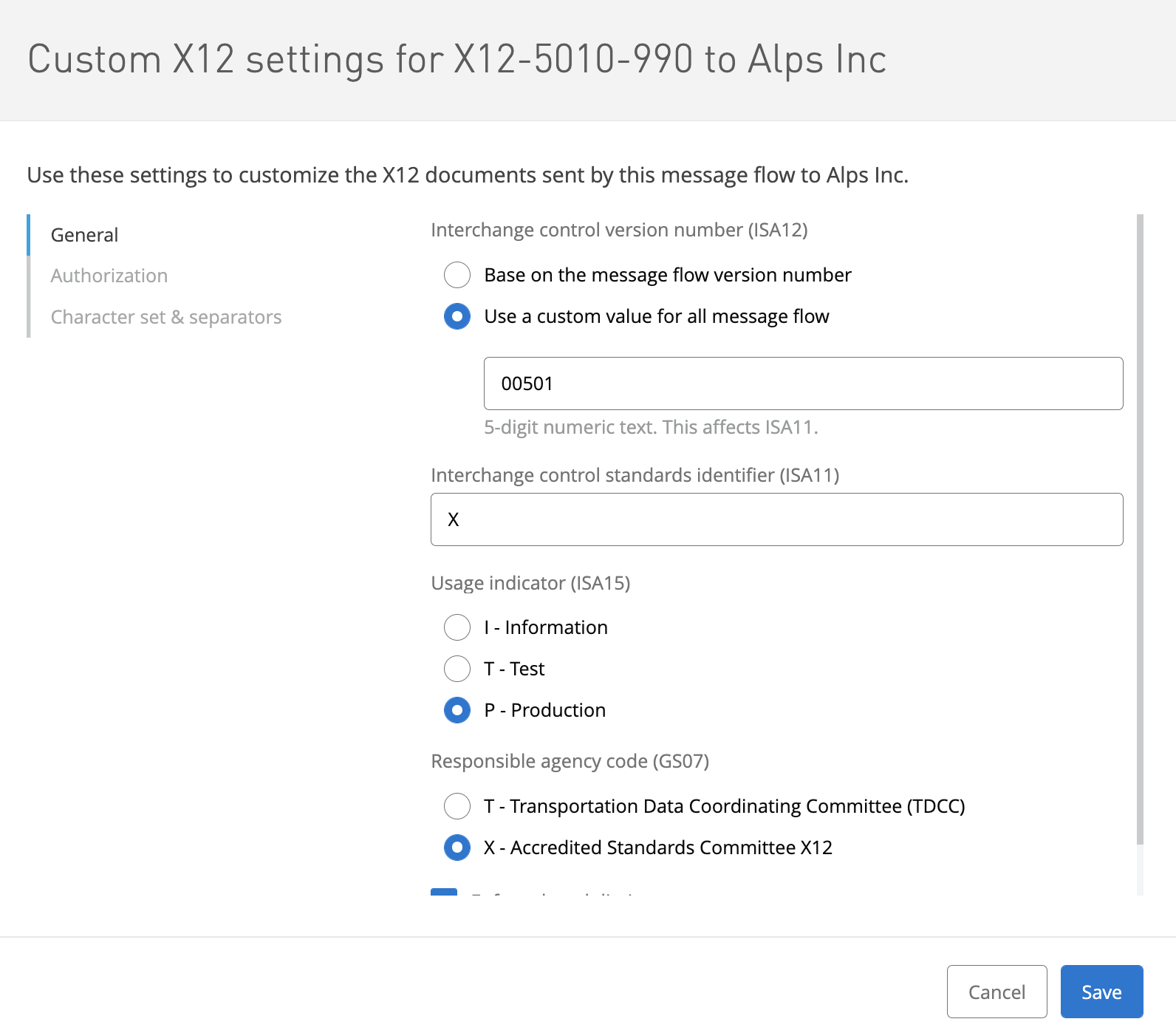
3) Leave any value for the ISA11 field in the General tab.
4) In the Character set & Separators tab, set ^ as the Repetition separator (ISA11)
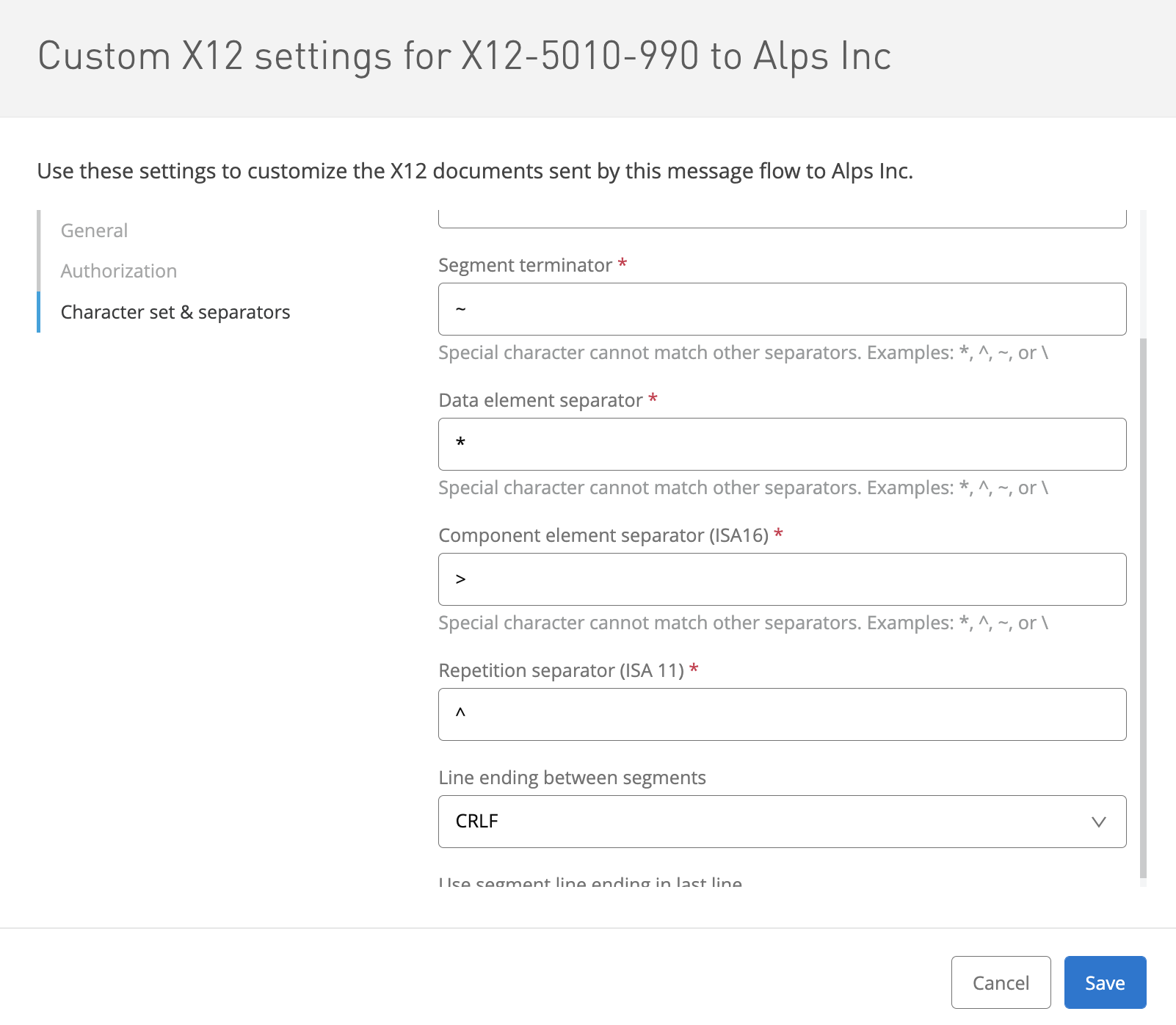
4) Save and deploy the message flow
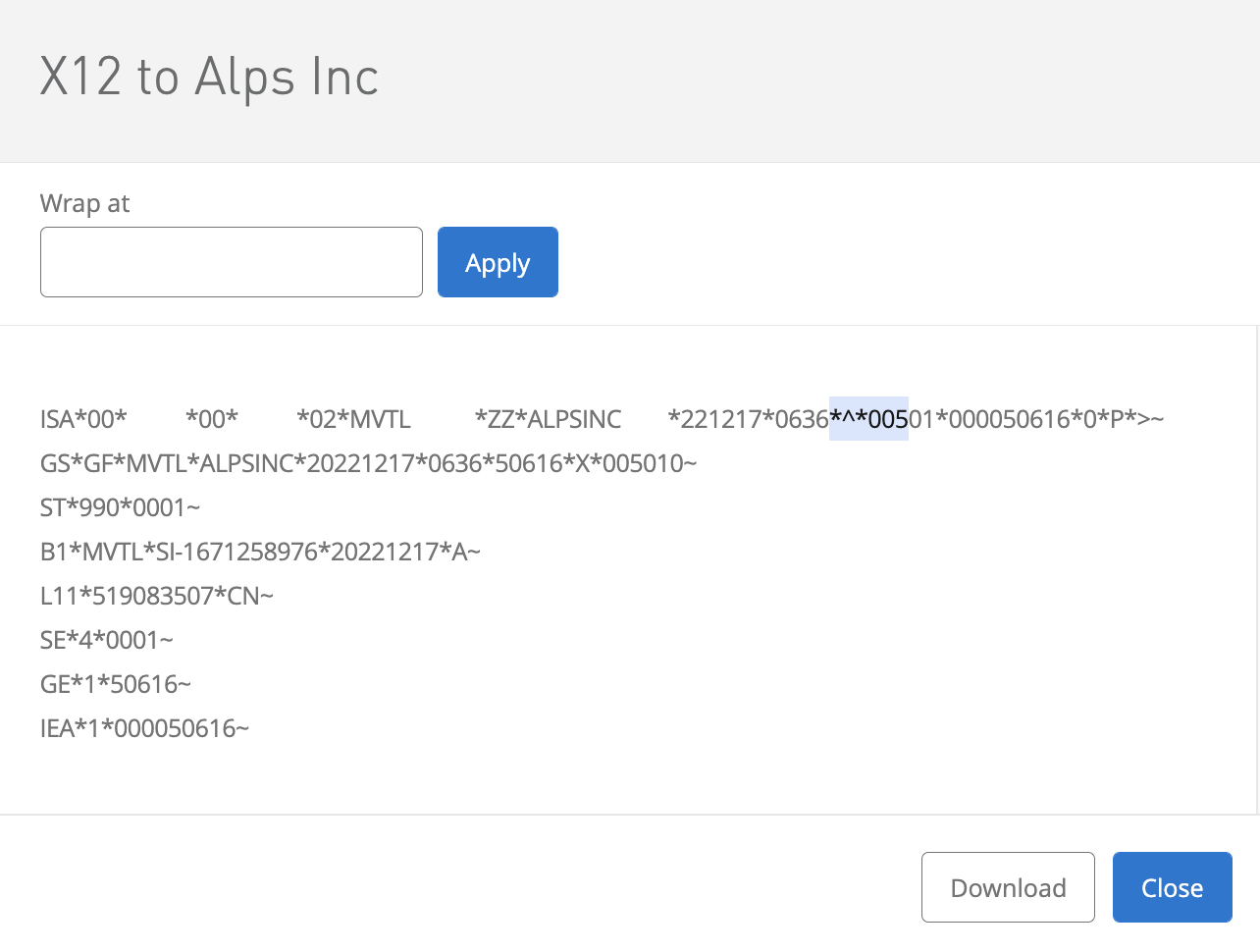
Notice that the generated output file will contain the ISA11 character as specified.
Knowledge Article Number
001119686
Did this article solve your issue?
Let us know so we can improve!
