Select An Org
API app look up is failing Exception Msg : The remote server returned an error: (409) Conflict due to invalid JSON with duplicate keys and it cannot be parsed properly
Publish Date: Aug 4, 2025
Resolution
SYMPTOM
There is an issue with the API backend from MuleSoft. It is returning an invalid JSON with duplicate keys and it cannot be parsed properly.API URL: https://anypoint.mulesoft.com/cloudhub/api/v2/applications HEADERS: KEY: X-ANYPNT-ENV-ID VALUE: 257724c4-47d3-4c4e-ac41-32be83451af7
As you can see the JSON returned on screenshot duplicate_key_issue.PNG the line 7671 and line 7680 contain a duplicate key named https.trustStore.password
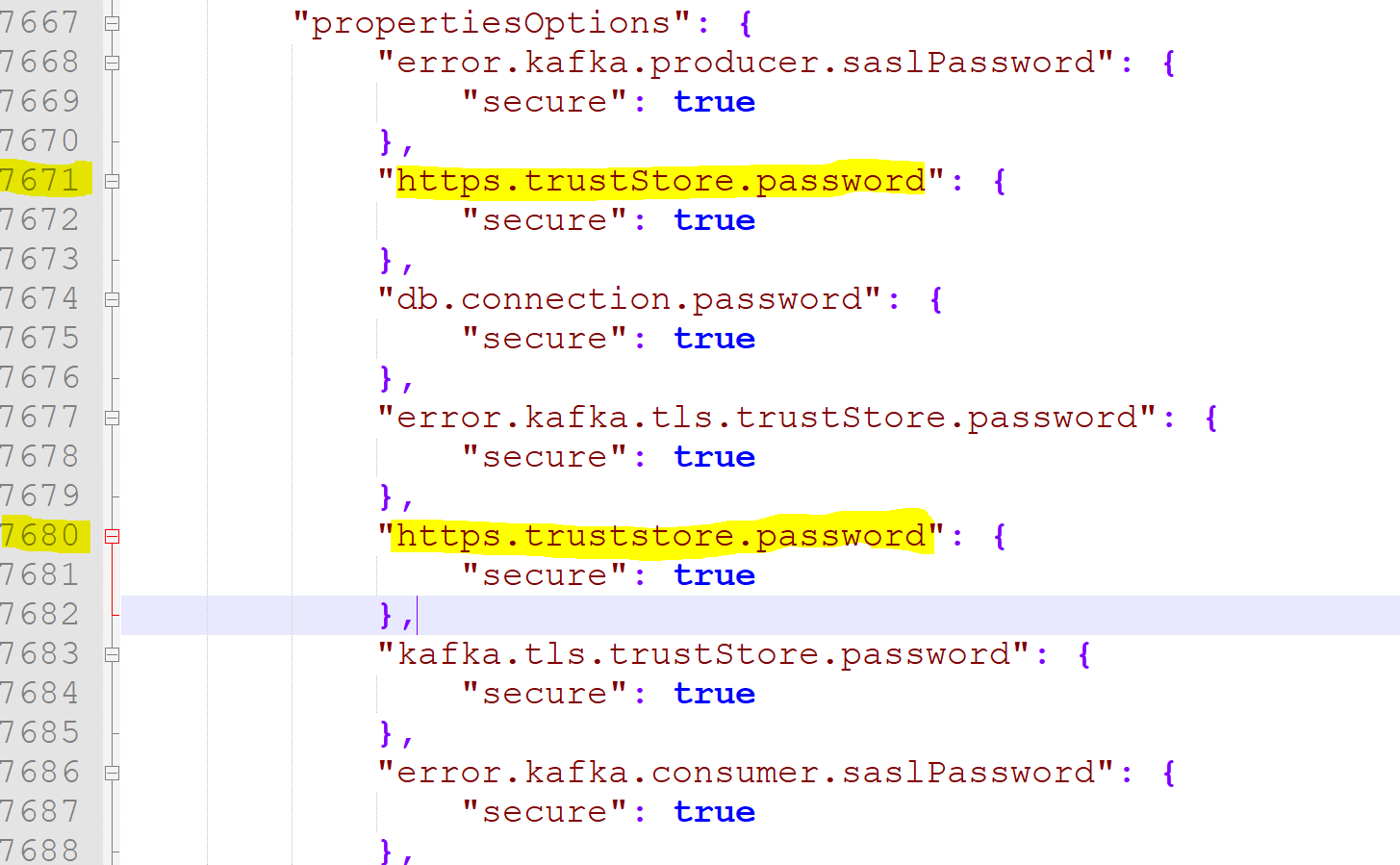
User validated the properties of this application in the prod environment and there are no duplicates there. The API call falsely returns those duplicate entries.
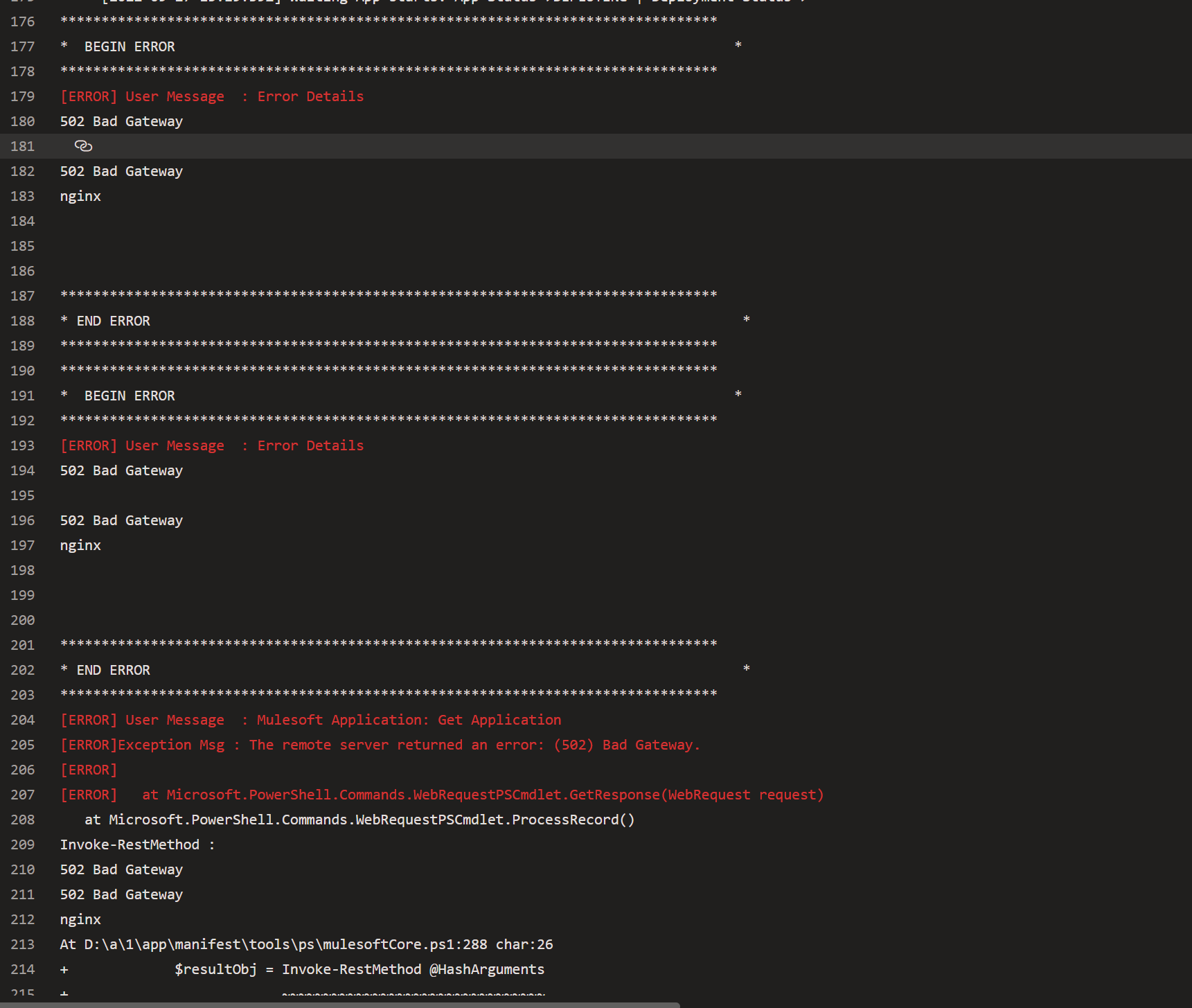
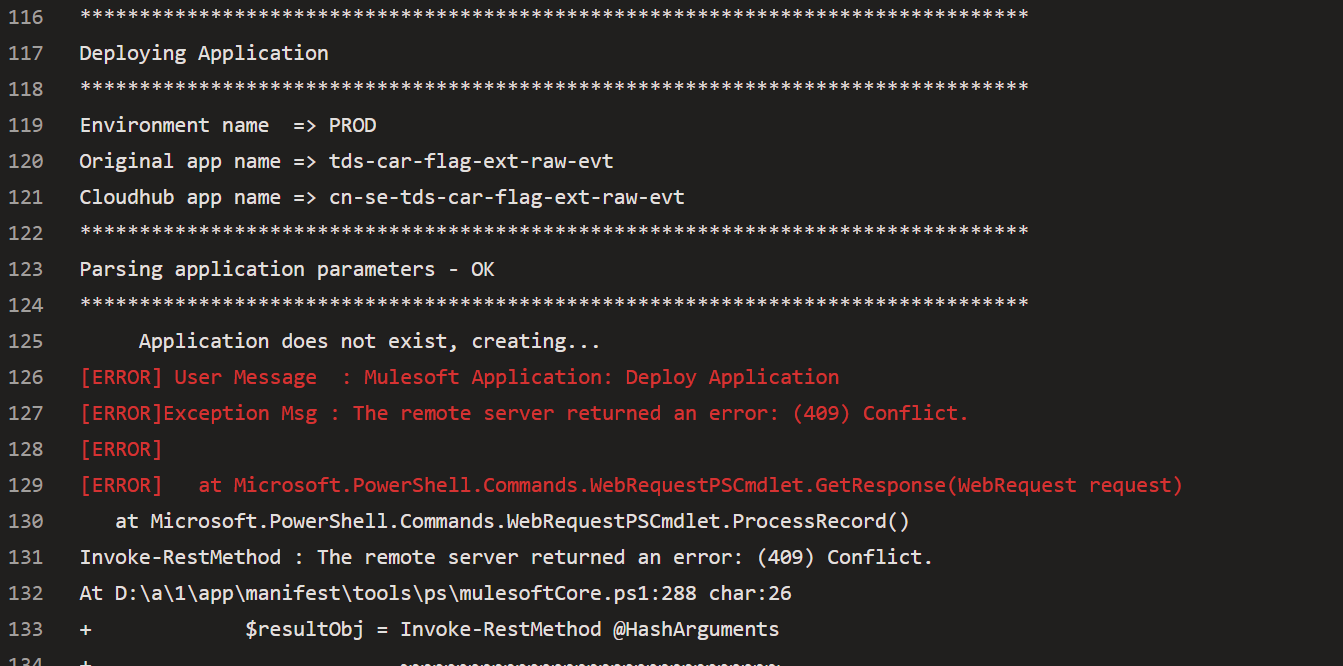
[ERROR] User Message : Mulesoft Application: Deploy Application
[ERROR] Exception Msg : The remote server returned an error: (409) Conflict.
[ERROR]
[ERROR] at Microsoft.PowerShell.Commands.WebRequestPSCmdlet.GetResponse(WebRequest request)
at Microsoft.PowerShell.Commands.WebRequestPSCmdlet.ProcessRecord()
Invoke-RestMethod : The remote server returned an error: (409) Conflict.
At D:\a\1\app\manifest\tools\ps\mulesoftCore.ps1:288 char:26
CAUSE
The current CloudHub implementation for properties and secure properties are case sensitive.In properties update scenario we do an update a properties key/value based on the requested Key/Value but for secure properties the update is done in the application file. During the application file update, file inspector scan for the secure properties and if it finds a property with different case it persist in the DB assuming that it's a new property and does not track the old property that can cause this issue.
To avoid such issue they suggest you to delete the app and recreate with the same name using the update secure properties. if you don't want to recreate the app then MuleSoft engineering needs to delete the record from the database.
SOLUTION
Deleted the app and redeployed it.Knowledge Article Number
001119980
Did this article solve your issue?
Let us know so we can improve!
