Select An Org
How to inject HTTP Strict Transport Security headers in the API response using the HSTS policy
Publish Date: Mar 2, 2024
Resolution
DESCRIPTION
How to inject HSTS header in the API response.As per the Header Injection Policy documentation, the header can be injected in the response of an API. Here is an example of how to do this
STEPS TO FOLLOW
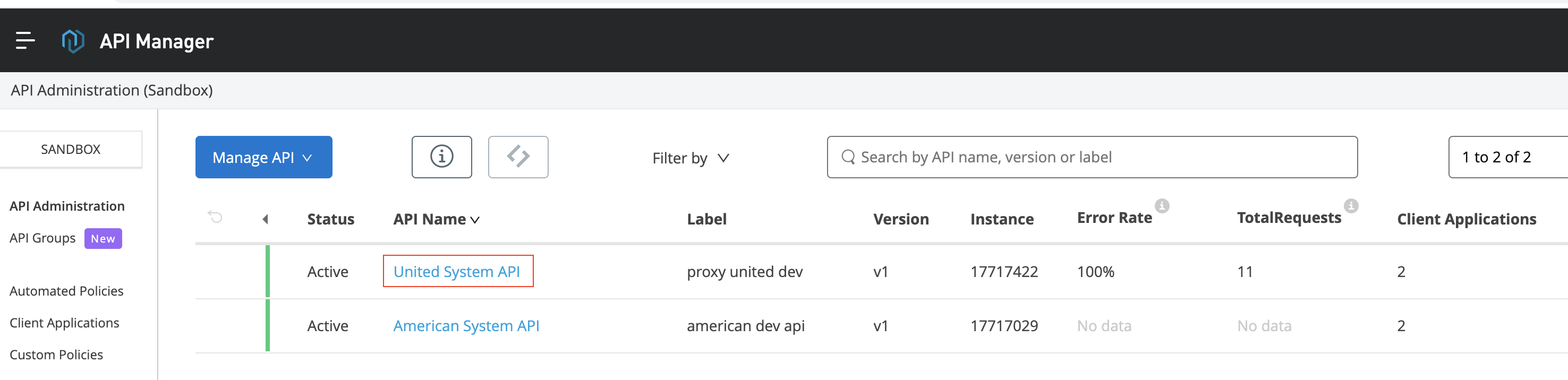
Step 1: Go to API Manager in Anypoint platform and select the API where HSTS header property needs to be added.
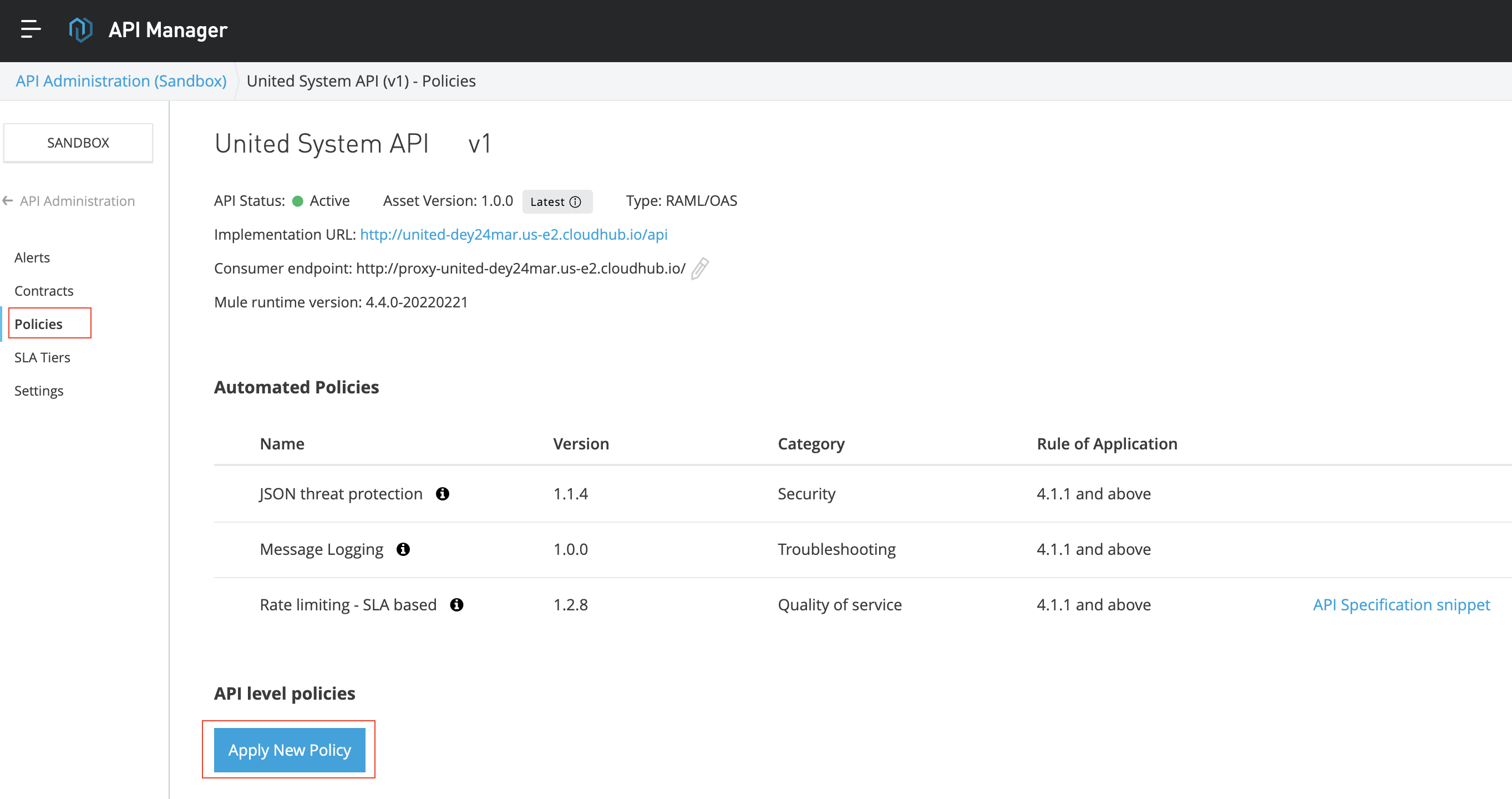
Step 2: Select policies from the left navigation panel and click on “Apply new policy”.
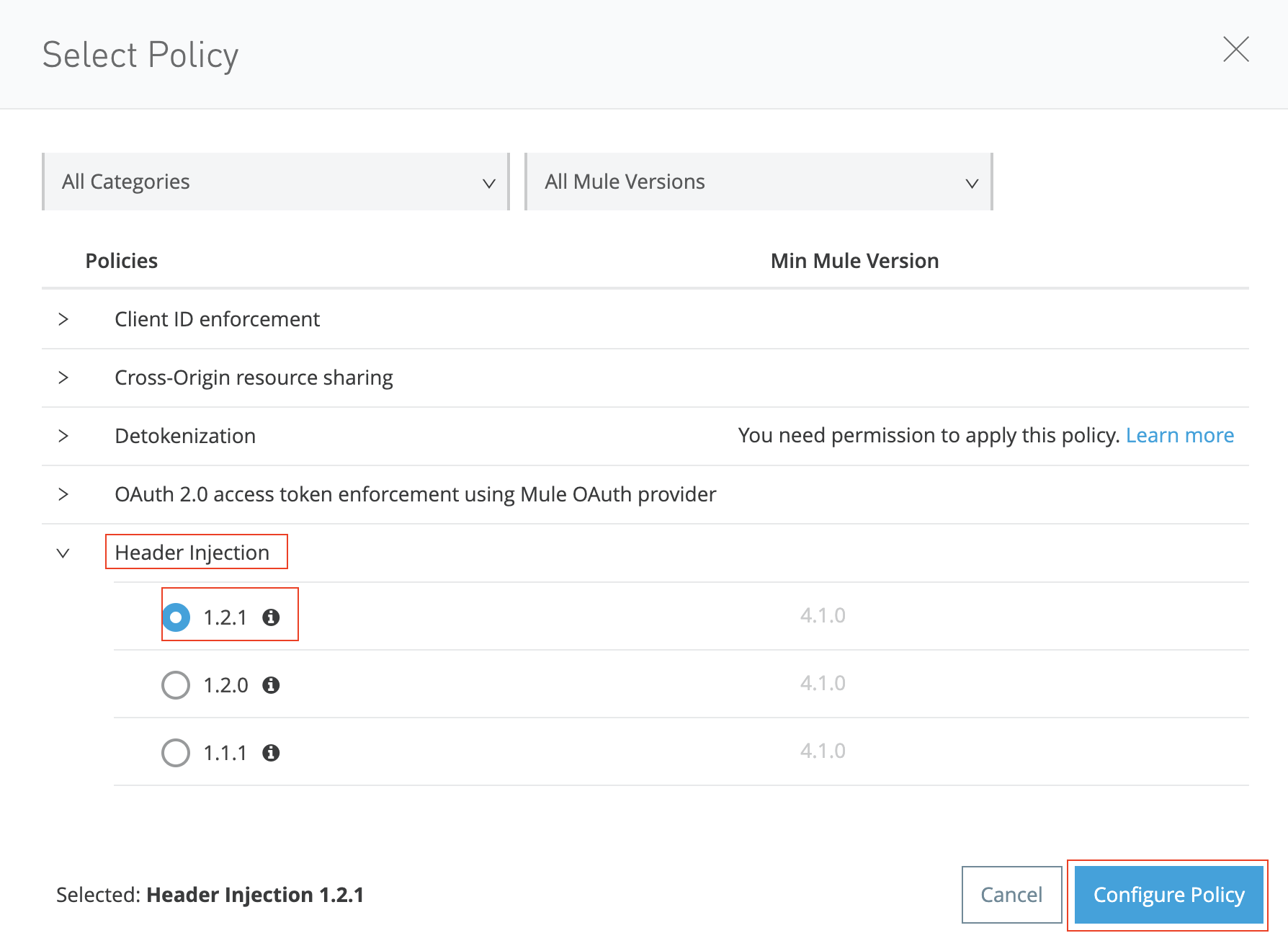
Step 3: Select “Header Injection” from the policy categories, select latest version of the policy available and then click “Configure Policy”.
Step 4: Add below key value pair in the “Outbound Header Map” and then click Apply.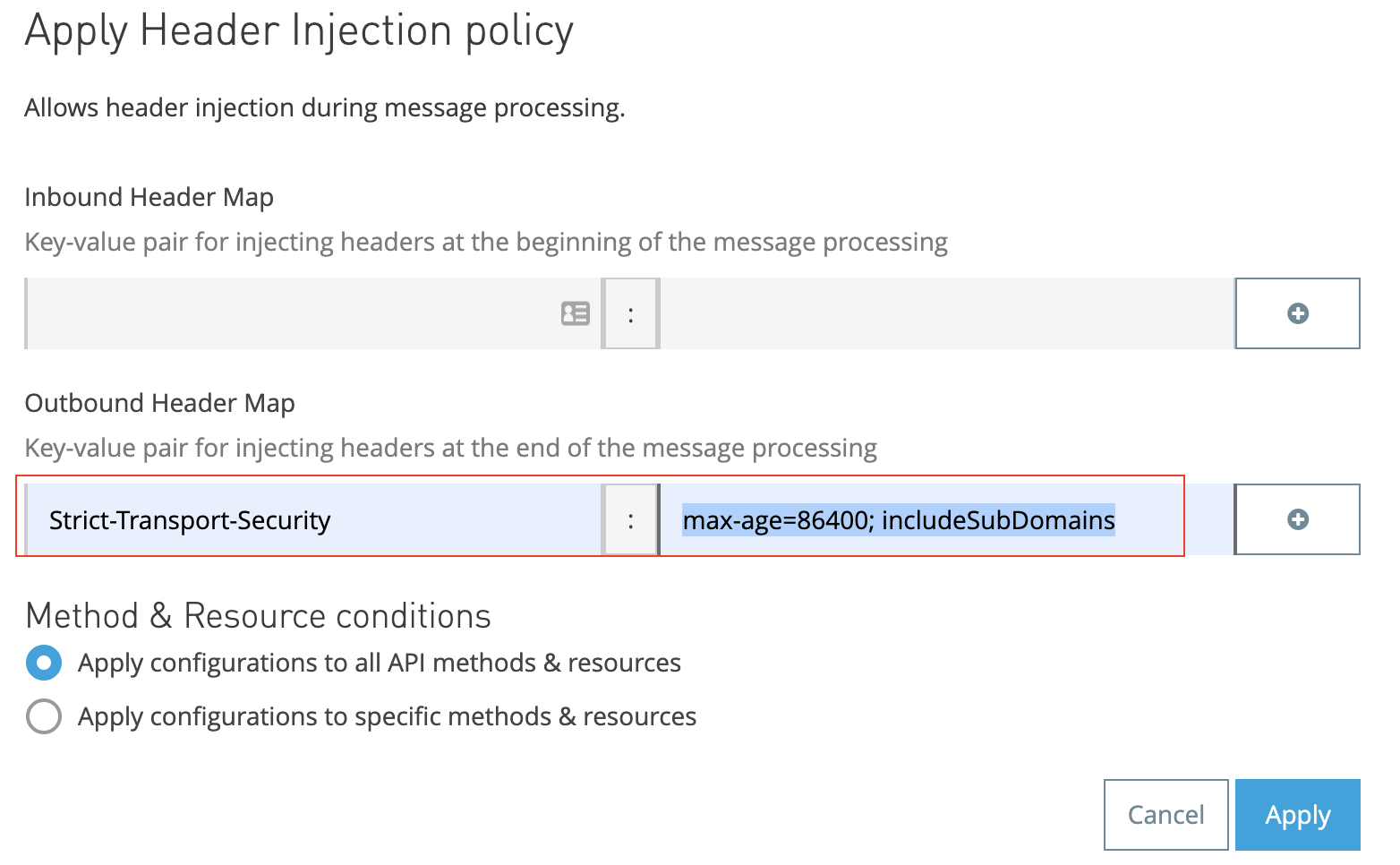
Key: "Strict-Transport-Security
Value: “max-age=86400; includeSubDomains”
Please note that the value “max-age=86400; includeSubDomains” is just an example value, this can be set to any desired value based on the actual requirement.
REFERENCE
Header injection policy details https://docs.mulesoft.com/api-manager/2.x/header-injection-policy
Broader article on HTTP Strict Transport Security
Knowledge Article Number
001120272
Did this article solve your issue?
Let us know so we can improve!
