Sélectionner une organisation
Jira Connector | How to get an API Token from an Atlassian account
Date de publication: Jul 25, 2025
Résolution
GOAL
You are interested in getting API Token from an Atlassian account so that you can use it while making a "Basic Auth Connection Provider" connection between the MuleSoft Jira connector and Jira, Atlassian.
PROCEDURE
1. Log in to your Atlassian account.
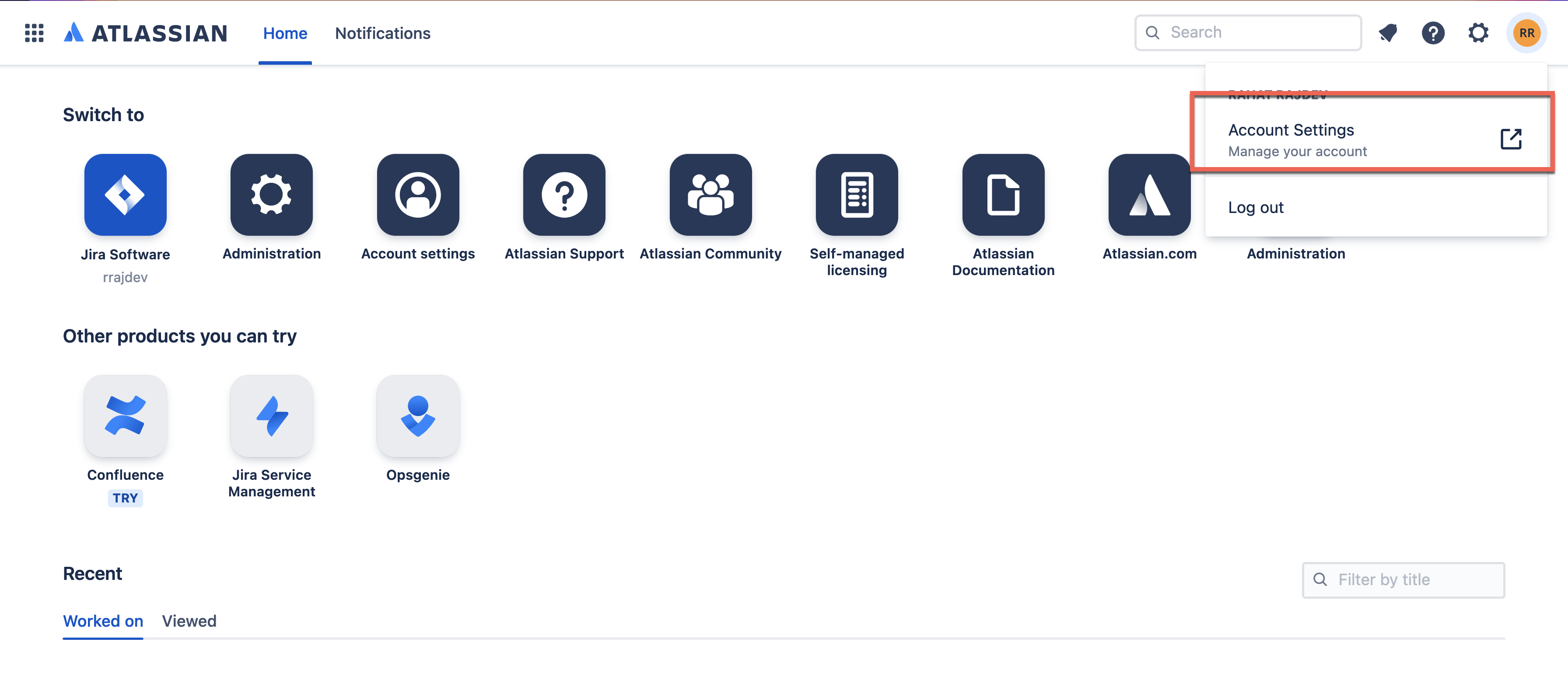
2. Open Account Settings.
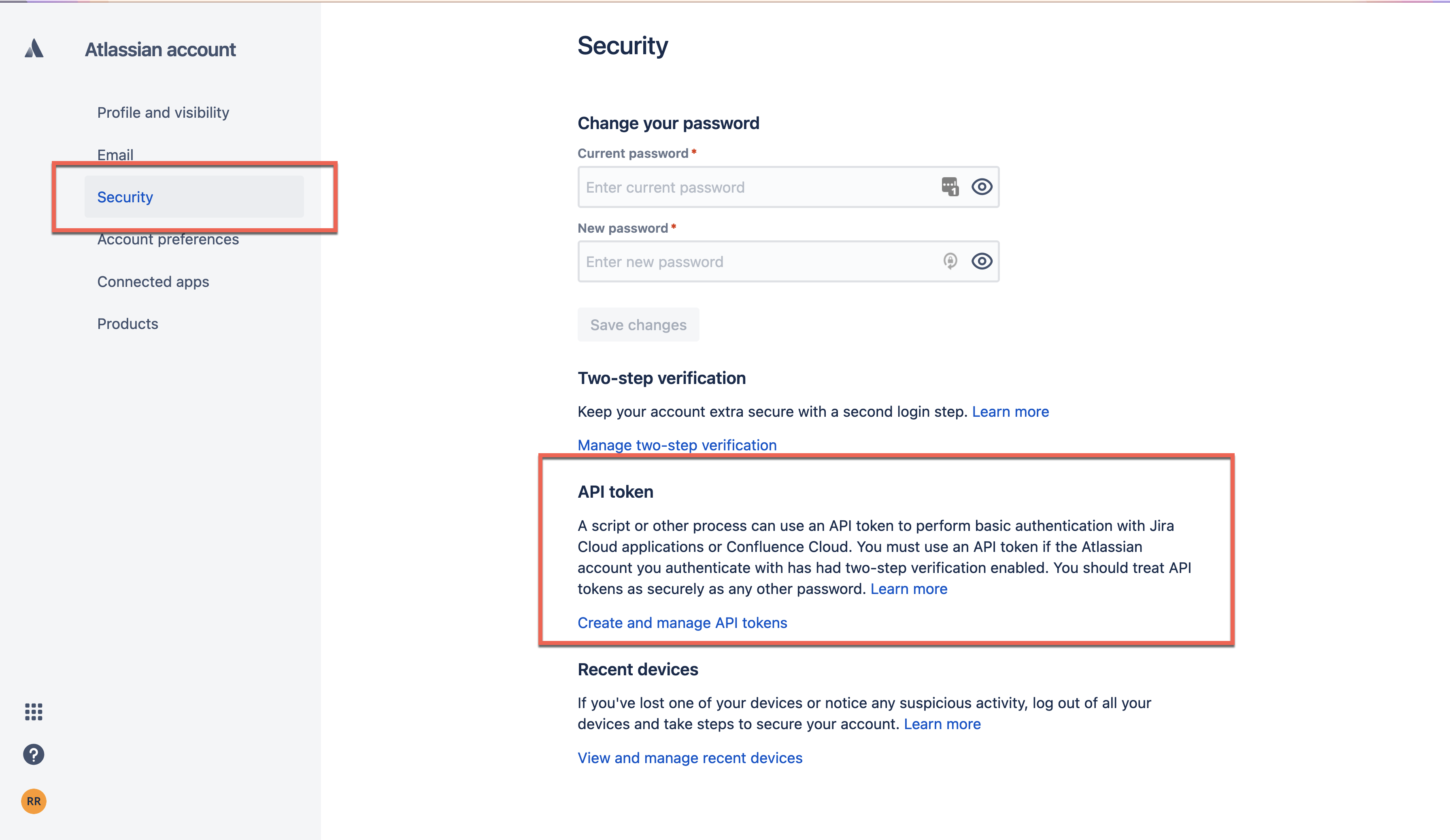
3. Tap to Security > Create and manage API tokens.
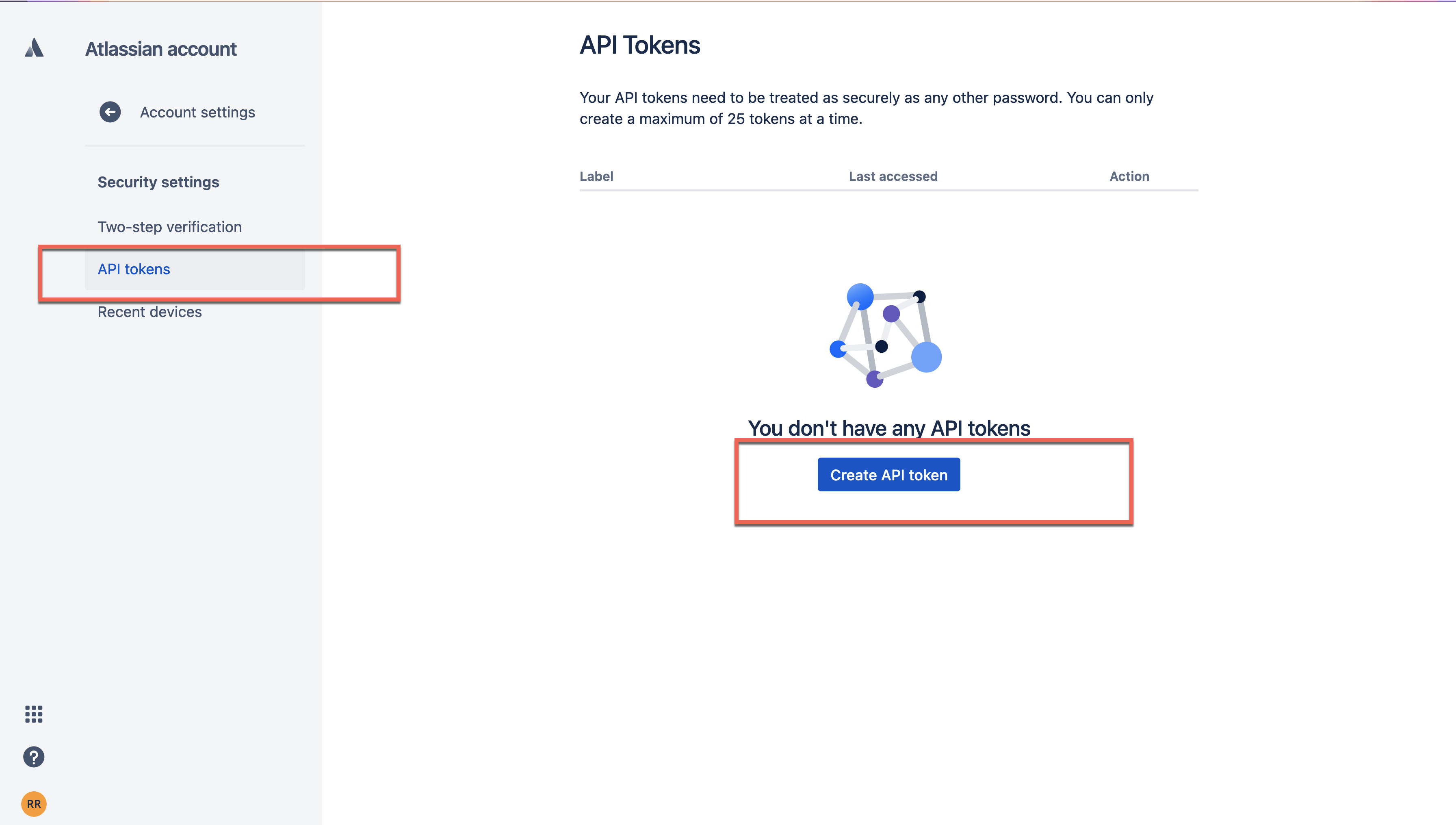
4. Under API Tokens > Tap on Create API Token to generate an API token.
Disclaimer: This article involves products and technologies which do not form part of the MuleSoft product set. Technical assistance for such products is limited to this article.
Numéro d’article de la base de connaissances
001120341
Cet article a-t-il résolu votre problème ?
Dites-nous ce que nous pouvons améliorer !
