Velg en organisasjon
Jira Connector | How to get an API Token from an Atlassian account
Publiseringsdato: Jul 25, 2025
Løsning
GOAL
You are interested in getting API Token from an Atlassian account so that you can use it while making a "Basic Auth Connection Provider" connection between the MuleSoft Jira connector and Jira, Atlassian.
PROCEDURE
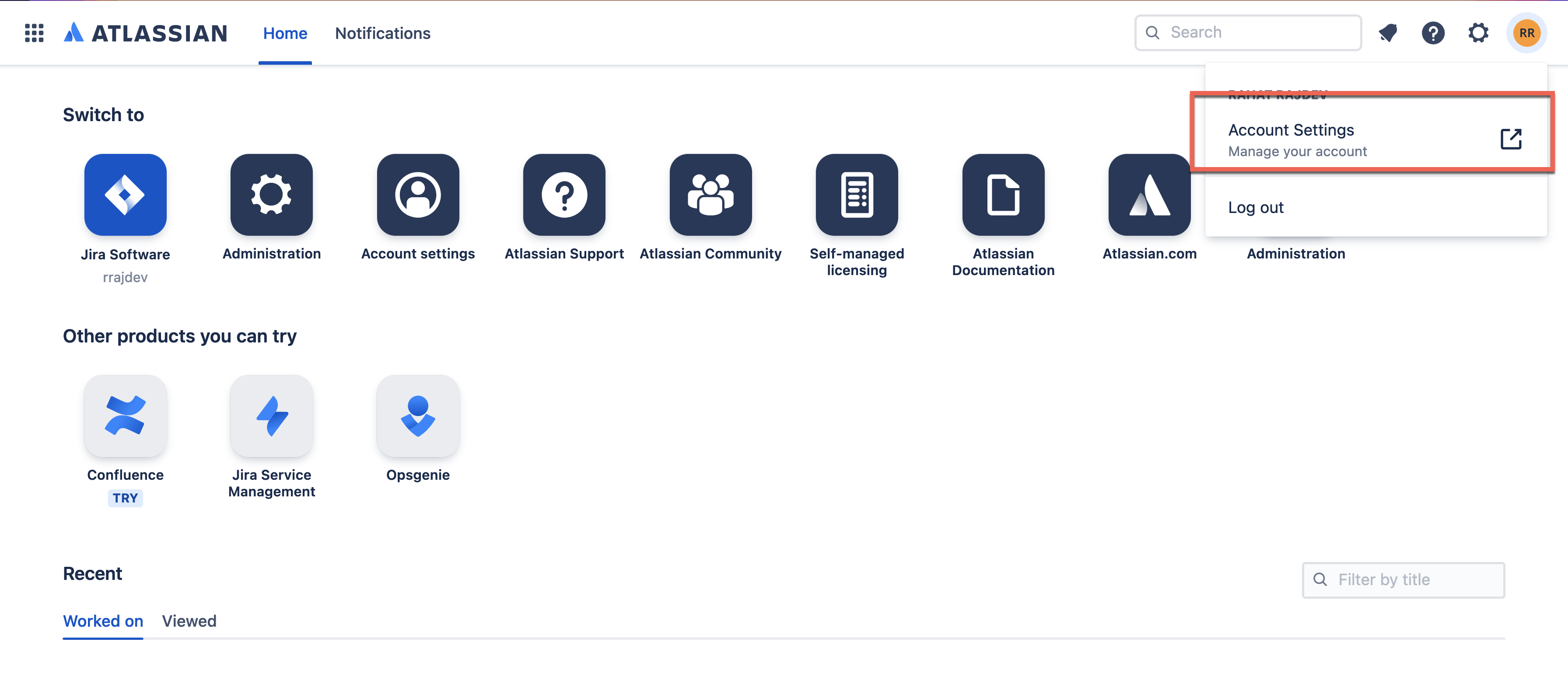
1. Log in to your Atlassian account.
2. Open Account Settings.
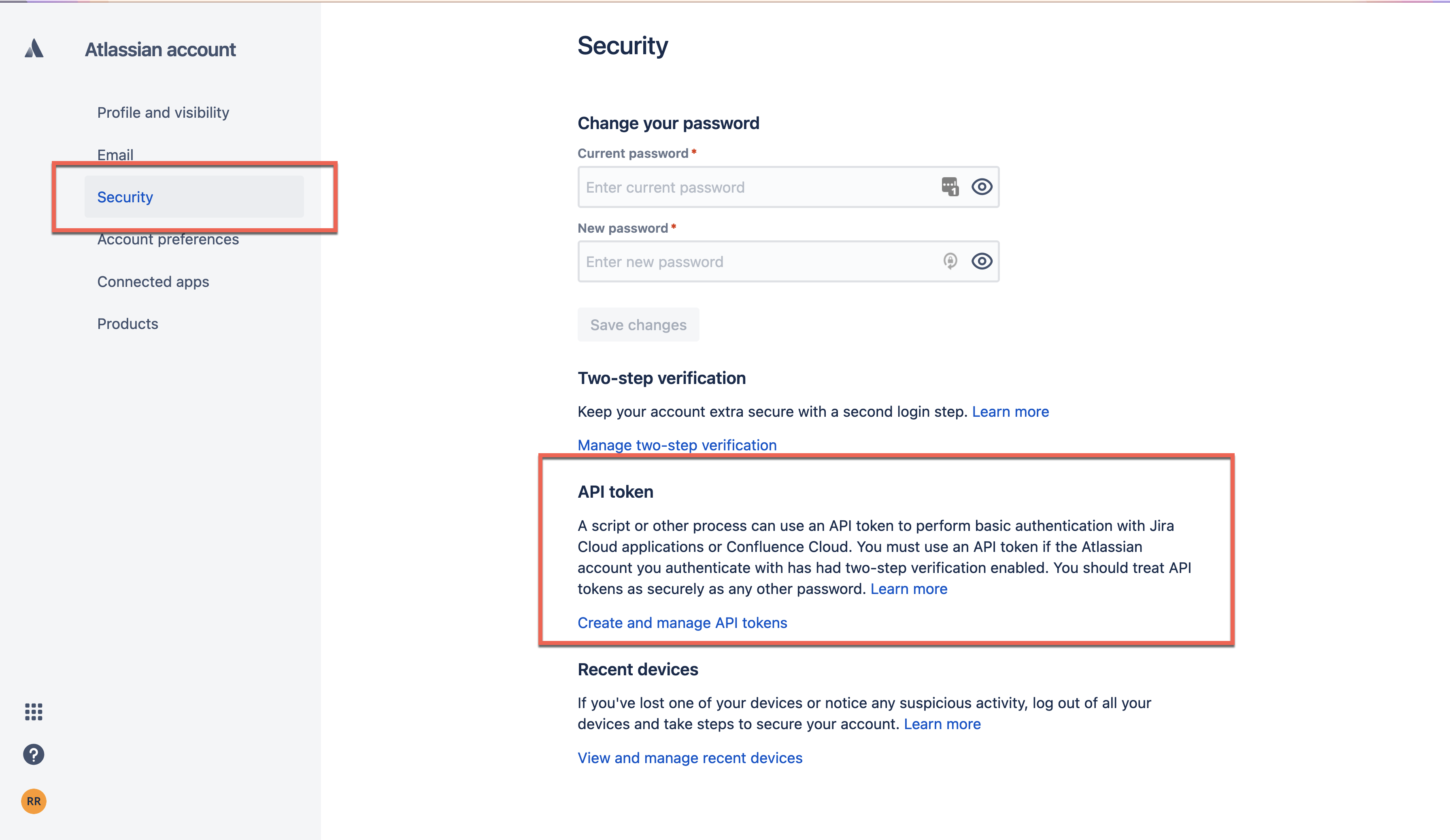
3. Tap to Security > Create and manage API tokens.
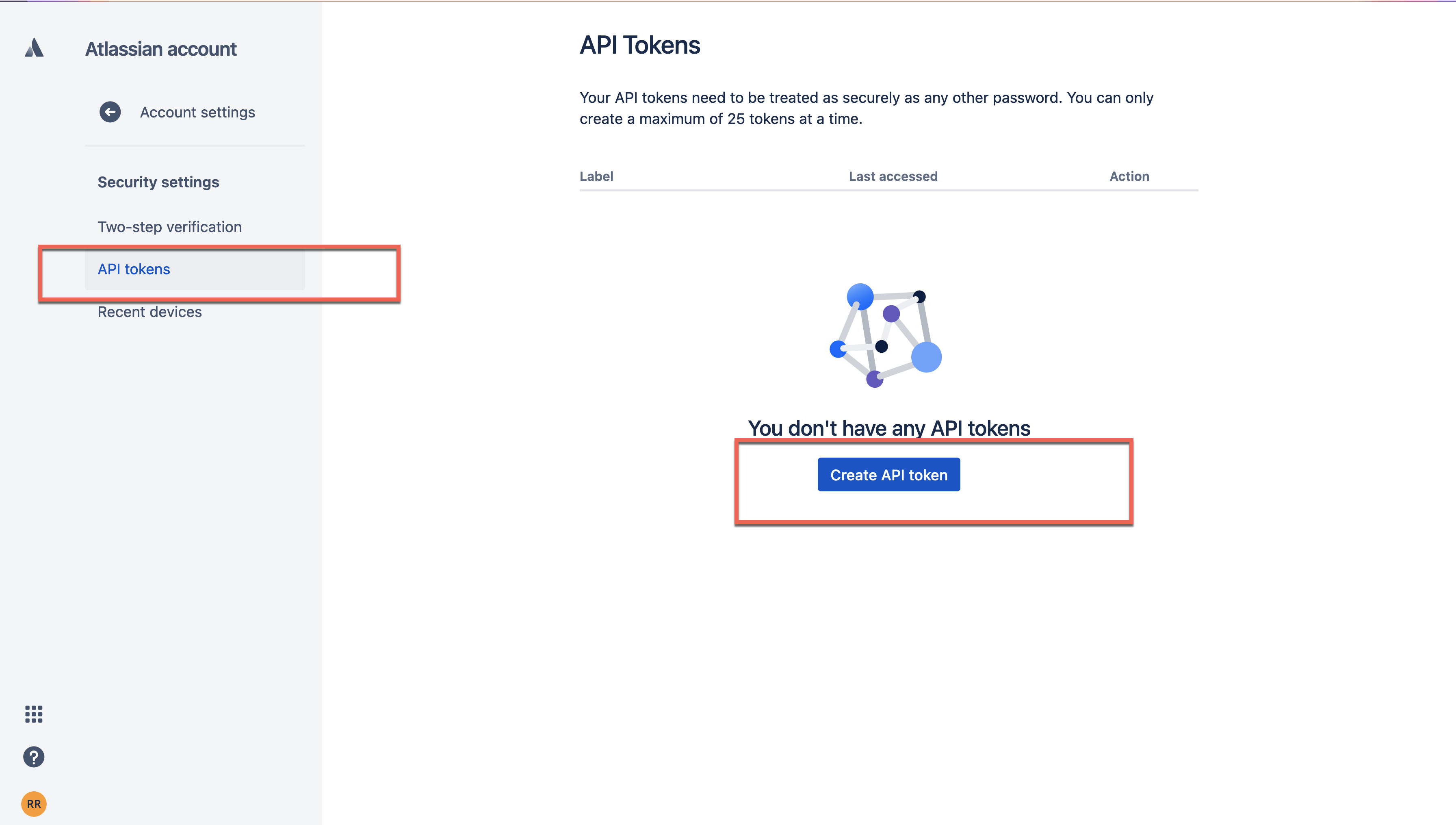
4. Under API Tokens > Tap on Create API Token to generate an API token.
Disclaimer: This article involves products and technologies which do not form part of the MuleSoft product set. Technical assistance for such products is limited to this article.
Knowledge-artikkelnummer
001120341
Hjalp denne artikkelen med å løse problemet ditt?
La oss få vite det slik at vi kan forbedre!
