Valitse organisaatio
Trying to use Connected App of grant type client_credential to call MuleSoft ‘API Platform API’ and getting "Authorization Error"
Julkaisupäivä: Mar 31, 2026
Ratkaisu
SYMPTOM
You have created a connected app with the type "App acts on its own behalf (client credentials)" and using the client id and the secret to generate a token to hit an Anypoint endpoint. And you get the below "403 Unauthorized":
GET https://anypoint.mulesoft.com/apiplatform/repository/v1/organizations/{{organisation_id}}/environments

{
"name": "AuthorizationError",
"message": "Unauthorized"
}
CAUSE
The cause of the issue is because depending on how the API is designed and what type of authorization it supports, as in this case this API is a protected resource controlled by the service provider. In the case of this API https://anypoint.mulesoft.com/apiplatform/repository/v1/organizations/{{organisation_id}}/environments, it does not support client credential grant type and you have to use authorization code grant type while generating the token for accessing the API.
Hence, You must create the connected app type "App acts on behalf of a user" with grant type "Authorization Code" as explained in the link.
SOLUTION
-
Steps to follow
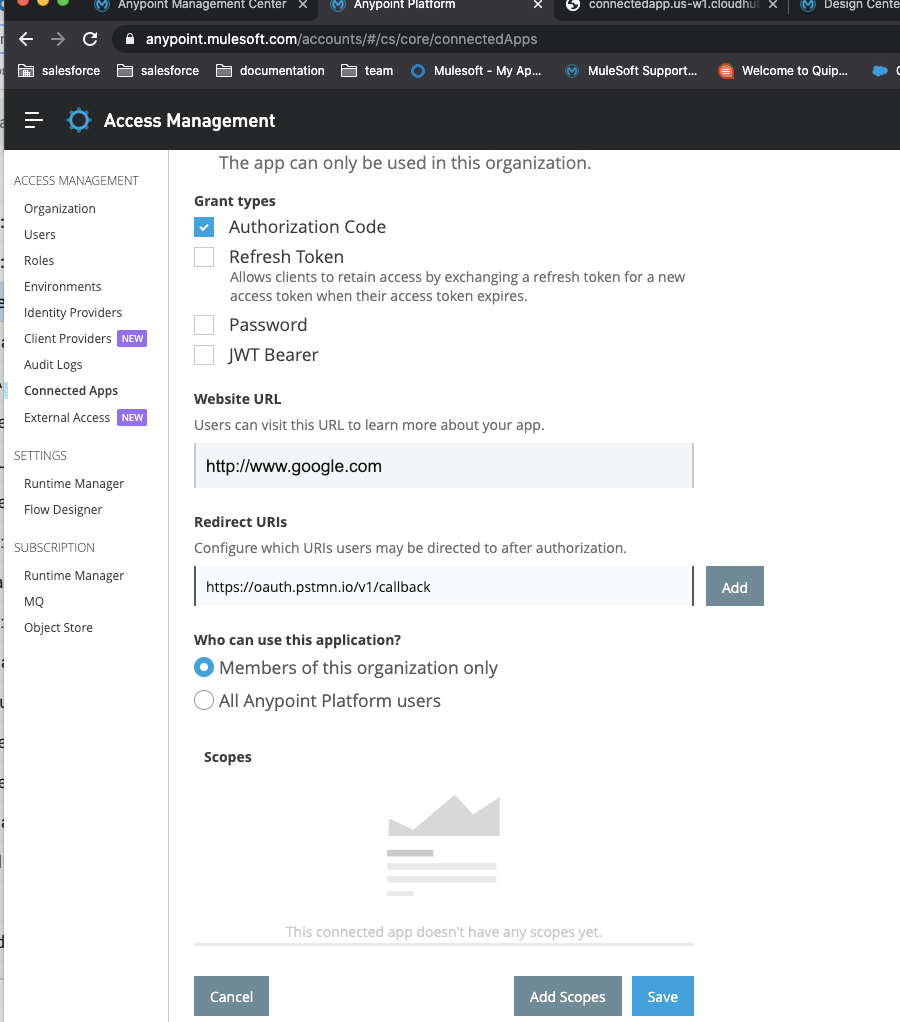
- Create Connected App
- Anypoint user should be organization admin
- Type: "App acts on behalf of a user"
- Redirect URIs: https://oauth.pstmn.io/v1/callback
- Scope: full
- Create Connected App
- Generate a token in Postman using the steps below
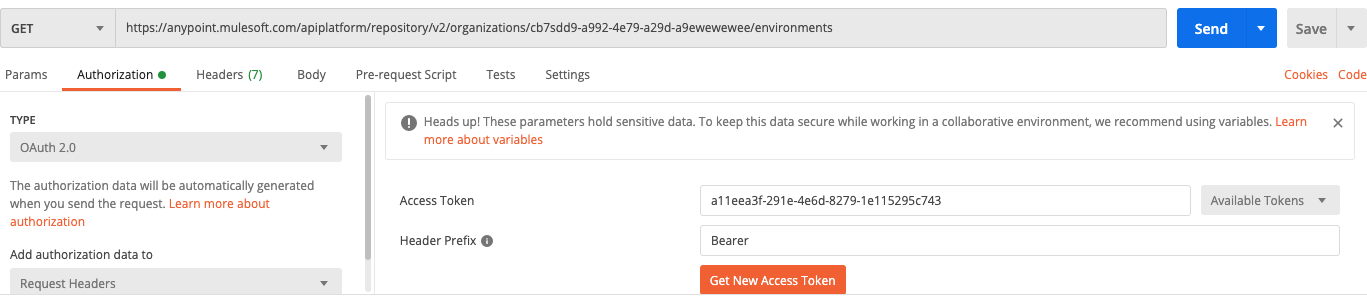
- Good document on using postman authorization Oauth2 header type
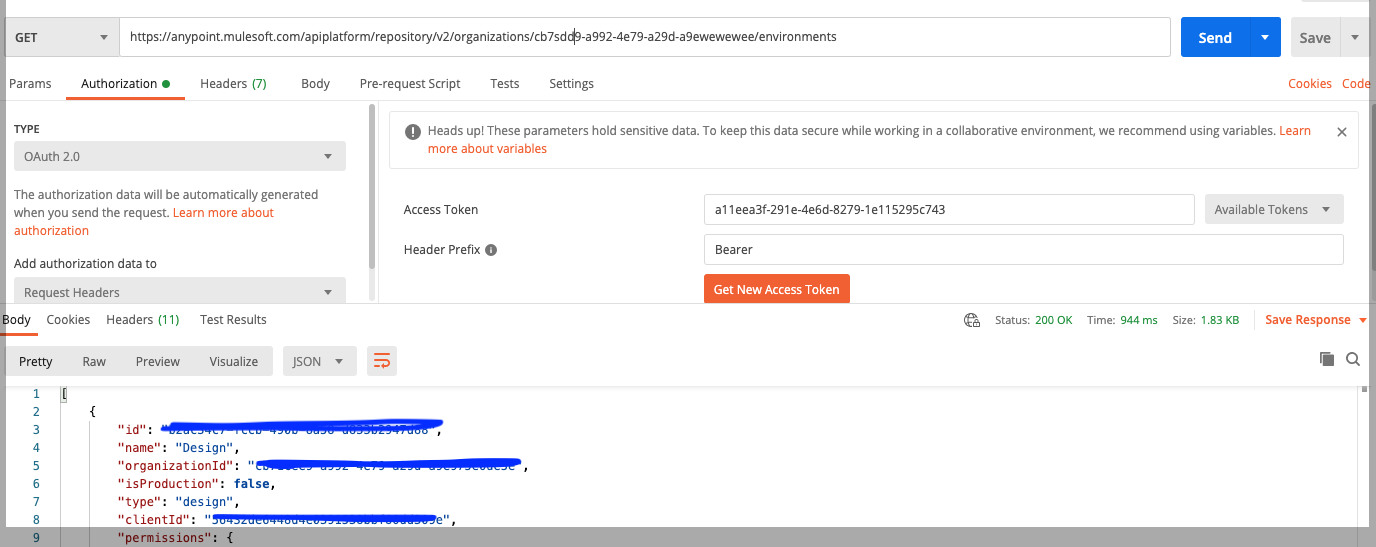
- Put the API you want to hit in the as a GET call eg. in this case the API API https://anypoint.mulesoft.com/apiplatform/repository/v1/organizations/{{organisation_id}}/environments which only support authorization code.
- Go to tab Authorization tab choose type OAuth 2.0 and click on Get New Access Token
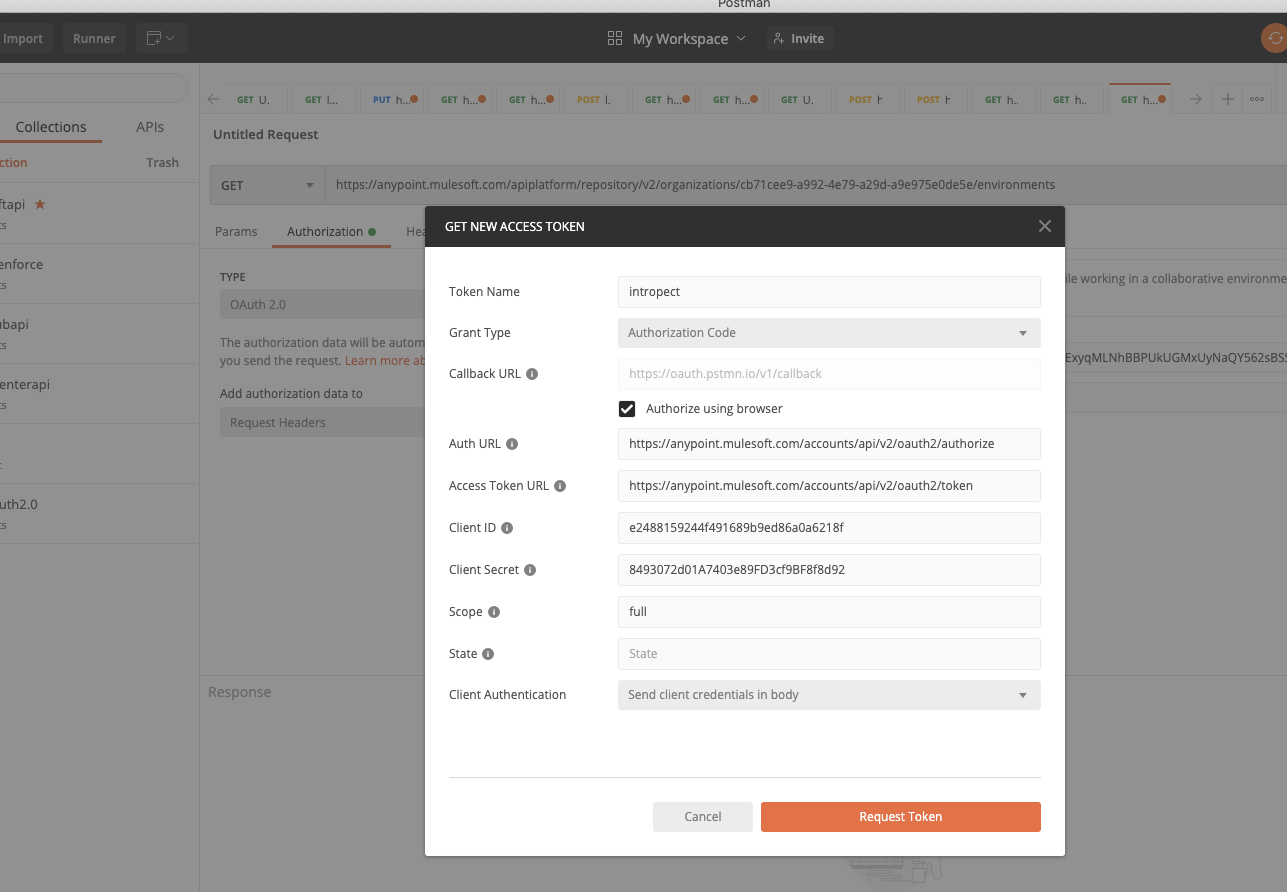
- On the page that opens enter the values as below
Callback URL(same as redirect url in connected app, this is the url to redirect after authorization): https://oauth.pstmn.io/v1/callback
Authorize using browser
Auth URL https://anypoint.mulesoft.com/accounts/api/v2/oauth2/authorize
Access Token URL https://anypoint.mulesoft.com/accounts/api/v2/oauth2/token
Client ID <from connected app>
Client Secret. <from connected app>
Scope. full
For EU plane, please use
Callback URL(same as redirect url in connected app, this is the url to redirect after authorization): https://oauth.pstmn.io/v1/callback
Authorize using browser
Auth URL https://eu1.anypoint.mulesoft.com/accounts/api/v2/oauth2/authorize
Access Token URL https://eu1.anypoint.mulesoft.com/accounts/api/v2/oauth2/token
Client ID <from connected app>
Client Secret. <from connected app>
Scope. full
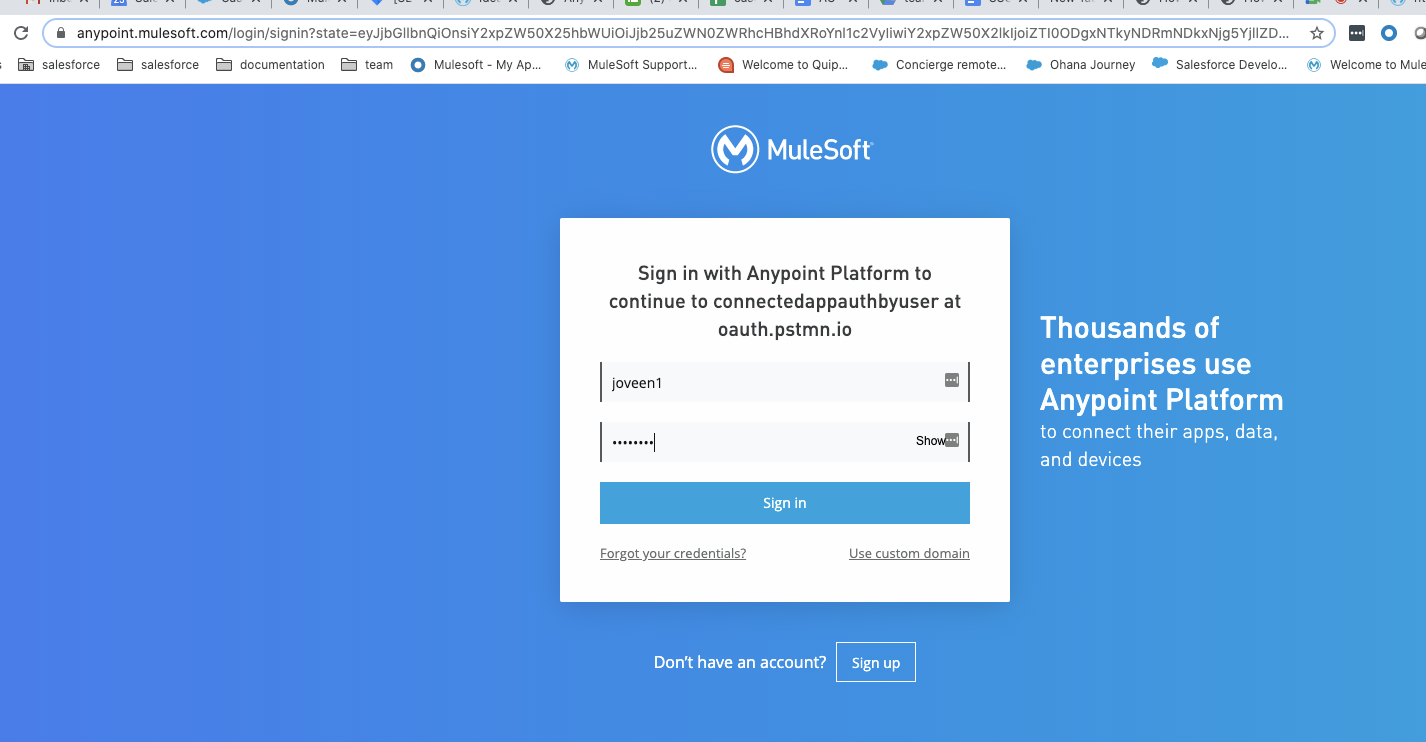
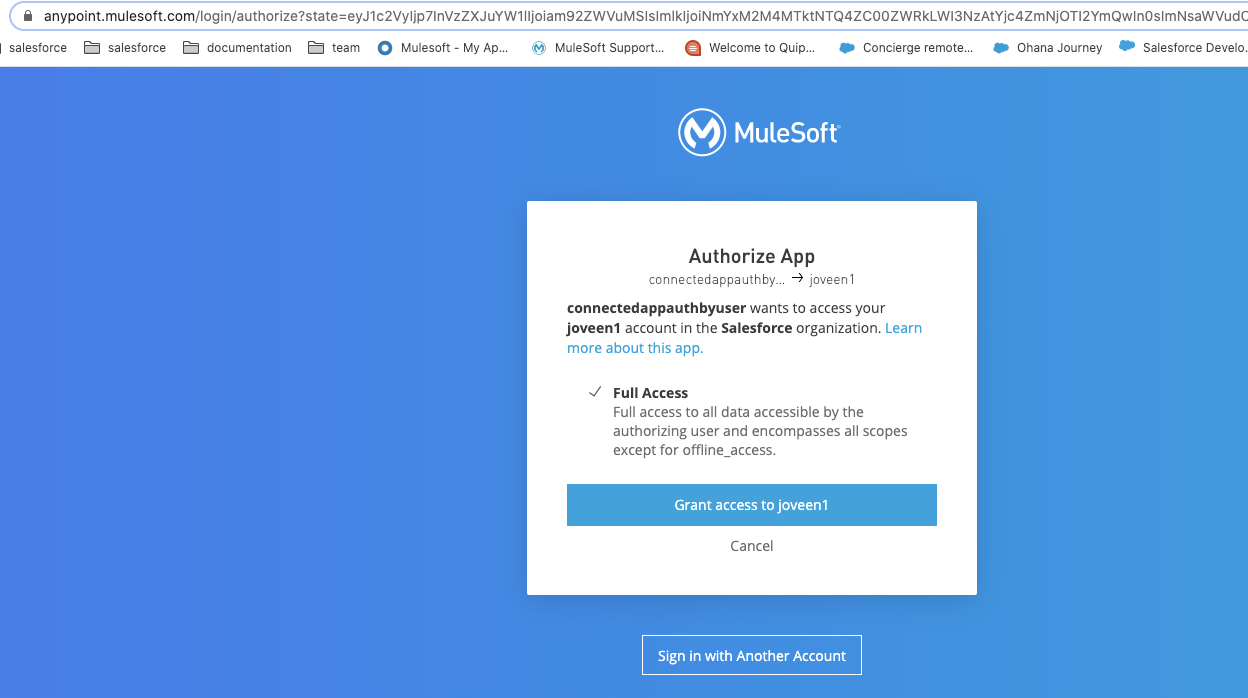
- When you click Request Token it will go to the browser as below. Login with Anypoint credentials. (In this step make sure you are not already logged into anypoint else you won't see the window below)
- The above will redirect to the below where the connected app is requesting access. Click Grant access to .. button
- You will see below redirects
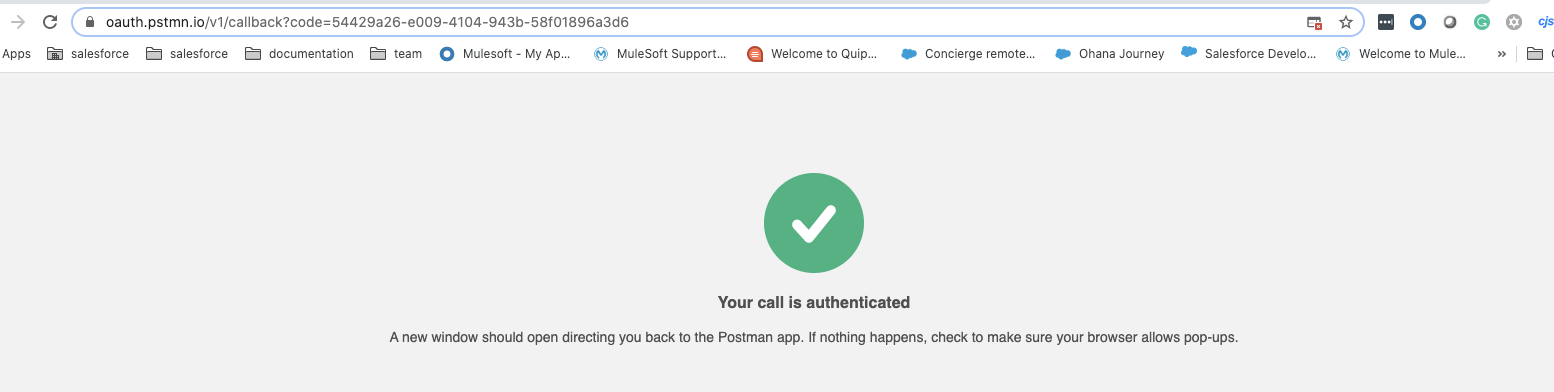
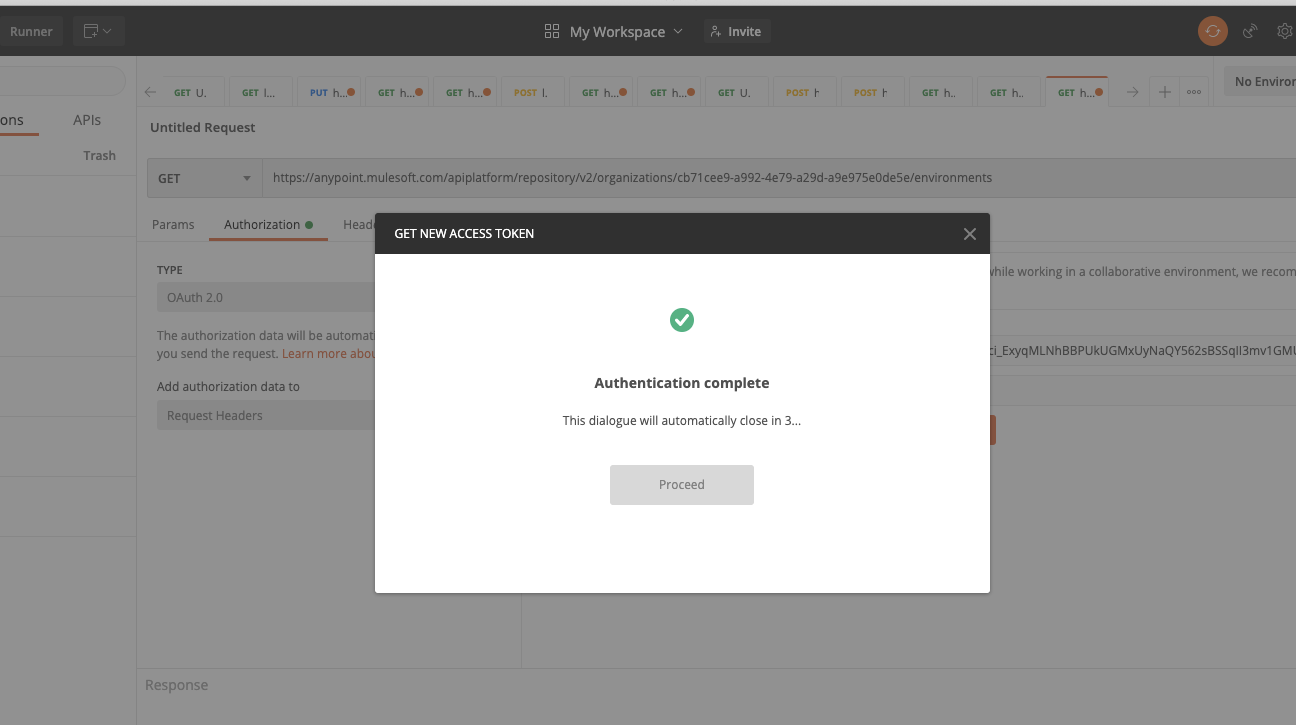
Click Proceed and you will see the token generated
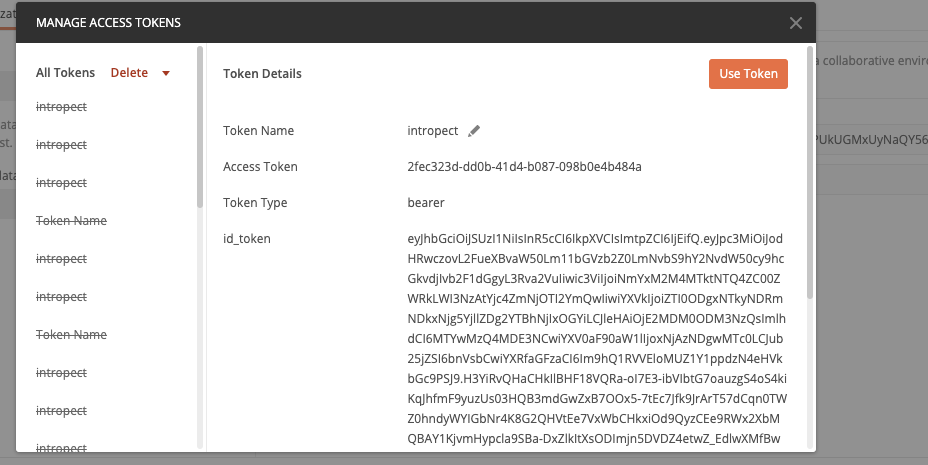
- Now use the token to access the API (you can use Curl call to do this step) but the steps below are for the postman
- In the above screen click "Use Token"
- Click send to call the API
<Optional> If you want to create an app associated with the connected app
When the above is confirmed that's working you can put all these in a Mule app hence the concept of a "connected app" so it could be used as a regular Mule app. Please use the attached test Anypoint Studio project called amcall_new.jar and review the src/main/resource/local-config.yaml within the project:
Please note values below should match the ones you used to generate the token in postman.
anypoint:
base.path: "/apiplatform/repository/v2/organizations/<your_org_id>"
host: "gov.anypoint.mulesoft.com"
port: "443"
local.callback.path: "/callback"
external.callback.url: "http://localhost:8070/callback"
local.authorization.url: "http://localhost:8070/login"
authorization.url: "https://gov.anypoint.mulesoft.com/accounts/api/v2/oauth2/authorize"
client.id: "connected_app_client_id"
client.secret: "connected_app_client_secret"
token.url: "https://gov.anypoint.mulesoft.com/accounts/api/v2/oauth2/token"
1. Fill in your org id, connected app's client id and secret from Anypoint Platform's Access Management. Save the app and run it
2. In a browser call http://localhost:8070/login to retrieve the access token
3. In another browser tab call http://localhost:8070/amcall to invoke the call to the API to get the desired response
Please note depending on if you are running locally or as a Cloudhub app please modify the below in your app
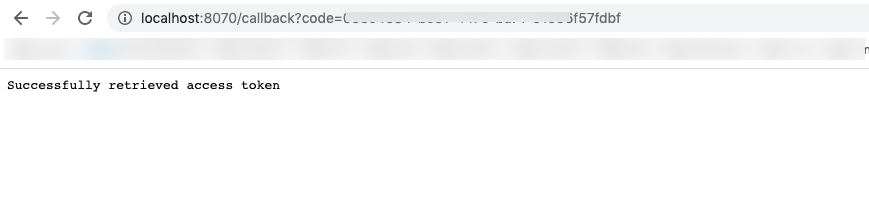

- LOCALHOST APP
- in yaml file modify the below values depending on if the local or Cloudhub app
anypoint:
  base.path: "/accounts/api/organizations/erere-a992-4e79-a29d-a9e975e0de5e/environments"
  host: "anypoint.mulesoft.com"
  port: "443"
  local.callback.path: "/callback"
  external.callback.url: "http://localhost:8070/callback"
  local.authorization.url: "http://localhost:8070/login"
  authorization.url: "https://anypoint.mulesoft.com/accounts/api/v2/oauth2/authorize"
  client.id: "<CLIENT ID FROM CONNECTED APP>"
  client.secret: "<CLIENT SECRET FROM CONNECTED APP>"
  token.url: "https://anypoint.mulesoft.com/accounts/api/v2/oauth2/token"
- connected app
redirect URL http://localhost:8070/callback
- CLOUDHUB APP
- local-config.yaml for app
anypoint:
  base.path: "/accounts/api/organizations/erere-a992-4e79-a29d-a9e975e0de5e/environments"
  host: "anypoint.mulesoft.com"
  port: "443"
  local.callback.path: "/callback"
  external.callback.url: "http://<APP URL>/callback"
  local.authorization.url: "http://<APP URL>/login"
  authorization.url: "https://anypoint.mulesoft.com/accounts/api/v2/oauth2/authorize"
  client.id: "<CLIENT ID FROM CONNECTED APP>"
  client.secret: "<CLIENT SECRET FROM CONNECTED APP>"
  token.url: "https://anypoint.mulesoft.com/accounts/api/v2/oauth2/token"
- connected app
redirect URL http://<APP URL>/callback
Attachments
amcall_new.jar
Lisäresurssit
How to create connected apps creation using API
Creating connected app and getting the bearer token example
How to deploy an application to Cloudhub using Connected App functionality
Knowledge-artikkelin numero
001120847
Ratkaisiko tämä artikkeli ongelmasi?
Anna palautetta, jotta voimme kehittyä!
